
9 Best Screen Time Reduction Apps For Your Phone
| App Name | Best For | Key Features | AC Rating | Pricing |
|---|---|---|---|---|
| Life7 | Overall mental wellness and mindfulness | Meditation, sleep sounds, breathing exercises | 4.8/5 | Free trial, weekly/monthly/yearly plans |
| Forest | Gamified focus sessions | Virtual tree planting, focus timer, real tree donations | 4.7/5 | One time purchase with optional extras |
| One Sec | Breaking mindless scrolling habits | Breathing exercises, app intervention, usage tracking | 4.6/5 | Free basic, subscription for pro |
| Freedom | Cross device blocking | Multi device sync, locked mode, scheduling | 4.5/5 | Free trial, yearly subscription |
| Opal | Comprehensive screen time control | Deep focus mode, leaderboards, app blocking | 4.6/5 | Free basic, yearly subscription |
| StayFree | Detailed usage analytics | Cross platform tracking, focus mode, sleep mode | 4.5/5 | Free with premium upgrade |
| ScreenZen | Free screen time management | Delay prompts, usage limits, strict blocking | 4.7/5 | Free donation supported |
| AppBlock | Customizable blocking schedules | Strict mode, quick block, scheduled blocking | 4.5/5 | Free basic, premium subscription |
| Qustodio | Parental control and family screen time | Time limits, app blocking, multi device support | 4.4/5 | Free trial, subscription plans |
#1. Life7 – Best for Overall Mental Wellness and Mindfulness
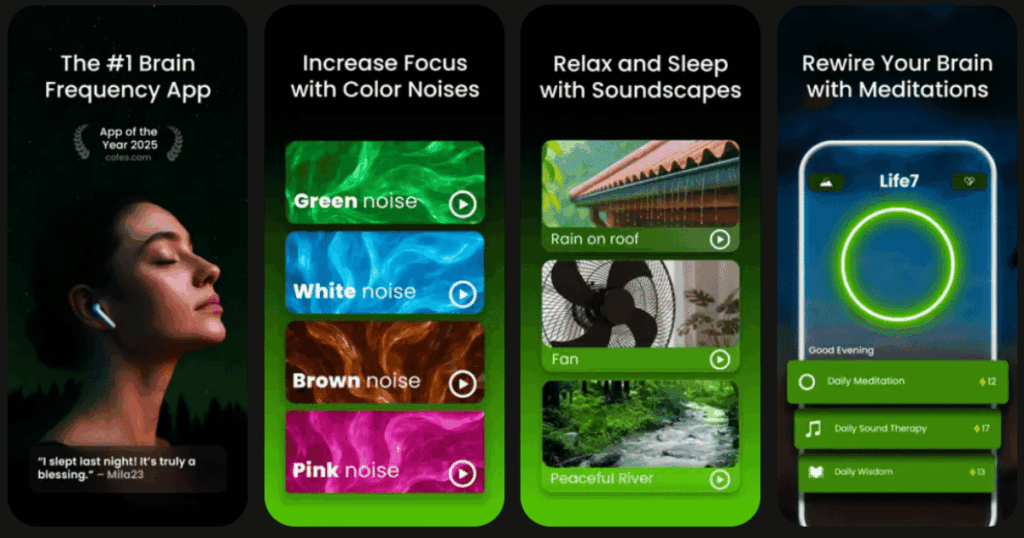
Life7 is more than just a screen time app. It is a complete mental wellness solution. This app takes a different approach to reducing phone use. Instead of just blocking apps, it gives you something better to do with your time.
The app has been featured in over 1,200 editorial mentions. Users have logged more than 312 million meditation minutes. That tells you how much people love using it!
Life7 helps you build healthy habits. You get daily check ins, meditations, and wisdom sessions. The app tracks your mood and lets you save thoughts. You can even earn XP and unlock new content by completing mindfulness sessions.
Key Features:
- SOS sessions for anxiety and panic attacks plus breathing exercises to calm your nervous system
- Sleep sounds including green noise, white noise, brown noise, and binaural beats at healing frequencies
- CBT, hypnotherapy, vagus nerve stimulation, and transcendental meditation all in one app
What I like: Life7 has everything you need in one place. I love how it tackles the root cause of phone addiction. The gamified approach keeps me coming back. The daily sessions help me build a routine. The variety of sounds and meditations means I never get bored. It genuinely makes me want to put my phone down and relax.
What I don’t like: The free content is a bit limited. You will want to upgrade to get the full experience. But with the 7 day free trial and frequent special offers, it is worth trying before you commit.
Pricing: 7 day free trial available. Weekly, monthly, and yearly plans offered.
Platforms: iOS and Android
#2. Forest – Best for Gamified Focus Sessions
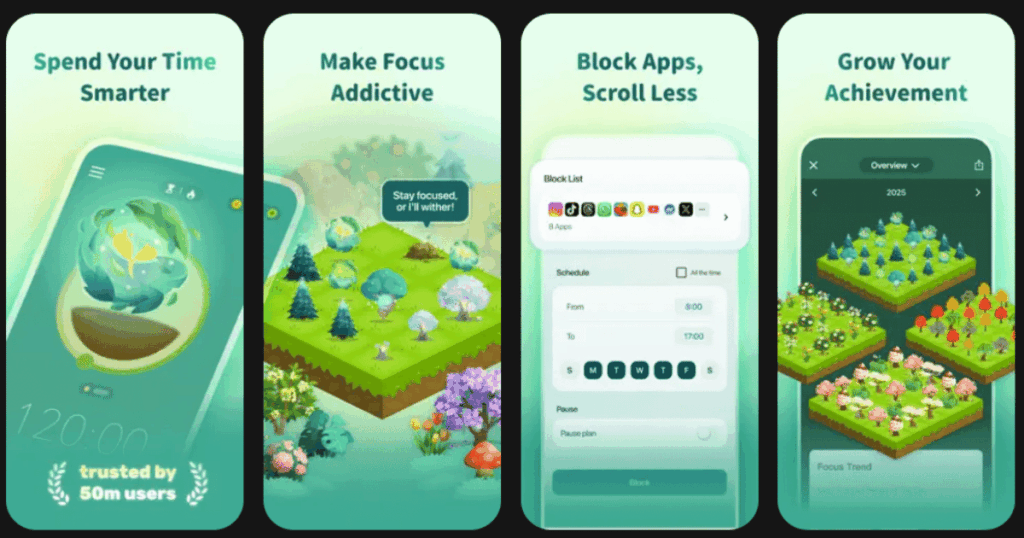
Forest turns staying off your phone into a fun game. When you want to focus, you plant a virtual tree. If you leave the app, the tree dies. It sounds simple, but it works really well.
The app has been helping people focus since 2016. Users say it is the perfect combination of motivating and making you feel disappointed in yourself if you slip up. The best part? Forest partners with Trees for the Future to plant real trees on Earth when you spend virtual coins.
Key Features:
- Plant trees with friends and family in shared focus rooms
- Create custom tags and view detailed statistics of your time distribution
- Earn coins to unlock new tree types and donate real trees to developing countries
What I like: The visual representation of my focus time is amazing. Watching my forest grow feels so rewarding. I also love competing with friends to see who has the biggest forest. The guilt of killing a tree actually stops me from checking my phone!
What I don’t like: If you visit a blocked app accidentally, the tree dies even near the end of the timer. That can be frustrating sometimes. Also, it focuses mainly on not using your phone rather than blocking specific apps.
Pricing: One time purchase around a few dollars. Free version available on Android with Pro upgrade option.
Platforms: iOS and Android
#3. One Sec – Best for Breaking Mindless Scrolling Habits
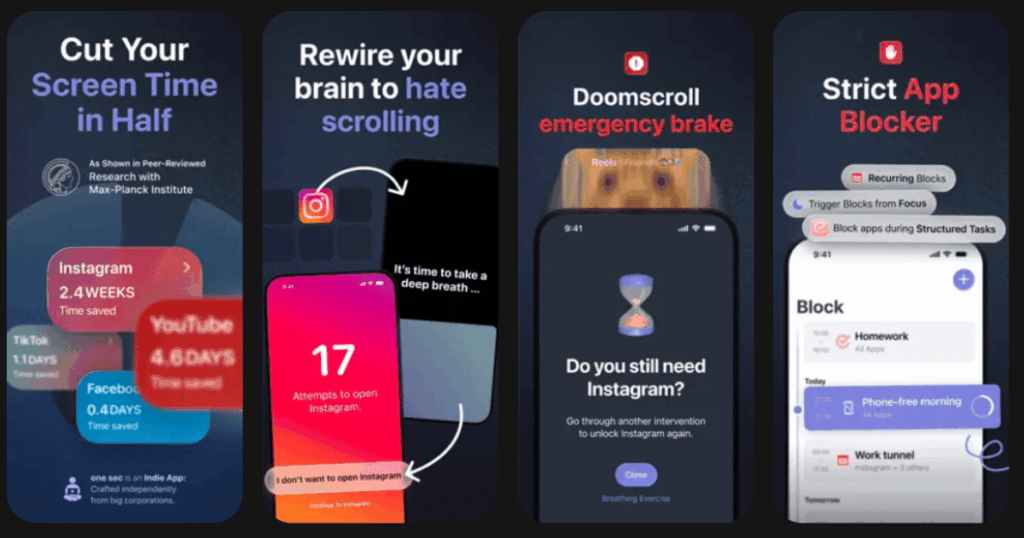
One Sec uses a clever trick to break your phone addiction. When you try to open one of your favorite apps, One Sec triggers a pop up that prompts you to pause for five seconds and take a deep breath. Then you decide if you still want to open the app.
This effect has been confirmed in a study with the University of Heidelberg and Max Planck Institute where they detected a reduction of social media usage by 57%. That is a huge improvement!
Key Features:
- Breathing exercises that force you to reflect before opening apps
- Tracks how many times you tried to open apps and how much time you saved
- Can completely block websites or certain subdomains with recurring schedules
What I like: This app changed how I use my phone. After pausing, I often decide I do not actually need to open the app. The breathing exercise calms me down. I feel more in control of my choices instead of mindlessly scrolling.
What I don’t like: Some paid features like scheduling are only available on iOS. The Android version is still catching up. Setup can be a bit complex at first.
Pricing: Free basic version. One Sec Pro available for around $19 per year.
Platforms: iOS and Android
#4. Freedom – Best for Cross Device Blocking
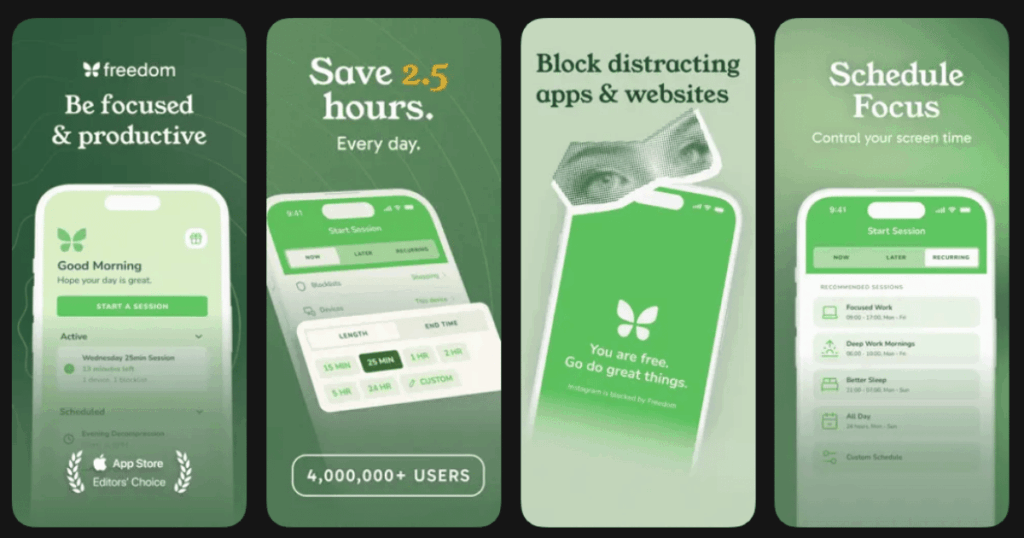
Freedom is the only app that blocks distractions on all your devices at the same time. No other screen time solution gives you the powerful multi device control of Freedom. Block Instagram on your computer and it is blocked on your phone too.
Freedom users report gaining an average of 2.5 hours of productive time every day. That is a lot of extra time to get things done!
Key Features:
- Syncs blocking sessions across Mac, Windows, iOS, Android, and Chrome
- Locked Mode prevents you from editing blocklists during active sessions
- Focus sounds with music, cafe, office, and nature sounds included
What I like: Because Freedom works across all your devices, you feel confident knowing you are in complete control. I love that I cannot just switch to another device to avoid the block. The scheduling feature helps me plan focused work time.
What I don’t like: Freedom does not include parental control features. Also, there is no long term free version, just a free trial. The price might feel steep for some users.
Pricing: Around $40 per year or about $200 for lifetime access. 7 day free trial available.
Platforms: iOS, Android, Mac, Windows, Chrome
#5. Opal – Best for Comprehensive Screen Time Control
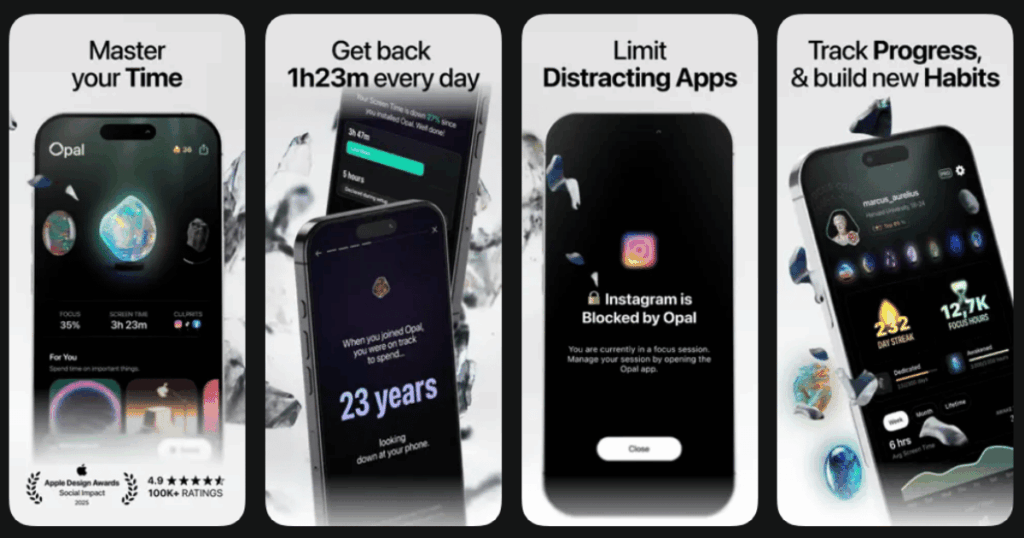
Opal is the fun, free Screen Time app to improve your focus and make the most out of every day. It combines app blocking with gamification elements like leaderboards and rewards.
As of November 2024, Opal has saved humanity 120 Million hours from less screen time. That is an incredible achievement!
Key Features:
- Deep Focus mode provides maximum protection that you cannot bypass or cancel
- Challenge friends to top the leaderboard and stay motivated together
- Track your screen time evolution with personalized insights
What I like: Deep focus mode forces me to channel my energy positively. The community features make reducing screen time feel less lonely. The insights help me understand my habits better.
What I don’t like: Around $8 a month feels steep. The app is mainly focused on iOS users. Some features feel overwhelming at first.
Pricing: Free basic version. Around $60 per year for full features.
Platforms: iOS primarily, limited Android support
#6. StayFree – Best for Detailed Usage Analytics
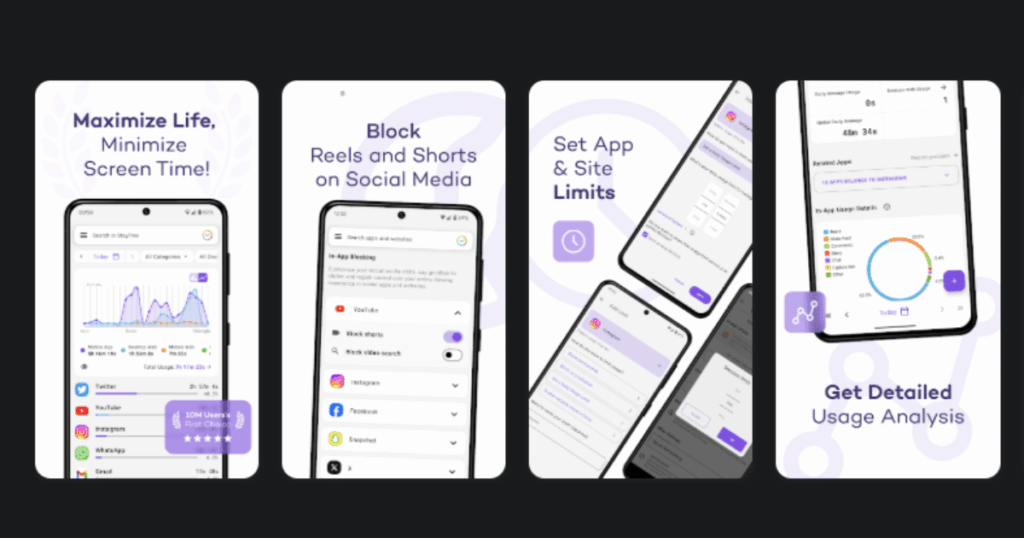
StayFree is the highest rated screen time, app blocker, and self control app. It gives you amazing insights into how you use your phone across all devices.
The app stands out because it is totally ad free and has no impact on your battery. That makes it perfect for everyday use.
Key Features:
- Cross platform support to view total screen time across phones, tablets, and computers
- Focus mode creates schedules to block distracting apps at specific times
- Sleep mode disables all apps to help you unwind at the end of the day
What I like: The in app blocking feature is amazing. I can block just Instagram Reels without blocking Instagram completely. The charts make it easy to see where my time goes.
What I don’t like: The iOS version has fewer features than Android. Some users report occasional bugs with restrictions not saving properly.
Pricing: Free version with basic features. Premium version available for advanced analytics and no ads.
Platforms: iOS, Android, Windows, Mac, Chrome, Firefox
#7. ScreenZen – Best for Free Screen Time Management
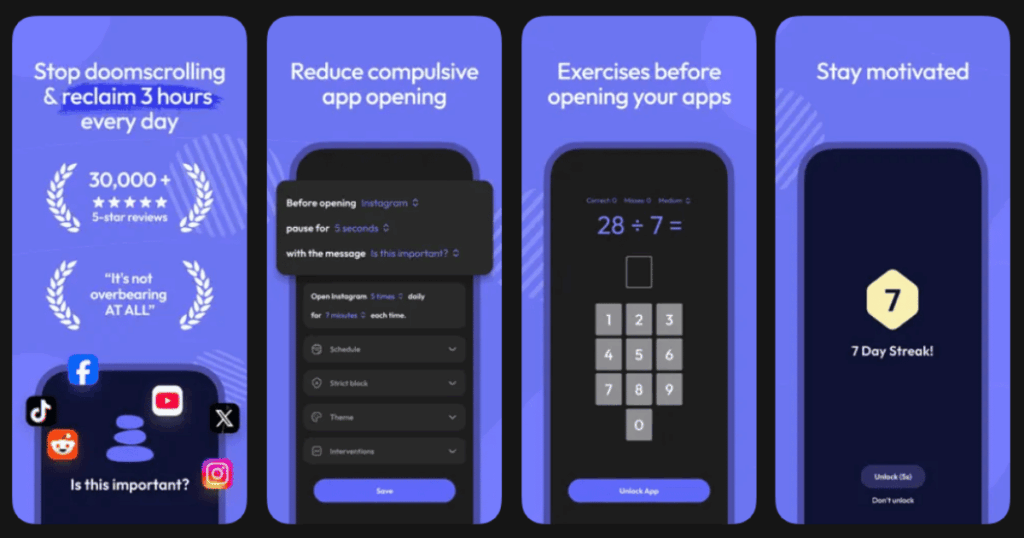
ScreenZen is the only FREE, donation supported screentime app blocker. It offers multiple strategies to reduce your screen time without costing you anything.
The app works by creating friction between you and your distracting apps. This makes you think twice before opening them.
Key Features:
- Delay before opening apps with increasing wait times each time you try
- Interrupt scrolling feature limits how long you can use distracting apps
- Strict block apps for time ranges or after reaching certain limits
What I like: The prompts urge you to be mindful and figure out what you are actually wanting. I love the customizable messages. The fact that it is free with no catches is amazing.
What I don’t like: The app relies on donations to stay running. Some advanced features that other paid apps have are missing. Setup takes some time to get right.
Pricing: Completely free with optional donations.
Platforms: iOS and Android
#8. AppBlock – Best for Customizable Blocking Schedules
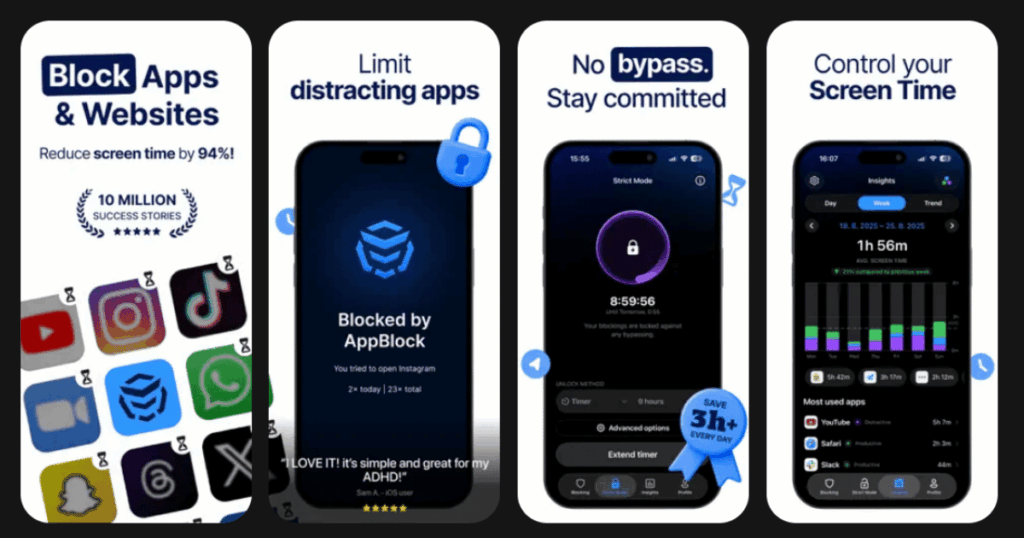
AppBlock elevates your digital well being and productivity with flexible blocking options. You can block apps based on time, location, or daily usage limits.
The app is perfect for anyone who needs different rules for different situations throughout the day.
Key Features:
- Quick Block lets you instantly start a block session with one tap
- Strict Mode ensures your apps and websites stay blocked no matter what
- Pomodoro feature combines app blocking with focused work sessions and timed breaks
What I like: Users say AppBlock has quite literally changed their lives. The scheduling flexibility is great. I can block social media during work hours but allow it during lunch.
What I don’t like: Due to iOS limitations, AppBlock cannot access a list of installed apps directly. Some features require the premium subscription.
Pricing: 7 day free trial. Monthly subscription around $5, annual around $30, lifetime around $90.
Platforms: iOS and Android
#9. Qustodio – Best for Parental Control and Family Screen Time
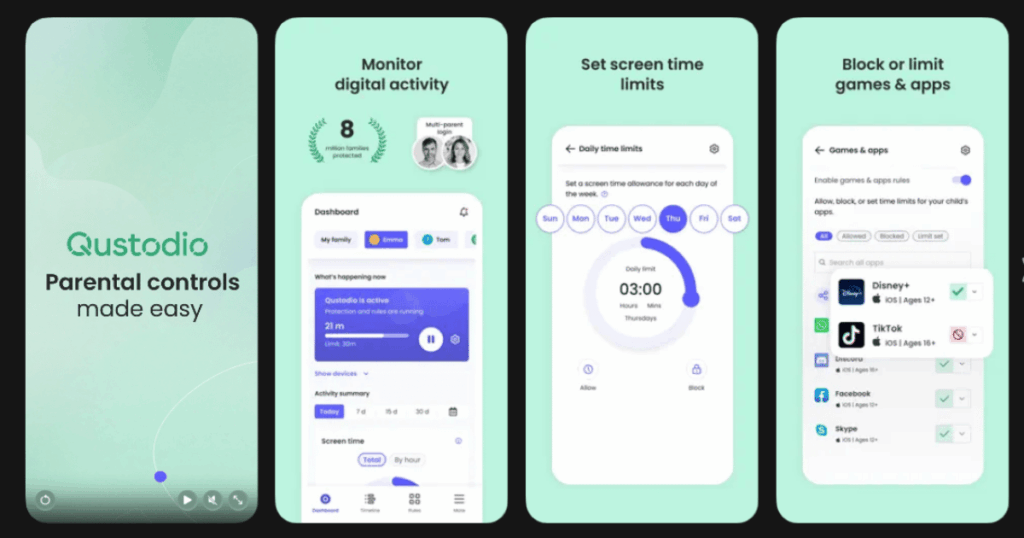
Qustodio takes the top slot for extensive screen time limit tools when it comes to managing your family’s phone use. It is perfect for parents who want to help their kids develop healthy habits.
The app works across multiple devices and gives parents detailed control over how their children use technology.
Key Features:
- Set daily screen time limits in 15 minute increments with alerts when limits are reached
- Choose between Lock Navigation or Lock Device when screen time is up
- Works on Android, iOS, Chromebook, Kindle, Windows, and macOS
What I like: Qustodio lets you decide what happens when your child’s screen time is up. The flexibility is great. The multi platform support means you can manage all devices from one place.
What I don’t like: The app is mainly designed for parental control. Adults using it for themselves might find some features unnecessary. The full version requires a subscription.
Pricing: Free trial available. Subscription plans vary based on number of devices and features.
Platforms: iOS, Android, Windows, Mac, Kindle, Chromebook
Do Screen Time Apps Actually Work?
Yes, screen time apps can really help you reduce phone use. Studies show that apps like One Sec can reduce social media usage by 57%. Freedom users report gaining 2.5 hours of productive time every day.
The key is finding the right approach for you. Some people need strict blockers. Others respond better to gentle reminders. Apps like Life7 tackle the root cause by giving you better ways to spend your time. Gamified apps like Forest make staying focused feel rewarding.
The best results come from combining strategies. Use a blocker during work hours. Practice mindfulness with Life7 during breaks. Track your progress with analytics apps. Over time, you will build healthier habits naturally.
What Is the Best Free Screen Time App?
ScreenZen is the best completely free option. It offers multiple blocking strategies without requiring payment. The app runs on donations, so all features are available to everyone.
StayFree also offers a strong free version with detailed analytics and basic blocking. For Android users specifically, AppBlock provides solid free features too.
However, if you want the most complete solution, Life7’s free trial gives you access to premium features for 7 days. This lets you experience meditation, sleep sounds, and mindfulness exercises before deciding to subscribe.
How Can I Reduce My Screen Time Without Deleting Apps?
You do not need to delete your favorite apps to use your phone less. Here are some proven strategies:
First, use an intervention app like One Sec. It intervenes right when the action happens, forcing you to take a step back and consciously reflect if this is really what you want to do. This simple pause breaks the automatic habit loop.
Second, schedule focus time. Apps like Freedom and AppBlock let you block distractions during specific hours. Your apps stay on your phone but become inaccessible when you need to focus.
Third, replace scrolling with better activities. Life7 offers quick meditations, breathing exercises, and calming sounds. When you feel the urge to scroll, open Life7 instead. Over time, this builds healthier coping mechanisms.
Finally, track your usage. Seeing actual numbers helps you understand your habits. StayFree shows you exactly where your time goes with clear, cross device stats and easy to read graphs. This awareness alone can motivate change.