
9 Best Aesthetic Apps For Your Phone
| App Name | Best For | Key Features | AC Rating | Pricing |
|---|---|---|---|---|
| Life7 | All-in-one mental wellness and aesthetic soundscapes | Binaural beats, nature sounds, meditation, sleep stories | 4.8/5 | Free trial, then subscription |
| VSCO | Film-style photo editing and presets | 200+ presets, advanced editing tools, creative community | 4.5/5 | Free with premium subscription |
| Widgetsmith | Custom home screen widgets | Schedulable widgets, photo displays, theme coordination | 4.4/5 | Free with premium option |
| Visual inspiration and mood boards | AI assistant, curated boards, shop the look | 4.6/5 | Free | |
| Canva | Graphic design and content creation | Drag and drop editor, templates, AI tools | 4.7/5 | Free with Pro subscription |
| Lightroom Mobile | Professional photo editing on the go | AI quick actions, presets, RAW support | 4.5/5 | Free with premium subscription |
| Unfold | Instagram stories and reels templates | 400+ templates, retro effects, feed planner | 4.4/5 | Free with subscription options |
| Prequel | Trendy filters and video effects | 800+ filters, D3D effects, VHS and retro looks | 4.3/5 | Free with Gold subscription |
| Aesthetic Kit | Phone theme customization | Custom icons, widgets, AI generation | 4.2/5 | Free with premium themes |
#1. Life7 – Best for All-in-One Mental Wellness and Aesthetic Soundscapes

Life7 is way more than just an aesthetic app. It combines beautiful design with powerful mental wellness features. With over 1200 editorial mentions and 312 million meditation minutes logged, this app has proven itself to millions of users.
What makes Life7 special is how it blends aesthetics with function. You get gorgeous soundscapes featuring green noise, white noise, brown noise, and pink noise. The app also offers delta, theta, alpha, beta, and gamma wave music. Plus, you can mix these sounds with meditations and sleep stories using the Backdrop Mode feature.
Key Features:
- Pure binaural beats, isochronic tones, and Solfeggio frequencies (432 Hz, 528 Hz) for deep relaxation
- Daily check-ins, meditations, music therapy sessions, and wisdom for a complete routine
- Gamified approach with XP rewards, streaks, and progress tracking with friends
What I like: I absolutely love how Life7 combines beautiful aesthetics with real mental health benefits. The sleep soundscapes are dreamy and actually help me fall asleep faster. The breathing exercises and SOS sessions for anxiety have been game changers for my stress levels. Being able to track my mood and save thoughts adds a personal touch that makes the whole experience feel customized just for me.
What I don’t like: The free content is somewhat limited. To unlock the full experience with all the premium soundscapes and features, you need to subscribe. This might feel restrictive for users just starting out.
Pricing: 7 day free trial available. Weekly, monthly, and yearly plans with frequent special offers.
Platforms: iOS and Android
#2. VSCO – Best for Film-Style Photo Editing and Presets
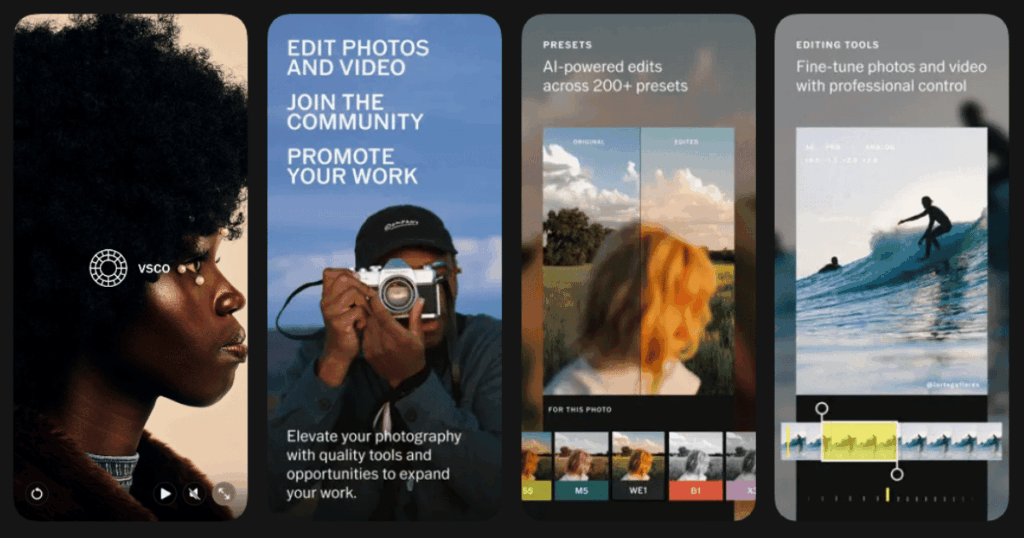
VSCO has been a favorite among photographers and creators for years. This app brings that dreamy, film-inspired look to your photos without complicated editing skills. VSCO is a mobile photo editor app for iOS and Android and online photo editor on desktop for Mac and Windows PC.
The app is known for its signature aesthetic that inspired a whole generation of content. VSCO has long been one of the most popular tools for photographers and social media creators, thanks to its signature film-style presets and sleek, minimalist design.
Key Features:
- Over 200 film-inspired presets that mimic the look of vintage cameras, giving photos a moody, cinematic feel
- AI editing tools designed for photographers including AI Remove for cleaner compositions
- Built-in social hub where users can share edits, follow others, and browse curated galleries
What I like: It’s been great to watch this app blossom into what it’s become today and inspire a whole aesthetic which is so cool. I enjoy the community aspect where there are no visible likes and comments. This takes away the pressure and lets me post with confidence. The presets create such beautiful, consistent feeds.
What I don’t like: Some users find that basic editing tools are behind a paywall. Also, the interface can feel confusing at first with its minimal labeling. It takes some time to figure out where everything is.
Pricing: Free starter plan with limited tools. Premium subscriptions available for full access to all presets and features.
Platforms: iOS and Android
#3. Widgetsmith – Best for Custom Home Screen Widgets
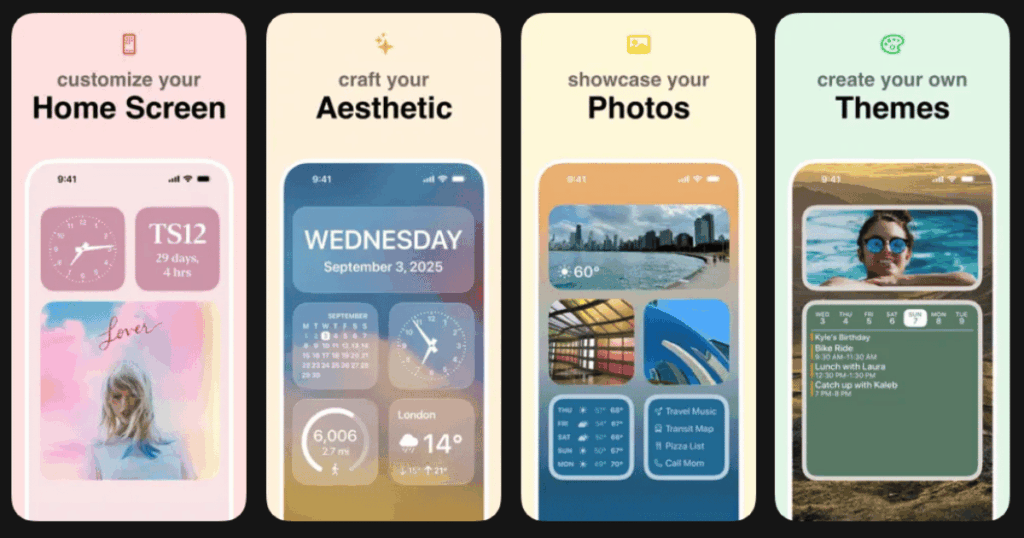
Widgetsmith lets you create the perfect aesthetic home screen. Widgetsmith lets you personalize your device like never before with a wide range of highly customizable widgets. It allows you to design your home screen to remind you of the people, places, and words that mean the most to you.
This app took the world by storm when iOS introduced widget support. Now it remains one of the best tools for making your phone truly yours.
Key Features:
- If you want different widgets at different times of day, Widgetsmith has you covered with scheduling options
- Collection of phone wallpapers from various artists that can be downloaded directly from the app
- Wide range of tools including a weather app with air quality and pollen info, time zone converter, and activity charts
What I like: Widgetsmith is amazing for customizing my home screen to my preferred aesthetic. I love being able to display my favorite photos as widgets and coordinate everything with matching themes. The ability to show different info at different times of day is super clever. My morning widget shows weather, and evening shows my activity progress.
What I don’t like: Unfortunately the app name shows under the widget instead of what you named it. This is an iOS limitation. Also, photo widgets cycle through albums randomly, so you cannot pick specific images without creating separate albums.
Pricing: Free with ads. Premium subscription removes ads and unlocks weather data plus custom themes.
Platforms: iOS only
#4. Pinterest – Best for Visual Inspiration and Mood Boards
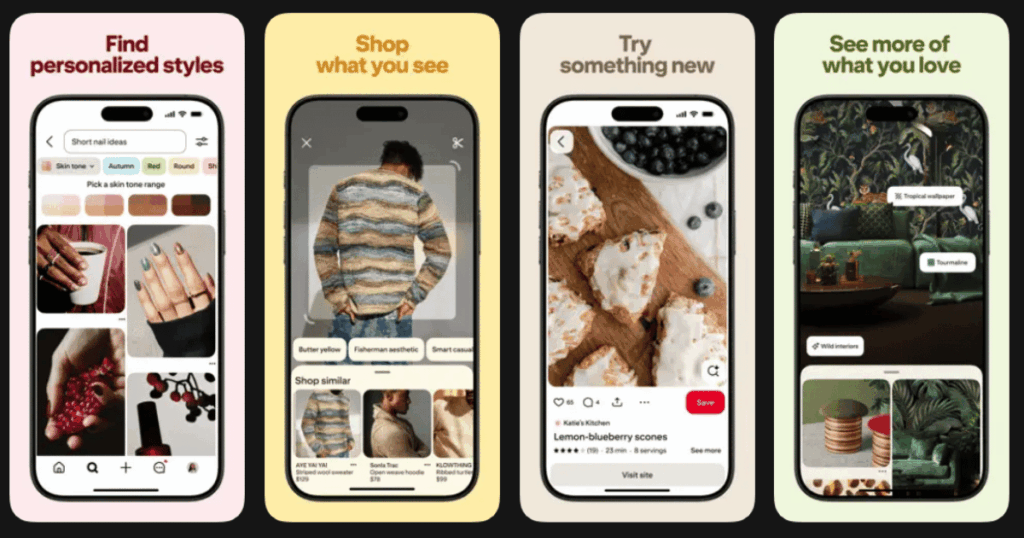
Pinterest is the ultimate app for finding aesthetic inspiration. Whether you are planning your room decor, building a mood board, or searching for outfit ideas, Pinterest has it all.
Pinterest is adding a new way to find clothes, furniture and other sources of aesthetic inspiration through its app. The platform continues to evolve with powerful new features that make discovery even easier.
Key Features:
- AI-powered search and recommendation tool that uses knowledge of your Pinterest activity to tailor its responses
- Shop the Look feature allows users to shop for products they see within a pin
- Collage pins and curated boards to organize and share your aesthetic vision
What I like: I can spend hours browsing Pinterest and never run out of fresh ideas. The algorithm learns exactly what I like and serves up perfect content. Creating boards to organize my inspiration feels so satisfying. The new AI assistant makes finding specific items even easier now.
What I don’t like: It can become a time sink if you are not careful. I sometimes find myself scrolling for way longer than planned. Also, some users notice an increase in AI generated content, though Pinterest is working on ways to filter this.
Pricing: Completely free to use.
Platforms: iOS and Android
#5. Canva – Best for Graphic Design and Content Creation

Canva makes design accessible to everyone. You do not need years of training to create stunning graphics. This app puts professional design tools right in your pocket.
Canva is the go-to design tool for beginners and experienced designers, packed with features that can help almost anyone create some fairly impressive designs.
Key Features:
- Drag-and-drop feature allows users to easily move elements around the canvas
- AI-powered photo editor gives you even more control over your images with Magic Grab to effortlessly select any element
- Access to millions of elements including free and premium photos, illustrations, icons, and charts
What I like: The templates are lifesavers. I can create professional looking social posts, presentations, and even videos in minutes. The brand kit feature keeps my aesthetic consistent across everything. The Magic Studio AI tools are incredibly helpful for removing backgrounds and generating ideas.
What I don’t like: Some of the best templates and elements require a Pro subscription. The free version shows ads and has limited storage. Complex designs can sometimes slow down on older phones.
Pricing: Free version available. Canva Pro subscription unlocks all features and premium content.
Platforms: iOS and Android
#6. Lightroom Mobile – Best for Professional Photo Editing on the Go

Adobe Lightroom Mobile brings professional editing power to your phone. Adobe Lightroom is a free photo and video editor that helps you bring moments to life, just the way you see them.
This app is perfect for anyone serious about photography who wants consistent, high quality edits.
Key Features:
- Quick Actions lets you quickly edit photos with AI-powered features like Subject, Background, Sky, and Retouch
- Healing Brush lets you remove just about anything from your photo, no matter how big or small
- Syncs photos and edits across mobile, desktop, and web so you can work anywhere
What I like: Since using Lightroom Mobile, it has made life as an iPhone photographer so much easier in so many ways. The non destructive editing means I can always undo changes. Creating and syncing presets across devices keeps my aesthetic perfectly consistent. The selective adjustment tools give me precise control.
What I don’t like: A free sample is good, but the best tools are always hidden behind a paywall. The premium subscription can feel expensive compared to other apps. There is also a learning curve for beginners.
Pricing: Free version with limited tools. Premium features require an Adobe subscription.
Platforms: iOS and Android
#7. Unfold – Best for Instagram Stories and Reels Templates

Unfold is the secret weapon for beautiful Instagram content. Unfold is the all-in-one app that helps you easily create beautiful social content with photo and video templates.
The app has won multiple awards and is trusted by creators worldwide.
Key Features:
- Over 400 templates specifically designed for Instagram stories, posts, and videos
- Vintage film templates, cinematic fonts, and retro photo and video effects like grain and VHS
- Feed planner to plan and schedule your Instagram feed in advance
What I like: The templates are gorgeous and make my stories look so polished. I can create content that matches my aesthetic in seconds. The retro and film effects add that perfect nostalgic vibe. Having a feed planner built in helps me visualize how my grid will look.
What I don’t like: Many of the best templates require a subscription. Some users find templates show as inaccessible even with a subscription due to occasional glitches. The free options are somewhat limited.
Pricing: Free with basic templates. Unfold+ and Unfold Pro subscriptions unlock all features.
Platforms: iOS and Android
#8. Prequel – Best for Trendy Filters and Video Effects
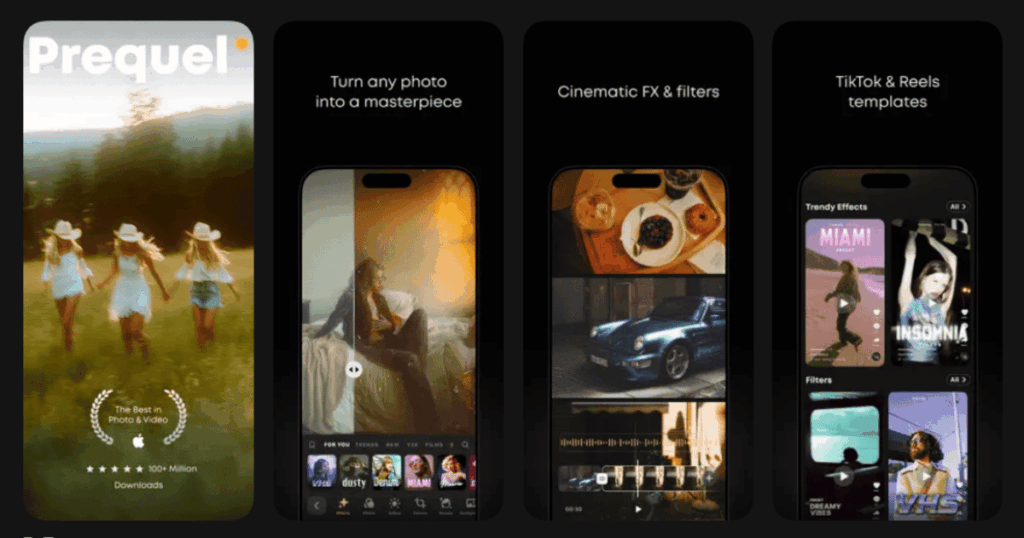
Prequel is packed with the trendiest effects and filters for photos and videos. Prequel is a photo filters and video effects editing app with the most aesthetic presets.
If you want your content to match current trends, this app delivers.
Key Features:
- 800+ effects and filters to match any style including DISCO, DIAMOND, BLING, TEAL, MIAMI, PRISM, and VHS
- D3D creates amazing 3D moving pictures without any hustle
- Retro filters that mimic vintage film effects with grainy textures and muted tones
What I like: There are a handful of aesthetic apps to give VHS effect, but Prequel is in a league of its own. The textures and effects are so detailed that they make fonts look like real lacquer pins or fabric patches. Constantly updated filters keep my content fresh and on trend.
What I don’t like: Some users find effects take too long to load and the app crashes at random moments. Many popular effects require the Gold subscription. The free version adds watermarks.
Pricing: Free with limited effects. Prequel Gold subscription for full access.
Platforms: iOS and Android
#9. Aesthetic Kit – Best for Phone Theme Customization

Aesthetic Kit lets you completely transform how your phone looks. Anime, cute, neon, vintage, modern – whatever your creative vision is, Aesthetic Kit has the designs for you.
This app makes achieving that cohesive aesthetic phone setup easy.
Key Features:
- Find designs for popular apps like social media, streaming services, calendars, cameras, and clocks
- AI generation tool limited only by your imagination
- Lock screen customization with everything important to you at one glance
What I like: The variety of icon themes is impressive. I can match my entire phone to any aesthetic I want. Being able to save custom designs and change things up as my style evolves is great. The widget options help complete the whole look.
What I don’t like: Some users find that every theme has a diamond on it and cannot be used unless bought. The subscription model can feel limiting. Changing icons through bookmarks creates minor lag when opening apps.
Pricing: Free download. Subscription required for most themes and unlimited access.
Platforms: iOS and Android
What Makes an App Aesthetic?
An aesthetic app helps you create, organize, or display content in a visually pleasing way. These apps focus on design elements like colors, fonts, layouts, and filters. They help you express your personal style and create a cohesive look across your phone or social media.
The best aesthetic apps are easy to use even for beginners. They offer plenty of customization options without being overwhelming. They also stay updated with current trends so your content always looks fresh.
Are Aesthetic Apps Free to Use?
Most aesthetic apps offer free versions with basic features. This lets you try out the app before committing to a subscription. However, the best filters, templates, and tools usually require a paid upgrade.
Many apps offer weekly, monthly, or yearly subscription options. Some also run special promotions and discounts. Free trials are common, so you can test premium features before paying. If you want full access to everything, expect to invest in at least one or two subscriptions.
How Do I Create an Aesthetic Phone Setup?
Start by choosing a color palette or theme you love. This could be soft pastels, bold neons, or vintage tones. Then use apps like Widgetsmith and Aesthetic Kit to customize your home screen with matching widgets and icons.
Add a wallpaper that ties everything together. Use photo editing apps like Life7, VSCO, or Lightroom to edit any personal photos to match your theme. Keep your app layout clean and organized. Pinterest is perfect for finding inspiration when you are stuck on ideas.