
9 Best Tinnitus Relief Apps For Your Phone
| App Name | Best For | Key Features | AC Rating | Pricing |
|---|---|---|---|---|
| Life7 | All-in-one mental wellness and tinnitus relief | Binaural beats, colored noise therapy, CBT exercises, vagus nerve stimulation | 4.8/5 | Free trial, then subscription |
| MindEar | AI-powered tinnitus management | 8-week CBT program, AI chatbot coaching, self-care tools | 4.6/5 | Free trial, then subscription |
| Oto | Structured CBT therapy | Daily 10-minute sessions, STOPP tool, sleep therapy | 4.5/5 | Monthly or yearly subscription |
| ReSound Relief | Customizable sound therapy | Mix 5 sounds, guided meditations, personalized plans | 4.4/5 | Free with premium upgrades |
| myNoise | Advanced sound customization | 300+ soundscapes, 10-slider mixer, offline listening | 4.6/5 | One-time purchase |
| BetterSleep | Sleep improvement with tinnitus | 300+ sounds, tinnitus meditations, sleep tracking | 4.5/5 | Free trial, then subscription |
| Whist | Matching your tinnitus frequency | Pitch matching, custom sound creation, residual inhibition | 4.2/5 | Free version with paid upgrade |
| Starkey Relax | Hearing aid users | 12 customizable soundscapes, integrates with hearing aids | 4.3/5 | Free |
| Phonak Tinnitus Balance | Phonak hearing aid owners | Direct hearing aid integration, nature sounds, white noise | 4.2/5 | Free |
#1. Life7 – Best for All-in-One Mental Wellness and Tinnitus Relief

Life7 is my top pick for tinnitus relief because it offers so much more than just masking sounds. This app combines sound therapy with proven mental wellness techniques that actually address the stress and anxiety that often come with tinnitus.
What makes Life7 special is its huge library of therapeutic sounds. You get green noise, white noise, brown noise, and pink noise. But it goes further with binaural beats, isochronic tones, and solfeggio frequencies at 432 Hz and 528 Hz. These sounds are designed to calm your nervous system and help your brain focus on something other than the ringing.
The app also includes CBT exercises, vagus nerve stimulation sessions, and breathing techniques. These tools help you manage the emotional side of tinnitus, not just the noise.
Key Features:
- Multiple colored noise options plus binaural beats and solfeggio frequencies for deep relaxation
- Backdrop mode lets you mix soundscapes with meditations and sleep stories
- SOS sessions for anxiety and panic attacks when tinnitus spikes
What I like: I really appreciate how Life7 tackles tinnitus from multiple angles. The daily check-ins and mood tracking help you understand your patterns. The gamified approach with XP rewards keeps you motivated to use it regularly. Sleep stories and REM sleep music are perfect for nighttime relief. The nervous system reset sessions have helped many users find calm when their tinnitus feels overwhelming. With over 1200 editorial mentions and 312 million meditation minutes logged, this app has proven results.
What I don’t like: The free content is somewhat limited. You really need the premium subscription to access the best features. This might feel restrictive if you just want to try things out before committing.
Pricing: 7-day free trial available. Weekly, monthly, and yearly plans offered. Frequent special offers.
Platforms: iOS and Android
#2. MindEar – Best for AI-Powered Tinnitus Management
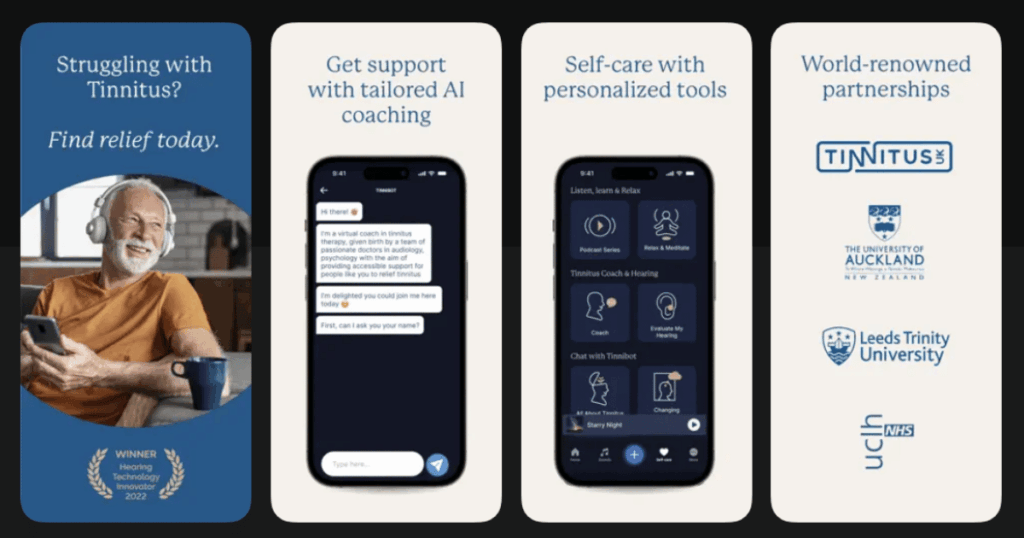
MindEar stands out as one of the most science-backed tinnitus apps available. It was developed by researchers from universities in Australia, New Zealand, France, and Belgium. Their clinical trial showed that nearly two-thirds of users saw significant improvement after using the app.
The app uses an AI-powered chatbot that guides you through an 8-week tinnitus management program. This is based on cognitive behavioral therapy, which has been proven to help reduce how much tinnitus bothers you.
Key Features:
- AI chatbot that creates personalized CBT treatment plans
- Self-care tools including guided breathing and relaxation exercises
- Expert-led podcasts and educational content about tinnitus
What I like: The structured 8-week program gives you a clear path forward. The AI coaching feels personal and adapts to your needs. I love that you can access 1-on-1 appointments with audiologists through the app if you need extra support. The mindfulness and meditation features complement the therapy nicely.
What I don’t like: The subscription cost is higher than some other apps. Some users find the initial setup questions take a while to complete before you can start using the main features.
Pricing: Subscription-based with monthly and annual options. Offers 1-on-1 consultations at additional cost.
Platforms: iOS and Android
#3. Oto – Best for Structured CBT Therapy
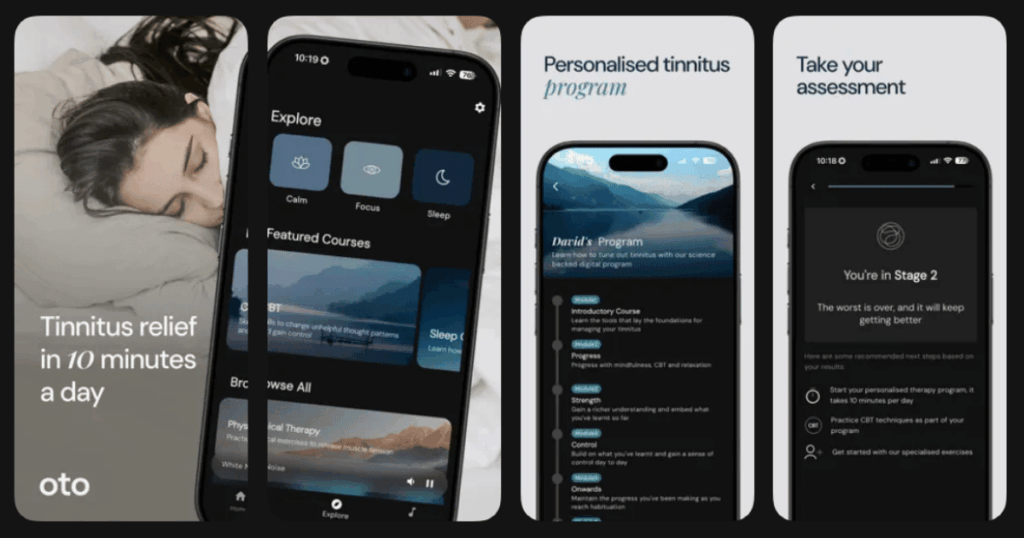
Oto was created by doctors and tinnitus specialists, including co-founder Dr. Jameel Muzaffar who has run clinical trials with Cambridge University. The app teaches your brain to tune out tinnitus through daily audio sessions.
It works like having a therapist in your pocket. Each day, you listen to short sessions that use CBT and other therapeutic techniques. Most users work through a 3-month program that helps them stop noticing their tinnitus.
Key Features:
- Daily 5-10 minute audio sessions using proven CBT techniques
- The STOPP tool for managing tinnitus spikes and anxiety
- Over 100 masking sounds plus sleep stories and poems
What I like: The app feels professionally made and well-researched. The STOPP tool is genuinely helpful during difficult moments. It walks you through stopping what you are doing, taking a breath, observing your thoughts, putting tinnitus in perspective, and practicing coping skills. The sleep section with calming narrator voices helps many people fall asleep despite their tinnitus.
What I don’t like: It is one of the pricier options out there. Some users feel the therapy sessions are too short. The app works best as part of a larger treatment plan, not as a standalone solution.
Pricing: Monthly and yearly subscription options. Higher price point than many competitors.
Platforms: iOS and Android
#4. ReSound Relief – Best for Customizable Sound Therapy
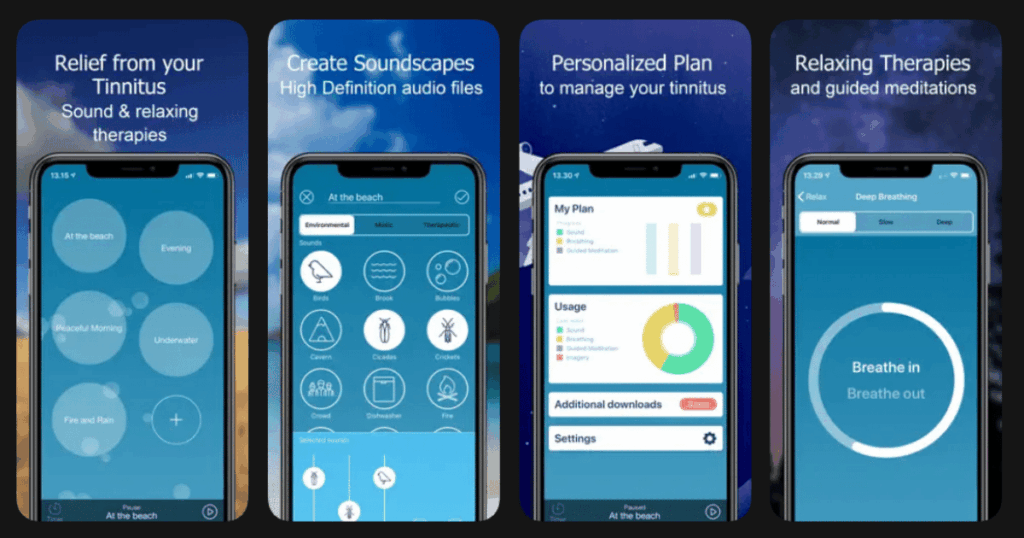
ReSound Relief comes from a trusted hearing aid manufacturer and offers professional-grade tinnitus relief for free. You do not need ReSound hearing aids to use it, though pairing them enhances the experience.
A six-month clinical study showed consistent improvement in tinnitus symptoms with daily use. Veterans especially benefited since they are often affected by noise-related tinnitus.
Key Features:
- Create custom soundscapes by mixing up to five different sounds
- Seven coping skills including deep breathing, imagery, and guided meditation
- My Relief feature creates personalized weekly plans based on your needs
What I like: The free version is surprisingly comprehensive. Being able to mix multiple sounds together lets you find exactly what works for your tinnitus. The educational Learn section helps you understand what tinnitus is and how to cope. The app includes a hearing test so you can check if hearing loss might be contributing to your symptoms.
What I don’t like: The interface can feel a bit medical and clinical compared to other apps. Some of the imagery and meditation content feels dated. Premium features require a subscription.
Pricing: Free basic version. Premium features available through monthly or annual subscription.
Platforms: iOS and Android
#5. myNoise – Best for Advanced Sound Customization
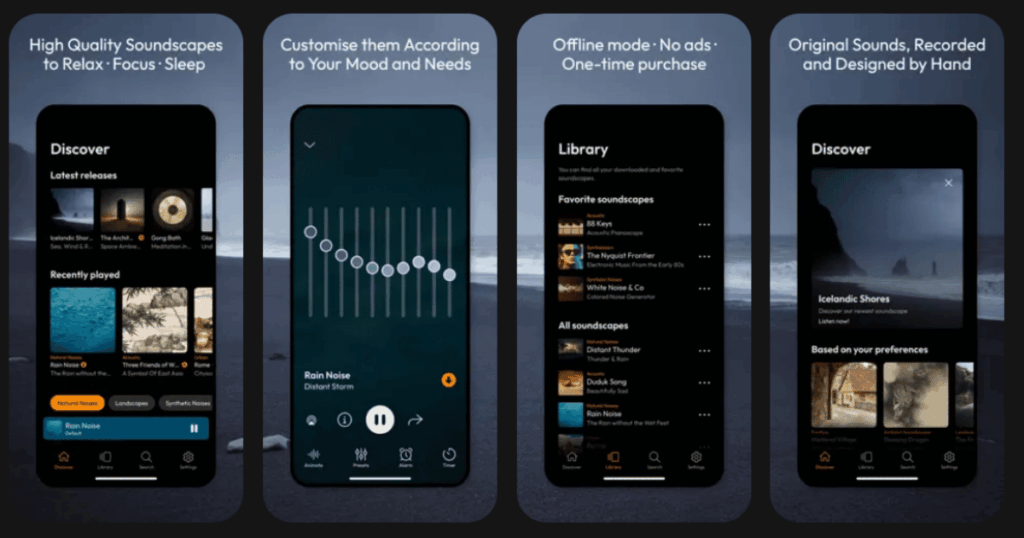
myNoise was created by Dr. Stéphane Pigeon, a signal processing engineer with deep expertise in sound. The app has helped millions of users since 2013 and offers unmatched control over your sound environment.
What sets it apart is the 10-slider system that lets you fine-tune every soundscape. You can adjust individual frequency bands to mask your specific tinnitus pitch perfectly.
Key Features:
- Over 300 premium soundscapes including white, brown, and pink noise
- 10 adjustable sliders for precise customization of each sound
- No subscriptions needed after one-time purchase
What I like: The level of control is incredible. You can animate sounds, change their color (brown, grey, pink, white), and set specific frequency bands. The tinnitus neuromodulator tool is based on partnership with Tinnitus Works and can provide relief even after you stop listening. Offline listening means you can use it anywhere without internet.
What I don’t like: The interface looks more functional than beautiful. There is no guided therapy or CBT content. It is purely a sound tool, so you need to combine it with other approaches for complete tinnitus management.
Pricing: One-time purchase unlocks everything. No recurring subscription fees.
Platforms: iOS and Android
#6. BetterSleep – Best for Sleep Improvement with Tinnitus
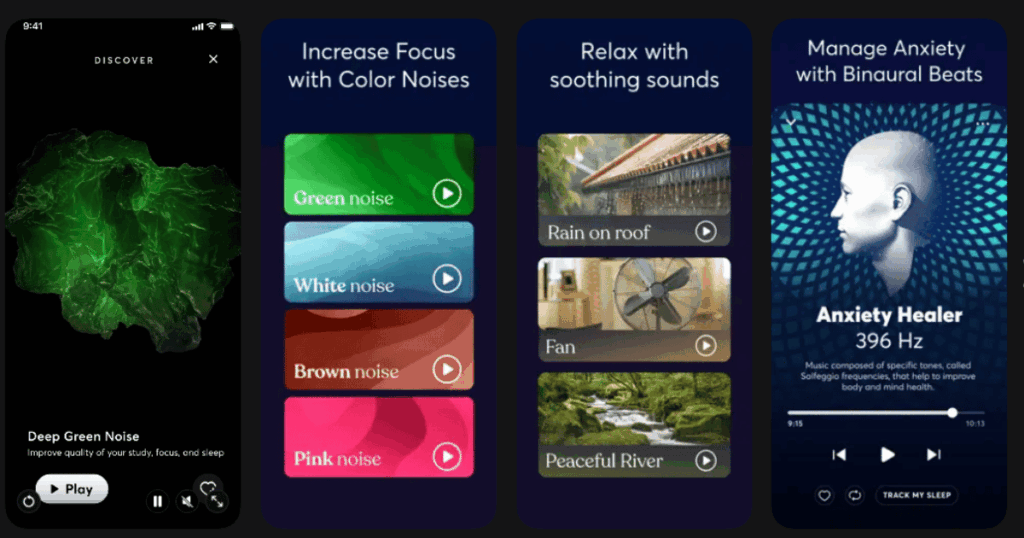
BetterSleep has helped over 60 million people sleep better. Named Apple App of the Day over 65 times, it is one of the most popular sleep apps available. For tinnitus sufferers, sleep problems are often the biggest challenge.
The app offers specific tinnitus relief programs alongside its huge library of sounds, stories, and meditations.
Key Features:
- 5 Nights of Tinnitus Relief program with nightly sessions
- Over 300 sounds including green, brown, and pink noise options
- Sleep tracking to understand your patterns and improve sleep quality
What I like: The Keep Music Playing feature lets sounds continue all night after your meditation ends. This is perfect for tinnitus sufferers who wake up when sounds stop. The variety of content is amazing with sleep stories, ASMR, binaural beats, and solfeggio frequencies. The 11-minute Soothing Tinnitus meditation uses mindfulness specifically designed for reducing tinnitus discomfort.
What I don’t like: The focus is primarily on sleep rather than tinnitus specifically. You need the premium subscription to access the best tinnitus content. Can feel overwhelming with so many options to explore.
Pricing: Free version available. Monthly, yearly, and lifetime subscription options.
Platforms: iOS and Android
#7. Whist – Best for Matching Your Tinnitus Frequency
Whist takes a unique approach by helping you find sounds that exactly match your tinnitus characteristics. It was developed based on clinical research on sound therapy and residual inhibition.
The app guides you through matching the pitch, noisiness, and loudness of your tinnitus. This helps you find therapeutic sounds that provide the most relief for your specific situation.
Key Features:
- Simple controls to match your exact tinnitus pitch and characteristics
- Based on clinical sound therapy research
- Save your best settings for quick access during flare-ups
What I like: The simplicity is refreshing. Instead of overwhelming you with options, Whist focuses on one thing and does it well. The instructions are clear and easy to follow. It costs much less than custom masking devices that audiologists might prescribe. For quick relief during bad moments, having your perfect sound saved and ready is incredibly helpful.
What I don’t like: The free version does not let you save settings, which limits its usefulness. No CBT or counseling content is included. The app has not been updated frequently and feels basic compared to newer options.
Pricing: Free version available. Paid upgrade required to save custom sound settings.
Platforms: iOS and Android
#8. Starkey Relax – Best for Hearing Aid Users
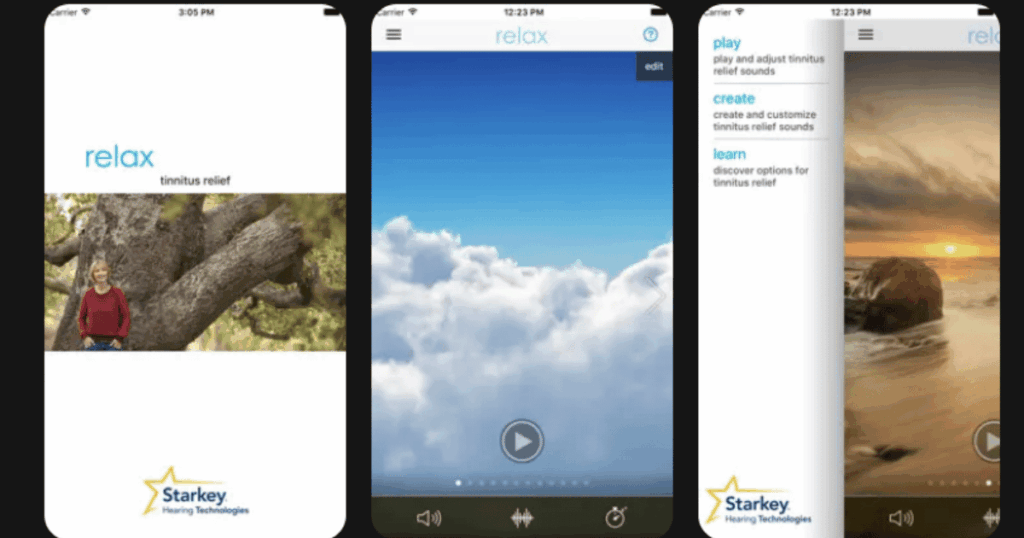
Starkey Relax comes from one of the leading hearing aid manufacturers. While it works for anyone, it shines when paired with Starkey hearing aids that can stream sounds directly to your ears.
The app offers a straightforward, easy-to-use tinnitus relief experience without overwhelming complexity.
Key Features:
- 12 unique customizable soundscapes designed for tinnitus relief
- Adjust volume, frequency, and rate of change for each sound
- Integrates with Starkey hearing aids for seamless streaming
What I like: The sounds are well-designed and professional quality. Being able to adjust frequency is helpful for matching your specific tinnitus pitch. If you wear Starkey hearing aids like the Genesis AI, the integration makes therapy effortless. The app includes good educational content about tinnitus symptoms, causes, and treatment.
What I don’t like: Best features require Starkey hearing aids to fully utilize. Limited to 12 soundscapes compared to competitors with hundreds. No CBT or guided therapy content included.
Pricing: Free to download and use.
Platforms: iOS and Android
#9. Phonak Tinnitus Balance – Best for Phonak Hearing Aid Owners
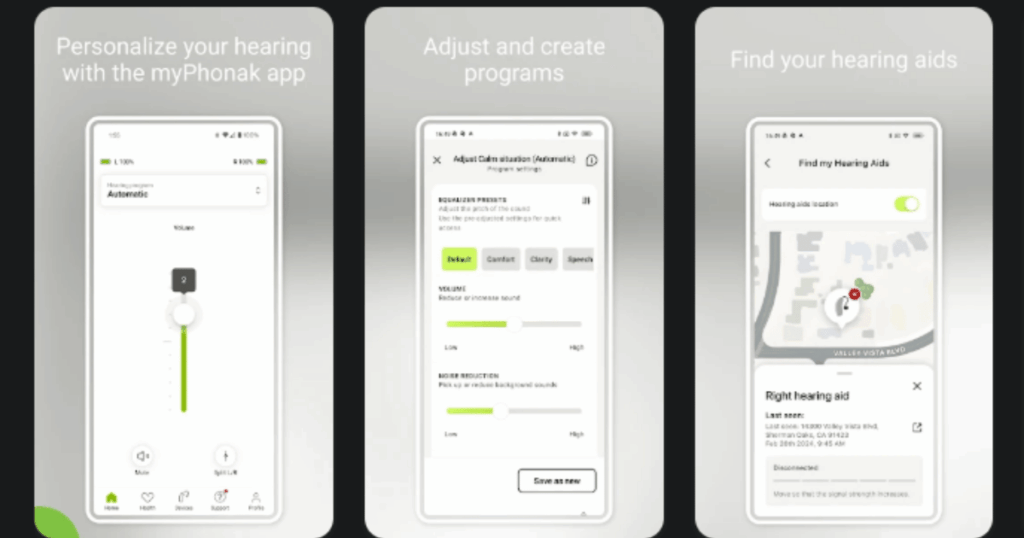
Phonak Tinnitus Balance is designed specifically for people using Phonak hearing aids. It offers sound therapy that integrates directly with your hearing devices for convenient tinnitus management throughout the day.
For those without Phonak devices, it still works as a standalone tinnitus relief app with quality nature sounds and white noise options.
Key Features:
- Direct integration with Phonak hearing aids for seamless therapy
- Library of nature sounds and white noise for masking
- Part of the myPhonak app ecosystem for complete hearing care
What I like: If you already have Phonak hearing aids, adding tinnitus relief is seamless. You can toggle therapy modes and adjust sounds quickly from your phone. The sounds play through your hearing aids, which often have better speakers than your phone. Environmental settings and masking sounds work together intelligently.
What I don’t like: Limited value if you do not own Phonak hearing aids. Fewer features than dedicated tinnitus apps. Updates depend on the broader myPhonak app release schedule.
Pricing: Free to download and use.
Platforms: iOS and Android
Can Apps Really Help with Tinnitus?
Yes, tinnitus relief apps can make a real difference for many people. Research shows that sound therapy and cognitive behavioral therapy are two of the most effective ways to manage tinnitus symptoms. Apps bring both of these approaches to your phone.
Sound therapy works by giving your brain something else to focus on besides the ringing. Over time, this can help your brain learn to tune out the tinnitus. CBT helps change how you think about and react to your tinnitus, reducing the stress and anxiety it causes.
Apps are not a cure for tinnitus. But they can significantly reduce how much it bothers you and help you sleep better, concentrate more, and feel less anxious.
What Should I Look for in a Tinnitus App?
The best app for you depends on your specific needs. If your main problem is falling asleep, look for apps with good sleep sounds and the ability to play all night. If anxiety about tinnitus is your biggest challenge, choose an app with CBT content like Life7, MindEar, or Oto.
Consider whether you prefer one-time purchases or are comfortable with subscriptions. Think about whether you want simple sound masking or a complete therapy program. And if you wear hearing aids, check which apps integrate with your specific brand.
Most apps offer free trials, so try a few before committing. What works perfectly for one person may not be the best fit for another.
How Long Does It Take for Tinnitus Apps to Work?
Most people start noticing some relief within the first few days of using sound therapy. However, the bigger changes from CBT-based apps typically take several weeks to appear.
Apps like MindEar and Oto are designed as 8-12 week programs. Clinical studies show that consistent daily use over this timeframe produces the best results. Do not give up if you do not see immediate changes.
The goal is habituation, where your brain learns to filter out the tinnitus signal. This process takes time and patience. Most experts recommend using your chosen app for at least 4-8 weeks before deciding if it is working for you.