
9 Best Anti-Brainrot Apps For Your Phone
| App Name | Best For | Key Features | AC Rating | Pricing |
|---|---|---|---|---|
| Life7 | All-in-one mental wellness | Soundscapes, meditation, sleep stories, CBT, hypnotherapy | 4.9/5 | Free trial, weekly/monthly/yearly plans |
| Forest | Gamified focus sessions | Virtual tree growing, real tree planting, Pomodoro timer | 4.7/5 | One-time purchase |
| Opal | Powerful screen time control | Deep focus mode, app blocking, detailed analytics | 4.6/5 | Free version, subscription plans |
| One Sec | Breaking unconscious habits | Breathing exercise interruptions, mindful prompts, usage stats | 4.8/5 | Free basic, premium subscription |
| Headspace | Guided meditation for beginners | 500+ meditations, sleepcasts, mindfulness courses | 4.5/5 | Free trial, monthly/yearly subscription |
| ScreenZen | Mindful app usage | Customizable delays, strict blocking, streak tracking | 4.7/5 | Free, donation-supported |
| Freedom | Multi-device distraction blocking | Synced blocking, scheduled sessions, focus sounds | 4.4/5 | Free trial, subscription plans |
| Flipd | Social productivity tracking | Live study rooms, group challenges, focus lock mode | 4.3/5 | Free basic, premium subscription |
| Brainrot App | Visual screen time awareness | Cute avatar decay, smart schedules, mindful breaks | 4.2/5 | Subscription-based |
#1. Life7 – Best for All-in-One Mental Wellness

Life7 is my top pick for fighting brainrot because it tackles the problem from every angle. This app gives you everything you need to replace mindless scrolling with mindful practices. It has over 1200 editorial mentions and users have logged more than 312 million meditation minutes.
The app offers an incredible variety of content. You get green noise, white noise, brown noise, and pink noise soundscapes. There are binaural beats and isochronic tones too. You can listen to 432 Hz, 528 Hz, and Solfeggio frequencies. The sleep stories work for both adults and kids.
Key Features:
- Breathing exercises, SOS sessions for panic attacks, and CBT techniques to calm your mind
- Daily sessions including meditation, music therapy, and wisdom content with progress tracking
- Gamified approach where you earn XP and build streaks to stay motivated
What I like: I really appreciate how Life7 combines so many wellness tools in one place. The backdrop mode lets you mix soundscapes with other audio like meditations and sleep stories. This means you can create your own perfect relaxation experience. The nervous system reset and vagus nerve stimulation features are unique and actually help me feel calmer after stressful days.
What I don’t like: The free content is a bit limited. You really need to subscribe to get the full experience and access all the premium soundscapes and features.
Pricing: 7 day free trial available. Weekly, monthly, and yearly subscription plans. Frequent special offers pop up too.
Platforms: iOS and Android
#2. Forest – Best for Gamified Focus Sessions
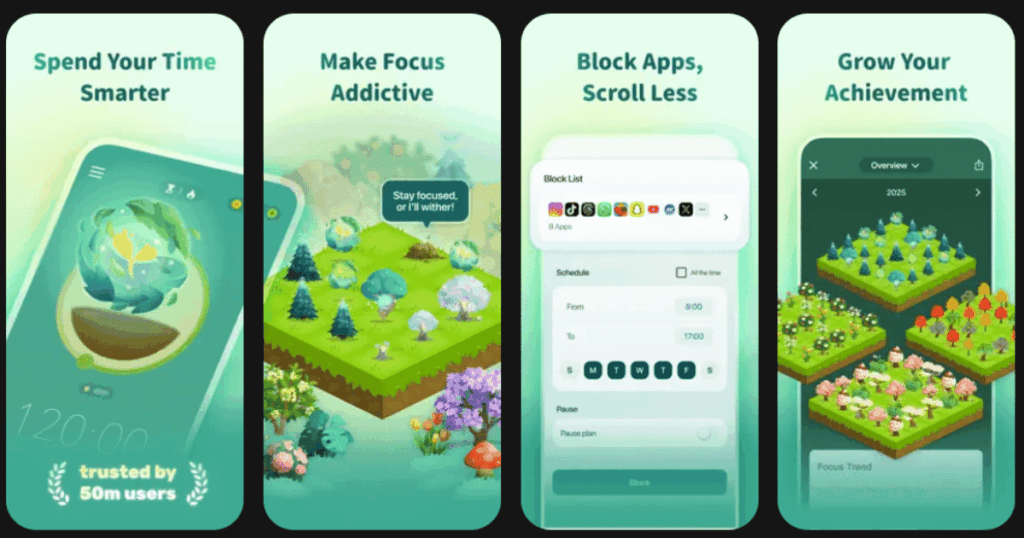
Forest turns staying focused into a fun game. When you want to concentrate, you plant a virtual seed. The seed grows into a tree as long as you stay away from your phone. If you leave the app too early, your tree dies. It sounds simple, but it works amazingly well.
The app has been downloaded by over 2 million paying users. It was featured in Apple’s “Amazing Apps” commercial. The best part? Forest partners with Trees for the Future to plant real trees when you earn virtual coins. Over 1.5 million real trees have been planted by users worldwide.
Key Features:
- Timer and stopwatch modes with Pomodoro technique support
- Virtual forest that grows with each focus session you complete
- Plant real trees on Earth when you spend your earned coins
What I like: The visual reward of watching trees grow is surprisingly motivating. I love looking back at my forest and seeing each tree represents real focused time. The fact that I can plant actual trees makes me feel like my productivity has a positive impact beyond just myself.
What I don’t like: The app only locks you inside Forest. It cannot block specific websites on mobile devices. If you really want to cheat, you can still pick up another device.
Pricing: One-time purchase on iOS. Free with ads on Android, or pay once to remove ads.
Platforms: iOS and Android
#3. Opal – Best for Powerful Screen Time Control
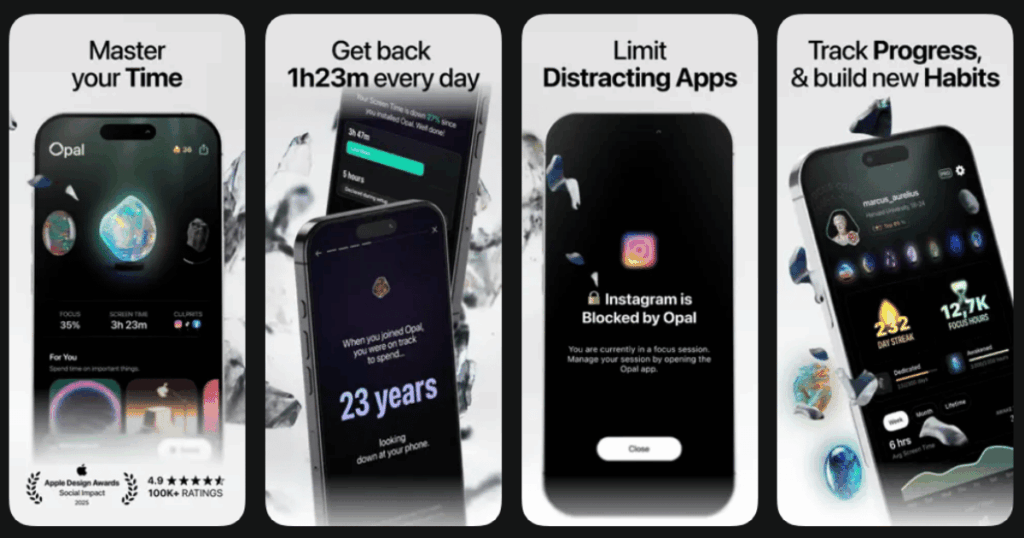
Opal is one of the strongest screen time blockers available. It has helped over 4 million people take back control of their phones. The average person spends 5 to 6 hours daily on their phone without realizing it. Opal fights this with smart blocking features.
The app uses Apple’s Screen Time API to create real barriers between you and distracting apps. You can set schedules for bedtime, mornings, and work hours. The Deep Focus mode is locked so you cannot snooze or end sessions early.
Key Features:
- App and website blocking with customizable schedules
- Deep Focus mode that locks sessions so you cannot bypass them
- Detailed analytics showing pickups, app usage, and focus scores
What I like: The session difficulty levels are brilliant. Normal mode lets you cancel anytime. Timeout mode adds increasing delays between snoozes. Deep Focus completely locks you out. This flexibility means I can choose how strict I need to be on any given day.
What I don’t like: The subscription price feels steep for some users. Also, Opal is primarily designed for iOS. The Android version is newer and has fewer features.
Pricing: Free basic version. Premium subscription required for advanced features like Deep Focus.
Platforms: iOS and Android (Android version is more limited)
#4. One Sec – Best for Breaking Unconscious Habits
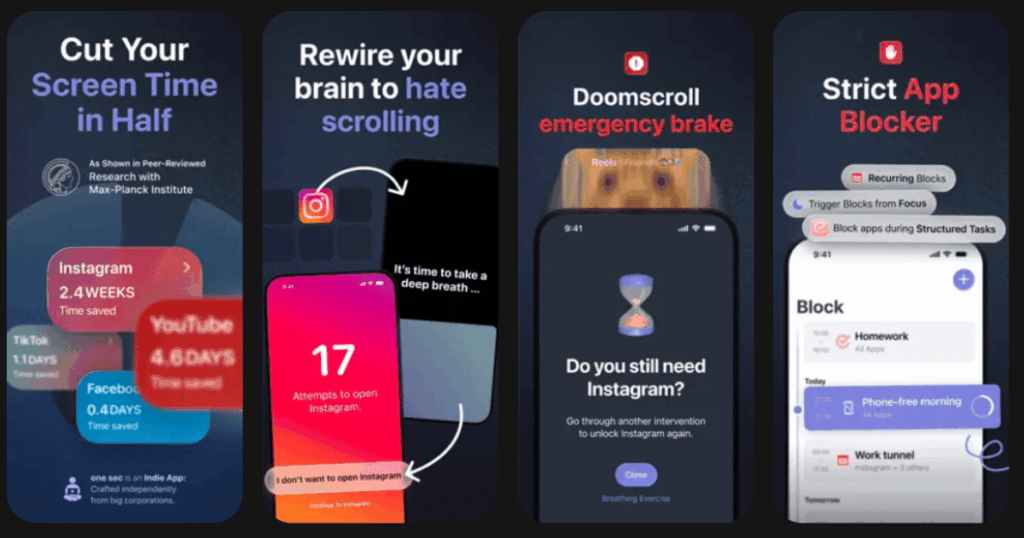
One Sec uses a clever psychological trick. When you try to open Instagram, TikTok, or any app you choose, it forces you to pause and take a deep breath first. This tiny interruption breaks the automatic habit of opening apps without thinking.
A scientific study with the University of Heidelberg and Max Planck Institute found that One Sec reduces app usage by 57% on average. The app has already saved users a combined total of over 167,000 years of scrolling time.
Key Features:
- Deep breathing animation appears before any selected app opens
- Shows how many times you opened the app and time since last use
- Lets you choose to continue or close without opening the app
What I like: The approach feels gentle rather than restrictive. I never feel trapped or punished. Instead, I get a moment to ask myself if I actually need to scroll right now. Most times, I realize I was just acting on autopilot and choose to do something else.
What I don’t like: Some features like scheduling and different intervention types are only available in the paid version. The free version only works with one app at a time.
Pricing: Free for one app. Premium subscription unlocks multiple apps and advanced features.
Platforms: iOS and Android
#5. Headspace – Best for Guided Meditation for Beginners
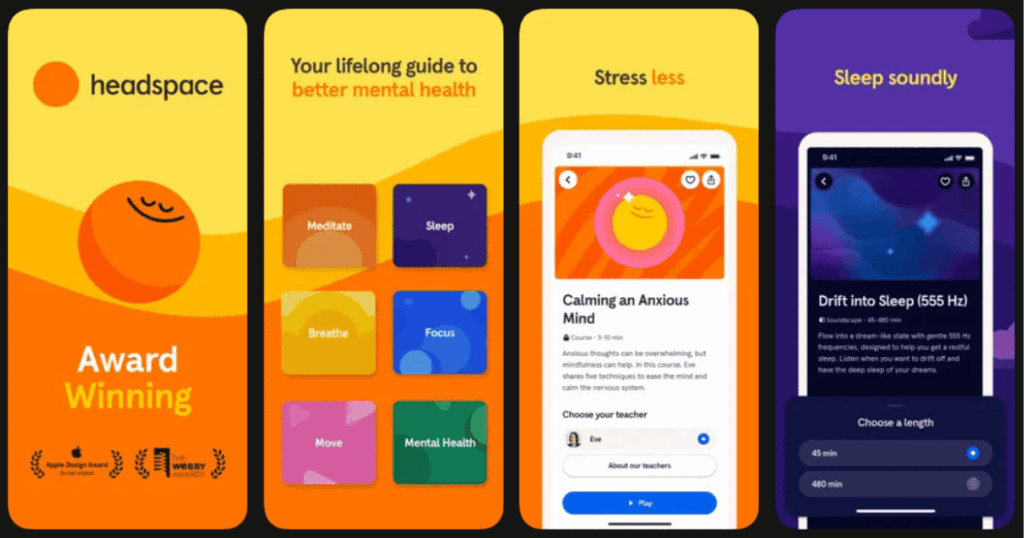
Headspace is one of the most trusted meditation apps in the world. It was cofounded by Andy Puddicombe, a former Buddhist monk who narrates most of the sessions. The app teaches fundamental meditation techniques through progressive courses that are easy to follow.
Over 500 guided meditations cover topics like stress, anxiety, sleep, and focus. The app has been proven in studies to increase happiness and reduce stress in just 10 days of use.
Key Features:
- Beginner-friendly guided meditations from 3 to 20 minutes
- Sleepcasts that are 45 to 55 minute audio tours of peaceful imaginary places
- CBT exercises and mindful movement sessions for physical wellness
What I like: The colorful, friendly design makes meditation feel approachable rather than intimidating. The Sleepcasts are fantastic for falling asleep. I especially love the fictional places like the “all-night antique shop” that transport me away from stress.
What I don’t like: The monthly subscription is higher than some other meditation apps. After using it for a while, some users find the content gets repetitive.
Pricing: Free trial available. Monthly or yearly subscription. Student and family plans available.
Platforms: iOS and Android
#6. ScreenZen – Best for Mindful App Usage
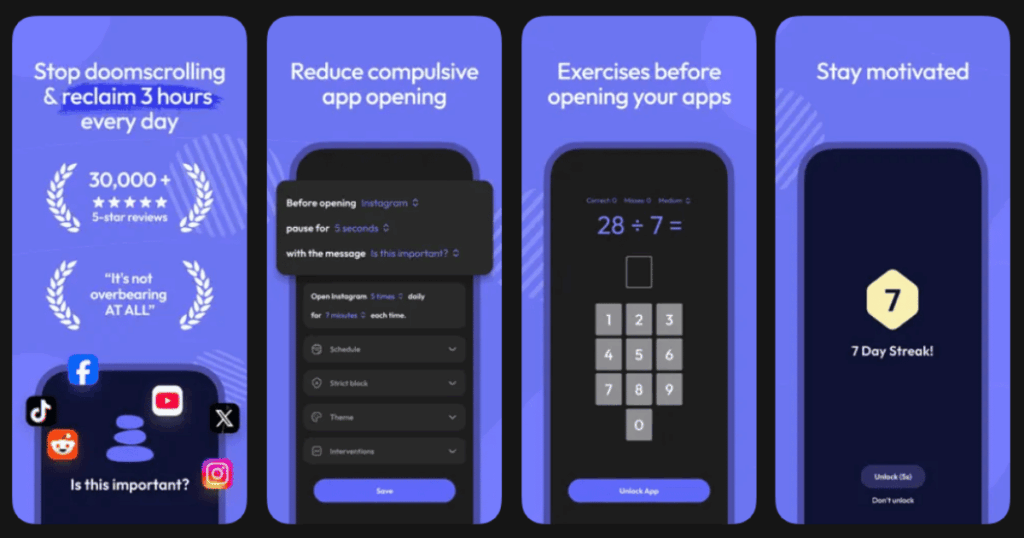
ScreenZen is completely free and supported by donations. It helps you pause before opening apps and think about what you are doing. The app uses multiple strategies like delays, interruptions, and strict blocks to reduce screen time.
Users report that ScreenZen helps them reduce unconscious phone pickups dramatically. The streak feature keeps you motivated to maintain your progress day after day.
Key Features:
- Configurable wait times that increase with each app open
- Customizable messages like “Is this important?” before apps unlock
- Strict blocking option that hides apps from your home screen
What I like: The customization options are incredible. I can set different rules for different days and times. The messages that appear before opening apps really make me think twice. The streak tracking gives me extra motivation to stick with my goals.
What I don’t like: Some users report occasional glitches with website blocking. The extensive permissions required can feel uncomfortable for privacy-conscious users.
Pricing: Completely free. Donation-supported.
Platforms: iOS and Android
#7. Freedom – Best for Multi-Device Distraction Blocking
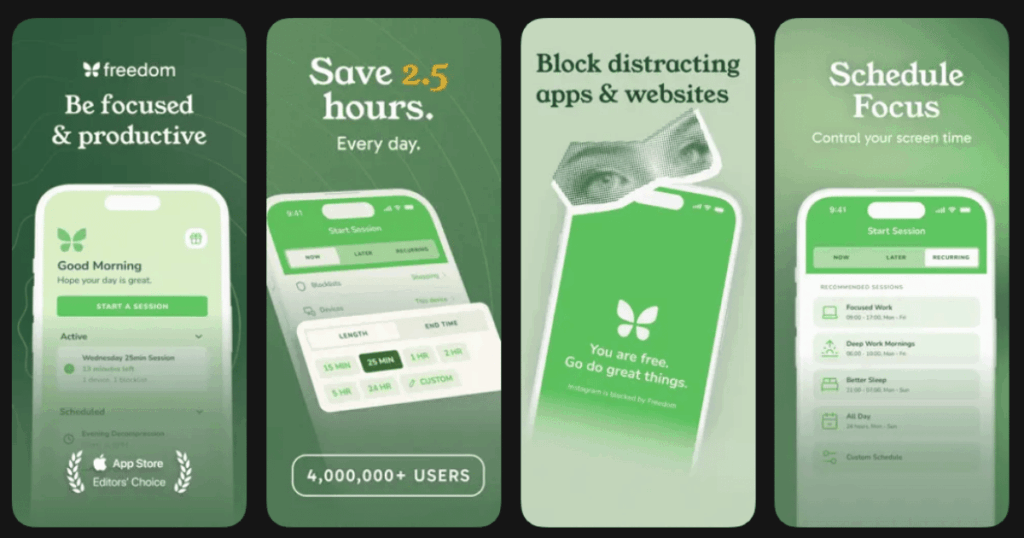
Freedom blocks distracting websites and apps across all your devices at once. This is the key difference from other blockers. Start a session on your laptop, and your phone gets blocked too. Over 3 million people use Freedom worldwide.
Users report gaining an average of 2.5 hours of productive time every day. The app has been featured in publications like Time Magazine, Lifehacker, and Mashable.
Key Features:
- Synced blocking across Mac, Windows, iOS, Android, and Chrome
- Schedule recurring sessions for daily or weekly focus time
- Focus sounds and music including Brain.fm tracks
What I like: Having all my devices blocked at once eliminates the temptation to just grab another screen. The scheduled sessions help me build consistent focus habits. The Locked Mode feature makes it truly impossible to cheat during important work sessions.
What I don’t like: Locked Mode is almost too strict. Once activated, you cannot disable it until the session ends, which can be risky in emergencies.
Pricing: Free trial with limited features. Monthly or yearly subscription. Lifetime purchase option available.
Platforms: iOS, Android, Mac, Windows, and Chrome
#8. Flipd – Best for Social Productivity Tracking
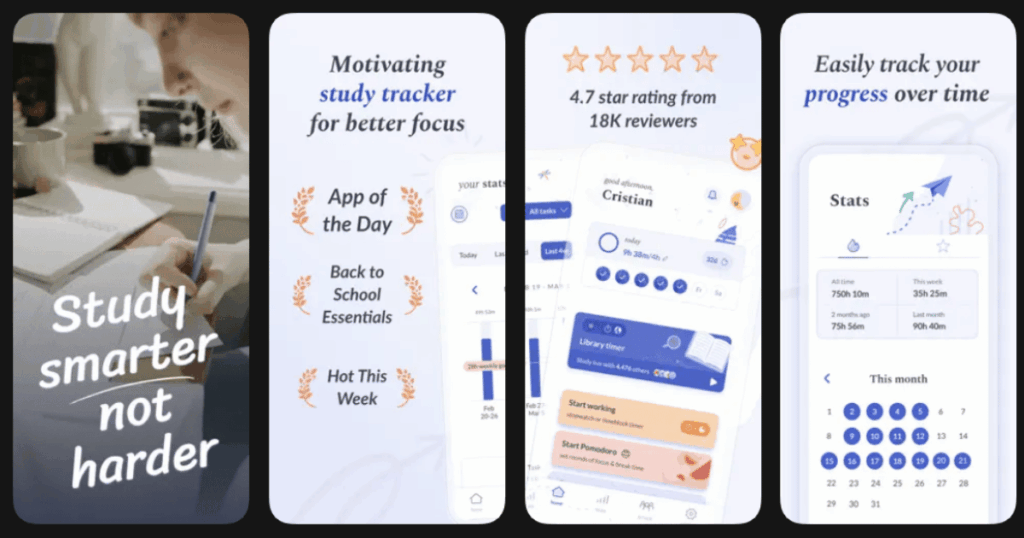
Flipd combines focus timing with social features. You can join live study sessions with thousands of other users around the world. This creates a sense of accountability and community that solo apps cannot match.
The app has been featured on the App Store as “App of the Day.” It is designed for students and productivity enthusiasts who want to track their progress and compete with friends.
Key Features:
- Full lock mode that hides all your distracting apps
- Live study rooms where you focus alongside others in real time
- Global leaderboards and challenges to stay motivated
What I like: The live study sessions are surprisingly motivating. Knowing that other people are focusing at the same time makes me want to keep going too. The detailed stats help me see my progress over days, weeks, and months.
What I don’t like: Some Android users report bugs with the full lock feature. The app can feel overwhelming with all its social features if you just want something simple.
Pricing: Free basic version. Premium subscription unlocks unlimited sessions and advanced features.
Platforms: iOS and Android
#9. Brainrot App – Best for Visual Screen Time Awareness
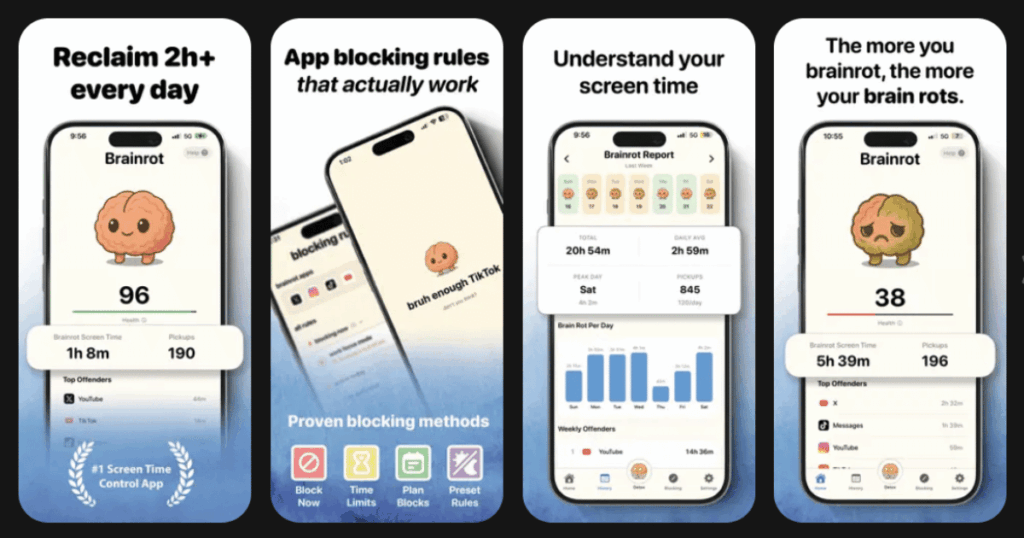
The Brainrot app takes a playful approach to screen time control. When you doom scroll, your cute brain avatar starts to decay. This visual nudge helps you put the phone down without feeling scolded.
The app claims users save about 2 hours per day, feel less distracted, and sleep better. Everything runs on-device using Apple’s Screen Time API for complete privacy.
Key Features:
- Brain avatar that visually decays as you scroll distracting apps
- Smart schedules for bedtime, mornings, and meetings
- Mindful breaks that let you reset without guilt
What I like: The gamification feels unique and fun rather than stressful. Watching my little brain avatar get healthier when I stay off my phone gives me a weird sense of pride. The clear insights help me identify my worst brainrot apps quickly.
What I don’t like: The subscription can feel expensive for what the app offers. Some users find the concept too gimmicky after the novelty wears off.
Pricing: Subscription-based with multiple plan options.
Platforms: iOS only
What Is Brainrot and Why Should I Care?
Brainrot was named the Oxford Word of the Year for 2024. It describes the mental fog and cognitive decline that comes from spending too much time consuming low-quality online content. The average person spends over 143 minutes per day on social media alone.
This adds up to more than 35 days per year just scrolling. Young adults aged 16 to 24 spend even more time. All this screen time can lead to emotional desensitization, anxiety, and depression. Anti-brainrot apps help by creating barriers between you and mindless scrolling.
Do Anti-Brainrot Apps Actually Work?
Yes, research shows they can be very effective. The One Sec app was tested in a scientific study that found it reduced app usage by 57% on average. Forest has helped users plant over 1.5 million real trees through focus sessions.
The key is finding an approach that works for your personality. Some people respond well to strict blocking. Others prefer gentle nudges and mindful prompts. Many users combine multiple apps for best results. The important thing is taking that first step toward healthier phone habits.
How Do I Choose the Right Anti-Brainrot App?
Start by thinking about your main goal. If you want to replace scrolling with meditation and wellness practices, Life7 offers the most complete solution. If you just need help staying focused while working or studying, Forest or Flipd might be better fits.
Consider how strict you need the app to be. If you easily ignore warnings, you might need something with locked modes like Opal or Freedom. If you prefer a gentle approach, One Sec or ScreenZen offer mindful pauses instead of hard blocks. Most apps have free trials, so test a few before committing to a subscription.