
9 Best EMDR Apps For Your Phone
| App Name | Best For | Key Features | AC Rating | Pricing |
|---|---|---|---|---|
| Life7 | Comprehensive mental wellness and trauma support | Binaural beats, breathing exercises, CBT therapy, vagus nerve stimulation | 4.8/5 | Free trial, then weekly/monthly/yearly plans |
| Heal EMDR | Self-guided EMDR therapy sessions | AI therapist guidance, progress tracking, targeted programs | 4.6/5 | Free trial, then subscription |
| EMDR Tappers | Apple Watch bilateral stimulation | iPhone and Apple Watch sync, haptic feedback, affirmations | 4.5/5 | Free with premium upgrade |
| EMDR Therapy | Visual and audio stimulation | Customizable settings, multiple stimulation modes, research-backed | 4.4/5 | Free with in-app purchases |
| Anxiety Release Based on EMDR | Anxiety management | Guided sessions, progress log, safe place exercises | 4.3/5 | One-time purchase |
| EMDR App | Professional therapist use | Device connectivity, broadcast feature, preset options | 4.5/5 | Free trial, then subscription |
| EyeMove EMDR | Simple trauma processing | OpenGL animations, customizable speed, nature sounds | 4.2/5 | Free and paid versions |
| Turbo EMDR | Self-led EMDR at home | Progress tracking, guided instructions, audio bilateral stimulation | 4.3/5 | Subscription based |
| BilateralStimulation.io | Telehealth EMDR sessions | Web-based platform, tactile buzzer support, HIPAA compliant | 4.4/5 | Free basic, paid for buzzers |
#1. Life7 – Best for Comprehensive Mental Wellness and Trauma Support

Life7 is an all-in-one mental wellness app that helps you sleep better, reduce stress, and manage anxiety. It offers a huge library of tools that support EMDR principles and trauma healing.
The app includes binaural beats, which create bilateral brain stimulation similar to EMDR therapy. You also get breathing exercises, cognitive behavioral therapy (CBT) tools, and vagus nerve stimulation. These features work together to calm your nervous system and help process difficult emotions.
Life7 has earned over 1,200 editorial mentions and logged 312 million meditation minutes from users worldwide. It is available on both iOS and Android devices.
Key Features:
- Delta, Theta, Alpha, Beta, and Gamma wave music with pure binaural beats and isochronic tones for bilateral brain stimulation
- SOS sessions designed to calm anxiety and panic attacks quickly when you need immediate relief
- CBT tools, hypnotherapy, and vagus nerve stimulation for deep emotional healing and trauma processing
What I like: I really enjoy how Life7 combines so many different approaches to mental wellness in one place. The binaural beats feel genuinely calming, and I love that you can mix soundscapes with guided meditations. The gamified approach keeps me coming back, and the daily check-ins help me stay consistent. The sleep stories are perfect for winding down at night.
What I don’t like: The free content is a bit limited. You really need the premium subscription to unlock the best features. It took me a little while to explore all the options because there is so much content.
Pricing: 7-day free trial available. Weekly, monthly, and yearly subscription plans with frequent special offers.
Platforms: iOS and Android
#2. Heal EMDR – Best for Self-Guided EMDR Therapy Sessions

Heal EMDR puts professional EMDR therapy techniques right in your pocket. The app walks you through complete bilateral stimulation sessions designed to help reduce PTSD, trauma, anxiety, and depression symptoms.
What makes this app special is the optional AI therapist feature. It guides you through each session like a real therapist would. You can also use the standard questionnaire approach if you prefer that.
The progress dashboard helps you track your disturbance levels over time. Many users report seeing real improvements within just a few sessions.
Key Features:
- Targeted programs for beating anxiety, conquering PTSD, healing trauma, lifting depression, and coping with grief
- Personalized sessions where you can adjust tone speed, therapist voice, session length, and set count
- Progress dashboard that tracks your disturbance level, streaks, and total therapy time
What I like: The guided sessions feel professional and thorough. I appreciate that you can customize almost everything to match your comfort level. The resource library with videos and articles helps you understand EMDR better. It feels like having a therapist in your pocket without the expensive bills.
What I don’t like: The subscription price might feel steep for some people. Also, you really need headphones to get the full bilateral stimulation effect, which is not always convenient.
Pricing: Free trial included with monthly and 3-month subscription options.
Platforms: iOS and Android
#3. EMDR Tappers – Best for Apple Watch Bilateral Stimulation
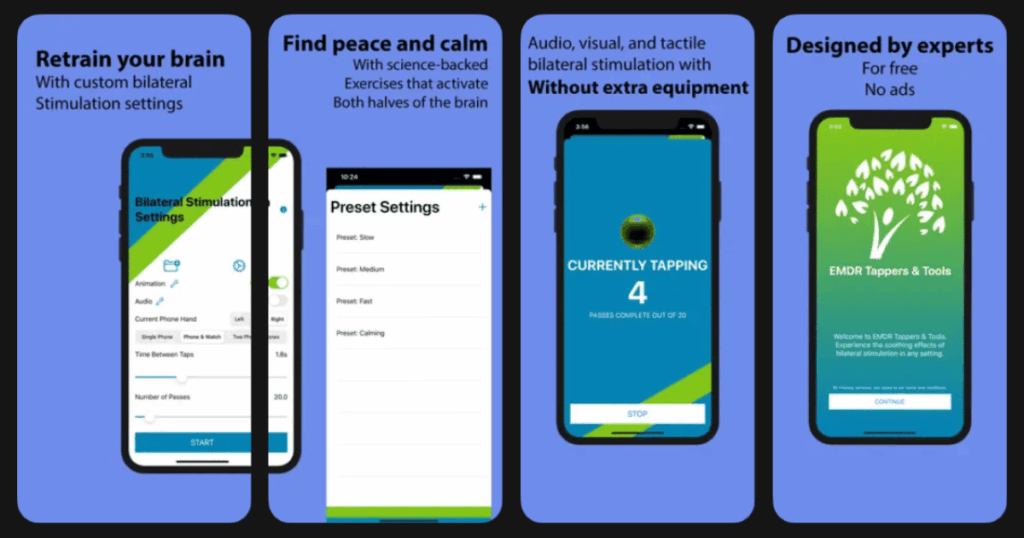
EMDR Tappers was designed by researchers, veterans, and licensed EMDR professionals. It replicates real EMDR therapy using just your iPhone and Apple Watch working together.
The app syncs vibrations between your phone and watch to create true bilateral tactile stimulation. This mimics the expensive equipment therapists use in their offices.
The best part is that the core features are completely free with no annoying ads. The premium version lets you customize colors, sounds, and save your settings.
Key Features:
- Synchronized vibrations between iPhone and Apple Watch for authentic bilateral tactile stimulation
- Positive affirmations delivered bilaterally to help reprogram your brain with healthy thoughts
- Customizable pace for animations, vibrations, and sounds to match your preferences
What I like: This app is incredibly simple to use and genuinely effective. I love that it works with my Apple Watch for real haptic feedback on both sides. The fact that it is free makes quality EMDR accessible to everyone. The affirmations feature is a nice touch that adds extra value.
What I don’t like: You need an Apple Watch to get the full bilateral vibration experience. The watch can sometimes go to sleep during longer sessions unless you adjust your settings first.
Pricing: Free with optional premium upgrade for additional customization options.
Platforms: iOS (requires Apple Watch for full tactile features)
#4. EMDR Therapy – Best for Visual and Audio Stimulation

EMDR Therapy by Garfmedya uses advanced digital techniques to simulate professional EMDR sessions. Major health organizations including the World Health Organization and American Psychiatric Association recognize EMDR as an effective trauma treatment.
The app combines visual tracking with directional audio and vibrations. You follow a ball on screen while sounds alternate between your left and right ears. This creates the bilateral stimulation that makes EMDR work.
It helps with depression, PTSD, panic disorders, and general anxiety. Many users report positive changes after just their first session.
Key Features:
- Visual ball tracking, alternating stereo sounds, and vibrations work together for complete bilateral stimulation
- Customizable settings let you adjust speed, duration, and stimulation type to match your needs
- Based on research recognized by WHO, American Psychiatric Association, and U.S. Department of Veterans Affairs
What I like: The app feels very professional and research-backed. I appreciate how it combines all three stimulation methods together. The visual tracker is smooth and easy to follow. It is straightforward to use even if you know nothing about EMDR.
What I don’t like: You really should use this with guidance from a therapist for serious trauma. The app works best with headphones which you need to have handy.
Pricing: Free with in-app purchases for additional features.
Platforms: Android primarily, with iOS version available
#5. Anxiety Release Based on EMDR – Best for Anxiety Management

Anxiety Release teaches you how to release anxious thoughts naturally. It combines guided instructions with bilateral brain stimulation backed by over 30 randomized controlled studies.
The app focuses specifically on anxiety rather than general trauma. This makes it perfect for people who deal with daily worry and stress but do not necessarily have PTSD.
Because bilateral stimulation works on the unconscious part of your brain, you do not need to struggle with your thoughts. You just listen and let your brain do the healing work.
Key Features:
- Brain training session plus two guided anxiety management sessions with audio and visual bilateral stimulation
- Safe place exercise that creates an emotional foundation to combat anxiety
- Progress log function tracks your anxiety levels before and after each session
What I like: The guided sessions are wonderfully calming and the male voice is very soothing. I love how the app explains everything in simple terms. The safe place exercise is especially helpful for grounding myself. It feels gentle yet effective.
What I don’t like: The app feels a bit dated compared to newer options. It is more limited in scope since it only focuses on anxiety rather than offering broader trauma support.
Pricing: One-time purchase price.
Platforms: iOS and Android
#6. EMDR App – Best for Professional Therapist Use
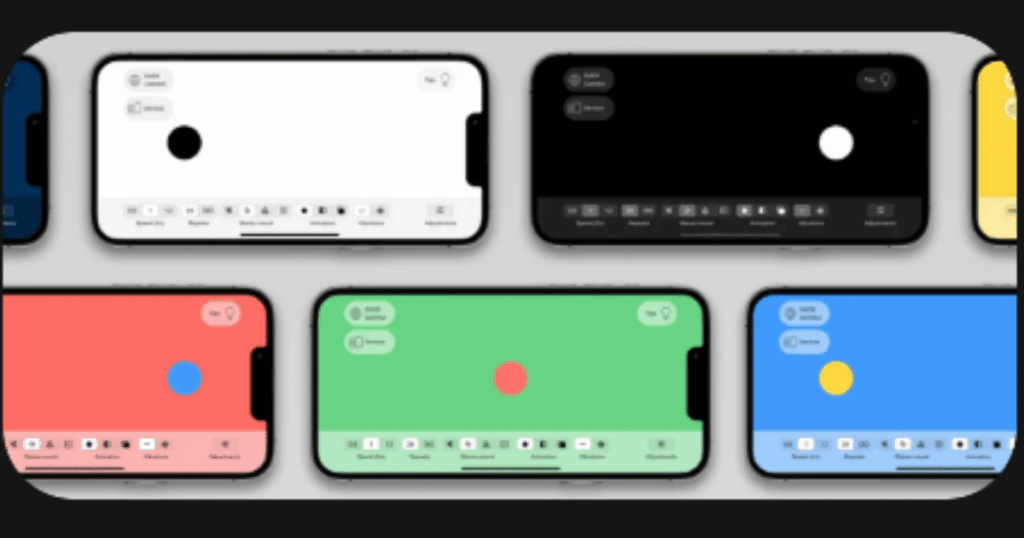
The EMDR App offers numerous ways to customize your bilateral stimulation experience. It connects seamlessly with many devices including iPhone, iPad, Mac, Apple TV, Apple Watch, and even gaming controllers.
The EMDR Connect feature lets therapists broadcast stimulations to clients anywhere in the world. Clients just click a link to join the session.
This makes it perfect for telehealth therapy sessions. It also works great for individual use at home between professional appointments.
Key Features:
- Connects with multiple devices including iPhones, iPads, Apple Watch, Apple Vision Pro, and gaming controllers
- EMDR Connect broadcasts stimulations to a protected webpage accessible on any device
- Adjustable presets, auto-stop function, and customizable colors and sounds
What I like: The device connectivity options are impressive and really useful. I appreciate being able to use my gaming controller for vibrations. The broadcast feature makes telehealth sessions seamless. Everything feels polished and professional.
What I don’t like: The interface has a bit of a learning curve. Some features require the subscription to unlock, which adds to the cost.
Pricing: One month free trial, then subscription based.
Platforms: iOS, iPadOS, macOS, watchOS, tvOS, visionOS
#7. EyeMove EMDR – Best for Simple Trauma Processing
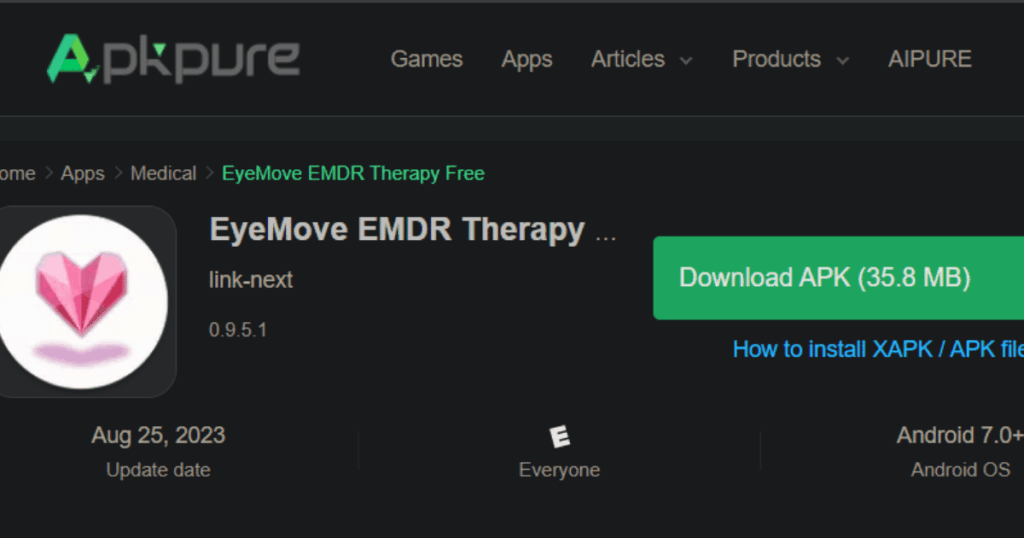
EyeMove is a straightforward EMDR app that focuses on the basics. It uses smooth OpenGL animations to create effective eye movement tracking.
The app lets you customize almost everything. You can adjust the moving object, speed, size, color, and duration. Sessions range from 10 seconds to 5 minutes.
It works great as a simple tool for self-directed EMDR practice. The nature sounds add a relaxing background to your sessions.
Key Features:
- Smooth OpenGL animations with customizable moving objects in full screen mode
- Adjustable session duration from 10 seconds to 5 minutes with customizable speed and colors
- Choose your own audio or select from included natural sounds for background
What I like: The simplicity is refreshing. It does one thing and does it well. I like being able to pick my own audio to play during sessions. The full screen motion helps me concentrate better. It is easy to use right away without reading instructions.
What I don’t like: The app is pretty basic and lacks guided instructions. It is really just a visual tool without the educational components that other apps include.
Pricing: Free version available with paid version for additional features.
Platforms: iOS and Android
#8. Turbo EMDR – Best for Self-Led EMDR at Home
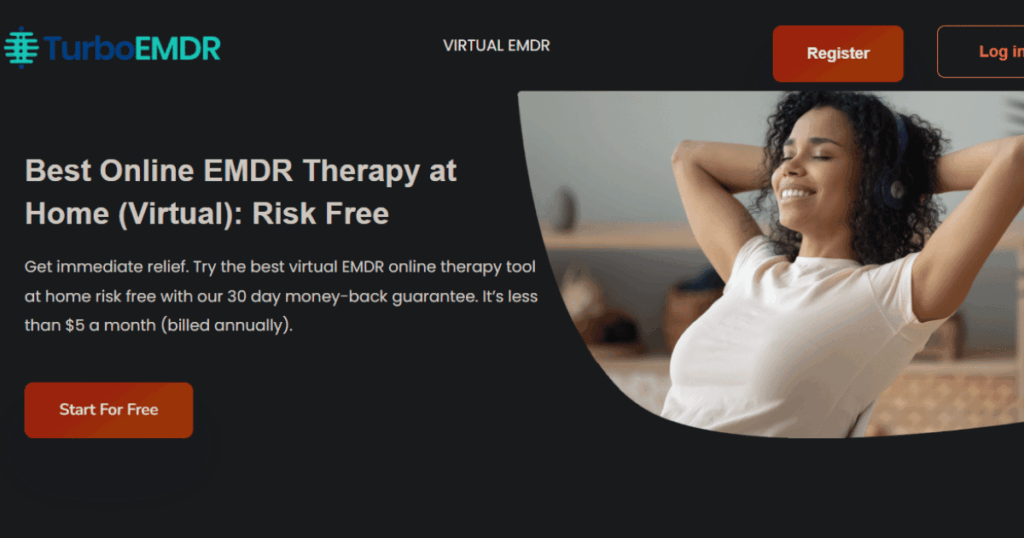
Turbo EMDR teaches you to do EMDR therapy at home without a therapist present. It guides you through the entire process from start to finish.
The app tracks your emotional distress levels over time. Many users report their distress dropping significantly after their very first session.
Sessions take only about 15 minutes. The platform includes audio bilateral stimulation which has been proven to aid the healing process.
Key Features:
- Step-by-step guidance teaches you EMDR techniques from beginning to end
- Progress tracking shows how your emotional distress improves over time
- Audio bilateral stimulation supports the healing process during sessions
What I like: The app really does teach you the full EMDR process. I appreciate the progress tracking that shows actual improvement. It feels empowering to have a tool I can use whenever I need it. The 15-minute session length fits easily into busy days.
What I don’t like: Serious trauma really does need professional guidance alongside the app. The subscription price is billed annually which is a bigger upfront commitment.
Pricing: Subscription based, billed annually with 30-day money-back guarantee.
Platforms: Web-based platform accessible on any device
#9. BilateralStimulation.io – Best for Telehealth EMDR Sessions
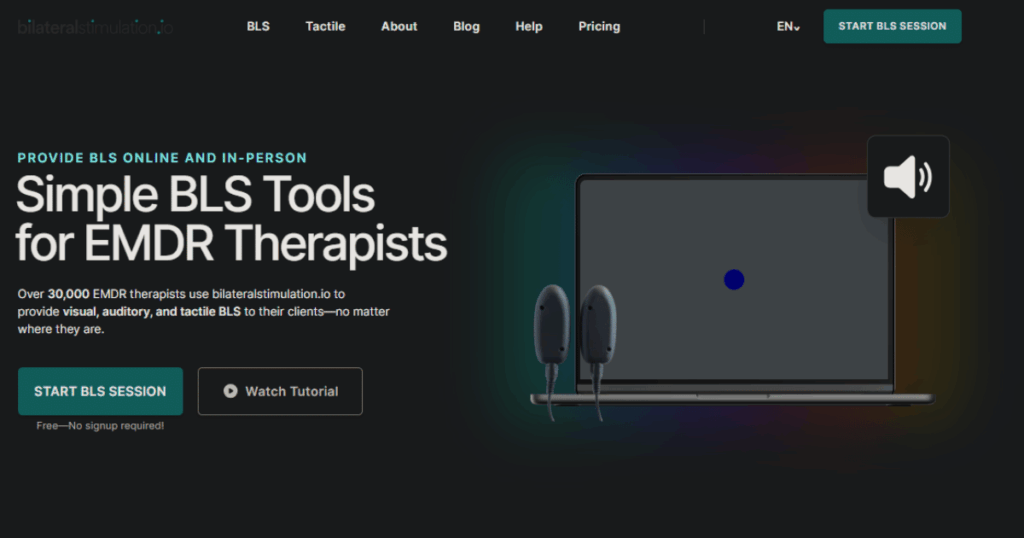
BilateralStimulation.io is used by over 30,000 EMDR therapists worldwide. It provides visual, auditory, and tactile bilateral stimulation for remote and in-person sessions.
The platform works with any video conferencing software including Zoom, Microsoft Teams, and Google Meet. Clients join by simply clicking a link with no registration required.
Everything is HIPAA compliant for professional therapeutic use. You can also purchase tactile buzzers for complete bilateral stimulation.
Key Features:
- Works with any telehealth software including Zoom, SimplePractice, Doxy, and Google Meet
- Visual, auditory, and tactile bilateral stimulation options can be adjusted to client preferences
- HIPAA compliant with no signup required for clients to join sessions
What I like: The fact that it works with any video chat software makes it incredibly flexible. Clients love not having to sign up or install anything. The tactile buzzers work great for both remote and in-person sessions. The free basic version offers genuine value.
What I don’t like: The tactile buzzers require a separate purchase. The platform is really designed more for therapists than individuals using it alone.
Pricing: Free for visual and auditory stimulation. Tactile buzzers available for separate purchase.
Platforms: Web-based, works on any device with a browser
What Is EMDR Therapy and How Do Apps Help?
EMDR stands for Eye Movement Desensitization and Reprocessing. It is a type of therapy that helps people heal from trauma and distressing life experiences.
The therapy uses bilateral stimulation. This means rhythmic left-right sensory input through eye movements, taps, or sounds. EMDR apps replicate this process digitally so you can access support anytime.
These apps work by helping your brain reprocess stuck memories. When trauma overwhelms your brain, memories can get frozen with their original emotional intensity. EMDR provides conditions for your brain to complete this processing work.
Apps are great supplements to professional therapy. They give you immediate access to bilateral stimulation when anxiety spikes or intrusive thoughts emerge. However, complex trauma still requires guidance from a trained therapist.
Are EMDR Apps Safe to Use Without a Therapist?
EMDR apps can be safe for managing everyday stress, mild anxiety, and less severe trauma. Many apps are designed specifically for self-guided use between therapy sessions.
However, you should be careful with serious trauma, complex PTSD, or dissociative disorders. These conditions need professional supervision because EMDR can bring up intense emotions.
Most apps include warnings about this. They recommend consulting a mental health professional before starting. If you experience overwhelming feelings during a session, stop and seek support from a qualified therapist.
The safest approach is using apps alongside regular therapy appointments. This way your therapist can help you process anything difficult that comes up during home sessions.
How Often Should I Use an EMDR App?
Most experts suggest starting with one to three sessions per week. Each session typically lasts between 10 to 30 minutes depending on the app and your comfort level.
Consistency matters more than frequency. Regular practice helps your brain build new neural pathways. Even brief daily sessions can be beneficial for managing ongoing anxiety.
Pay attention to how you feel after sessions. If you feel drained or overwhelmed, give yourself more recovery time between sessions. Some people find that shorter, more frequent sessions work better than longer ones.
Track your progress using the app’s built-in tools. Most apps let you rate your distress levels before and after sessions. This helps you see what is working and adjust your routine accordingly.