
9 Best Apps For Decision Fatigue
| App Name | Best For | Key Features | AC Rating | Pricing |
|---|---|---|---|---|
| Life7 | Complete mental wellness and stress relief | Binaural beats, sleep stories, breathing exercises | 4.8/5 | Free trial, weekly/monthly/yearly plans |
| Calm | Sleep improvement and relaxation | Sleep stories, meditation, breathing exercises | 4.6/5 | Free version, premium subscription |
| Headspace | Guided meditation beginners | Mindfulness courses, sleep tools, AI companion | 4.5/5 | Free trial, monthly/annual plans |
| Motion | AI automated scheduling | Auto task scheduling, calendar sync, project management | 4.4/5 | Free trial, monthly/annual plans |
| Todoist | Simple task organization | Natural language input, priority levels, reminders | 4.5/5 | Free version, pro and business plans |
| Fabulous | Building daily routines | Habit stacking, coaching series, community challenges | 4.3/5 | Free version, premium subscription |
| Forest | Staying focused without phone | Gamified focus timer, real tree planting, statistics | 4.7/5 | One time purchase on iOS, free on Android |
| Notion | Centralizing work and notes | Customizable workspace, databases, AI features | 4.4/5 | Free version, plus and business plans |
| The Mindfulness App | Personalized meditation practice | Guided sessions, breathing tools, sleep content | 4.5/5 | Free trial, subscription plans |
#1. Life7 – Best for Complete Mental Wellness and Stress Relief

Life7 is an all in one mental wellness app that tackles decision fatigue from every angle. It combines meditation, sleep tools, breathing exercises, and sound therapy into one powerful platform.
I found that Life7 stands out because it offers so many ways to calm an overworked mind. Whether you need binaural beats to focus or bedtime stories to sleep, it has you covered. The app has been featured in over 1,200 editorial mentions. Users have logged more than 312 million meditation minutes on the platform.
The daily check ins help you track your mood and thoughts. This makes it easier to notice patterns in your mental energy throughout the day.
Key Features:
- Binaural beats, solfeggio frequencies, and brainwave music to restore mental clarity
- SOS sessions for anxiety and panic attacks when decision overwhelm hits
- Vagus nerve stimulation and CBT tools for deep emotional healing
What I like: I really appreciate how Life7 gives you fresh content every single day. The daily meditation, music therapy, and wisdom sessions keep things interesting. The gamified approach where you earn XP and build streaks makes staying consistent feel like a fun challenge. I also love the backdrop mode that lets me mix soundscapes with sleep stories or meditations. It creates a totally personalized experience.
What I don’t like: The free content is a bit limited compared to the premium version. You will want to upgrade to get the full experience with all the features.
Pricing: 7 day free trial available. Frequent special offers with weekly, monthly, and yearly subscription options.
Platforms: iOS and Android
#2. Calm – Best for Sleep Improvement and Relaxation
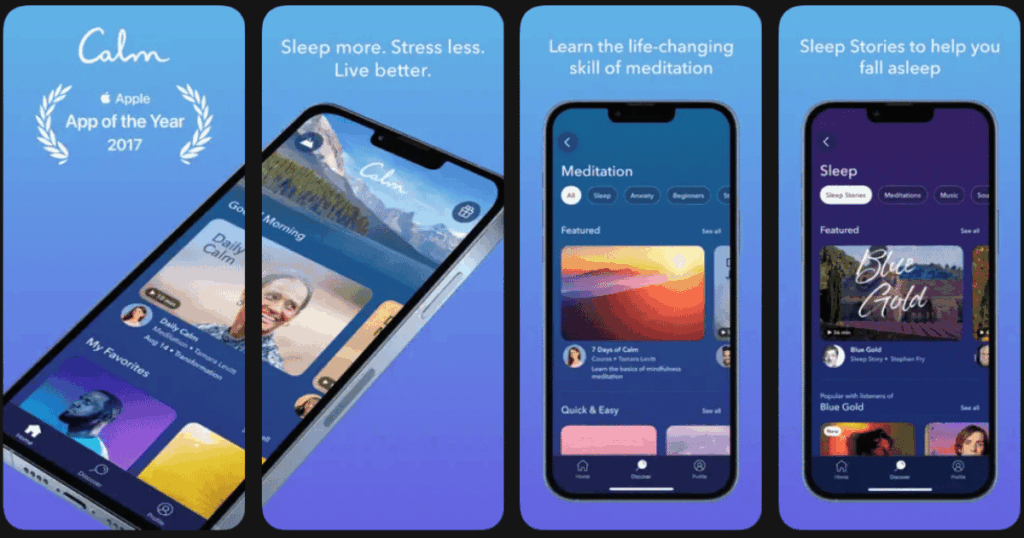
Calm is one of the most popular meditation apps in the world. It focuses heavily on helping you sleep better and manage stress. When your brain is tired from making too many choices, quality sleep becomes essential for recovery.
The app offers over 500 sleep stories read by soothing voices. These stories are designed to quiet your racing thoughts at bedtime. The breathing exercises are perfect for those moments when decision overload hits hard.
Key Features:
- 500+ sleep stories and soundscapes for better rest
- Daily calm sessions that take just 10 minutes
- Breathing bubble exercises for quick stress relief
What I like: The 60 second breathing bubble is a game changer when I feel overwhelmed by choices. It grounds me in the moment instantly. The sleep stories from voices like Matthew McConaughey make falling asleep feel like a treat rather than a struggle. The content library is massive and keeps growing every month.
What I don’t like: The premium subscription feels pricey compared to some other apps. The free version is quite limited in what you can access without paying.
Pricing: Free version with limited content. Premium subscription available with annual and monthly options.
Platforms: iOS and Android
#3. Headspace – Best for Guided Meditation Beginners
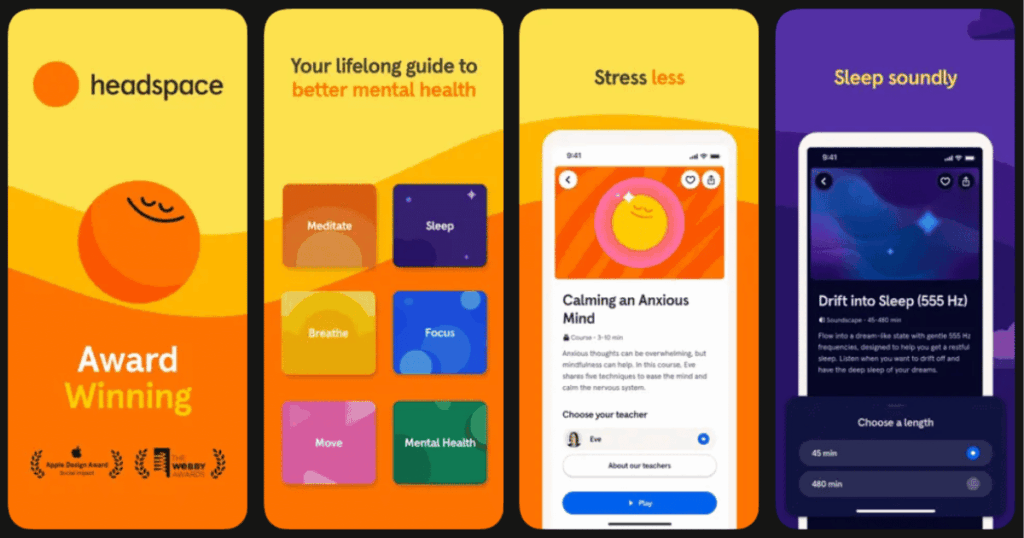
Headspace makes meditation approachable for people who have never tried it before. The app uses friendly animations and simple language to teach mindfulness basics. This is perfect when your brain feels too tired to learn something complicated.
Research shows that just 10 days of using Headspace can reduce stress. The app breaks everything into bite sized lessons that feel manageable even on exhausting days.
Key Features:
- Over 1,000 guided meditations organized by topic and length
- Sleepcasts and wind down content for better rest
- Ebb, an empathetic AI companion for personalized recommendations
What I like: I appreciate how Headspace meets you exactly where you are. The courses on stress and anxiety feel like having a patient teacher by your side. The sleepcasts are a brilliant concept that help my mind drift off naturally. The progress tracking keeps me motivated to maintain my practice.
What I don’t like: Some of the more advanced features require the higher tier subscription. The app can feel a bit slow to load sometimes on older devices.
Pricing: Free 14 day trial. Monthly and annual subscription plans available with student and family options.
Platforms: iOS and Android
#4. Motion – Best for AI Automated Scheduling
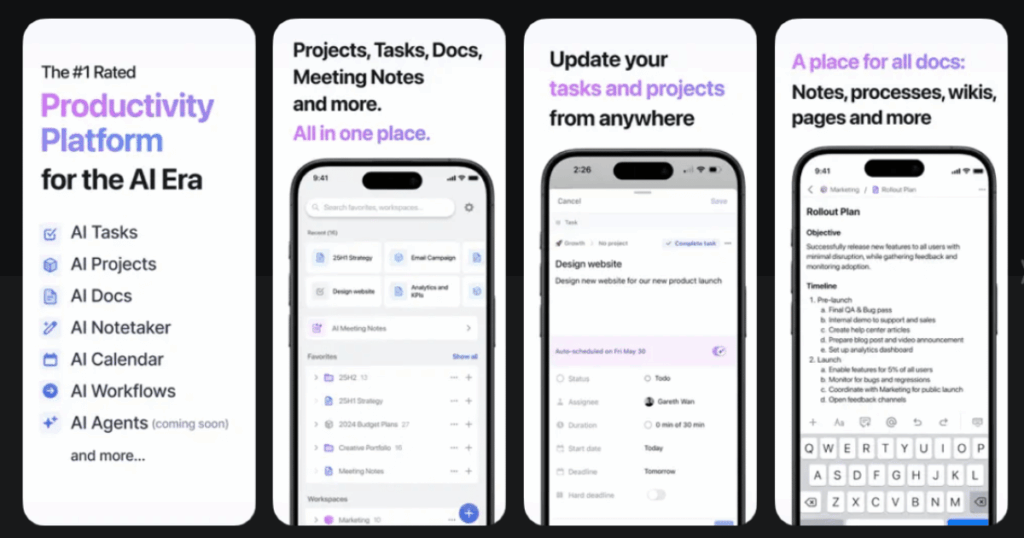
Motion uses artificial intelligence to plan your day automatically. Instead of spending mental energy deciding when to do each task, Motion handles that for you. The app claims it can save users up to 30 days per year by eliminating scheduling decisions.
You simply add your tasks with deadlines and priorities. Motion then schedules everything on your calendar based on your availability. When plans change, it automatically adjusts your whole day.
Key Features:
- AI powered task scheduling that optimizes your calendar automatically
- Integration with Google Calendar, Outlook, and Apple Calendar
- Meeting scheduler that protects your focus time
What I like: The set it and forget it approach is exactly what my decision fatigued brain needs. I add tasks and Motion tells me what to work on next. The automatic rescheduling when meetings run long or priorities shift saves me from constant replanning. Users with ADHD say it helps them overcome execution paralysis.
What I don’t like: The price point is higher than most productivity apps. There is also a learning curve to set up your preferences correctly at the beginning.
Pricing: 7 day free trial. Individual and team plans with monthly and annual billing options.
Platforms: iOS, Android, Web, and Desktop
#5. Todoist – Best for Simple Task Organization
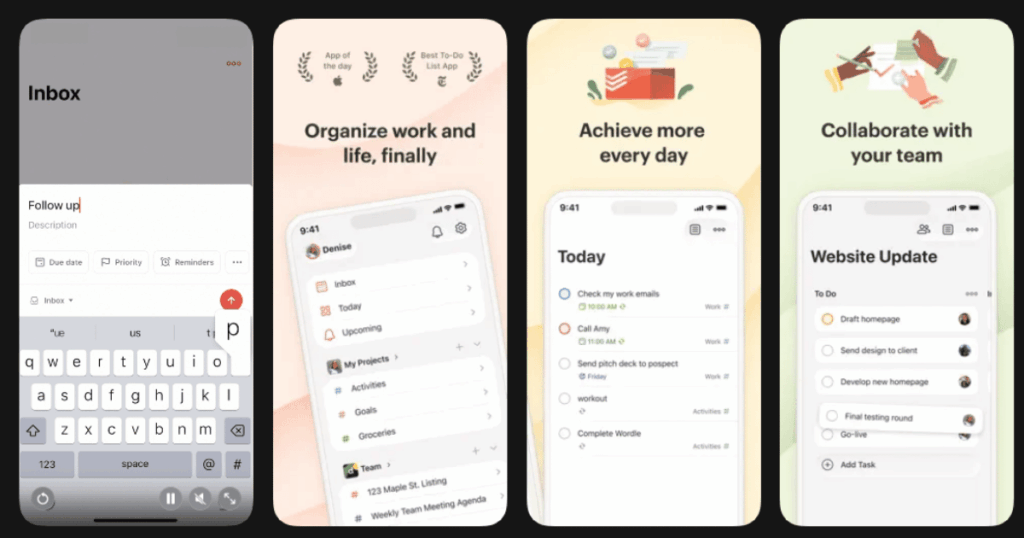
Todoist is a straightforward task manager that has been around since 2007. It helps you get everything out of your head and onto a list. This clears mental space and reduces the burden of remembering what needs to be done.
The natural language input is brilliant. You can type things like “submit report every Thursday at 2pm” and Todoist understands exactly what you mean. No extra clicks needed.
Key Features:
- Natural language task creation that saves time and effort
- Multiple views including list, board, and calendar layouts
- Priority levels and custom labels for easy organization
What I like: The simplicity of Todoist is its superpower. I dump all my tasks in there and my brain feels lighter immediately. The karma system adds a fun element that motivates me to complete tasks. The app syncs perfectly across all my devices so I never miss anything.
What I don’t like: The free version limits you on reminders and some features that feel pretty basic. The constant upgrade prompts can get annoying if you stick with the free plan.
Pricing: Free version with basic features. Pro and business plans available with monthly and annual billing.
Platforms: iOS and Android
#6. Fabulous – Best for Building Daily Routines

Fabulous was developed at Duke University’s Behavioral Economics Lab. It uses science backed methods to help you build lasting habits. When you have solid routines, you make fewer daily decisions because your actions become automatic.
The app uses habit stacking to help you build new behaviors one small step at a time. You start with something simple like drinking water in the morning. Then you gradually add more habits onto that foundation.
Key Features:
- Morning, afternoon, and evening routines with guided coaching
- Journeys that teach you how to build specific habits over several weeks
- Community challenges for motivation and accountability
What I like: The coaching letters that arrive as you progress feel personal and encouraging. The immersive mode helps me focus on one habit at a time without feeling overwhelmed. I appreciate that Fabulous does not try to change everything at once. The gradual approach actually works for building lasting change.
What I don’t like: The app can feel pushy with its premium subscription offers. Some users find the onboarding process has too many questions before you can actually start.
Pricing: Free version with limited features. Premium subscription available with annual billing.
Platforms: iOS and Android
#7. Forest – Best for Staying Focused Without Phone
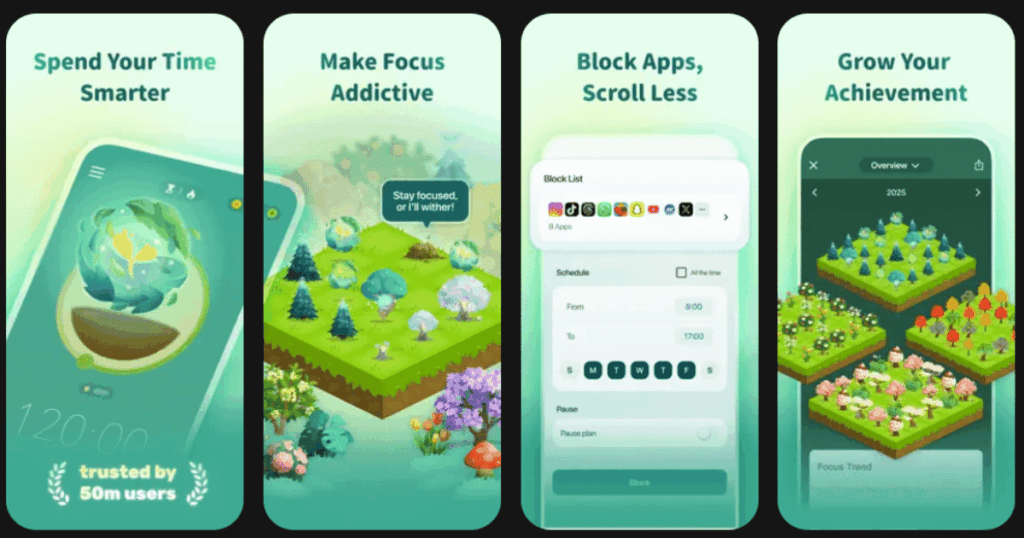
Forest takes a unique gamified approach to helping you stay focused. When you need to concentrate, you plant a virtual tree. If you leave the app to check social media, your tree dies. Over time you build an entire forest of your productive hours.
The app has helped over 2 million users stay present. The best part is that Forest partners with real tree planting organizations. Your focus time can actually result in real trees being planted.
Key Features:
- Gamified focus timer that grows virtual trees as you work
- Allowlist and blocklist features to customize which apps are blocked
- Statistics tracking to visualize your productivity patterns
What I like: The guilt of killing a tree is surprisingly effective at keeping me off my phone. The visual representation of my focus time as a growing forest feels rewarding. I love that my productivity contributes to actual environmental impact through tree planting. The one time payment model means no subscription fatigue.
What I don’t like: The app is simple and may not be enough for complex productivity needs. You cannot use certain apps even if you need them for work while a tree is growing.
Pricing: One time purchase on iOS. Free with optional purchases on Android.
Platforms: iOS and Android
#8. Notion – Best for Centralizing Work and Notes
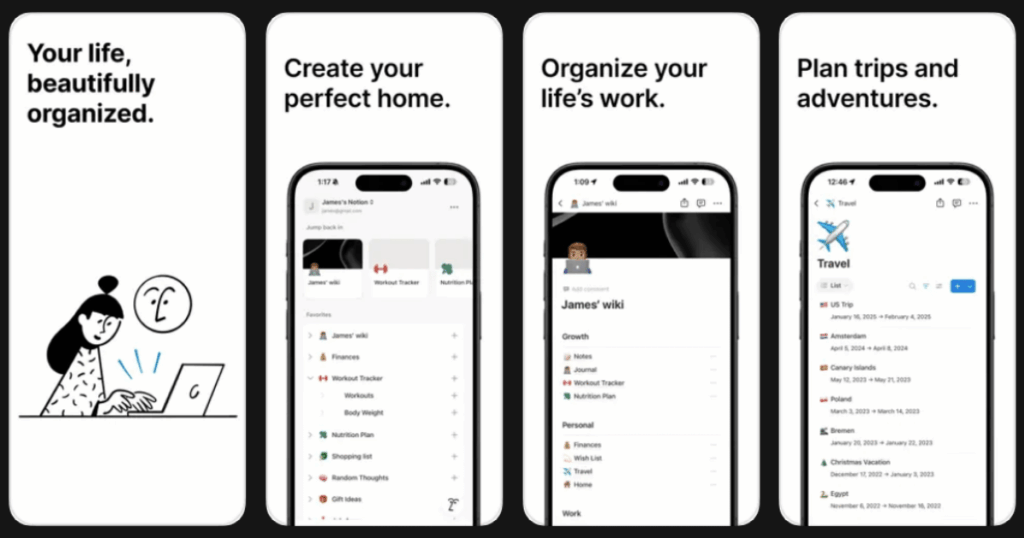
Notion combines note taking, task management, databases, and wikis into one customizable platform. Instead of switching between five different apps, you keep everything in one place. This eliminates the decision fatigue that comes from tool switching.
The flexibility of Notion means you can build a workspace that fits exactly how your brain works. You are not forced into someone else’s system.
Key Features:
- Highly customizable pages with drag and drop blocks
- Powerful databases with multiple view options
- AI integration for summarizing content and generating ideas
What I like: Having everything centralized has been a game changer for my mental clarity. I no longer waste energy figuring out which app has the information I need. The templates library gives you a head start without building from scratch. The real time collaboration makes working with others seamless.
What I don’t like: The learning curve can feel steep when you first start. The mobile app is not as smooth as the desktop experience. Large databases can also get slow.
Pricing: Free version with generous features. Plus and business plans for teams.
Platforms: iOS, Android, Web, Windows, and Mac
#9. The Mindfulness App – Best for Personalized Meditation Practice

The Mindfulness App offers guided meditation sessions from teachers around the world. It supports 12 languages and provides a variety of meditation styles. The app helps you build a consistent practice tailored to your specific needs.
The 14 day free trial lets you explore the full library before committing. Users appreciate the high quality content and how the app meets them wherever they are in their meditation journey.
Key Features:
- Personalized meditation programs based on your goals
- Breathing exercises and sleep content for relaxation
- Progress tracking to see your mindfulness journey
What I like: The variety of meditation teachers keeps the practice fresh and interesting. I can choose sessions based on my mood and available time. The sleep stories and courses are well produced and genuinely helpful. The simple interface makes it easy to jump right into a session.
What I don’t like: Some users feel the app is not as feature rich as bigger competitors. Certain advanced features are locked behind the subscription paywall.
Pricing: 14 day free trial. Subscription plans available with monthly and annual options.
Platforms: iOS and Android
What is Decision Fatigue and How Can Apps Help?
Decision fatigue happens when you make so many choices throughout the day that your brain gets tired. Every decision you make uses mental energy. By noon you might have already decided what to wear, what to eat, which emails to answer, and how to prioritize tasks.
Research shows that decision fatigue leads to worse choices as the day goes on. A famous study found that judges were more likely to grant parole early in the day than late afternoon. Their mental energy was simply depleted.
Apps help by automating decisions, creating routines, and giving your mind space to rest. When you don’t have to think about when to meditate or which task to do next, you save that mental energy for bigger decisions.
How Do I Know If I Have Decision Fatigue?
You might notice several warning signs when decision fatigue hits. Do you struggle to focus or weigh options clearly? Do you procrastinate more than usual? Maybe you make impulsive choices without thinking them through.
Another sign is feeling paralyzed by too many options. Even simple decisions like what to have for dinner become overwhelming. You might also notice that you feel more stressed and anxious by the end of the day.
If these symptoms sound familiar, using apps to simplify your daily choices can make a real difference. Start by automating just one area of your life and see how it feels.
Can Free Apps Really Help With Decision Fatigue?
Yes, many free versions of decision fatigue apps offer real value. Apps like Todoist, Notion, and Forest have free tiers that cover the basics. You can organize tasks, take notes, and practice focus without spending money.
However, premium versions usually unlock more features that enhance the experience. Things like unlimited habits, advanced AI scheduling, or broader content libraries often require a subscription.
I recommend starting with free versions to see which apps fit your lifestyle. Then upgrade only if you find yourself using an app consistently and wanting more features. This approach helps you avoid subscription fatigue on top of decision fatigue.