
9 Best Apps For Procrastination
| App Name | Best For | Key Features | AC Rating | Pricing |
|---|---|---|---|---|
| Life7 | All-in-one mental wellness and focus | Binaural beats, CBT tools, meditation, sleep sounds | 4.8/5 | Free trial, then subscription |
| Forest | Gamified focus sessions | Virtual tree planting, Pomodoro timer, real tree planting | 4.6/5 | One-time purchase |
| Freedom | Blocking distractions across all devices | Cross-device sync, locked mode, custom blocklists | 4.5/5 | Monthly, yearly, or lifetime |
| Todoist | Task management and organization | Natural language input, project views, reminders | 4.5/5 | Free tier, Pro subscription |
| RescueTime | Time tracking and productivity insights | Automatic tracking, detailed reports, focus sessions | 4.3/5 | Free tier, premium subscription |
| Cold Turkey Blocker | Strictest website and app blocking | Frozen Turkey mode, scheduling, password protection | 4.4/5 | Free tier, one-time purchase |
| Focus@Will | Concentration-boosting music | Neuroscience-based music, productivity tracking, brain type quiz | 4.2/5 | Free trial, subscription |
| Focusmate | Virtual co-working accountability | Live video sessions, partner matching, scheduling | 4.4/5 | Free tier, subscription |
| Brain.fm | AI-generated focus music | Patented neural technology, offline mode, Pomodoro timer | 4.5/5 | Free trial, subscription |
#1. Life7 – Best for All-in-One Mental Wellness and Focus

I have tried many apps to help me stop procrastinating. Life7 stands out as the most complete solution. This app tackles procrastination at its root by addressing the mental and emotional barriers that cause us to delay tasks.
Life7 combines meditation, sleep aids, and focus tools in one place. The app offers binaural beats, white noise, and brainwave frequencies that help calm your mind. When your brain feels relaxed, it becomes much easier to start working on tasks you have been avoiding.
What makes Life7 special is its gamified approach. You earn XP for completing sessions. This creates positive momentum that fights procrastination naturally.
Key Features:
- Delta, Theta, Alpha, Beta, and Gamma wave music plus 432 Hz and 528 Hz solfeggio frequencies for deep focus
- SOS sessions for anxiety and panic attacks that often trigger procrastination
- Daily check-ins, meditations, and mood tracking to build consistent habits
What I like: Life7 feels like having a personal wellness coach in my pocket. The variety of audio options means I can always find something that matches my mood. The breathing exercises work fast when I feel overwhelmed. I also appreciate how the app helps me understand why I procrastinate through CBT and hypnotherapy sessions. The streak system keeps me coming back every day.
What I don’t like: The free version has limited content. You will need to subscribe to unlock the full library of sounds and sessions. This might be a barrier if you want to test everything before committing.
Pricing: 7-day free trial available. Weekly, monthly, and yearly subscription plans with frequent special offers.
Platforms: iOS and Android
#2. Forest – Best for Gamified Focus Sessions
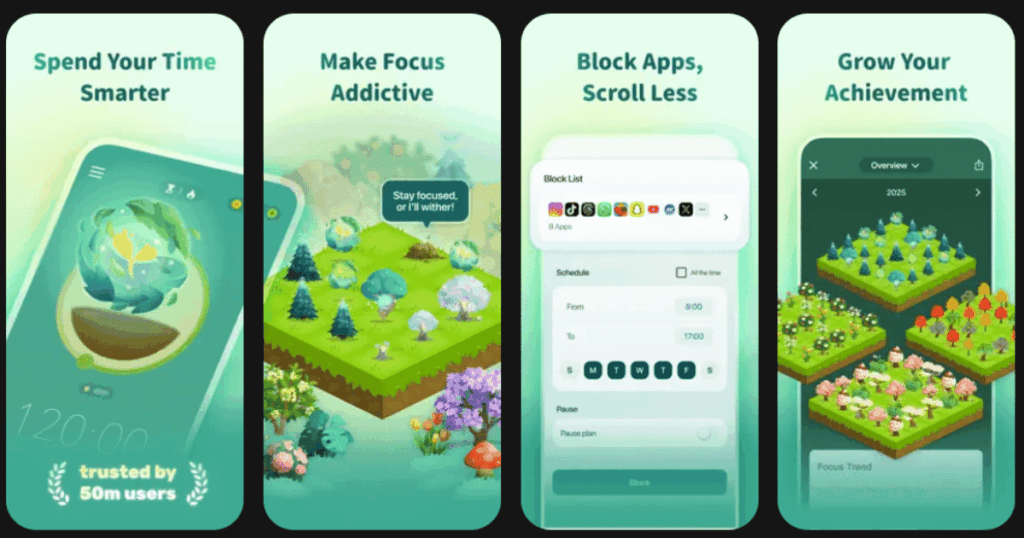
Forest turns staying focused into a fun game. When you want to focus, you plant a virtual seed. As you work, the seed grows into a tree. But if you leave the app to check social media or scroll your phone, your tree dies.
This simple concept is surprisingly powerful. Nobody wants to kill their tree! The visual progress motivates you to keep working. Over time, you build a beautiful forest that represents all your focused work sessions.
Forest also partners with Trees for the Future. When you earn enough virtual coins, you can plant real trees on Earth. This adds meaning to your productivity efforts.
Key Features:
- Timer and stopwatch modes for flexible focus sessions
- Detailed statistics showing your daily, weekly, and monthly progress
- Plant together feature lets you focus with friends and family
What I like: Forest makes productivity feel rewarding instead of punishing. I love watching my forest grow each week. The statistics help me see patterns in when I am most focused. The one-time purchase price is fantastic compared to apps with endless subscriptions. Plus, knowing my focus time helps plant real trees makes me feel good.
What I don’t like: If you accidentally leave the app, your tree dies even if you were almost done with your session. This can feel frustrating. The app also lacks robust website blocking features.
Pricing: One-time purchase around $4 on iOS. Free with ads on Android.
Platforms: iOS and Android
#3. Freedom – Best for Blocking Distractions Across All Devices
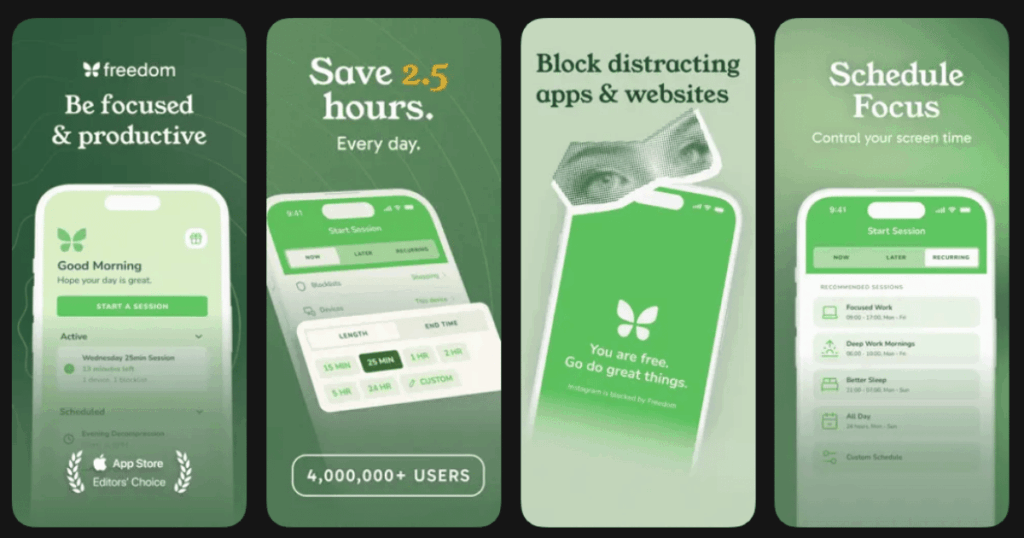
Freedom is the most powerful distraction blocker I have used. Unlike other apps that only work on one device, Freedom blocks distracting websites and apps across all your devices at once. This means you cannot cheat by switching from your computer to your phone.
The app lets you create custom blocklists and schedule blocking sessions. The locked mode prevents you from disabling the block until your session ends. This is perfect for people who struggle with willpower.
Freedom has helped over 3.5 million people worldwide reclaim their focus time.
Key Features:
- Cross-device sync works on Mac, Windows, iOS, Android, and Chrome
- Locked mode prevents you from ending sessions early
- Focus sounds and ambient music to help you concentrate
What I like: Freedom gives me peace of mind knowing that my distractions are blocked everywhere. The scheduling feature lets me set up daily focus blocks automatically. I also appreciate the focus sounds that help mask background noise. The interface is clean and easy to understand.
What I don’t like: There is no permanent free version. After the trial ends, you need to pay. The app can also feel aggressive for some users who want more flexibility.
Pricing: Monthly, yearly, or lifetime subscription options available.
Platforms: iOS, Android, Mac, Windows, Chrome
#4. Todoist – Best for Task Management and Organization
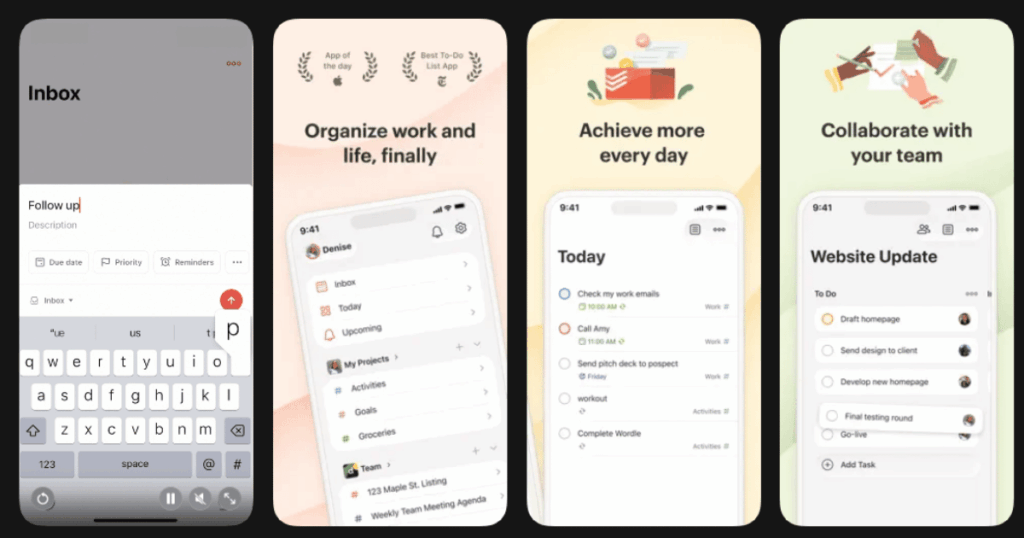
Todoist helps you beat procrastination by organizing your tasks clearly. When you know exactly what needs to be done, starting becomes easier. The app has been trusted by over 50 million people worldwide.
The natural language input makes adding tasks super fast. Just type “Submit report tomorrow at 3pm” and Todoist understands. You can organize tasks into projects, set priorities, and create recurring tasks.
The Karma system gamifies task completion. You earn points for finishing tasks and maintaining streaks. This creates positive reinforcement.
Key Features:
- Natural language input for quick task entry
- Multiple views including list, board, and calendar
- Integrations with Google Calendar, Slack, and 60+ other apps
What I like: Todoist removes the mental effort of remembering tasks. Once everything is captured, my brain can focus on actually doing the work. The cross-platform syncing is flawless. I can add a task on my phone and see it instantly on my computer. The interface is clean and distraction-free.
What I don’t like: Some essential features like reminders require the paid plan. The free version shows upgrade prompts frequently which can be annoying.
Pricing: Free basic plan available. Pro plan with advanced features requires subscription.
Platforms: iOS and Android
#5. RescueTime – Best for Time Tracking and Productivity Insights
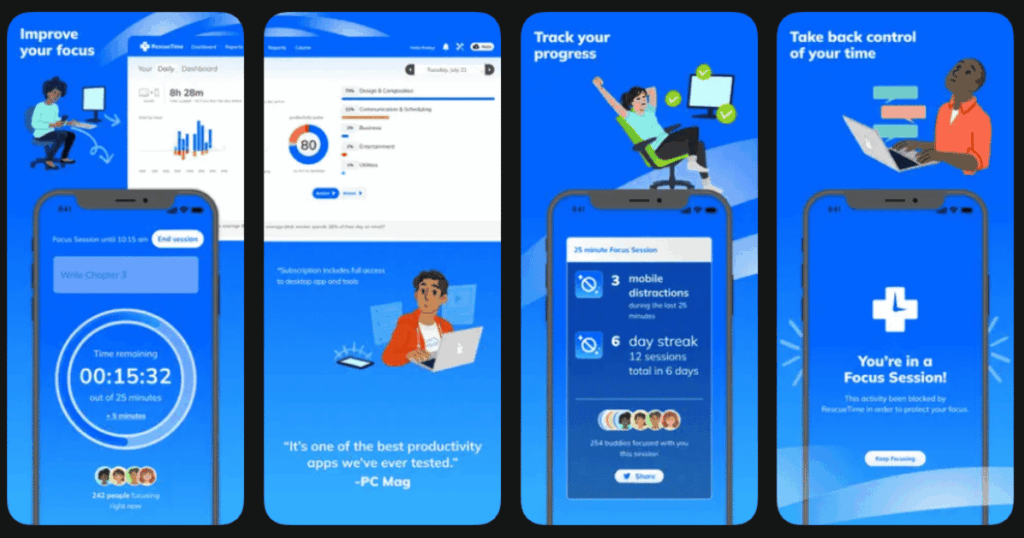
RescueTime shows you exactly where your time goes each day. The app runs silently in the background. It tracks every website you visit and every app you use. This data reveals the truth about your procrastination habits.
Many people are shocked when they first see their RescueTime reports. Discovering you spent 3 hours on social media when you thought it was 30 minutes is eye-opening. This awareness is the first step to change.
RescueTime also offers focus sessions that block distracting sites while you work.
Key Features:
- Automatic time tracking without manual input
- Detailed productivity reports and scores
- Focus sessions with distraction blocking
What I like: RescueTime does not require any effort after setup. It just works. The weekly email reports are motivating. Seeing my productivity score improve over time feels great. The focus sessions with Spotify integration add a nice touch.
What I don’t like: The detailed reports can feel overwhelming at first. Mobile tracking has some limitations on iOS due to Apple restrictions.
Pricing: Free plan with basic features. Premium subscription for advanced analytics.
Platforms: iOS, Android, Mac, Windows
#6. Cold Turkey Blocker – Best for Strictest Website and App Blocking
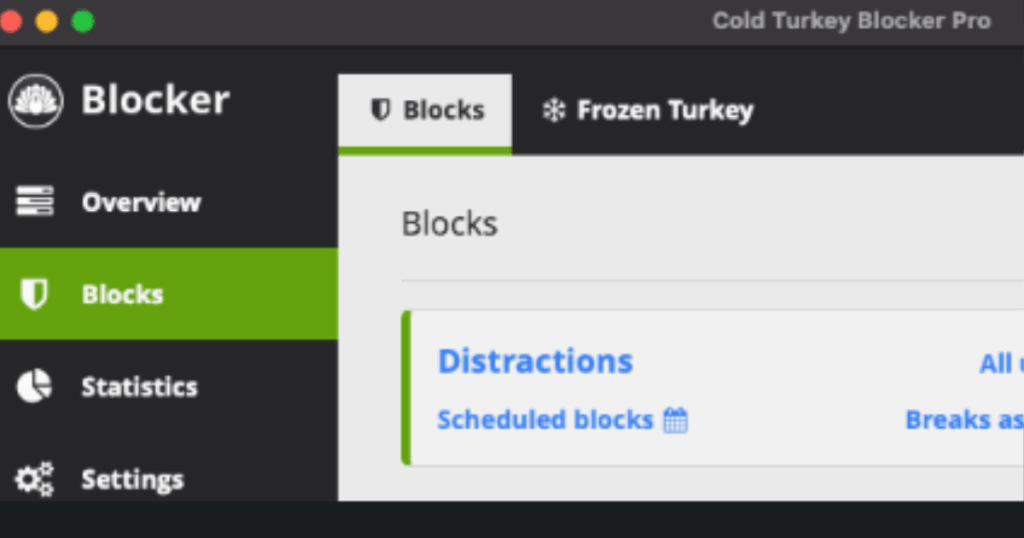
Cold Turkey is the toughest website blocker on the internet. When you lock a block, there is almost no way to bypass it. This app is perfect for people who need serious help avoiding temptation.
The Frozen Turkey feature can even lock you out of your entire computer. This extreme option forces you to step away from screens completely.
Cold Turkey offers a one-time purchase instead of subscriptions. This makes it very affordable long-term.
Key Features:
- Unbypassable blocking once sessions are locked
- Block websites, apps, and even the entire internet
- Scheduling for automatic daily or weekly blocks
What I like: Cold Turkey takes discipline seriously. I cannot talk myself out of a locked block. This app saved me during deadlines when I absolutely could not afford distractions. The one-time payment is refreshing in a world of endless subscriptions.
What I don’t like: Cold Turkey only works on desktop computers. There is no mobile app. The strict nature might feel too harsh for casual users.
Pricing: Free basic version. One-time purchase for Pro features.
Platforms: Windows and Mac only
#7. Focus@Will – Best for Concentration-Boosting Music
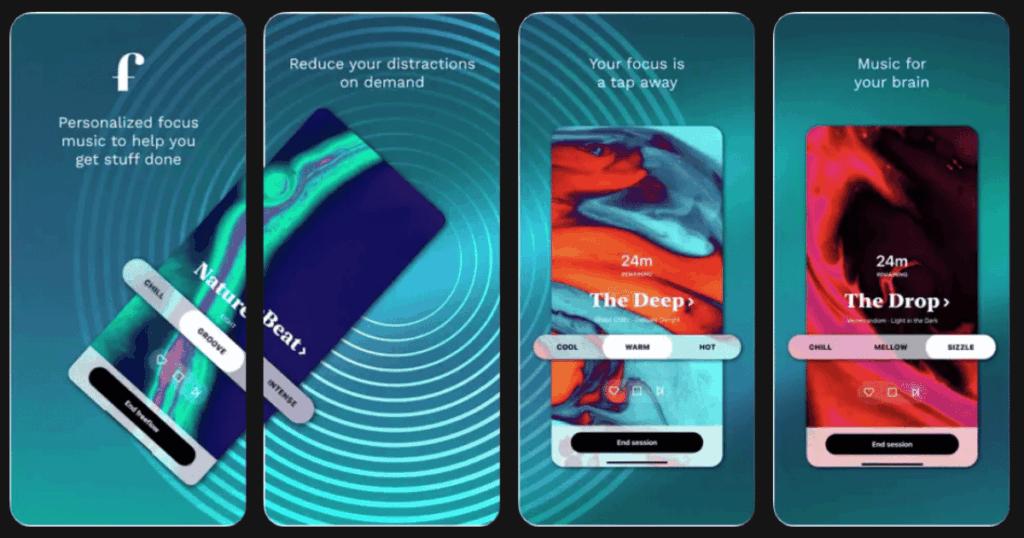
Focus@Will provides scientifically designed music to boost your concentration. The app uses neuroscience research to create tracks that engage your brain without distracting it.
You start with a quiz that determines your brain type. The app then recommends music channels tailored to how you think. This personalized approach sets Focus@Will apart from generic focus playlists.
Users report being able to concentrate up to four times longer with the right music.
Key Features:
- Neuroscience-based music customized to your brain type
- Built-in productivity timer with tracking
- Multiple channels including Classical, Ambient, and Alpha Chill
What I like: The music genuinely helps me enter a flow state faster. Unlike random playlists, every track is edited to remove distracting elements. The productivity tracking shows me exactly how long I focused. I feel more productive on days I use Focus@Will.
What I don’t like: You cannot save favorite tracks or create playlists. The subscription cost adds up over time.
Pricing: Free trial with limited sessions. Subscription required for full access.
Platforms: iOS and Android
#8. Focusmate – Best for Virtual Co-Working Accountability
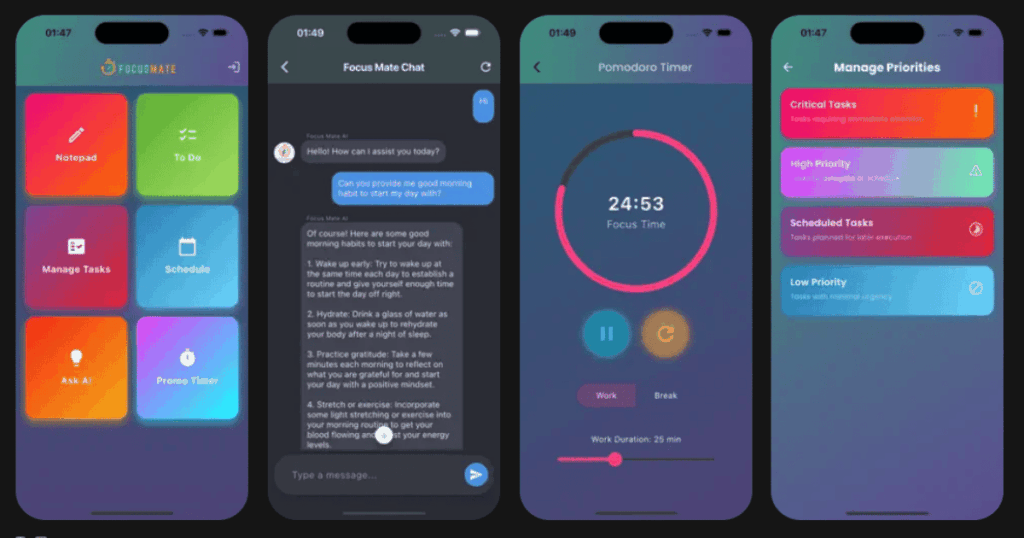
Focusmate matches you with an accountability partner for live video work sessions. You book a 25, 50, or 75 minute session. At the start, you share your goal with your partner. Then you both work silently while visible on camera.
This social accountability is incredibly powerful. Knowing someone is watching makes you less likely to procrastinate. The scheduled sessions also create structure in your day.
Many users say Focusmate finally helped them break years of procrastination habits.
Key Features:
- Live video sessions with matched partners worldwide
- Scheduling system to plan your focused work time
- Community of motivated professionals and students
What I like: The accountability aspect is game-changing. I show up prepared because I do not want to waste my partner’s time. The community feels supportive rather than judgmental. Sessions give structure to my otherwise chaotic workdays.
What I don’t like: You need to be comfortable on video with strangers. The free plan limits how many sessions you can book per week.
Pricing: Free plan with limited sessions. Subscription for unlimited sessions.
Platforms: iOS and Android
#9. Brain.fm – Best for AI-Generated Focus Music
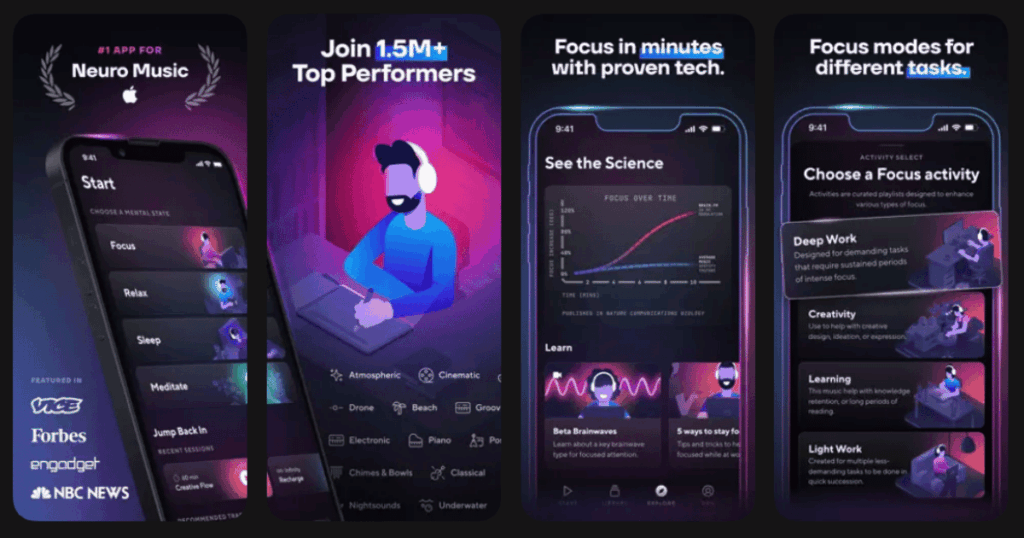
Brain.fm uses patented neural technology to create music that influences your brainwaves. The app claims their music is more effective than binaural beats or regular focus playlists.
The technology works by embedding subtle rhythmic pulses into the music. These pulses help your brain enter a focused state. Clinical studies have shown measurable improvements in concentration.
Brain.fm also offers modes for relaxation and sleep.
Key Features:
- Patented audio technology proven in clinical studies
- Customizable modulation levels for different focus needs
- Offline mode lets you download tracks for anywhere listening
What I like: Brain.fm feels different from regular music apps. My focus does seem deeper when using it. The ability to adjust modulation intensity is nice for finding what works best. The Pomodoro timer integration keeps sessions structured.
What I don’t like: The subscription price is higher than some competitors. The science claims might feel overhyped to skeptical users.
Pricing: Free trial available. Annual subscription required for full access.
Platforms: iOS and Android
Do Procrastination Apps Really Work?
Yes, procrastination apps can genuinely help when used consistently. The key is finding the right type of app for your specific procrastination triggers. If you get distracted by social media, blocking apps like Freedom or Cold Turkey work best. If you struggle with task overwhelm, Todoist helps break work into manageable pieces.
Research shows that external accountability and visual progress tracking improve follow-through. Apps provide both. However, no app is magic. You still need to commit to using the tools. The best approach combines multiple apps. Use a blocker, a task manager, and a wellness app like Life7 together for maximum effect.
Which Procrastination App Is Best for Students?
Forest is excellent for students because of its gamified approach and affordable one-time purchase. The visual reward of growing trees motivates consistent study sessions. Many students also benefit from Todoist for organizing assignments and deadlines.
For students dealing with exam anxiety or focus issues, Life7 offers meditation and stress-relief tools that address procrastination at its emotional root. The combination of Forest for active study sessions and Life7 for mental preparation creates a powerful system for academic success.
Can I Use Multiple Procrastination Apps Together?
Absolutely! Using multiple apps together often works better than relying on just one. I recommend combining three types: a distraction blocker, a task manager, and a mental wellness app.
For example, use Freedom to block distracting websites, Todoist to organize your tasks, and Life7 to manage stress and build focus habits. This multi-layered approach attacks procrastination from different angles. Many successful people stack tools this way. Just avoid app overload by choosing one app per category and mastering it before adding more.