
9 Best Spatial Audio Apps For Your Phone
| App Name | Best For | Key Features | AC Rating | Pricing |
|---|---|---|---|---|
| Life7 | Complete mental wellness with spatial soundscapes | 8D audio, binaural beats, solfeggio frequencies, guided meditations | 4.8/5 | Free trial, subscription plans |
| Endel | AI-powered personalized soundscapes | Adaptive audio based on heart rate, spatial audio orbit mode, focus/sleep modes | 4.6/5 | Free limited, premium subscription |
| Apple Music | Dolby Atmos music streaming | Spatial audio with head tracking, lossless audio, millions of Atmos tracks | 4.5/5 | Subscription required |
| Portal | Immersive nature experiences | Head-tracked spatial audio, smart lighting integration, breathing exercises | 4.5/5 | Free limited, subscription |
| Boom 3D | System-wide audio enhancement | 3D surround sound, 31-band equalizer, works with any headphones | 4.4/5 | One-time purchase |
| SpatialBliss | 3D sound mixing and customization | 75+ mixable sounds, head tracking, customizable presets | 4.3/5 | Free with in-app purchases |
| Odio | Artistic spatial soundscapes | Apple Design Award winner, AR soundscapes, custom composer | 4.4/5 | Subscription |
| DTS Sound Unbound | Gaming and home theater | DTS Headphone:X, 500+ headphone profiles, works with any headphones | 4.2/5 | Free trial, one-time purchase |
| Odysound | Cinematic spatial environments | Dolby Atmos soundscapes, 5.1 surround, film industry sound design | 4.1/5 | Subscription |
#1. Life7 – Best for Complete Mental Wellness With Spatial Soundscapes

Life7 is my top pick for spatial audio because it combines everything you need in one place. This app goes way beyond basic sounds. It offers 8D sleep audio, binaural beats, and solfeggio frequencies that wrap around you like a warm blanket.
What makes Life7 special is how many tools it gives you. You get white noise, brown noise, green noise, and pink noise. There are delta, theta, alpha, beta, and gamma brainwave tracks. The app also has guided meditations, sleep stories for adults and kids, and breathing exercises for anxiety.
I love that Life7 includes hypnotherapy sessions, CBT tools, and vagus nerve stimulation audio. The gamified approach keeps you coming back. You earn XP and unlock more content as you meditate!
Key Features:
- 8D spatial audio with immersive binaural beats and solfeggio frequencies (432 Hz, 528 Hz)
- Backdrop mode lets you mix soundscapes with meditations and sleep stories
- Daily new sessions including meditation, music therapy, and wisdom content
What I like: Life7 feels like having a wellness studio in your pocket. The 8D audio really does sound like it’s moving around your head. I found the SOS anxiety sessions incredibly helpful during stressful moments. The variety is amazing. You can go from a guided lucid dreaming session to Buddhist sound therapy to ASMR all in one app. The streak tracking and XP system actually motivated me to meditate more.
What I don’t like: The free version is pretty limited. You’ll want to upgrade to get the full experience. Some users might feel overwhelmed by how many options there are at first.
Pricing: 7-day free trial available. Weekly, monthly, and yearly subscription plans offered with frequent special offers.
Platforms: iOS and Android
#2. Endel – Best for AI-Powered Personalized Soundscapes
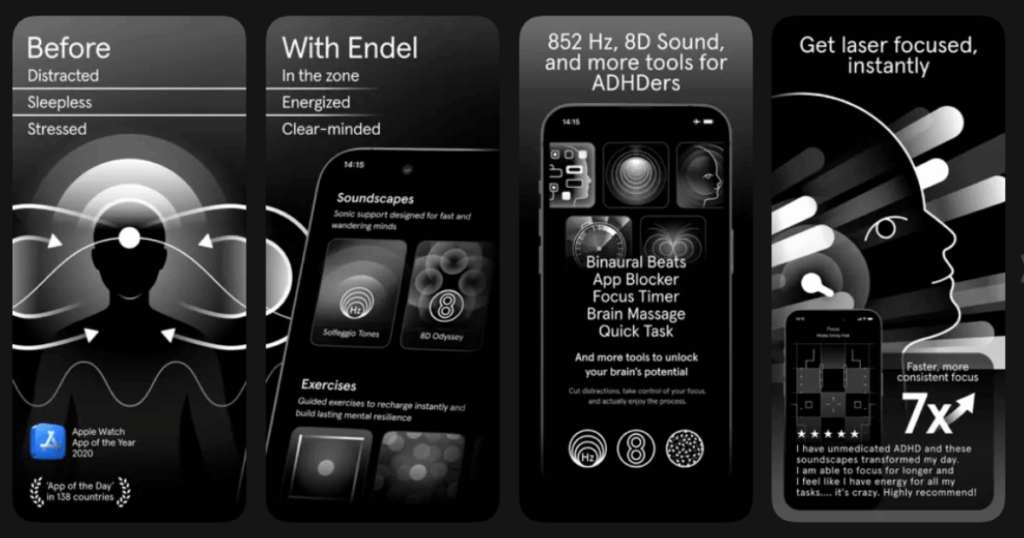
Endel takes a totally different approach to spatial audio. It uses artificial intelligence to create soundscapes that adapt to you in real time. The app reads your heart rate, location, time of day, and even the weather. Then it generates sounds that match your current state.
The Spatial Orbit feature creates what feels like a glittery space around you. Sounds move and float in 3D. It’s not random either. Endel designs everything based on neuroscience research. Studies show it can boost focus by 7 times compared to regular playlists!
Key Features:
- Real-time adaptive soundscapes based on your biometrics and environment
- 8D Odyssey mode for cinematic spatial immersion
- Focus, sleep, relax, and move modes with different sound profiles
What I like: The way Endel responds to my body is honestly magical. When my heart rate drops during sleep, the sounds soften. When I’m working out, they energize. The 8D Odyssey mode is stunning with good headphones. I also appreciate the clean interface. No clutter, just press play and relax.
What I don’t like: The price is steep at around $120 per year. The free version only gives you about 10 minutes of play time. If you prefer choosing specific sounds yourself, this might feel too hands-off.
Pricing: Free version with limited sessions. Premium subscription around $20/month or $120/year.
Platforms: iOS and Android
#3. Apple Music – Best for Dolby Atmos Music Streaming
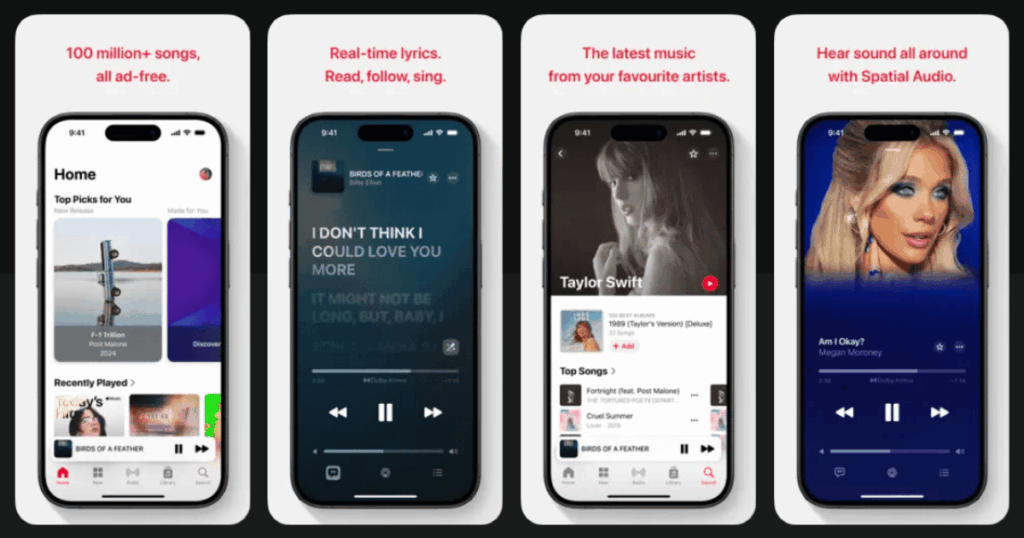
Apple Music completely changed how we listen to music with spatial audio. They partnered with Dolby to bring Atmos tracks right to your phone. Songs don’t just play left and right anymore. They surround you from all directions including above.
The library keeps growing. Thousands of songs from huge artists like Billie Eilish, The Beatles, and Ariana Grande are available in spatial audio. With AirPods Pro or AirPods Max, you also get dynamic head tracking. Turn your head and the sound stays anchored in place!
Key Features:
- Thousands of Dolby Atmos tracks across all music genres
- Dynamic head tracking with compatible AirPods
- Lossless audio quality up to 24-bit/192kHz
What I like: Hearing my favorite songs in spatial audio blew my mind. The Beatles’ “Come Together” sounds like you’re standing in the studio with them. The head tracking works amazingly well. I love how the sound stays fixed to my phone even when I turn my head. No extra cost either. It’s included with your Apple Music subscription.
What I don’t like: You need Apple hardware to get the best experience. Android users miss out on some features. Not all songs have Atmos versions yet, so your favorites might still be in regular stereo.
Pricing: Included with Apple Music subscription (individual or family plans available).
Platforms: iOS (Android has limited features)
#4. Portal – Best for Immersive Nature Experiences
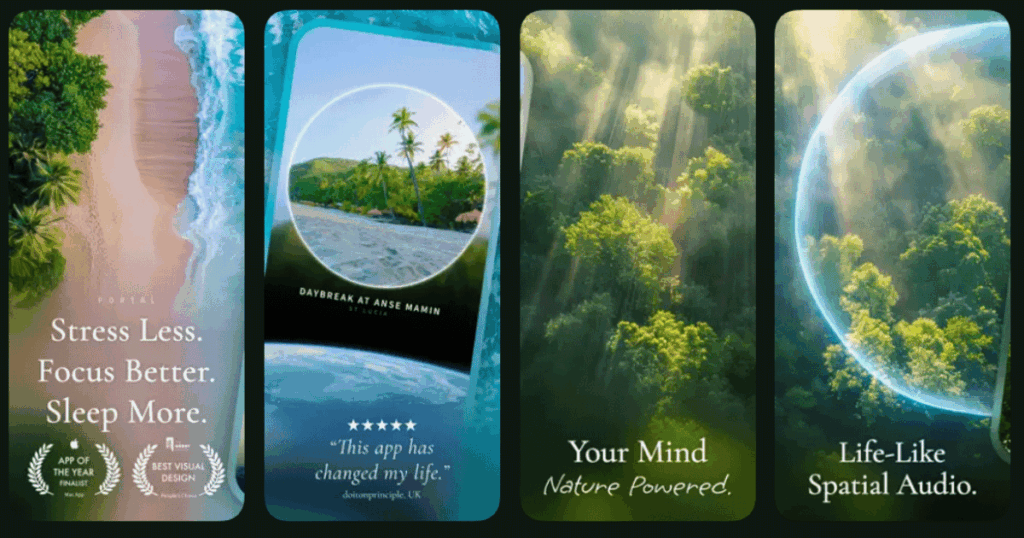
Portal feels like a window into another world. The app combines stunning 12K video footage with head-tracked spatial audio. You can virtually transport yourself to a rainforest, beach, or mountain meadow. The sounds move realistically around you as you turn your head.
What sets Portal apart is the attention to detail. They capture sounds on location with special microphones. Then they mix everything using Ambisonics technology. This creates more natural spatial effects than regular surround sound.
Key Features:
- 12K resolution nature videos with life-like spatial audio
- Smart lighting integration with Philips Hue, Nanoleaf, and HomeKit
- Built-in breathing exercises and focus timers
What I like: Portal is the closest I’ve come to actually being in nature through an app. The thunderstorm sounds incredible. You hear rain hitting leaves from different directions. The smart lighting integration is a nice touch. My room changes color to match the scene! Great for focus sessions and winding down before bed.
What I don’t like: The subscription price is quite high compared to other apps. Some environments require downloading large files. The app is mainly designed for Apple devices, which limits who can use it.
Pricing: Free basic version. Premium subscription around $10/month or $50/year. Lifetime purchase available.
Platforms: iOS and Mac
#5. Boom 3D – Best for System-Wide Audio Enhancement
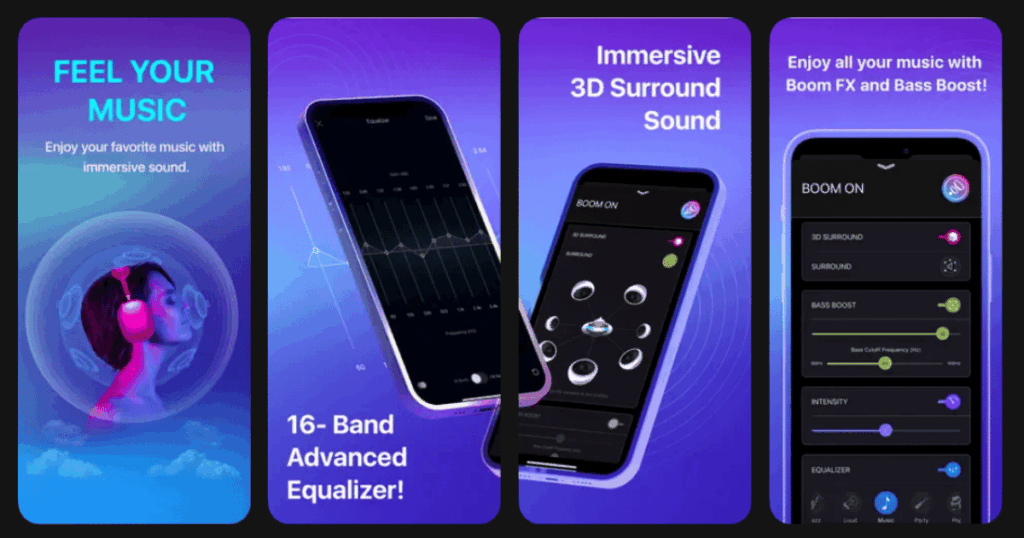
Boom 3D does something cool. It makes ALL your audio spatial, not just specific apps. Movies, games, Spotify, YouTube… everything gets the 3D treatment. The app uses a patented algorithm that works with any regular headphones.
Think of it as an audio upgrade for your entire phone or computer. The 31-band equalizer lets you fine-tune exactly how things sound. Plus there’s a library of over 20,000 radio stations built in.
Key Features:
- System-wide 3D surround sound that works with any headphones
- 31-band equalizer with genre-specific presets
- Audio effects including ambience, fidelity, and night mode
What I like: I really appreciate how Boom 3D improves everything I listen to. Netflix movies suddenly sound like a theater. Games feel more immersive. The one-time purchase model is refreshing in a world of subscriptions. The equalizer is powerful enough for audiophiles but simple enough for beginners.
What I don’t like: The 3D effect can feel artificial on some content. Battery drain is noticeable when running constantly. Some users report occasional audio glitches that require app restarts.
Pricing: One-time purchase (pricing varies with sales, often discounted to around $15-20).
Platforms: iOS and Android (separate purchase for desktop)
#6. SpatialBliss – Best for 3D Sound Mixing and Customization
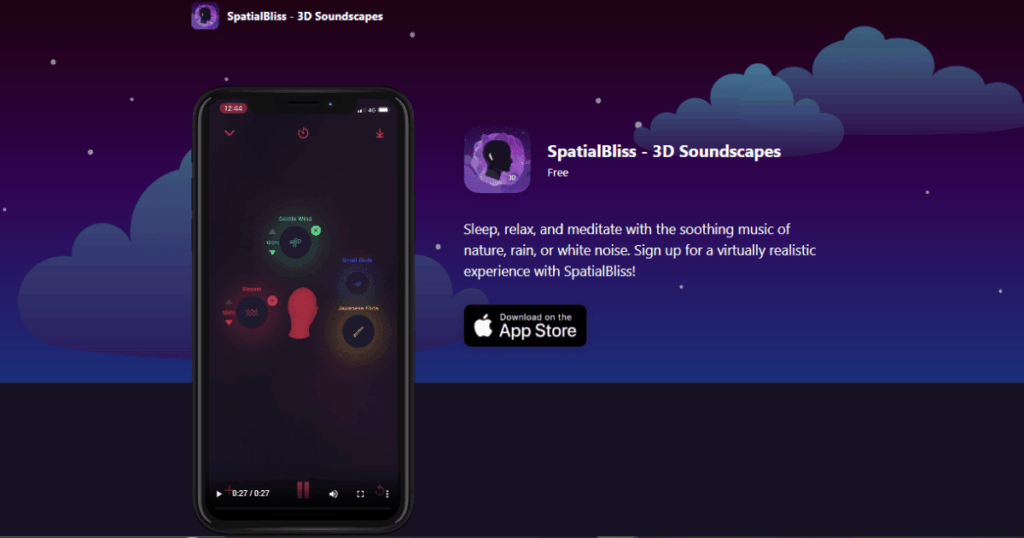
SpatialBliss puts you in control of your spatial audio experience. The app lets you choose from over 75 different sounds. Then you can position each sound anywhere in 3D space around your head. Move rain to your left, add birds behind you, place ocean waves in front.
The head tracking feature with AirPods takes it further. As you move, the sounds stay fixed in their positions. It creates a bubble of sound that feels incredibly real.
Key Features:
- 75+ HD sounds you can mix and position in 3D space
- Head tracking support with AirPods Pro and AirPods Max
- Customizable presets for different moods and activities
What I like: The creativity this app allows is awesome. I built my perfect sleep environment by mixing rain, a fireplace, and distant wind chimes. Dragging sounds around with your finger is oddly satisfying. The offline mode is handy for flights. Works great for meditation and work focus too.
What I don’t like: The interface can feel a bit cluttered with so many sounds available. Some of the premium sounds require extra purchases. Limited to iOS devices only.
Pricing: Free with in-app purchases for additional sounds and features.
Platforms: iOS only
#7. Odio – Best for Artistic Spatial Soundscapes
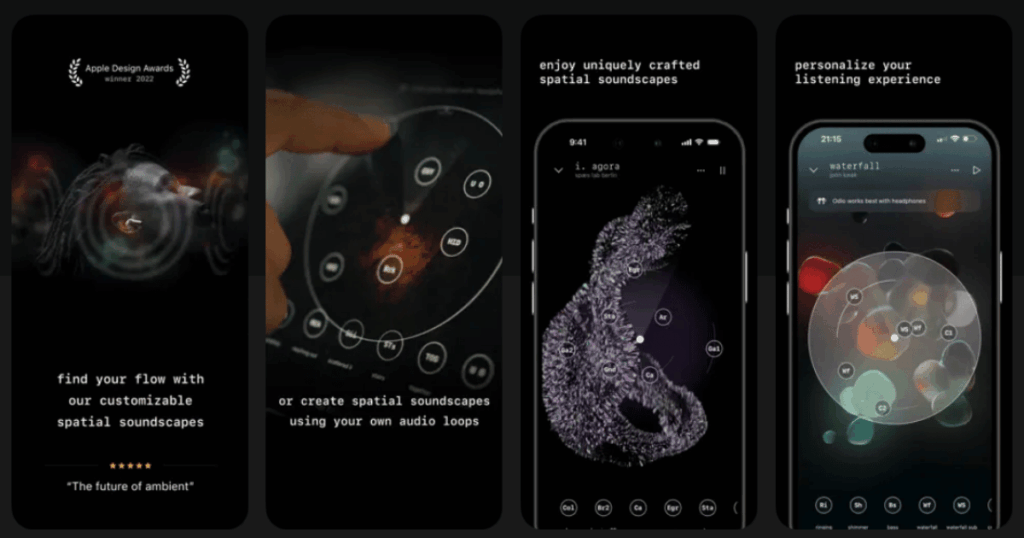
Odio won an Apple Design Award for good reason. This app treats spatial audio as an art form. Professional sound designers create immersive environments that feel more like experiences than simple background noise.
You can manipulate every soundscape using intuitive sliders. Move elements around, adjust their distance, create your own composition. The app also lets you import your own audio to make custom spatial creations.
Key Features:
- Award-winning artistic soundscapes with professional sound design
- Composer tool to create your own spatial audio from imported files
- Slider controls to position sound elements in 3D space
What I like: Odio treats your ears like an art gallery. Each soundscape feels crafted with intention. The ability to manipulate elements gives you control without being overwhelming. I especially love using it while working. The soundscapes provide perfect background atmosphere without distraction.
What I don’t like: The library is smaller than some competitors. New soundscapes release slowly. The subscription model adds up over time for what you get.
Pricing: Subscription-based with free trial available.
Platforms: iOS only
#8. DTS Sound Unbound – Best for Gaming and Home Theater

DTS Sound Unbound brings professional spatial audio technology to your devices. The app includes DTS Headphone:X which creates accurate 3D positioning for games. You can hear exactly where enemies are coming from. It also includes DTS:X decoder for movies in surround sound.
The app has over 500 headphone profiles. When you select your specific model, it optimizes the spatial effect for your exact hardware.
Key Features:
- DTS Headphone:X for precise gaming audio positioning
- Library of 500+ custom headphone profiles
- DTS:X decoder for home theater content
What I like: For gaming, DTS Sound Unbound is fantastic. I can actually hear footsteps and locate opponents better. The headphone profiles make a real difference. Finding my exact model and applying its profile improved clarity noticeably. Works system-wide on Windows and Xbox.
What I don’t like: The mobile experience is limited compared to desktop. Works best with specific gaming headsets. The interface feels dated compared to newer apps.
Pricing: Free trial, then one-time purchase (license covers up to 10 devices).
Platforms: Windows and Xbox (limited mobile features)
#9. Odysound – Best for Cinematic Spatial Environments
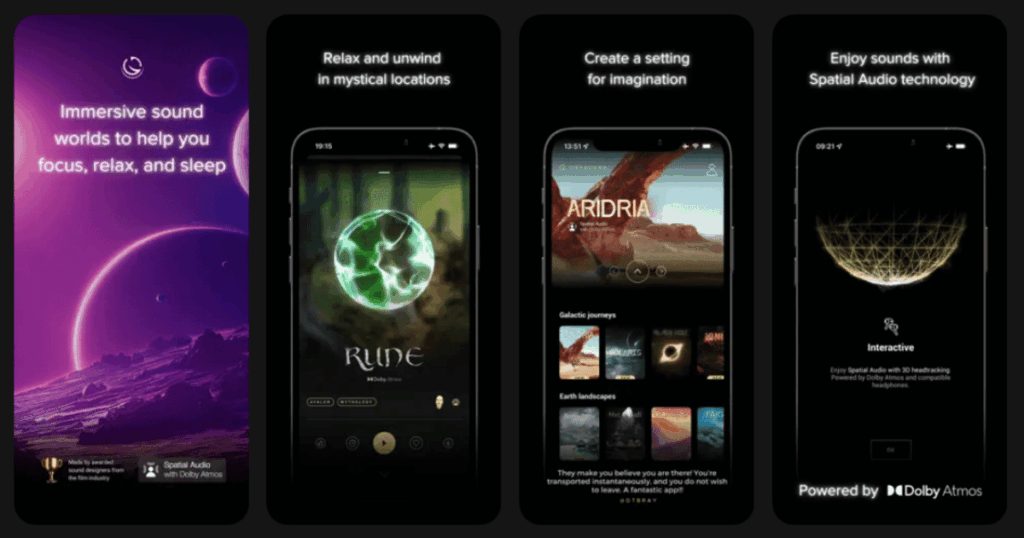
Odysound brings film industry expertise to your phone. The soundscapes are created by professional sound designers who work in movie post-production. Everything is crafted in authentic Dolby Atmos and 5.1 surround.
The environments range from realistic (forests, oceans) to imaginative (dragon rides, space journeys). Users report more vivid dreams when using Odysound before sleep!
Key Features:
- Dolby Atmos and 5.1 surround sound environments
- Created by film industry sound designers
- CarPlay support for use during commutes
What I like: The production quality in Odysound is noticeably higher than basic sound apps. The “Dragon Ride” soundscape is incredibly immersive. I appreciate the regular updates with new content. The CarPlay integration is perfect for relaxing during commutes. Great for lucid dreaming practice.
What I don’t like: Occasional connection errors can interrupt relaxation. The music energy changes at certain times which can be jarring. The app needs more soundscape variety.
Pricing: Subscription-based with free trial.
Platforms: iOS (with CarPlay support)
How Does Spatial Audio Work on Phones?
Spatial audio creates a 3D sound environment using clever tricks. Apps process audio so different sounds reach each ear at slightly different times. This mimics how we hear things in real life. When a sound comes from your left, your left ear hears it a tiny bit before your right ear.
Modern phones with compatible earbuds add head tracking. Sensors detect when you move your head. The audio adjusts so sounds stay fixed in position. Turn right and sounds on your left feel like they’re moving behind you.
The technology uses something called HRTFs (head-related transfer functions). These are mathematical models of how sound bounces around your head and ears before reaching your eardrums. Apps apply these models to regular audio, making it sound spatial.
Do I Need Special Headphones for Spatial Audio?
You can enjoy basic spatial audio with any stereo headphones or earbuds. The apps process sounds to create a 3D effect that works on standard gear. However, the experience improves with better hardware.
For the best results, use earbuds or headphones with head tracking. AirPods Pro, AirPods Max, and AirPods 3 all support this. Some Android earbuds like Samsung Galaxy Buds also have spatial audio features.
Wired headphones work fine for apps like Boom 3D and DTS Sound Unbound. The spatial processing happens on your device, not in the headphones. So even basic earbuds will sound better with these apps.
Is Spatial Audio Better for Sleep and Relaxation?
Research suggests that immersive audio can help with relaxation and sleep. When sounds surround you realistically, your brain engages differently. It feels more natural, like sitting by an actual ocean rather than listening to a recording.
Many users report falling asleep faster with spatial audio apps. The 3D soundscapes mask distracting noises more effectively than flat stereo. Binaural beats in spatial formats may also help shift brainwave patterns toward sleep states.
Apps like Life7, Endel, and Portal are designed specifically for wellness. They combine spatial audio with breathing exercises, meditations, and sleep stories. The immersive quality deepens the relaxation experience and helps quiet busy minds.