
9 Best Sleep Apps For Snoring
| App Name | Best For | Key Features | AC Rating | Pricing |
|---|---|---|---|---|
| Life7 | Complete sleep and wellness solution | Sound therapy, sleep stories, breathing exercises | 4.5/5 | Free trial, subscription plans |
| SnoreLab | Detailed snoring analysis | Snore Score tracking, audio recordings, remedy suggestions | 4.7/5 | Free with premium option |
| ShutEye | All around sleep tracking | AI snore detection, sleep sounds, smart alarm | 4.6/5 | Free trial, yearly subscription |
| Sleep Cycle | Smart wake up during light sleep | Who’s Snoring feature, snore stopper, sleep analysis | 4.6/5 | Free with premium option |
| SnoreGym | Exercise based snoring reduction | Guided mouth exercises, animated workouts, progress tracking | 4.4/5 | Free with premium option |
| SnoreClock | Budget friendly snore recording | 95% accurate detection, volume tracking, 11 hour recording | 4.2/5 | Free with optional upgrade |
| SoundSleep | AI powered snoring insights | Machine learning analysis, breathing reports, sleep tracking | 4.3/5 | Free with premium option |
| BetterSleep | Custom sound mixing for snorers | Sound mixer, meditations, sleep stories | 4.5/5 | Free trial, subscription plans |
| Do I Snore or Grind | Identifying snoring vs teeth grinding | Smart sound detection, remedy tracking, recording playback | 4.1/5 | Free with premium option |
#1. Life7 – Best for Complete Sleep and Wellness Solution

Life7 stands out as the top choice for anyone dealing with snoring issues. This app goes beyond simple tracking. It offers a full wellness experience that tackles the root causes of poor sleep.
What makes Life7 special is its science backed approach. The app includes green noise, white noise, brown noise, and pink noise options. These sounds can help mask snoring and create a peaceful sleep space.
Life7 also features Delta, Theta, Alpha, Beta, and Gamma wave music. These brain frequencies help guide your mind into deeper relaxation. The app even includes 432 Hz, 528 Hz, and Solfeggio frequencies for healing sleep.
Key Features:
- Backdrop Mode lets you mix soundscapes with meditations and sleep stories for custom relaxation
- Breathing exercises and vagus nerve stimulation help calm your nervous system before bed
- Sleep stories for adults and children make falling asleep easier and more enjoyable
What I like: I really love how Life7 combines so many tools in one place. The bedtime visualizations guide you into peaceful dreams. The 8D sleep audio creates an immersive experience. New daily sessions keep things fresh. The app also tracks your meditation progress through a custom dashboard. You can build streaks and share progress with friends. The gamified approach makes improving your sleep actually fun.
What I don’t like: The free content is a bit limited. You need a subscription to unlock most features. This might frustrate users who want to try everything before committing.
Pricing: 7 day free trial available. Weekly, monthly, and yearly subscription plans offered. Special offers appear frequently.
Platforms: iOS and Android
#2. SnoreLab – Best for Detailed Snoring Analysis
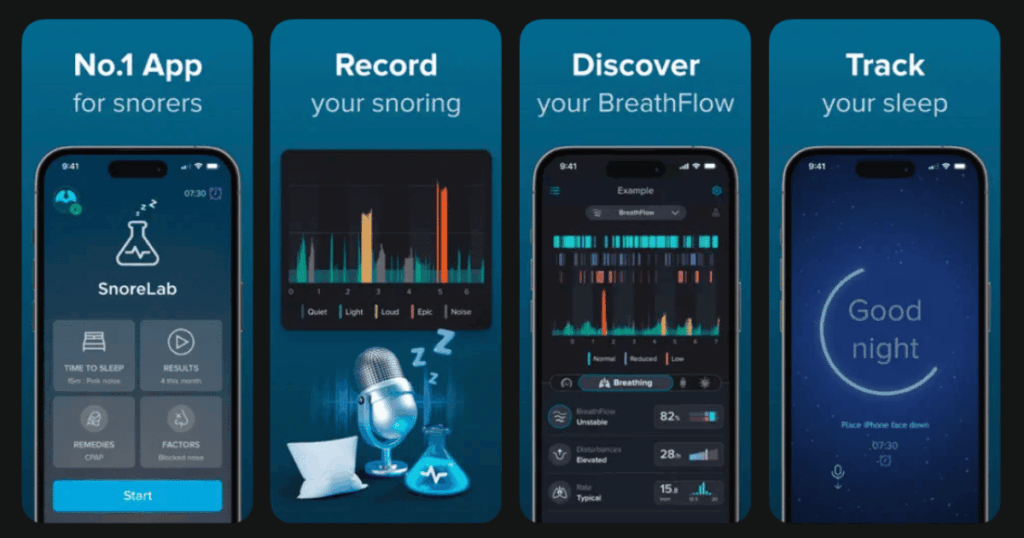
SnoreLab has helped millions understand their snoring problems. This app has tracked over 50 million nights of sleep worldwide. Medical professionals regularly recommend it to patients.
The app records your snoring throughout the night. In the morning, you get your unique Snore Score. This number shows your snoring intensity and duration in one easy metric.
SnoreLab also suggests remedies based on your patterns. You can log lifestyle factors like alcohol or sleep position. Then see how they affect your snoring over time.
Key Features:
- Interactive charts let you review snoring moments and listen to specific audio clips from the night
- BreathFlow measures sleep breathing stability using acoustic signals
- The app integrates with SnoreGym for a complete snoring reduction system
What I like: The recordings are crystal clear. I can hear exactly what I sound like at 3 AM. The app helped me realize weight loss made a real difference in my snoring. Many users say SnoreLab convinced them to get professional sleep studies. The data is that helpful.
What I don’t like: The free version has limited features. Premium costs money if you want full recording history. Some users wish for more remedy suggestions beyond basics.
Pricing: Free version available with basic features. Premium subscription unlocks full functionality.
Platforms: iOS and Android
#3. ShutEye – Best for All Around Sleep Tracking
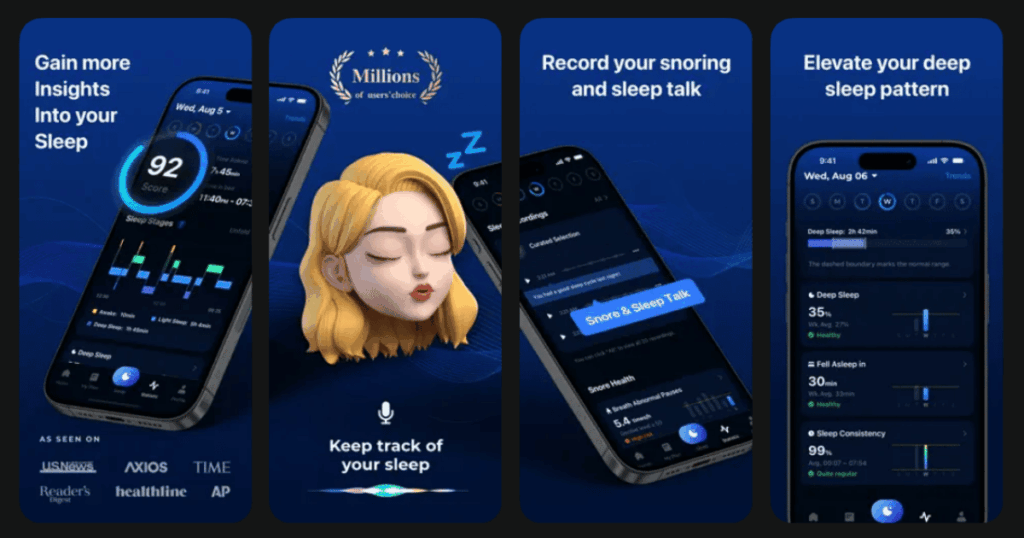
ShutEye offers comprehensive sleep monitoring with powerful snore detection. Over 8 million users trust this app for better rest. The AI powered algorithms perform in the 90th percentile for accuracy.
The app records every sound you make while sleeping. This includes snoring, sleep talking, coughing, and even teeth grinding. You can play back clips in the morning and share funny moments.
ShutEye also includes a library of sleep sounds and bedtime stories. These help you fall asleep faster and stay asleep longer.
Key Features:
- Smart alarm wakes you during light sleep so you feel refreshed and alert
- Detailed sleep reports show time in each sleep stage including deep and REM
- Relaxing soundscapes and white noise help create the perfect sleep environment
What I like: The snore detection catches everything. I discovered I snore most during the first few hours of sleep. The app shows exactly when I transition between sleep stages. The sleep sounds library is huge with nature sounds, ASMR, and guided meditations.
What I don’t like: Some users report the calendar can be off by a day. The premium subscription feels necessary for full features. Battery drain can be an issue if not plugged in.
Pricing: Basic features free. Annual subscription for premium access. 7 day free trial for new users.
Platforms: iOS and Android
#4. Sleep Cycle – Best for Smart Wake Up During Light Sleep
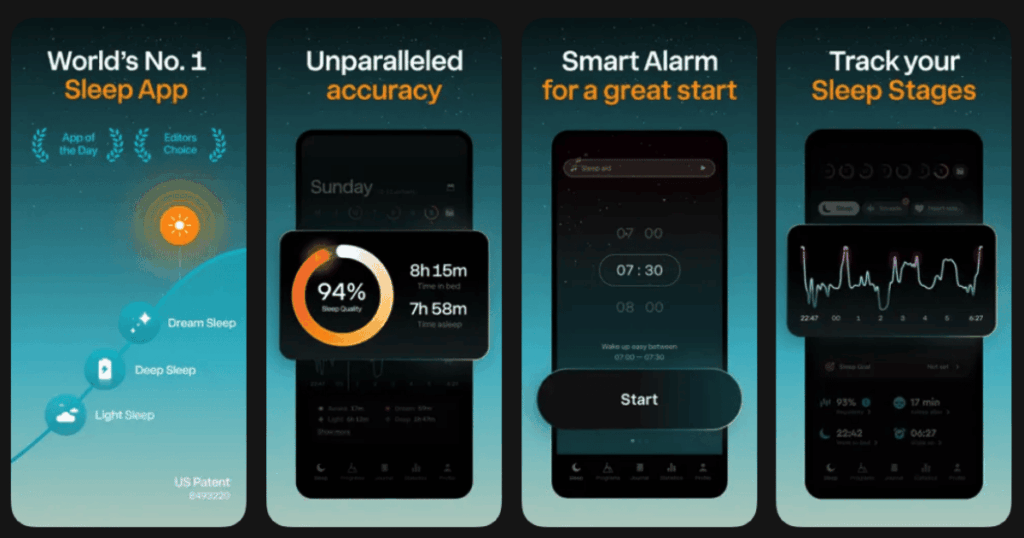
Sleep Cycle uses patented sound technology to analyze your sleep. The smart alarm wakes you during your lightest sleep phase. This means no more groggy mornings from deep sleep interruptions.
The app detects snoring, sleep talking, and coughing automatically. Its unique “Who’s Snoring?” feature uses machine learning. It can tell if it’s you or your partner making noise.
Apple Watch users get an amazing snore stopper feature. The watch vibrates gently when you snore. This helps you change position without fully waking up.
Key Features:
- Patented sound analysis tracks sleep phases without wearing anything to bed
- Who’s Snoring feature identifies multiple snorers sharing a bedroom
- Snore stopper sends silent haptic alerts to stop snoring before it disturbs others
What I like: The smart alarm changed my mornings completely. Waking during light sleep feels natural. The snore stopper on Apple Watch is brilliant for couples. My partner no longer complains about my noise. The detailed statistics show exactly how my habits affect sleep quality.
What I don’t like: Premium features require subscription. The Who’s Snoring feature needs training time to learn your sounds. Some users find the learning curve steep at first.
Pricing: Free basic version available. Premium subscription unlocks all features including snore detection.
Platforms: iOS and Android
#5. SnoreGym – Best for Exercise Based Snoring Reduction
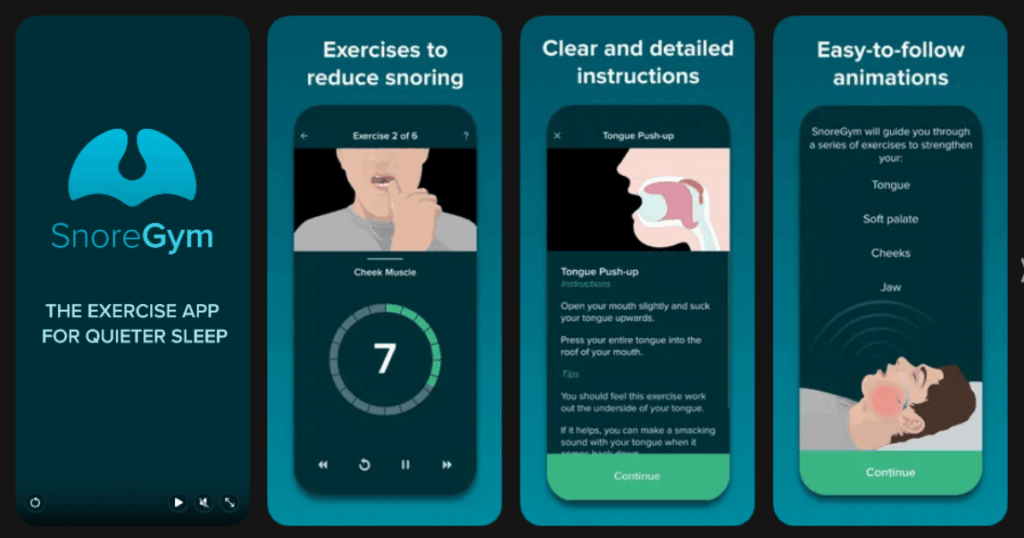
SnoreGym takes a different approach to snoring problems. Instead of just tracking, it helps you fix the cause. The app guides you through mouth and throat exercises.
These exercises strengthen muscles in your tongue, soft palate, cheeks, and jaw. Weak muscles in these areas often cause snoring. Science backs this approach with multiple studies.
The creators also made SnoreLab. So SnoreGym syncs perfectly with that app. You can track how exercises improve your snore scores over time.
Key Features:
- Clinically proven exercises target the exact muscles responsible for snoring
- Quick 5, 10, or 15 minute workouts fit easily into daily routines
- Real time animations guide you through each movement with clear instructions
What I like: The exercises feel silly but they work. After 8 weeks, my snoring dropped significantly. My wife noticed the difference before I checked the data. The animations make the exercises easy to follow. I do them while brushing my teeth now.
What I don’t like: The app requires consistent daily effort. Results take weeks to appear. Some users report animation issues on certain devices. No audio cues mean you must watch the screen.
Pricing: Free basic exercises. Premium unlocks additional workouts and features.
Platforms: iOS and Android
#6. SnoreClock – Best for Budget Friendly Snore Recording
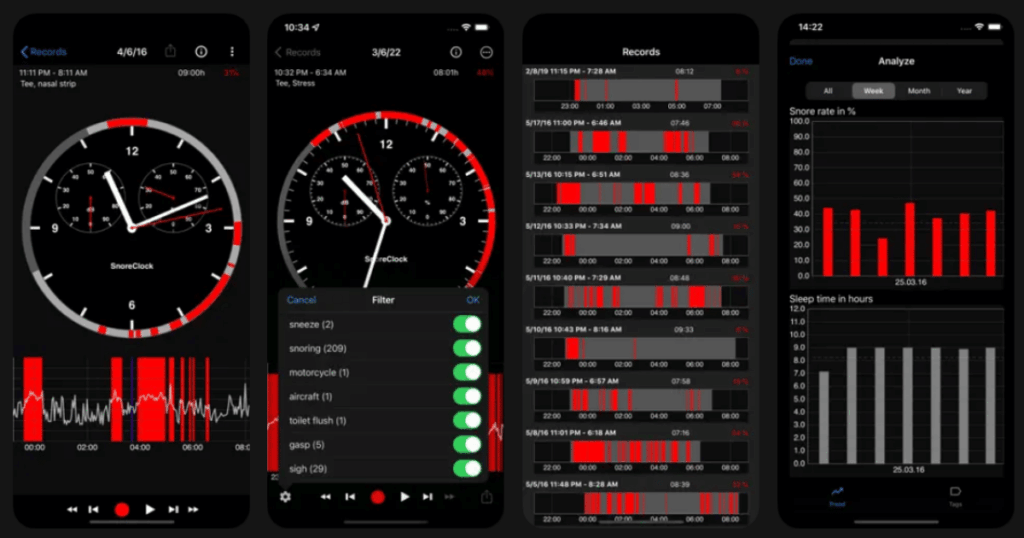
SnoreClock offers straightforward snoring detection with impressive accuracy. Independent scientific studies confirm 95% accuracy. The app records all sounds while you sleep.
Red bars on the timeline show likely snoring moments. Grey bars indicate other sounds like talking or coughing. You can zoom in on any part of the night to listen closely.
The app records up to 11 hours straight. This covers even the longest sleep sessions. Volume tracking shows how loud your snoring gets throughout the night.
Key Features:
- 95% accurate snoring detection backed by scientific validation
- Graphical display lets you zoom and explore specific noise events
- Test remedy effectiveness by comparing recordings across different nights
What I like: The free version gives you everything essential. I can check if I snore without paying anything. The zoom feature helps find exact moments of loudest snoring. It convinced me to try a nasal strip. Then I could compare nights with and without it.
What I don’t like: The interface feels dated compared to newer apps. Some functions seem limited in the free version. Users report occasional bugs with recording stopping early.
Pricing: Free basic version. One time purchase or subscription for Plus features.
Platforms: iOS and Android
#7. SoundSleep – Best for AI Powered Snoring Insights
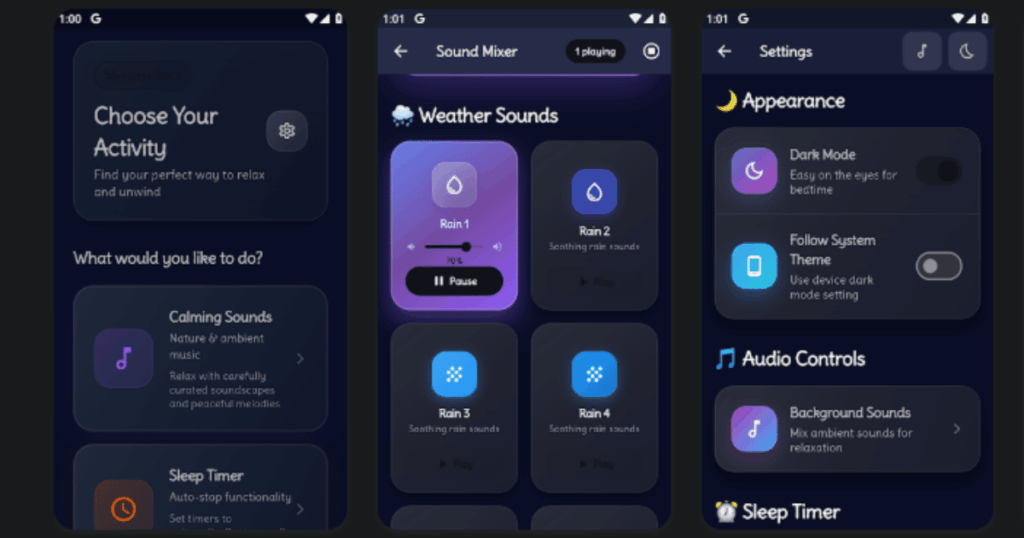
SoundSleep uses advanced artificial intelligence to analyze your snoring patterns. The machine learning algorithm distinguishes snoring from other nighttime noises. This provides accurate data collection.
The app creates detailed reports showing snoring frequency, loudness, and timing. You can track trends over weeks and months. This helps identify what triggers your worst snoring nights.
SoundSleep also detects breathing disruptions. These might indicate sleep apnea risk. The app can help you decide if professional evaluation is needed.
Key Features:
- Machine learning algorithms accurately separate snoring from background noise
- Detailed reports reveal snoring intensity patterns and potential breathing issues
- Track lifestyle factors to see what affects your snoring most
What I like: The AI analysis feels more reliable than basic sound recording. The app caught patterns I missed on my own. Reports are easy to share with doctors. The breathing stability analysis gave me peace of mind about apnea concerns.
What I don’t like: Premium features cost money for full insights. The app interface could be more user friendly. Some users find the data overwhelming at first.
Pricing: Free basic features. Premium subscription for advanced analysis.
Platforms: iOS and Android
#8. BetterSleep – Best for Custom Sound Mixing for Snorers
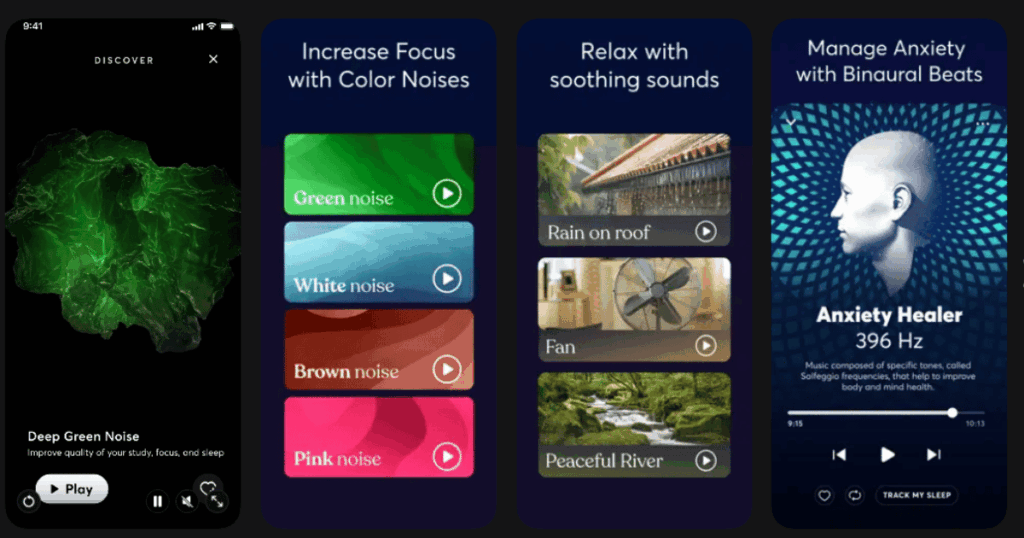
BetterSleep helps you create the perfect audio environment for sleep. The sound mixer lets you combine multiple tracks. Layer green noise with rain sounds and soft music.
Over 65 million people use this app. The custom mixes can mask snoring sounds. They also help you fall asleep faster despite noise.
The app includes meditations and sleep stories too. These calm your mind and prepare your body for rest. A relaxed sleeper often snores less.
Key Features:
- Sound mixer creates custom blends from hundreds of available audio tracks
- Guided meditations help calm anxiety and racing thoughts before bed
- Sleep stories narrated by soothing voices ease you into restful sleep
What I like: Creating my own sound mix was fun and effective. Green noise really does quiet my mind. The combination of rain and soft piano helps me ignore my partner’s snoring. Meditations address the stress that makes my snoring worse.
What I don’t like: The app focuses more on relaxation than snore tracking. You need a separate app to actually monitor snoring. Some users find too many options overwhelming.
Pricing: Free limited access. Premium subscription unlocks full library and features.
Platforms: iOS and Android
#9. Do I Snore or Grind – Best for Identifying Snoring vs Teeth Grinding
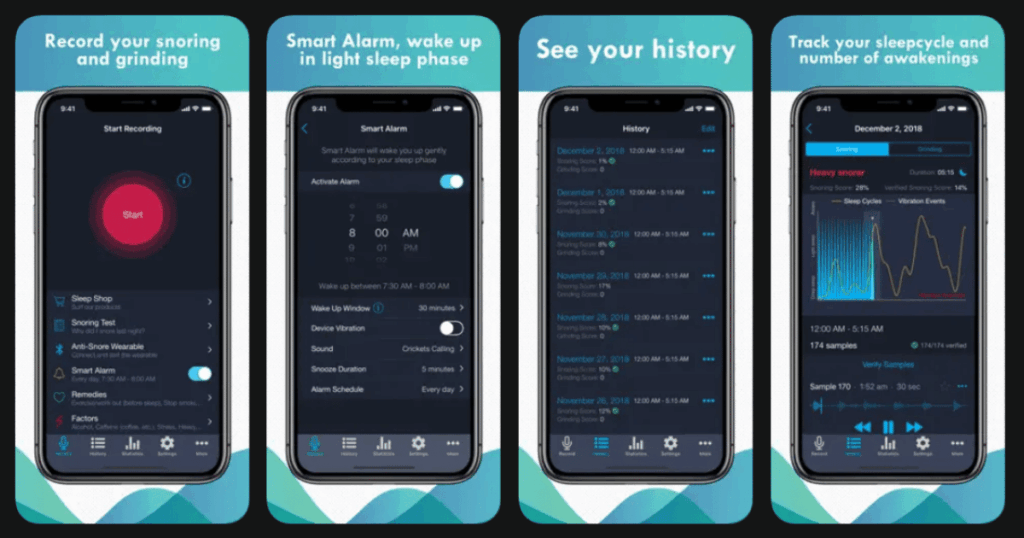
Do I Snore or Grind by SleepScore Labs answers two common questions. The app determines if you snore, grind your teeth, or both. Many people don’t realize they do either until they record themselves.
The smart algorithm filters and detects specific sounds. It separates snoring from teeth grinding accurately. You can listen to recordings the next morning for proof.
The app offers tips and remedies for both issues. Track what works by comparing nights with different treatments.
Key Features:
- Smart detection distinguishes between snoring sounds and teeth grinding
- Recording playback lets you hear exactly what happens while you sleep
- Remedy tracking helps you find what works best for your specific issue
What I like: I discovered I grind my teeth more than I snore. This changed my approach completely. Now I use a night guard. The tips are practical and easy to implement. Being able to compare remedy effectiveness helps avoid wasting money.
What I don’t like: The app focuses narrowly on detection rather than solutions. Premium features feel necessary for full value. Interface could use visual improvements.
Pricing: Free basic detection. Premium unlocks full features and detailed analysis.
Platforms: iOS and Android
Do Sleep Apps Actually Help With Snoring?
Sleep apps can definitely help with snoring in several ways. They first help you understand if you actually snore. Many people don’t believe their partners until they hear recordings.
Apps also identify patterns in your snoring. You might discover position, alcohol, or allergies affect how much you snore. This information guides treatment choices.
Some apps like SnoreGym offer active solutions through exercises. Others help create better sleep environments with sounds. However, severe snoring or sleep apnea requires professional medical evaluation. Apps supplement but don’t replace doctor visits.
What Features Should I Look For in a Snoring App?
The best snoring apps include accurate sound recording with playback capability. You need to hear what you actually sound like. Look for apps that track snoring intensity and duration over time.
Good apps let you log lifestyle factors. This helps connect behaviors to snoring patterns. Remedy tracking shows if treatments work.
Consider what else you need. Some people want smart alarms. Others prefer exercise programs or relaxing sounds. Think about your main goal before choosing.
Can Phone Apps Detect Sleep Apnea?
Phone apps cannot diagnose sleep apnea. Only medical professionals with proper equipment can do that. However, apps can indicate if you should seek evaluation.
Signs an app might catch include frequent breathing pauses, gasping sounds, or extreme snoring intensity. Some apps specifically track breathing stability metrics.
If any app shows concerning patterns, schedule a doctor appointment. A professional sleep study provides accurate diagnosis. Apps are tools for awareness, not medical diagnosis.