
9 Best Apps For Sleepwalking
| App Name | Best For | Key Features | AC Rating | Pricing |
|---|---|---|---|---|
| Life7 | Complete sleep wellness solution | Binaural beats, sleep stories, guided meditations | 4.8/5 | Free trial, then subscription |
| Sleep Cycle | Tracking sleep patterns | Smart alarm, sleep analysis, snore detection | 4.5/5 | Free version, premium subscription |
| Pillow | Detailed sleep monitoring | Heart rate tracking, audio recordings, sleep trends | 4.4/5 | Free version, premium subscription |
| SleepScore | Scientific sleep improvement | Sleep score, smart alarm, personalized advice | 4.3/5 | Free version, premium subscription |
| Sleep Talk Recorder | Recording nighttime sounds | Automatic recording, sound activation, easy playback | 4.2/5 | Free version, premium features |
| Prime Sleep Recorder | Capturing sleep events | Motion detection, audio recording, sleep diary | 4.1/5 | Free version, in-app purchases |
| Calm | Relaxation before bed | Sleep stories, meditation, breathing exercises | 4.5/5 | Free trial, then subscription |
| Headspace | Mindful sleep preparation | Sleepcasts, wind down exercises, sleep music | 4.4/5 | Free trial, then subscription |
| ShutEye | All-around sleep tracking | Sleep sounds, tracking, smart alarm | 4.2/5 | Free version, premium subscription |
#1. Life7 – Best for Complete Sleep Wellness Solution

If you struggle with sleepwalking, Life7 is my top recommendation. This all-in-one mental wellness app tackles sleep issues from every angle. It does not just track your sleep. It actually helps you sleep better!
The app uses special sounds like binaural beats and delta wave music. These sounds help your brain reach deep sleep stages. When you sleep more deeply, you are less likely to sleepwalk.
Life7 has over 1200 editorial mentions and 312 million meditation minutes logged by users. That tells me people really trust this app!
Key Features:
- Delta, theta, and alpha wave music designed to promote deeper sleep cycles
- Guided lucid dreaming sessions that can help you become aware during sleep episodes
- Nervous system reset exercises to calm your body before bed
What I like: I love how Life7 combines so many tools in one place. The binaural beats and 432 Hz frequencies really help me relax. The bedtime stories work great for adults and kids. The backdrop mode is super cool because you can mix sounds together. The daily check-ins help me stay consistent with my sleep routine. Plus, the gamified approach makes it fun to keep using!
What I don’t like: The free version is a bit limited. You really need the paid subscription to unlock all the good stuff. This might be frustrating if you want to try everything before paying.
Pricing: Life7 offers a 7-day free trial. After that, you can choose weekly, monthly, or yearly plans. They often have special offers too.
Platforms: iOS and Android
#2. Sleep Cycle – Best for Tracking Sleep Patterns
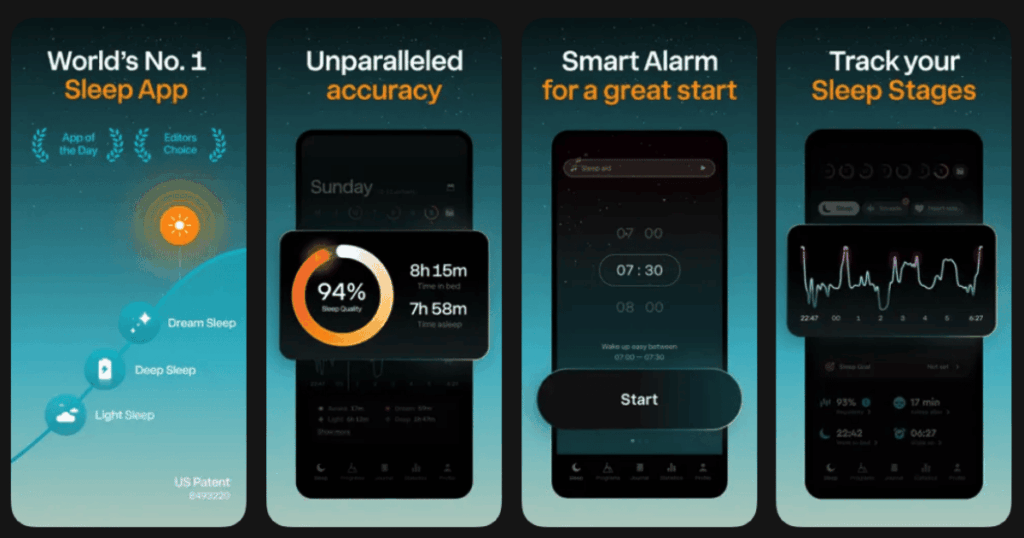
Sleep Cycle is one of the most popular sleep apps out there. It uses your phone’s sensors to track how you move at night. This is super helpful for sleepwalkers!
The app creates detailed reports of your sleep patterns. You can see exactly when you were restless. This information helps you understand your sleepwalking episodes better.
The smart alarm wakes you up during light sleep. This means you feel more refreshed and less groggy in the morning.
Key Features:
- Smart alarm that wakes you during your lightest sleep phase
- Detailed sleep analysis with graphs and trends over time
- Snore detection to identify other sleep issues
What I like: The sleep tracking is incredibly accurate. I can see patterns in my restless nights that I never noticed before. The snore detection caught something I did not even know I was doing. The weekly reports help me see if my sleep is getting better or worse. It feels like having a sleep lab on my phone!
What I don’t like: The free version shows basic stats only. The really useful features like long-term trends and detailed analysis need a premium subscription.
Pricing: Free basic version available. Premium subscription unlocks all features.
Platforms: iOS and Android
#3. Pillow – Best for Detailed Sleep Monitoring
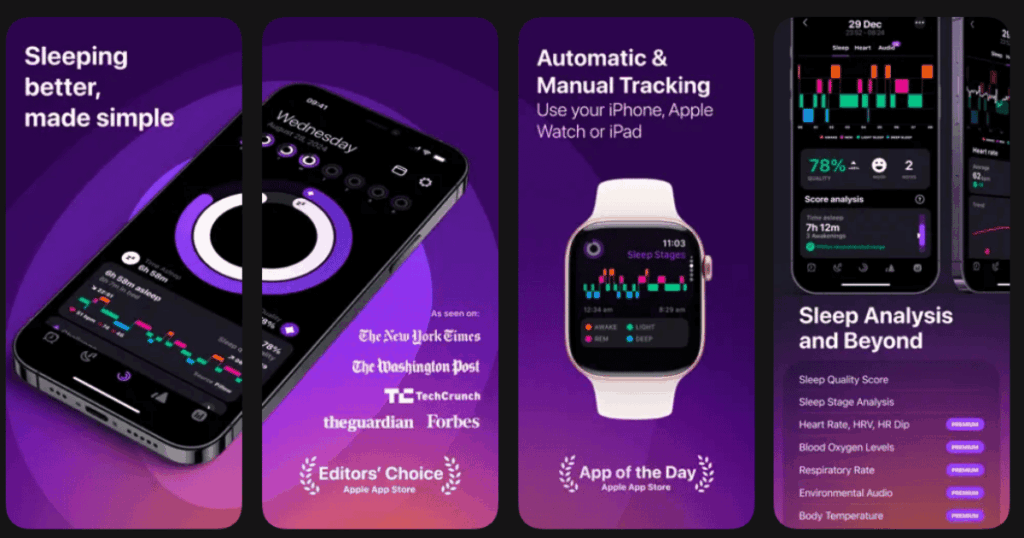
Pillow is a powerful sleep tracker that works with Apple devices. It records audio during the night. This is perfect for catching sleepwalking episodes!
The app connects with your Apple Watch for even better tracking. It monitors your heart rate and movement throughout the night. You get a complete picture of your sleep health.
Pillow uses smart algorithms to analyze your sleep quality. It gives you a sleep score each morning.
Key Features:
- Audio recording that captures sounds, talking, or movement at night
- Heart rate monitoring when paired with Apple Watch
- Detailed sleep trends and comparisons over weeks and months
What I like: The audio recordings are a game changer for sleepwalkers. I can actually hear what happens during episodes. The Apple Watch integration makes tracking super accurate. The sleep notes feature lets me write down what I ate or did before bed. This helps me find triggers for bad sleep nights.
What I don’t like: This app works best with Apple products. If you have an Android phone, you cannot use it. The full features also require an Apple Watch for the best experience.
Pricing: Free version with basic features. Premium subscription for full access.
Platforms: iOS only (works with Apple Watch)
#4. SleepScore – Best for Scientific Sleep Improvement
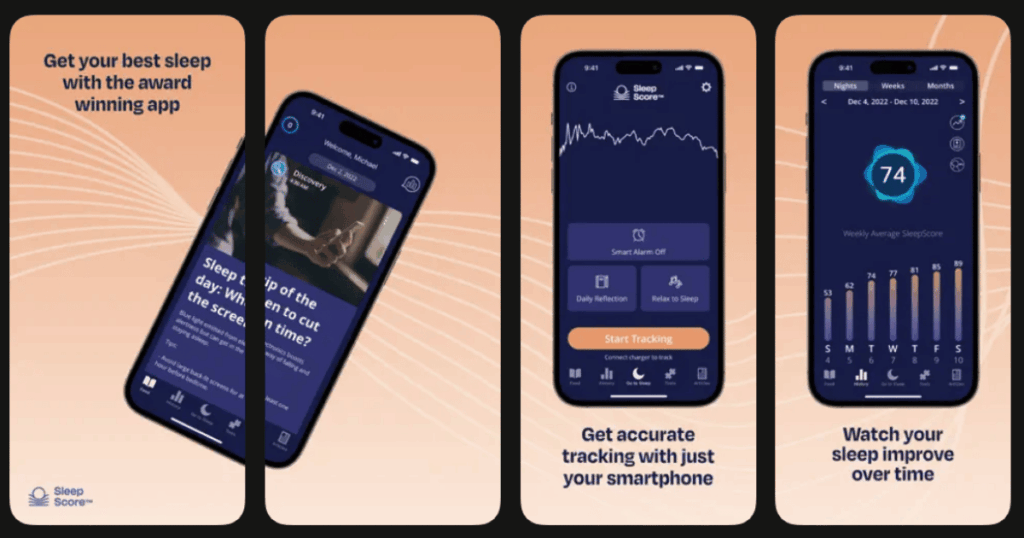
SleepScore was created by sleep scientists and experts. It uses your phone’s sensors to track breathing and movement. No wearables needed!
The app gives you a sleep score from 0 to 100 each night. It also provides personalized tips based on your data. These tips are backed by real sleep research.
For sleepwalkers, the detailed movement tracking is very useful. You can see exactly when disturbances happen.
Key Features:
- Sonar technology that tracks sleep without wearing anything
- Personalized sleep improvement advice from experts
- Smart alarm that finds the best time to wake you
What I like: I appreciate that real sleep scientists built this app. The tips feel trustworthy and helpful. The sonar tracking works surprisingly well without needing a watch or band. The app also tracks factors like caffeine and exercise. This helps me understand what affects my sleep quality.
What I don’t like: The sonar tracking requires your phone to be placed in a specific spot. If you move it or knock it over, the tracking stops. This can be annoying.
Pricing: Free basic features. Premium subscription for full analysis and recommendations.
Platforms: iOS and Android
#5. Sleep Talk Recorder – Best for Recording Nighttime Sounds
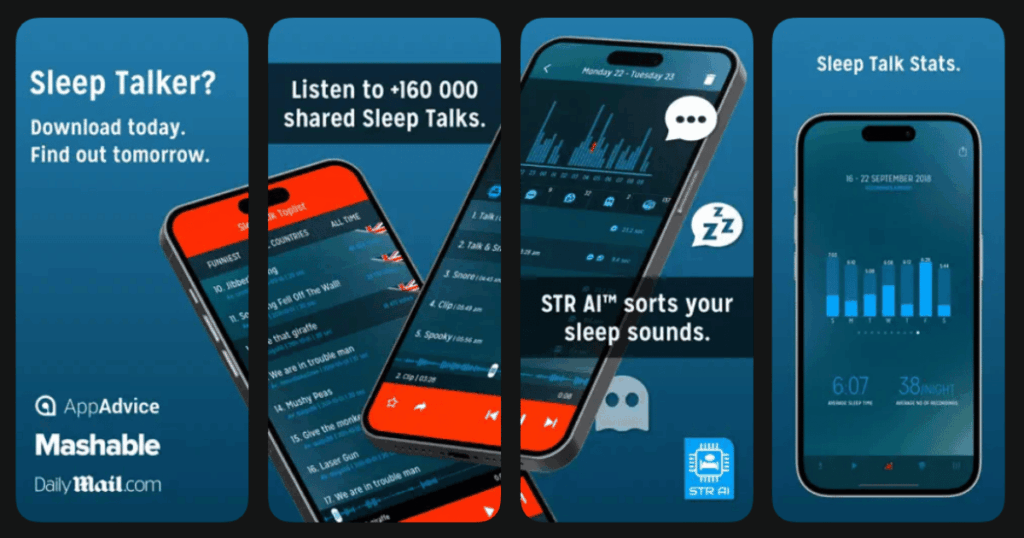
This app does exactly what the name says. It records sounds you make while sleeping. For sleepwalkers, this is incredibly valuable!
Sleep Talk Recorder only saves the interesting parts. It activates when it hears sounds above a certain level. This saves storage space on your phone.
You can listen to recordings the next morning. Many people discover they talk, walk, or make noises they never knew about.
Key Features:
- Sound-activated recording that captures only important moments
- Adjustable sensitivity to catch quiet or loud sounds
- Easy playback with timestamps showing when sounds occurred
What I like: This app helped me understand my sleepwalking so much better. I could hear myself getting out of bed and moving around. The recordings gave my doctor useful information too. It is simple to use and does one thing really well. The next morning, I can quickly scan through any recorded clips.
What I don’t like: The app only records sound. It does not track your actual sleep stages or give you other sleep data. You might need another app for full sleep tracking.
Pricing: Free version with ads. Premium removes ads and adds features.
Platforms: iOS and Android
#6. Prime Sleep Recorder – Best for Capturing Sleep Events
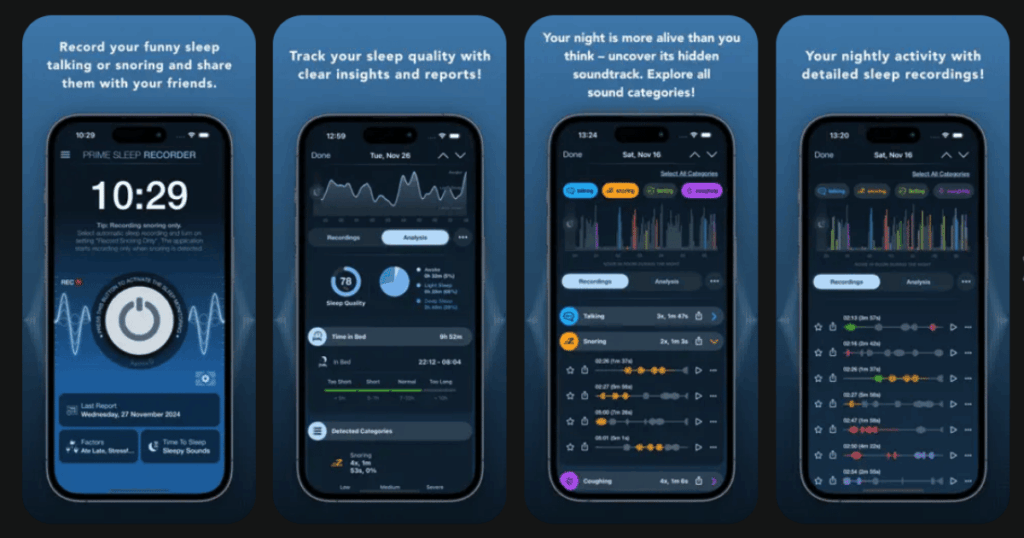
Prime Sleep Recorder combines sound recording with motion detection. This gives you a more complete picture of what happens at night.
The app has a sleep diary feature. You can log how you felt each morning. Over time, you spot patterns in your sleepwalking.
It also includes soothing sounds to help you fall asleep faster. This might reduce restless nights.
Key Features:
- Combined audio and motion tracking for complete monitoring
- Built-in sleep diary to track patterns over time
- Relaxing sounds and music to improve sleep quality
What I like: Having both sound and motion tracking is really helpful. I can see when I was restless and hear what was happening. The sleep diary has shown me clear patterns. For example, I sleepwalk more when I go to bed really late. The relaxing sounds are a nice bonus for falling asleep.
What I don’t like: The interface looks a bit dated compared to other apps. It is not as pretty or easy to navigate. Some features feel clunky.
Pricing: Free with basic features. In-app purchases for premium options.
Platforms: iOS and Android
#7. Calm – Best for Relaxation Before Bed
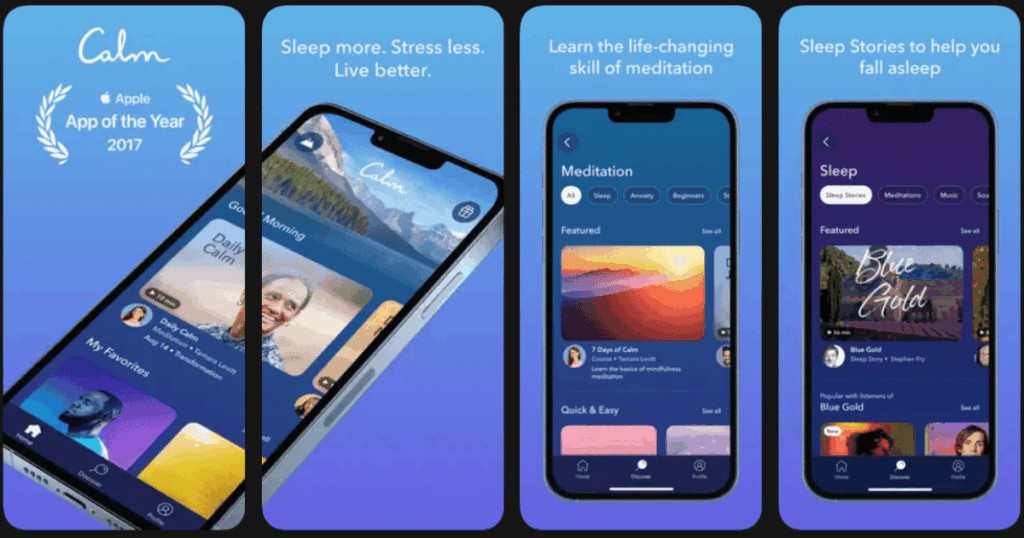
Calm is one of the most famous meditation apps in the world. It focuses on relaxation and better sleep. A calmer mind can mean fewer sleepwalking episodes!
The Sleep Stories feature is amazing. Famous voices like Matthew McConaughey read bedtime stories. These stories help your brain wind down naturally.
Calm also has breathing exercises and peaceful music. Everything is designed to prepare your body for restful sleep.
Key Features:
- Sleep Stories narrated by celebrities and voice actors
- Guided breathing exercises to calm your nervous system
- Relaxing music and nature soundscapes for bedtime
What I like: The Sleep Stories are honestly my favorite feature. They work so much better than just lying there with racing thoughts. The breathing exercises have become part of my bedtime routine. I feel calmer and more ready for sleep. The app looks beautiful and is very easy to use.
What I don’t like: Calm does not actually track your sleep or record what happens at night. You need a separate app for that. The subscription can also feel pricey compared to some alternatives.
Pricing: Free trial available. Subscription required for full library.
Platforms: iOS and Android
#8. Headspace – Best for Mindful Sleep Preparation
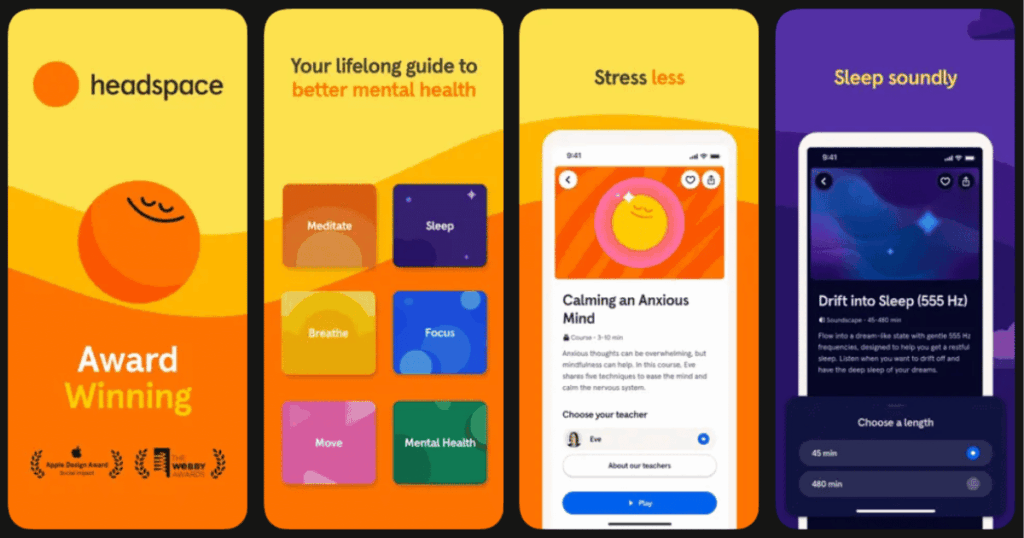
Headspace takes a mindfulness approach to better sleep. The app teaches you meditation techniques that improve sleep quality.
The Sleepcasts feature creates immersive audio experiences. They combine storytelling with ambient sounds. Your mind drifts off peacefully.
Headspace also has wind-down exercises. These short sessions prepare your body and mind for bed.
Key Features:
- Sleepcasts that blend storytelling with calming soundscapes
- Wind-down exercises designed to relax before bedtime
- Sleep music created by composers for deep relaxation
What I like: The Sleepcasts are unique and really work well for me. The storytelling takes my mind off worries. The app also teaches you meditation skills you can use anywhere. I learned breathing techniques that help even when I am not using the app. The animations and design make it enjoyable to use.
What I don’t like: Like Calm, Headspace does not track sleep or record nighttime sounds. It focuses on relaxation only. The subscription is also on the expensive side.
Pricing: Free trial available. Monthly or yearly subscription options.
Platforms: iOS and Android
#9. ShutEye – Best for All-Around Sleep Tracking
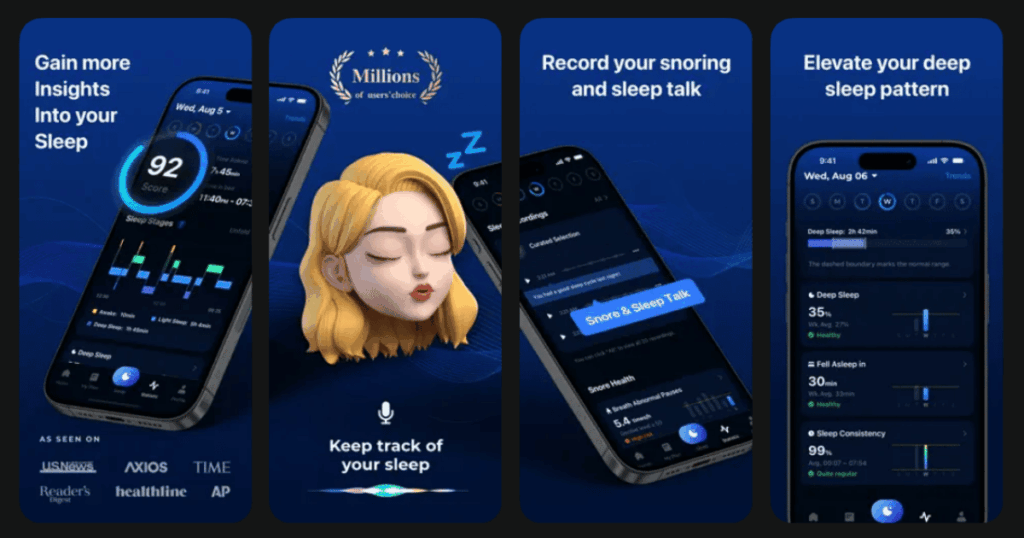
ShutEye combines sleep tracking with sleep sounds in one app. It is a good all-around option for sleepwalkers.
The app monitors your sleep stages throughout the night. It also records sounds and snoring. You get a complete view of your sleep.
ShutEye includes a library of relaxing sounds. White noise, nature sounds, and more help you fall asleep faster.
Key Features:
- Sleep stage tracking with detailed morning reports
- Sound and snoring recording during the night
- Large library of sleep sounds and relaxing music
What I like: ShutEye does a lot for one app. I do not need separate apps for tracking and relaxation. The sleep reports are detailed and easy to understand. The sound library has enough variety to keep things fresh. The smart alarm feature is accurate and wakes me feeling good.
What I don’t like: The free version has limited features and shows ads. Some of the best sleep sounds require the premium subscription to unlock.
Pricing: Free version with ads. Premium subscription for full features.
Platforms: iOS and Android
Can Apps Really Help With Sleepwalking?
Yes, apps can definitely help manage sleepwalking! They work in two main ways. First, tracking apps record what happens during the night. This helps you and your doctor understand your sleepwalking patterns. You might discover triggers like stress or late bedtimes.
Second, relaxation apps help you sleep more deeply. Apps like Life7 use special sounds and frequencies. These help your brain reach deeper sleep stages. When you sleep deeply, you are less likely to sleepwalk.
However, apps are tools and not cures. If you sleepwalk often or do dangerous things while sleeping, talk to a doctor. Apps work best as part of a bigger sleep improvement plan.
What Causes Sleepwalking in Adults?
Sleepwalking happens when your brain is partly awake and partly asleep. Several things can trigger it. Stress and anxiety are common causes. When your mind is busy, your sleep gets disrupted.
Lack of sleep is another big trigger. When you are overtired, your brain has trouble moving smoothly between sleep stages. Certain medications, alcohol, and sleep disorders can also cause sleepwalking.
Sometimes sleepwalking runs in families. If your parents sleepwalked, you might too. Keeping a sleep diary through an app can help you identify your personal triggers.
How Can I Stop Sleepwalking Naturally?
Good sleep habits are your best defense against sleepwalking. Go to bed at the same time every night. Wake up at the same time every morning. This trains your brain for better sleep.
Make your bedroom cool, dark, and quiet. Avoid screens for an hour before bed. The blue light messes with your sleep hormones.
Try relaxation techniques like meditation or deep breathing. Apps like Life7 offer guided sessions designed for better sleep. Reduce stress through exercise and healthy habits. Avoid caffeine and alcohol, especially in the evening.
If sleepwalking continues, track it with an app and share the data with your doctor. Sometimes professional help is needed for stubborn cases.