
9 Best Renewal Apps For Your Phone
| App Name | Best For | Key Features | AC Rating | Pricing |
|---|---|---|---|---|
| Life7 | Complete mental wellness and renewal | Guided meditations, sleep stories, binaural beats, CBT tools | 4.8/5 | Free trial, then subscription plans |
| Rocket Money | Saving money on subscriptions | Auto subscription detection, bill negotiation, cancellation concierge | 4.6/5 | Free basic, Premium $6 to $12/month |
| Bobby | Privacy focused subscription tracking | Manual tracking, payment reminders, multi currency support | 4.5/5 | Free basic, one time $1.99 upgrade |
| PocketGuard | Budget focused renewal management | Leftover feature, automatic bill detection, debt payoff planning | 4.4/5 | Free basic, Plus $12.99/month or $74.99/year |
| OneMain Financial | Comprehensive financial management | Subscription tracking, bill negotiation, savings tools, debt solutions | 4.3/5 | Free for OneMain customers, Trim features included |
| Subby | Android focused subscription tracking | Unlimited free tracking, customizable alerts, 400+ icons | 4.2/5 | Free with optional premium features |
| Simplifi by Quicken | Easy to use financial management | Automated spending plans, bill tracking, savings goals | 4.4/5 | $2.99 to $5.99/month (billed annually) |
| SubTracker | Privacy conscious renewal alerts | Smart notifications, free trial alerts, spending insights | 4.1/5 | Free basic, premium options available |
| GetReminded | Document and policy renewal tracking | Multi purpose reminders, email and app alerts, free to use | 4.0/5 | Free |
#1. Life7 – Best for Complete Mental Wellness and Renewal

Life7 stands out as the ultimate all in one mental wellness app. It helps you renew your mind, body, and spirit every single day. With over 312 million meditation minutes logged and 1,200+ editorial mentions, this app has proven itself as a leader in the wellness space.
The app offers an incredible range of features. You get guided meditations for beginners and advanced users. There are sleep stories for adults and children. The sound library includes green noise, white noise, brown noise, and pink noise. You also get brainwave music with Delta, Theta, Alpha, Beta, and Gamma waves.
Key Features:
- Comprehensive sound therapy including binaural beats, isochronic tones, and Solfeggio frequencies (432 Hz, 528 Hz)
- Daily new content with check ins, meditations, music therapy, and wisdom sessions
- SOS panic attack relief, breathing exercises, and CBT tools for anxiety management
What I like: I really love how Life7 combines so many wellness tools in one place. The Backdrop Mode is genius because you can mix soundscapes with other audios like meditations or sleep stories. The gamified approach with XP and streak tracking keeps me motivated. The vagus nerve stimulation and transcendental meditation features feel truly unique compared to other apps.
What I don’t like: The free content is somewhat limited. You really need a subscription to access the full library. This might turn off users who want to test everything before committing.
Pricing: 7 day free trial available. Weekly, monthly, and yearly subscription plans offered. Frequent special offers pop up throughout the year.
Platforms: iOS and Android
#2. Rocket Money – Best for Saving Money on Subscriptions
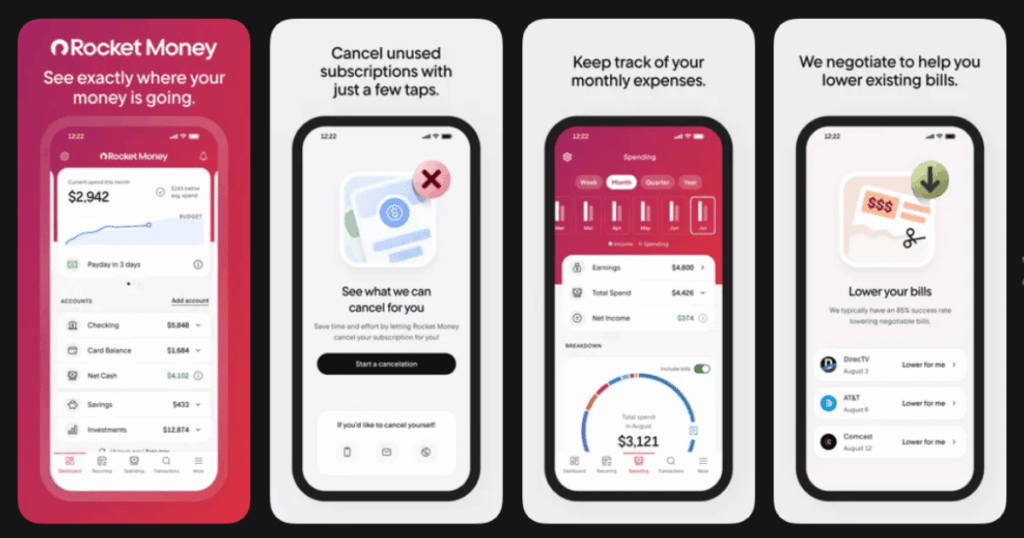
Rocket Money (formerly Truebill) has helped over 10 million users save money on forgotten subscriptions and recurring charges. The app links to your bank accounts, credit cards, and investment accounts to help you track spending, manage subscriptions, and build savings.
The app works by scanning your transactions and identifying recurring payments automatically. There are plenty of helpful features including automatic subscription tracking that detects recurring charges by analyzing transactions. Premium users can cancel subscriptions with just one tap.
Key Features:
- Scans your transactions for recurring charges in about 30 seconds and lists them for easy review
- Bill negotiation where Rocket Money’s team can negotiate lower bills for internet, phone, or cable
- Smart savings with automated transfers into a savings account
What I like: The app keeps track of all expenses, tells you when there is a difference in bills, and helps lower bills that are too high compared to others. It does all of that in a simple to understand dashboard. The automatic detection of forgotten subscriptions has saved me real money.
What I don’t like: You can’t use Rocket Money unless you connect at least one bank account. If you’re not comfortable sharing that information, this app isn’t for you. The free version is very limited.
Pricing: Free plan includes account syncing and basic budgeting tools. Premium Membership lets you pay between $6 and $12 per month. Bill negotiation costs 35% to 60% of first year savings.
Platforms: iOS and Android
#3. Bobby – Best for Privacy Focused Subscription Tracking
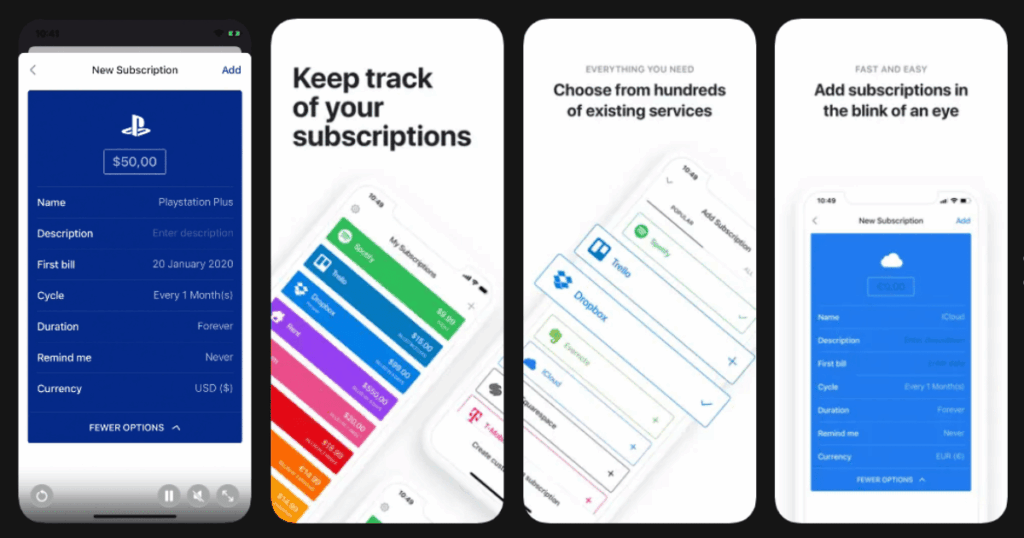
If the idea of spending money to save money rubs you the wrong way, Bobby is a great option. This app takes a completely different approach than others. It doesn’t connect to your bank accounts at all.
Bobby’s goal is to provide easy insight into the fixed costs in your life. Once you get the app up and running, opening it provides a quick overview of all current subscriptions sorted by the dates those payments are due.
Key Features:
- Currency conversion support that automatically converts amounts into your base currency
- Clear overview of all subscriptions and upcoming bills with notifications when a bill is due
- Category breakdown to see spending by type like entertainment, learning, or utilities
What I like: Bobby strikes the right balance of providing all the options and features most users will want, but not more than most users need. It’s an elegant solution to a simple problem: staying on top of your bills in an increasingly subscription heavy world. I appreciate not having to share my banking info.
What I don’t like: The app is currently exclusive to iOS/macOS platforms, excluding users on Android. Everything requires manual entry, which takes more effort than automatic detection.
Pricing: Bobby is available as a free download that allows adding up to five subscriptions. A $1.99 in app purchase unlocks the full app with unlimited subscriptions, iCloud sync, dark mode, and more.
Platforms: iOS only
#4. PocketGuard – Best for Budget Focused Renewal Management
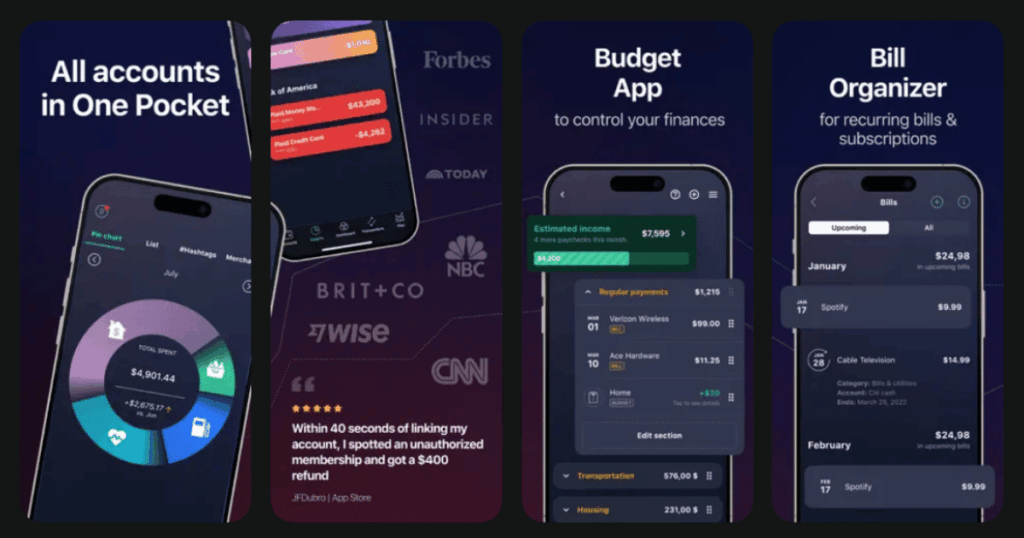
PocketGuard’s claim to fame is prominently displaying how much money remains after you’ve accounted for all your monthly expenses. The feature is called “Leftover,” and it’s the number you’ll see at the top of your dashboard.
The app goes beyond simple subscription tracking. It calculates your disposable income after accounting for bills, savings goals, and essential expenses. This ensures you always know your safe to spend amount.
Key Features:
- “In My Pocket” feature that integrates with the budget tracker to show safe to spend amounts
- Bill tracker that identifies all bills and subscriptions automatically and includes them in your monthly budget
- Smart debt payoff algorithm that calculates the most profitable repayment strategy
What I like: PocketGuard strikes a balance between overwhelming you with options and not doing enough. You can use it to track and categorize transactions, pay off debt and see your progress, and get an overview of your net worth. The lifetime membership option is a nice touch for long term savers.
What I don’t like: Subscription tracking is a premium feature that requires analyzing bank and credit card transactions. PocketGuard provides cancellation instructions but doesn’t do the canceling for you.
Pricing: The basic version is free but bare bones with only two budget categories. PocketGuard Plus costs $74.99 per year or $12.99 per month. Lifetime membership sometimes available.
Platforms: iOS and Android
#5. OneMain Financial – Best for Comprehensive Financial Management
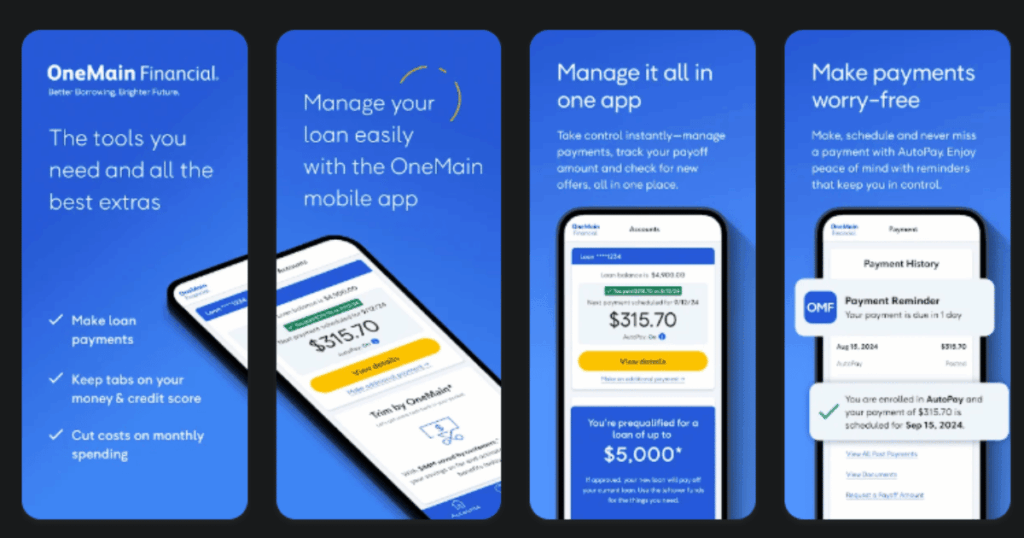
OneMain Financial app offers a complete financial management solution that goes beyond simple subscription tracking. The app integrates subscription monitoring tools with personal loan management and savings features all in one place.
When OneMain acquired Trim in 2021, they brought powerful subscription tracking capabilities directly into their mobile app. Now OneMain customers get access to all these premium features completely free as part of their account.
Key Features:
- Automatic subscription detection that scans transactions and identifies recurring payments across linked accounts
- Bill negotiation service where financial experts work to lower your monthly bills on internet, phone, and cable
- Integrated savings account with competitive rates and automated savings transfers to build emergency funds
What I like: I love that OneMain customers get full access to subscription tracking tools without any extra fees. The app combines loan management with subscription monitoring so everything financial lives in one spot. The bill negotiation feature has helped me save real money on monthly expenses without doing any work myself.
What I don’t like: You need to be a OneMain Financial customer to access the full feature set. Non customers can still use basic Trim features through the website but miss out on the seamless app experience and some advanced tools.
Pricing: Free for OneMain Financial customers with full subscription tracking included. Bill negotiation typically costs a percentage of annual savings for non customers.
Platforms: iOS and Android
#6. Subby – Best for Android Focused Subscription Tracking
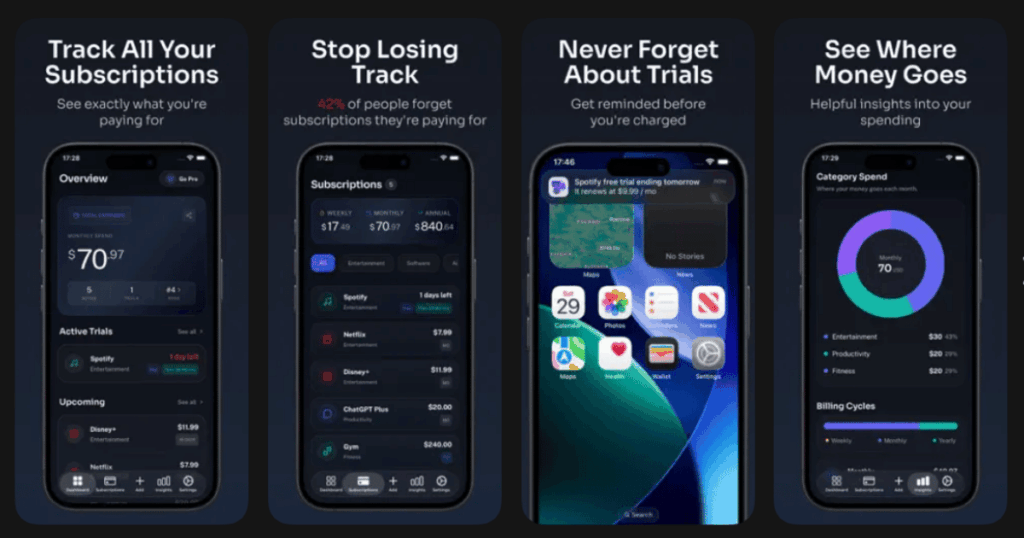
Subby allows Android users to track an unlimited number of subscriptions for free and provides alerts about upcoming payments. Subby will tally your subscription expenses by month or year.
The app is laser focused on one thing: helping Android users manage their subscriptions without the complexity of full finance apps.
Key Features:
- Subscription tracker and manager that monitors all subscriptions and recurring bills in one dashboard
- Cancellation reminders that send alerts before renewals so you can cancel subscriptions you don’t need
- Over 400 subscription icons and multi currency support for over 160 currencies worldwide
What I like: One key advantage is its laser focus on subscription management. It doesn’t try to be a budgeting app, an expense tracker, or a personal finance manager. This dedicated approach translates to a clean, distraction free interface. Perfect for people who just want simple tracking.
What I don’t like: Subby is only available for Android users. If you want additional features like home screen widgets or storage backup, you have to pay for that. The app also does not cancel subscriptions for you.
Pricing: Basic plan is free with additional features available for purchase in app.
Platforms: Android only
#7. Simplifi by Quicken – Best for Easy to Use Financial Management
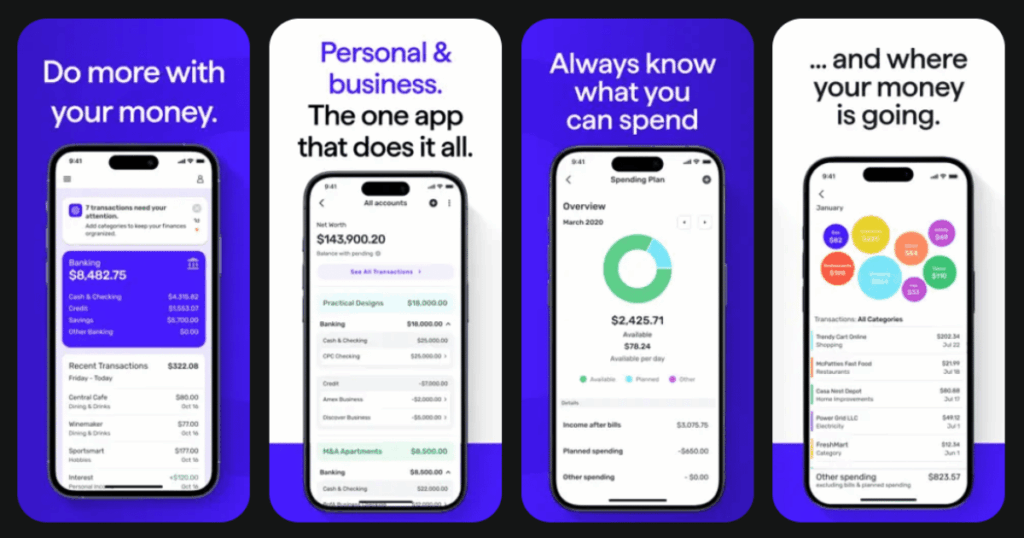
Rather than forcing you into a specific budgeting method, Simplifi starts with your monthly income, subtracts bills and subscriptions, and generates a personalized spending plan that adjusts automatically as you spend.
This app comes from the makers of Quicken, a trusted name in personal finance for over 40 years.
Key Features:
- Automated spending plan that calculates how much you have left to spend per day for the rest of the month
- Ability to view all subscriptions and never miss forgotten ones with bill tracking
- Savings goals feature to create custom goals, commit cash, and track progress
What I like: Simplifi offers detailed savings plans, customizable reports, and in depth expense tracking at an affordable price. It’s great for both serious planners and beginner budgeters trying to get a handle on where their money is going.
What I don’t like: Accessing features requires paying a monthly fee. Since Quicken Simplifi doesn’t offer a monthly payment option, you’ll need to commit to the app for a full year.
Pricing: $5.99 per month billed annually at $71.88. 30 day money back guarantee available.
Platforms: iOS, Android, and Web
#8. SubTracker – Best for Privacy Conscious Renewal Alerts
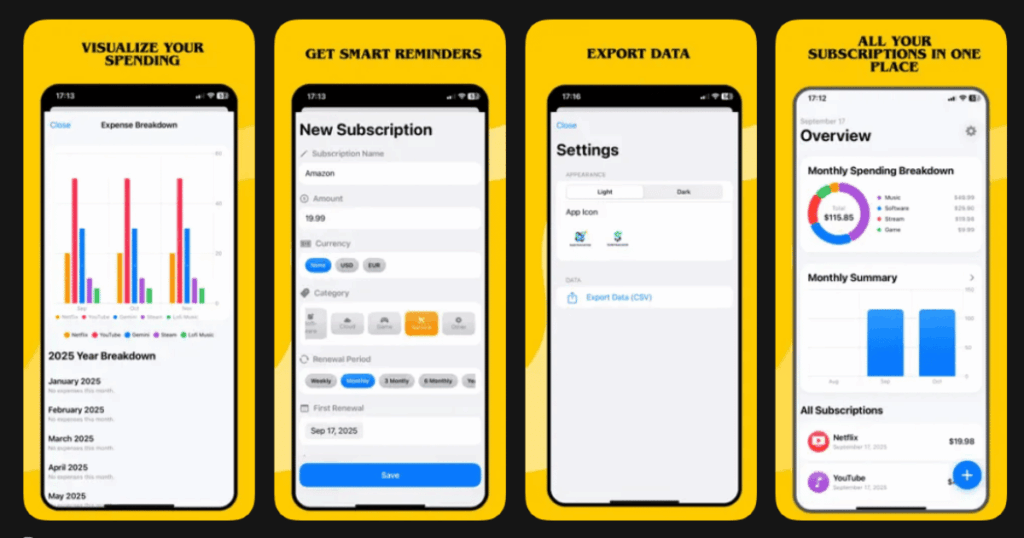
SubTracker leads the pack as a comprehensive recurring subscription tracker that prioritizes your privacy. Unlike apps that require access to your bank accounts, SubTracker keeps your financial data secure while providing powerful reminder features.
The app is designed specifically for people who want to track renewals without sharing sensitive banking information.
Key Features:
- Smart notifications with customizable alerts 1, 3, 7, or 30 days before renewals
- Free trial alerts with automatic reminders before trial periods end
- Renewal calendar providing a visual overview of all upcoming charges
What I like: What makes SubTracker stand out is its intuitive design combined with deep insights. The clean dashboard gives you a quick glance at upcoming charges and overdue payments. The privacy first approach gives me peace of mind.
What I don’t like: Premium features are behind a paywall. Manual entry required since it doesn’t connect to banks.
Pricing: Free version covers the basics. Premium version adds cloud sync and advanced analytics.
Platforms: iOS and Android
#9. GetReminded – Best for Document and Policy Renewal Tracking
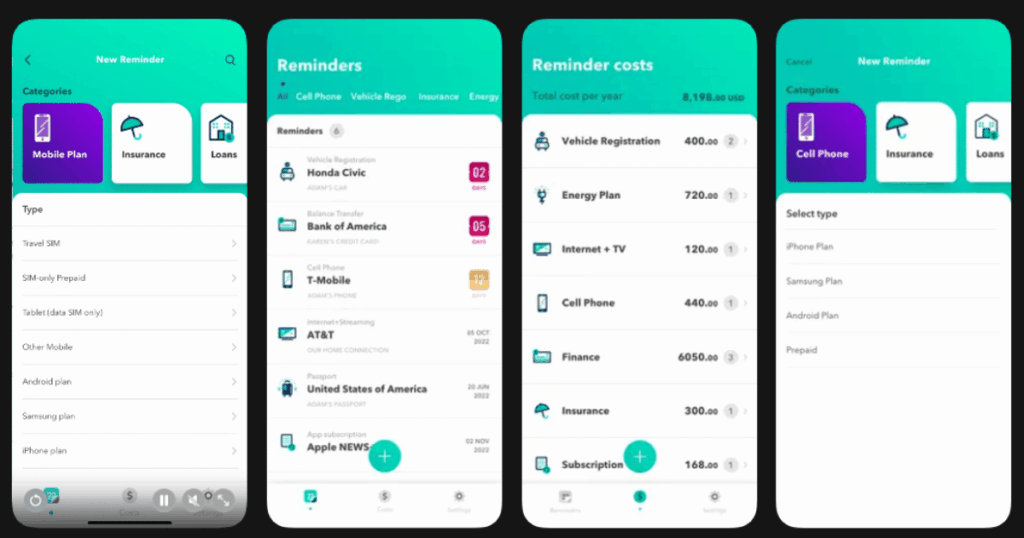
GetReminded is the best app to manage recurring plans, policies, and personal identity documents. It also handles life events and health related reminders. Numerous alerts sent via the app and email give you plenty of time to make an informed decision before renewing a service contract.
This app goes beyond just subscriptions. It helps you track insurance renewals, vehicle registrations, passports, and more.
Key Features:
- Enter future expiry dates for insurance policies, mobile plans, energy plans, and financial products
- Alerts before expiry or review dates making it easier to compare prices and avoid late fees
- Identity document tracking for vehicle registration, license, and passport to avoid fines
What I like: GetReminded prompts me to call service providers once a year to ensure policies are their best offers. I love that it covers so many different types of renewals beyond just streaming services.
What I don’t like: The app requires manual entry for all items. No automatic detection means more work on your end to set everything up.
Pricing: Free to use on Apple and Google Play stores.
Platforms: iOS and Android
What Is the Best App for Managing Subscription Renewals?
Life7 is my top recommendation for overall renewal and wellness. But if you’re specifically looking to manage subscription payments, Rocket Money offers the most complete solution. It automatically finds subscriptions, helps you cancel them, and even negotiates better rates on bills.
For privacy focused users, Bobby remains the best choice since it doesn’t require bank connections. Android users should definitely check out Subby for its free unlimited tracking.
How Do Subscription Tracker Apps Keep My Data Safe?
Most reputable subscription apps use bank level security. Apps like PocketGuard employ 256 bit SSL encryption, the same standard used by major banks, along with additional security measures like PIN codes and biometric features.
Apps like OneMain Financial host services on secure infrastructure with industry standard encryption and implement two factor authentication for additional security. They follow strict financial regulations to protect your personal information.
If you’re still uncomfortable sharing banking info, choose manual entry apps like Bobby, Subby, or SubTracker instead.
Are Free Subscription Tracking Apps Worth Using?
Absolutely! Subby allows Android users to track unlimited subscriptions for free. Bobby offers a generous free tier with up to five subscriptions. GetReminded is completely free for tracking all types of renewals.
However, paid apps often provide more value. Americans spend an average of $40 to $50 a month on various subscriptions. One in four Americans spend over $100 on streaming, retail, and other subscription services. If a paid app helps you cancel even one forgotten subscription, it pays for itself quickly.