
9 Best Insomnia Apps For Your Phone
| App Name | Best For | Key Features | AC Rating | Pricing |
|---|---|---|---|---|
| Life7 | All in one mental wellness and insomnia relief | Binaural beats, CBT therapy, sleep stories, breathwork | 4.8/5 | Free trial, then weekly, monthly, or yearly plans |
| Calm | Celebrity narrated sleep stories | Sleep Stories, soundscapes, Daily Calm meditations | 4.6/5 | Free version available, premium subscription |
| Headspace | Structured meditation programs | Sleepcasts, guided meditations, CBT techniques | 4.5/5 | Free trial, then monthly or yearly subscription |
| Sleep Cycle | Smart sleep tracking and alarms | Sleep analysis, smart alarm, snore detection | 4.4/5 | Free version, premium subscription available |
| Pzizz | Science based dreamscapes | Unique audio sessions, power naps, focus mode | 4.3/5 | Free version, Pro subscription monthly or yearly |
| BetterSleep | Custom sound mixing | 300+ sounds, mix and match audio, sleep stories | 4.4/5 | Free version, premium monthly or yearly |
| Slumber | Bedtime stories for adults | 1000+ sleep stories, meditations, soundscapes | 4.3/5 | Free trial, premium subscription |
| Noisli | Simple ambient noise | 16 nature sounds, custom mixes, offline use | 4.2/5 | One time purchase or Pro subscription |
| Insight Timer | Free meditation community | 200,000+ free meditations, community features | 4.5/5 | Mostly free, optional premium features |
#1. Life7: Best for All in One Mental Wellness and Insomnia Relief
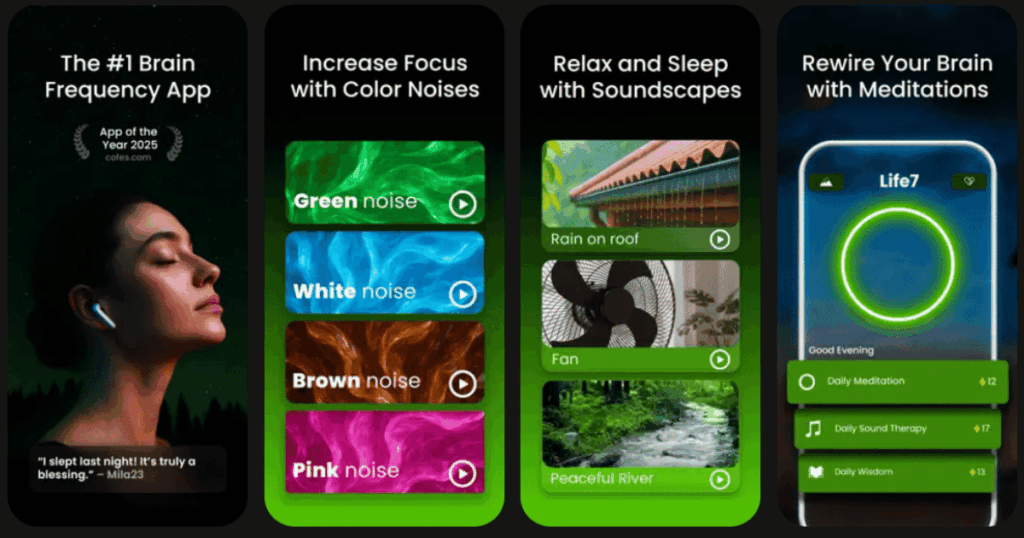
Life7 is my top pick for anyone serious about beating insomnia. This app goes way beyond basic sleep sounds. It combines multiple science backed approaches to help you sleep better.
You get access to brainwave frequencies like delta, theta, and alpha waves. The app also includes binaural beats and solfeggio frequencies. These sounds are designed to change how your brain works before bed.
Life7 offers cognitive behavioral therapy tools right in the app. You also get breathing exercises, sleep stories, and guided meditations for every skill level.
Key Features:
- Multiple noise colors including green, white, brown, and pink noise plus brainwave music
- CBT therapy, hypnotherapy, and vagus nerve stimulation sessions
- Daily new sessions including meditation, music therapy, and wisdom content
What I like: I really appreciate how Life7 puts everything in one place. You do not need to download five different apps for meditation, sleep sounds, and therapy tools. The gamified approach keeps me coming back every night. I earn XP and unlock new content as I build my streak. The 8D sleep audio and dream wave hypnosis features are unlike anything else out there.
What I don’t like: The free version is pretty limited. You will need to subscribe to get the full experience. This might be a turnoff if you want to try everything before paying.
Pricing: 7 day free trial available. Yearly, monthly, and weekly subscription plans offered with frequent special promotions.
Platforms: iOS and Android
#2. Calm: Best for Celebrity Narrated Sleep Stories
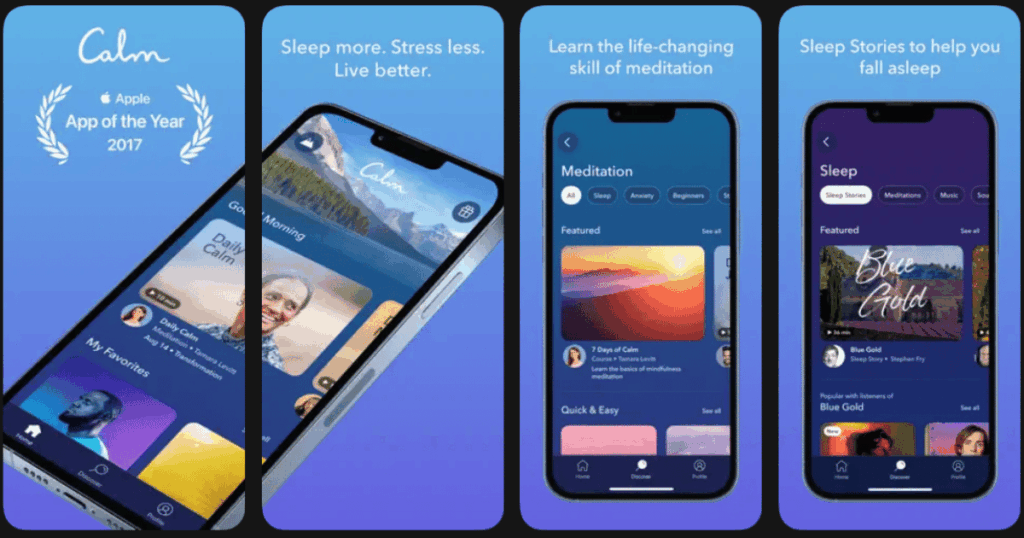
Calm is one of the most popular sleep apps in the world. It focuses heavily on relaxation and meditation with a beautiful, peaceful design.
The app greets you with deep breathing the moment you open it. You can explore hundreds of guided meditations that cover anxiety, stress, and sleep. The sessions range from 3 to 40 minutes long.
Calm really shines with its Sleep Stories feature. These are bedtime stories for adults read by celebrities like Matthew McConaughey and Cillian Murphy.
Key Features:
- 500+ Sleep Stories narrated by famous voices including Harry Styles
- 90+ ambient soundscapes with nature sounds and ASMR
- Daily Calm 10 minute meditations added fresh each day
What I like: The production quality is top notch. Everything sounds professional and polished. I love falling asleep to a calming story read by a celebrity. The app also has great content for kids, so it works for the whole family. The soundscapes are incredibly immersive.
What I don’t like: Calm is one of the pricier options out there. Most of the good content sits behind the paywall. The free version feels more like a taste test than a real experience.
Pricing: Free to download with limited content. Premium subscription available yearly or monthly.
Platforms: iOS and Android
#3. Headspace: Best for Structured Meditation Programs
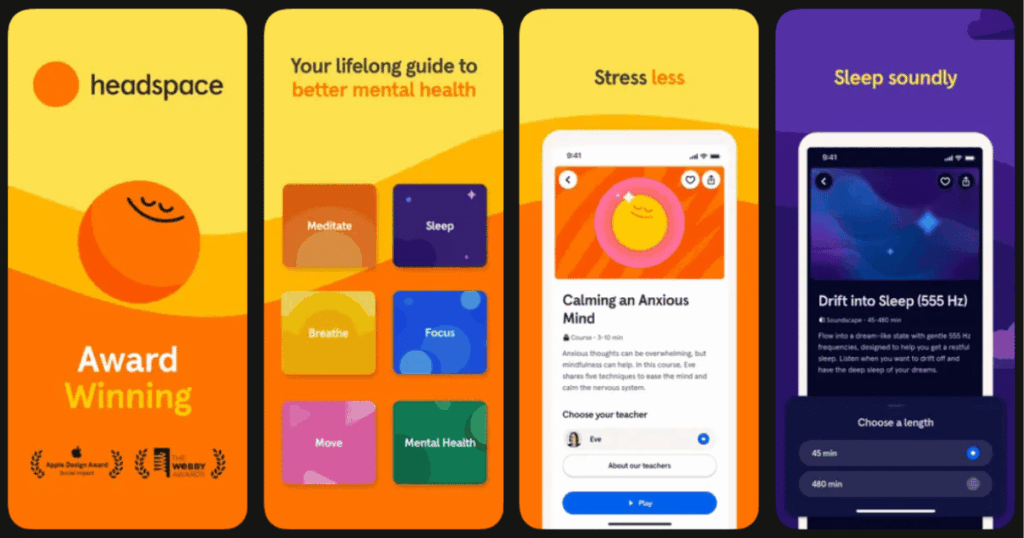
Headspace takes a more educational approach to sleep and meditation. Andy Puddicombe, a former monk, leads most sessions with his soothing British voice.
The app uses bright animations to explain meditation concepts clearly. This makes it perfect for beginners who do not know where to start. The sleep section includes wind downs, music, and Sleepcasts.
Sleepcasts are like audio environments that paint a picture in your mind. You might find yourself walking through a peaceful forest or riding a gentle train.
Key Features:
- 1000+ guided meditations with expert led instruction
- Sleepcasts that create immersive audio journeys for sleep
- Ebb AI companion that gives personalized recommendations
What I like: Headspace builds your meditation skills step by step. The courses gradually get more advanced as you learn the basics. I appreciate the scientific backing behind everything. The app has been studied and proven to reduce stress within just days of regular use.
What I don’t like: There is no free content inside the app itself. Everything good requires a subscription. The app also does not track your sleep or offer lifestyle tracking features.
Pricing: Free trial available. Monthly or yearly premium subscription options.
Platforms: iOS and Android
#4. Sleep Cycle: Best for Smart Sleep Tracking and Alarms
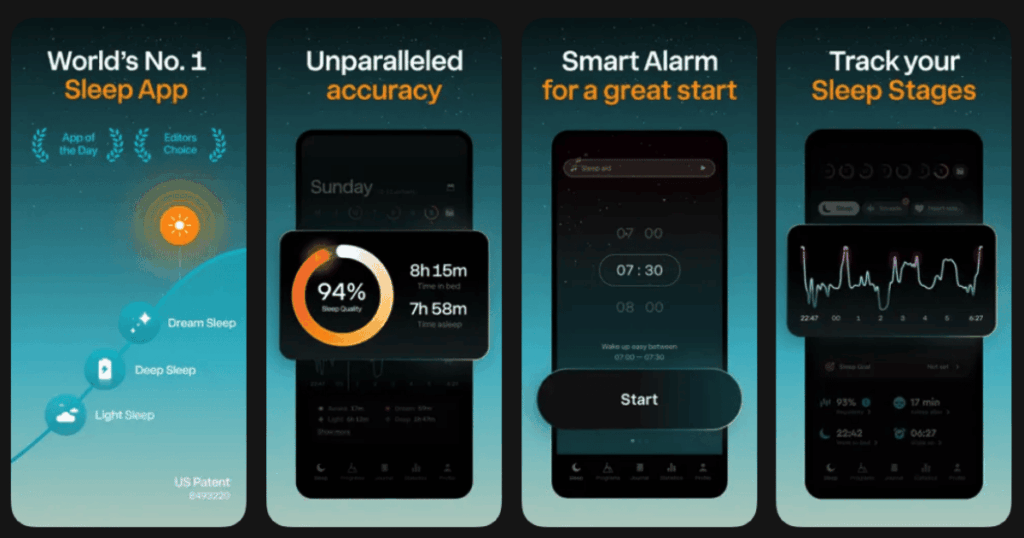
Sleep Cycle flips the script on what a sleep app can do. Instead of just helping you fall asleep, it tracks how well you actually slept.
Place your phone on your nightstand and the app monitors your movement and breathing all night. It builds a detailed picture of your sleep stages. You see exactly when you were in deep sleep or light sleep.
The smart alarm is the real star here. It wakes you up during your lightest sleep phase within a window you set. This means no more jarring alarms that rip you from deep sleep.
Key Features:
- Sleep tracking without any wearable devices needed
- Smart alarm that wakes you at the optimal moment
- Snore and sleep talk recording with playback option
What I like: I wake up feeling so much better with the smart alarm. The data is fascinating to look at each morning. I can see patterns in my sleep and figure out what helps or hurts my rest. The app connects with Apple Health for a complete health picture.
What I don’t like: The app needs to run all night, which can drain your battery. Some users report the alarm does not always work perfectly. You also need to pay for a full year upfront with no monthly option.
Pricing: Free version with basic features. Premium subscription billed annually.
Platforms: iOS and Android
#5. Pzizz: Best for Science Based Dreamscapes
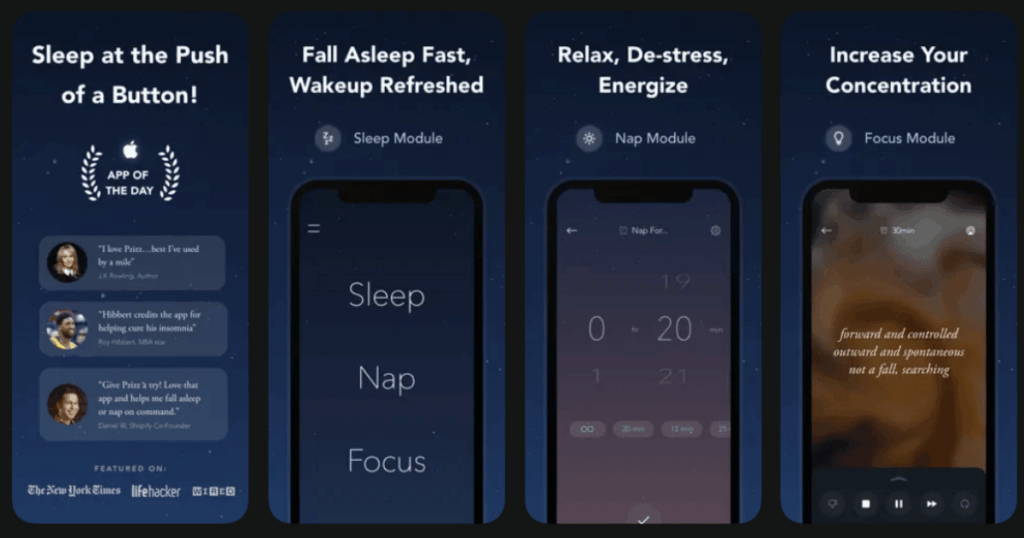
Pzizz uses something called psychoacoustics to help you sleep. This is the science of how sounds affect our brains. The app creates unique audio experiences called dreamscapes.
Every time you open Pzizz, you hear something different. The algorithm mixes music, narrations, and sound effects in new ways. This keeps your brain from getting bored with the same old sounds.
The narrations are based on clinical sleep interventions. They guide you through relaxation without feeling like a cheesy meditation script.
Key Features:
- Patented system that creates unique sessions every single night
- Three modules for sleep, naps, and focus
- Customizable voiceover with adjustable volume and 3D effects
What I like: The variety keeps things fresh night after night. I never get tired of hearing the same track. The nap module is genius for afternoon recharges. Celebrities like J.K. Rowling have publicly praised this app for helping with their sleep problems.
What I don’t like: The free version only gives you one dreamscape to try. The price for full access is on the higher side. Some users report the audio can pause unexpectedly mid session.
Pricing: Free classic version available. Pro subscription monthly or yearly.
Platforms: iOS and Android
#6. BetterSleep: Best for Custom Sound Mixing
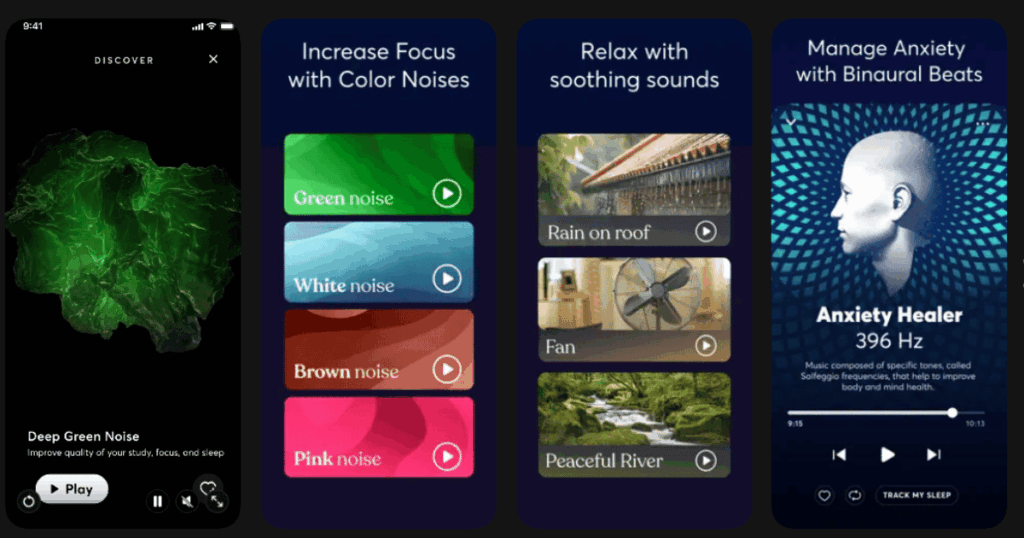
BetterSleep used to be called Relax Melodies. The app lets you become a DJ for your own sleep soundtrack.
You pick from over 300 sounds and layer them together however you want. Combine rain with thunder and gentle piano. Add some brown noise and forest birds. The possibilities are endless.
The app also includes guided meditations, hypnosis tracks, and bedtime stories. It covers pretty much every approach to better sleep.
Key Features:
- 300+ sleep sounds including brainwaves and binaural beats
- Mix and match creator to build custom soundscapes
- Sleep tracking with insights about your patterns
What I like: Creating my own sound mixes is really fun and therapeutic. I found the exact combination that works for my brain. The SleepTales stories are creative and engaging. Over 65 million people use this app, which shows it really works for a lot of folks.
What I don’t like: Recent updates locked a lot of previously free sounds behind the paywall. The app can feel overwhelming at first with so many options. Battery drain is noticeable if you run it all night.
Pricing: Free to download with limited sounds. Monthly, yearly, or lifetime subscription options.
Platforms: iOS and Android
#7. Slumber: Best for Bedtime Stories for Adults
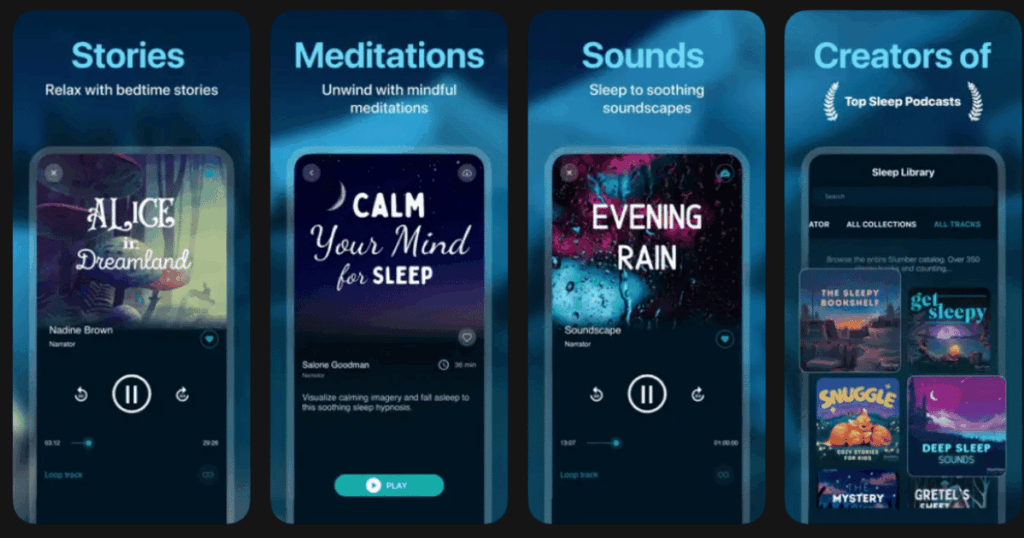
Slumber focuses almost entirely on stories and meditations designed to make you sleepy. Think of it like a bedtime story app built for grownups.
The library includes over 1000 sleep stories across many genres. You can explore fairy tales, mystery, sci fi, and more. New content gets added every week so you always have fresh options.
Each story is carefully paced to help your mind slow down. The narrators use calming voices that make it easy to drift off.
Key Features:
- 1000+ sleep stories across multiple genres and styles
- Background soundscapes that play after the story ends
- Guided meditations specifically designed for insomnia
What I like: The stories are genuinely interesting without being too engaging. They hit that sweet spot where your brain can relax while still having something to focus on. The variety of genres means you can find something that matches your mood each night.
What I don’t like: The app works best if you enjoy listening to stories. If you prefer pure sounds or silence, this is not for you. The premium price adds up if you want full access to everything.
Pricing: Free version with limited content. Premium subscription monthly.
Platforms: iOS and Android
#8. Noisli: Best for Simple Ambient Noise
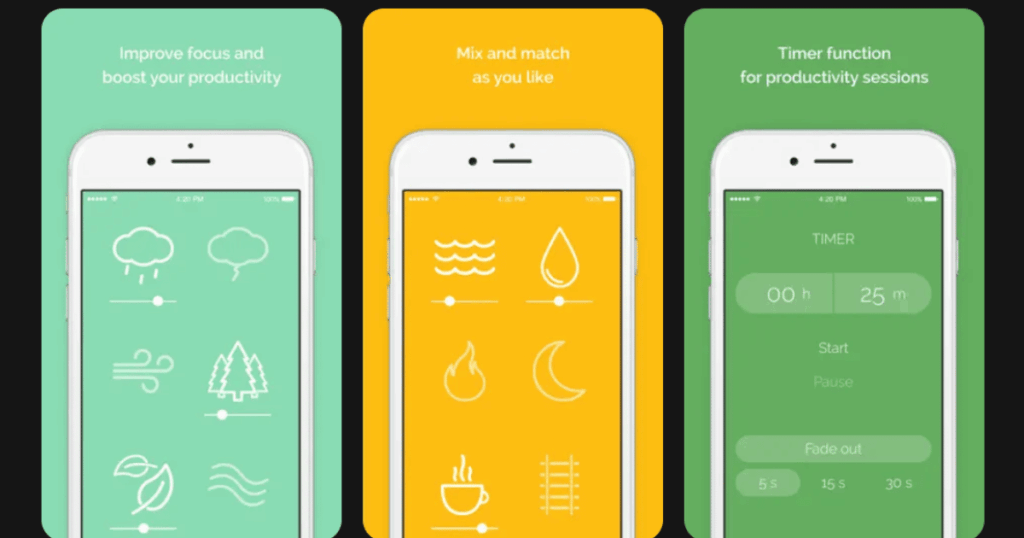
Noisli keeps things incredibly simple. There are no complicated features or endless menus to navigate. You just pick sounds, adjust volumes, and let them play.
The app offers about 16 high quality nature sounds and ambient noises. You get rain, thunder, wind, forest, and similar relaxing options. The audio quality is excellent with realistic sounding tracks.
You can combine multiple sounds at once and save your favorite mixes. A timer lets you set how long the sounds play before fading out.
Key Features:
- 16 high quality ambient sounds with realistic audio
- Custom mix creation with saved favorites
- Works completely offline once downloaded
What I like: I love how Noisli just works without any fuss. Open the app, tap a few icons, and you are relaxing. The sounds actually sound natural, unlike some apps with cheap recordings. The one time purchase option is refreshing in a world of subscriptions.
What I don’t like: The limited sound library might feel too basic for some users. There are no guided meditations or stories here. The app has not been updated as frequently as competitors lately.
Pricing: Low one time purchase for the app. Pro subscription available for additional sounds.
Platforms: iOS and Android
#9. Insight Timer: Best for Free Meditation Community
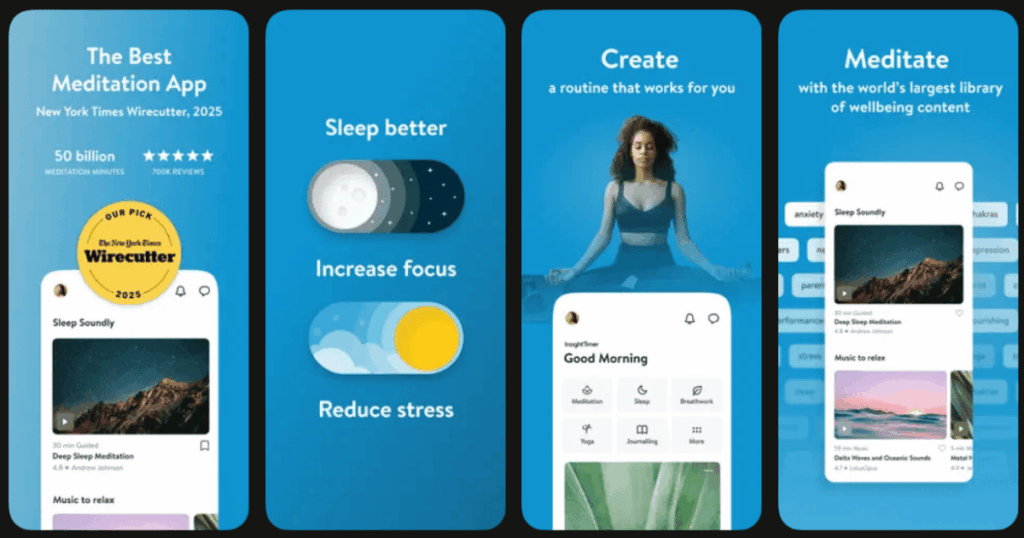
Insight Timer stands out because most of its massive library is completely free. You get access to over 200,000 guided meditations without paying a dime.
The sleep section includes bedtime stories, soundscapes, and music. Teachers from around the world contribute content covering every meditation style. The community features let you connect with other people working on their sleep.
You can join groups focused on sleep improvement and participate in live events. The social aspect adds accountability to your practice.
Key Features:
- 200,000+ free meditations with thousands focused on sleep
- Active community with groups and live events
- 25,000+ teachers from around the globe
What I like: The sheer amount of free content is incredible. You could use this app every night for years and never run out of new things to try. The community keeps me motivated to stick with my bedtime routine. Live events let you meditate together with people worldwide.
What I don’t like: The huge library can feel overwhelming when you are just starting out. Finding quality content among thousands of options takes some effort. Premium features do require a subscription if you want offline access.
Pricing: Mostly free with over 200,000 meditations. Optional premium for offline listening and extras.
Platforms: iOS and Android
Are Insomnia Apps Actually Effective?
Yes, many insomnia apps can really help you sleep better. Research shows that meditation and mindfulness practices improve sleep quality. Apps that use cognitive behavioral therapy techniques are especially effective.
CBT for insomnia is considered the gold standard treatment. Some apps deliver this therapy through guided programs. Studies have found that people using these apps fall asleep faster and wake up less often.
However, apps work best when used consistently. You need to make them part of your nightly routine. Just downloading an app will not magically fix your sleep problems.
How Do I Choose the Right Sleep App for Me?
Start by thinking about what keeps you awake at night. A racing mind might benefit from meditation apps like Headspace. If external noise bothers you, try a sound app like Noisli or BetterSleep.
Consider your experience level with meditation. Beginners often do better with structured programs that teach the basics. Advanced users might prefer large libraries with more variety.
Budget matters too. Some apps require expensive subscriptions while others offer plenty for free. Try free versions or trials before committing to any payment.
Can I Use Multiple Insomnia Apps Together?
Absolutely. Many people use different apps for different purposes. You might track your sleep with Sleep Cycle and use Calm for relaxation before bed.
Combining apps can give you a more complete approach to sleep health. Use a sound app for background noise while playing a meditation from another app. Just be careful not to complicate your routine too much.
The best approach is finding one or two apps that really work for you. Stick with them long enough to build consistent habits before adding more tools to your arsenal.