
9 Best Thunder Sound Apps For Your Phone
| App Name | Best For | Key Features | AC Rating | Pricing |
|---|---|---|---|---|
| Life7 | Complete mental wellness with thunder sounds | Green/white/brown/pink noise, binaural beats, backdrop mode mixing | 4.8/5 | Free trial, weekly/monthly/yearly plans |
| Rain Rain Sleep Sounds | Mixing custom storm soundscapes | 100+ sounds, custom mixing, background play | 4.6/5 | Free with premium upgrade |
| Rainy Mood | Realistic 3D thunder audio | Algorithmic randomizer, 400+ thunder samples, HD audio | 4.5/5 | One time purchase, free lite version |
| BetterSleep | Sleep focused thunder experiences | Bedtime stories, binaural beats, ASMR content | 4.5/5 | Free with subscription option |
| Calm | Meditation paired with storm sounds | Sleep stories, 500+ soundscapes, guided meditations | 4.7/5 | Free with premium subscription |
| myNoise | Audiophile quality customization | Frequency sliders, hearing calibration, 200+ generators | 4.6/5 | Free, donation supported |
| White Noise Deep Sleep Sounds | Simple sleep sound solutions | Timer feature, baby sounds, study sounds | 4.4/5 | Free with premium option |
| Thunderstorm Sounds Nature | Variety of storm intensities | 16 thunder sounds, offline play, timer function | 4.3/5 | Free with ads |
| Atmosphere Relaxing Sounds | Environment based sound mixing | 8 environments, sound layering, offline mode | 4.4/5 | Free with premium features |
#1. Life7 – Best for Complete Mental Wellness with Thunder Sounds
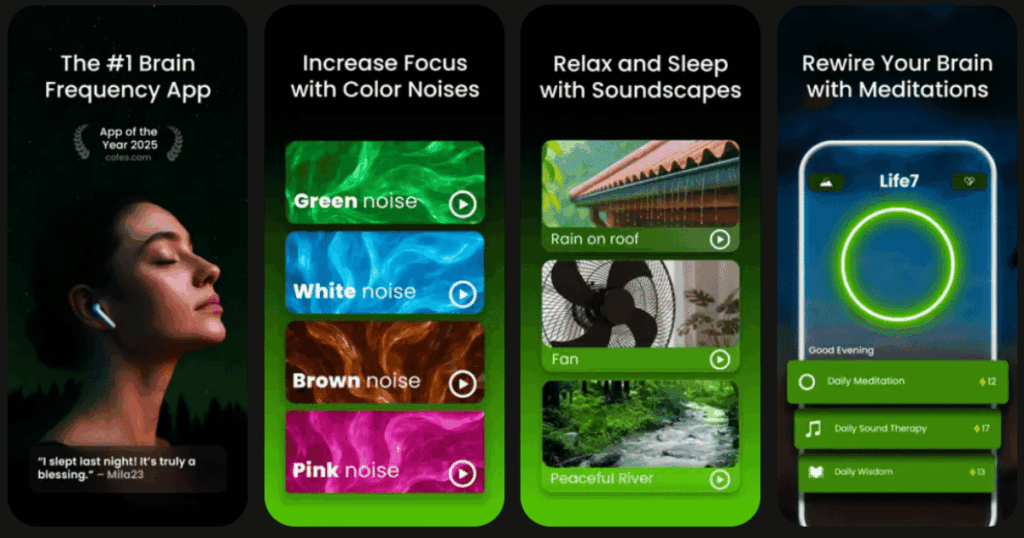
Life7 is my top pick for thunder sound apps. It goes way beyond just storm sounds. This all in one mental wellness app gives you green noise, white noise, brown noise, and pink noise options. You also get theta, alpha, beta, delta, and gamma wave music.
The backdrop mode is amazing. You can mix thunder sounds with meditations, sleep stories, or other audio. It has over 1200 editorial mentions and 312 million meditation minutes logged by users!
Key Features:
- Multiple noise colors including green, white, brown, and pink noise for different moods
- Backdrop mode lets you layer thunder sounds with meditations, stories, or music
- Complete wellness tools like breathing exercises, CBT, hypnotherapy, and vagus nerve stimulation
What I like: I love how Life7 combines thunder sounds with so many other features. The binaural beats and solfeggio frequencies add depth that simple thunder apps cannot match. The SOS sessions for anxiety are a lifesaver. You also get bedtime stories for adults and kids, which makes it perfect for the whole family. The gamified approach keeps me coming back. I earn XP and unlock new soundscapes as I meditate more!
What I don’t like: The free content is a bit limited. You will want to subscribe to access the full library. But the 7 day free trial lets you test everything first.
Pricing: 7 day free trial available. Weekly, monthly, and yearly subscription plans with frequent special offers.
Platforms: iOS and Android
#2. Rain Rain Sleep Sounds – Best for Mixing Custom Storm Soundscapes
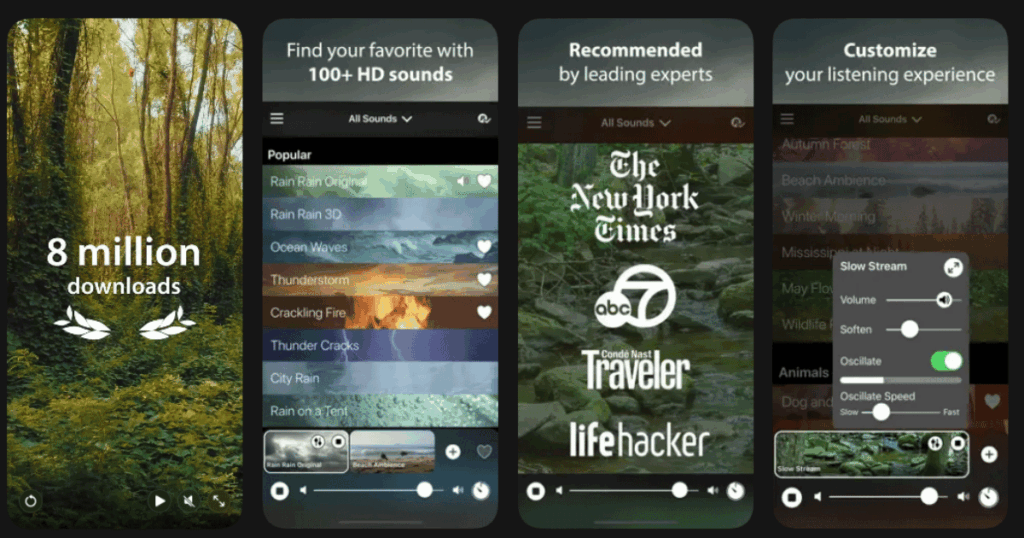
Rain Rain has helped over 10 million people sleep better. This app is super popular because it lets you create your own storm mixes. You can blend thunder with rain on a car roof or add wind sounds to a thunderstorm.
The sounds are incredibly realistic. Users say other apps sound like sizzling bacon. But Rain Rain makes you feel like you are actually in a storm.
Key Features:
- Over 100 different sounds to choose from and combine
- Save your favorite custom mixes for quick access later
- Works in the background even with your phone locked
What I like: The mixing feature is really what sets this app apart. I love combining rain on leaves with distant thunder for the perfect storm. You can adjust each sound individually. The app runs smoothly in the background without draining my battery too fast.
What I don’t like: Some of the best sounds require the premium version. The free options are good but limited. The interface could use a visual update too.
Pricing: Free to download with optional premium upgrade for full sound library.
Platforms: iOS and Android
#3. Rainy Mood – Best for Realistic 3D Thunder Audio

Rainy Mood calls itself the internet’s most popular rain experience. Millions of people use it daily. The app features stunning HD audio at 48kHz with 3D sound that works with regular headphones.
The standout feature is the algorithmic randomizer. Your brain never gets bored because the sounds never repeat exactly the same way twice.
Key Features:
- 400+ unique thunder claps and special effects in the sample library
- Four customizable rain scenes including Classic, Ocean, Countryside, and Cafe
- Individual volume controls for rain, thunder, and ambient sounds
What I like: The sound quality is exceptional. I can hear individual raindrops hitting different surfaces like grass, wood, and tin roofs. The thunder sounds deep and real. It makes great background noise for studying or working because the algorithmic randomizer keeps it fresh.
What I don’t like: The Android version was removed from the Play Store recently. This limits access for some users. The app is also quite minimal in features compared to all in one wellness apps.
Pricing: One time purchase price. Free lite version available on iOS.
Platforms: iOS only (Android version discontinued)
#4. BetterSleep – Best for Sleep Focused Thunder Experiences
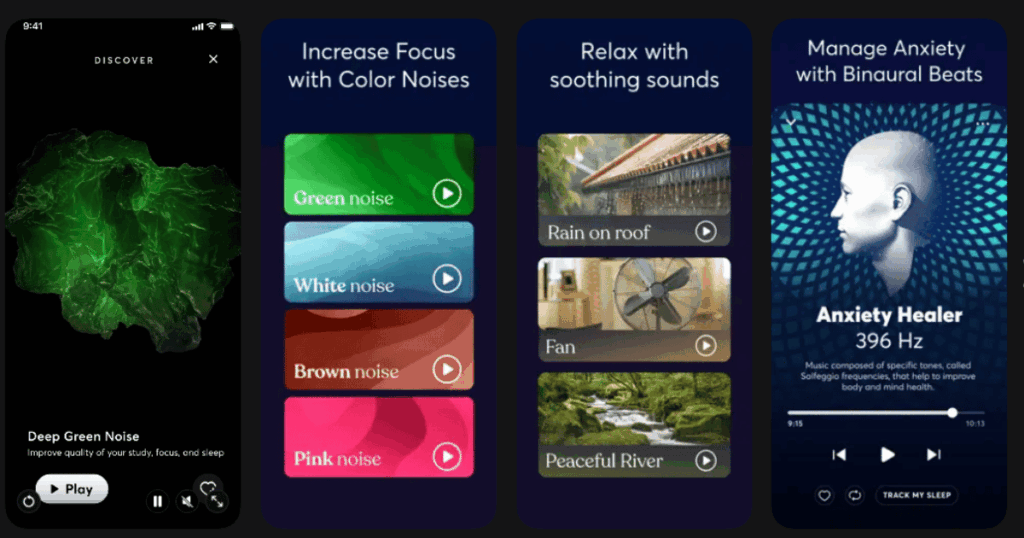
BetterSleep used to be called Relax Melodies. The Guardian called it a GPS for falling asleep! It combines thunder sounds with bedtime stories, meditation music, and binaural beats.
This app focuses specifically on helping you sleep better. It has tools for creating the perfect bedtime routine.
Key Features:
- 52 free sounds and melodies to create unlimited storm combinations
- Brainwave frequencies including binaural beats and isochronic tones
- Bedtime stories and guided sleep meditations
What I like: The variety is impressive. You can mix piano with thunderstorm sounds for a unique experience. The brainwave content adds a scientific approach to falling asleep. Parents love using it to help babies and children sleep too.
What I don’t like: The free version has limited features. The app design on Mac feels a bit dated compared to the mobile versions. Ads can pop up at inconvenient times.
Pricing: Free with premium subscription for full access.
Platforms: iOS and Android
#5. Calm – Best for Meditation Paired with Storm Sounds
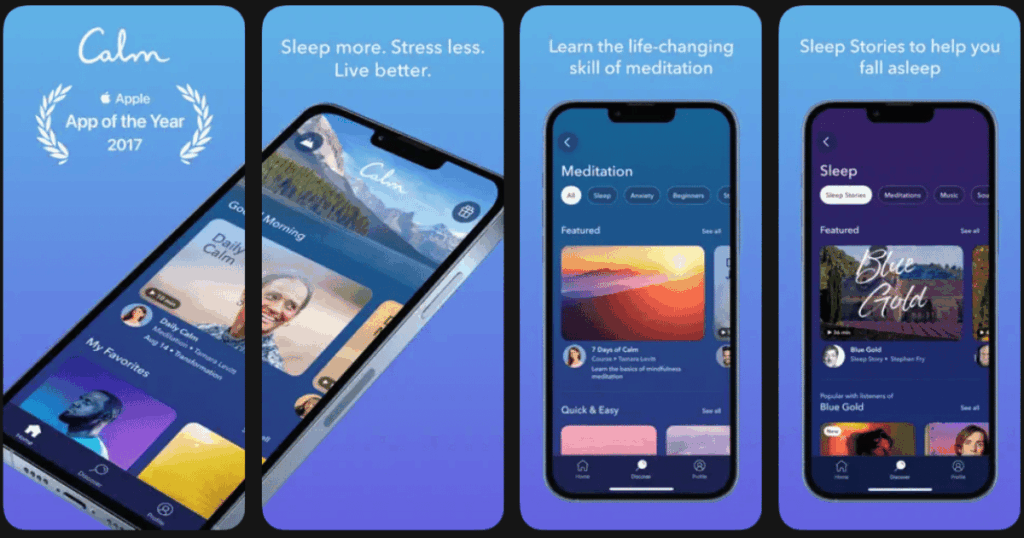
Calm is one of the most famous wellness apps in the world. It offers over 500 different sleep sounds including rainstorms and thunder. The app also includes their famous Sleep Stories narrated by celebrities.
You get different noise colors like white, brown, and green noise too. New content is added every month.
Key Features:
- 500+ soundscapes including rainstorms, ocean waves, and various noise frequencies
- Sleep Stories recorded by famous voices to help you drift off
- Sleep check in feature to track your sleep quality patterns
What I like: The production quality is top notch. Everything feels polished and professional. The variety of content means I never run out of new things to try. The breathing exercises pair nicely with the storm sounds for deeper relaxation.
What I don’t like: Calm is expensive compared to other options. Most features require a subscription. If you just want thunder sounds, you might not need all the extra meditation content.
Pricing: Free with limited features. Premium subscription required for full library access.
Platforms: iOS and Android
#6. myNoise – Best for Audiophile Quality Customization

myNoise is created by a sound engineer with a PhD in applied sciences. The website and app offer incredibly detailed control over every sound. You can adjust individual frequencies using sliders.
Thunder lovers will appreciate generators like Distant Thunder, Stormy Weather, Night Thunder, and Summer Night Thunder.
Key Features:
- Frequency sliders let you adjust sounds to match your exact hearing preferences
- Hearing calibration compensates for any hearing loss or preferences
- 200+ different sound generators covering every type of storm imaginable
What I like: The level of customization is unmatched. I can make the thunder feel close or distant. I can add crickets or remove rain entirely. The community shares their favorite settings. It helps people with tinnitus mask the ringing in their ears. Writers and coders swear by it for focus.
What I don’t like: The interface takes time to learn. It can feel overwhelming at first. The app works best on desktop browsers. Mobile app functionality is more limited.
Pricing: Free to use. Runs on donations with optional features for supporters.
Platforms: iOS, Android, and web browser
#7. White Noise Deep Sleep Sounds – Best for Simple Sleep Sound Solutions

This app keeps things simple. It helps adults and babies sleep by blocking unwanted noises. You get everything from rain and thunder to unexpected options like airplane cabin sounds.
The timer feature gently fades out sounds instead of stopping abruptly.
Key Features:
- Wide variety from brown noise and rainfall to cafe ambience and nature sounds
- Built in timer with gentle fade out so sounds do not stop suddenly
- Separate sounds designed for babies that mimic the womb environment
What I like: I appreciate the simplicity. I found my perfect sound quickly without navigating complicated menus. The gentle fade out timer is thoughtful. It does not jerk me awake when sounds stop. The app works great for travel too.
What I don’t like: Fewer storm specific options than dedicated thunder apps. Some sounds feel generic. The visuals are basic compared to other apps.
Pricing: Free with optional premium upgrade for additional sounds.
Platforms: iOS and Android
#8. Thunderstorm Sounds Nature – Best for Variety of Storm Intensities

This app offers 16 different thunderstorm sounds. You can find everything from gentle rain to intense storms. It works offline, which is great for travel or areas with poor reception.
Users love using it during performances and plays when they need realistic storm sounds.
Key Features:
- 16 distinct thunderstorm recordings with different intensities
- Timer function lets the app turn off automatically when you fall asleep
- Offline capability so no internet connection is needed
What I like: The sounds are realistic enough to fool people into thinking a real storm is happening. Good variety between calm storms and intense thunder. Simple interface makes it easy to find what I want fast.
What I don’t like: Has ads that pop up before sounds start. Cannot mix sounds together like other apps. No visualization features to go with the audio.
Pricing: Free with advertisements.
Platforms: iOS and Android
#9. Atmosphere Relaxing Sounds – Best for Environment Based Sound Mixing
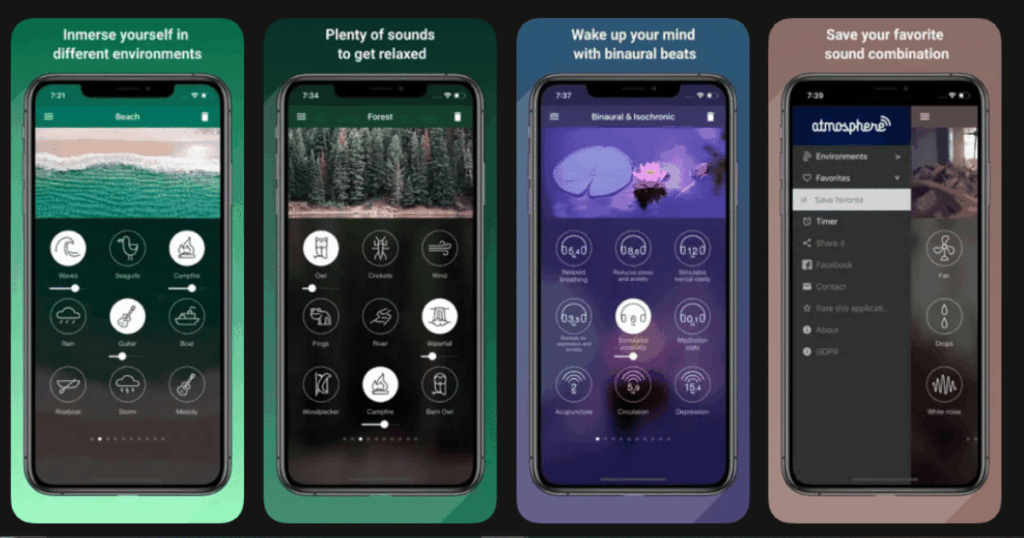
Atmosphere organizes sounds into 8 different environments like Beach, City, Park, and Forest. You can mix sounds between environments to create unique combinations.
The app consistently ranks as one of the best for stress relief and mental relaxation.
Key Features:
- 8 distinct environments with themed sounds you can mix and match
- Individual volume control for each sound layer
- Works offline without internet connection
What I like: The organization by environment is clever. It helps me think about the mood I want rather than specific sounds. Mixing beach waves with distant thunder creates something special. Works great without internet.
What I don’t like: The environment categories might feel limiting. Some sounds repeat across environments. The free version has fewer options than competitors.
Pricing: Free with premium features available for purchase.
Platforms: iOS and Android
Are Thunder Sound Apps Safe to Use While Sleeping?
Yes, thunder sound apps are generally safe for overnight use. Most apps include timer features that let you set how long sounds play. This prevents the audio from running all night if you prefer silence after falling asleep.
Keep your volume at a moderate level. Doctors recommend keeping sleep sounds below 70 decibels. Most phones show volume warnings if you go too loud. Using speakers instead of earbuds is often more comfortable for sleeping.
Some people worry about phone radiation. You can use airplane mode while the app plays to reduce any concerns. Most thunder apps work perfectly offline once sounds are downloaded.
Do Thunder Sounds Actually Help You Sleep Better?
Research shows that consistent background noise can help many people sleep. Thunder sounds work in a few ways. First, they mask sudden noises that might wake you up. A car door slamming or dog barking gets covered by the steady rumble.
Second, thunder sounds create a sense of safety. Our brains associate being indoors during a storm with comfort and security. This triggers relaxation responses in many people.
Not everyone responds the same way though. Some people find thunder too dramatic for sleep. They might prefer plain white or brown noise instead. Experiment to find what works best for you. Many apps offer free trials so you can test before buying.
Can I Use Thunder Apps for Focus and Studying?
Absolutely! Many students and professionals use thunder sounds for concentration. The consistent low frequency rumble blocks distracting conversations and environmental noise. This helps your brain focus on tasks.
Thunder sounds are especially helpful in open offices or noisy homes. Use headphones for the best effect. The sounds create a bubble of focus around you.
Some research suggests that natural sounds like thunder improve cognitive performance more than artificial white noise. Your brain finds them less fatiguing over long periods. Try pairing thunder with instrumental music for an even more effective study session.