
9 Best Apps For Neurodivergent People
| App Name | Best For | Key Features | AC Rating | Pricing |
|---|---|---|---|---|
| Life7 | Overall mental wellness and sensory support | Binaural beats, breathing exercises, SOS panic sessions | 4.8/5 | Free trial, then subscription |
| Tiimo | Visual daily planning and routines | Visual timelines, AI task breakdown, gentle reminders | 4.7/5 | Free version, premium subscription |
| Brain.fm | Boosting focus with neuroscience music | AI generated focus music, ADHD mode, adjustable neural effects | 4.6/5 | Free trial, then subscription |
| Forest | Gamified focus and phone addiction | Virtual tree growing, app blocking, real tree planting | 4.5/5 | One time purchase or free with ads |
| Goblin Tools | Breaking down overwhelming tasks | Magic ToDo, time estimator, tone analyzer | 4.5/5 | Free website, low cost app |
| Habitica | Gamified habit building | RPG style tasks, avatar rewards, community quests | 4.4/5 | Free, optional subscription |
| Finch | Self care with a virtual pet | Goal tracking, mood journaling, breathing exercises | 4.6/5 | Free version, premium available |
| Thruday | Visual planning with caregiver support | Visual routines, mood tracking, collaborative assistants | 4.3/5 | Free to use |
| Todoist | Clean and simple task management | Customizable lists, recurring reminders, priority flags | 4.4/5 | Free version, premium subscription |
#1. Life7 – Best for Overall Mental Wellness and Sensory Support

Life7 is an all in one mental wellness app that truly understands the neurodivergent brain. I discovered it when I was looking for something more than just meditation. What makes it special is the variety of calming audio options designed to regulate your nervous system.
The app offers green noise, white noise, brown noise, and pink noise. It also has binaural beats, isochronic tones, and solfeggio frequencies. These sounds are perfect for sensory regulation and finding calm during overwhelming moments. With over 312 million meditation minutes logged and 1200+ editorial mentions, this app has proven itself.
Key Features:
- SOS sessions specifically designed to calm anxiety and panic attacks quickly
- Vagus nerve stimulation and nervous system reset audio to restore inner balance
- Backdrop Mode lets you mix soundscapes with meditations, sleep stories, and more
What I like: I really appreciate how Life7 goes beyond basic meditation. The variety of sound therapy options is incredible. Whether I need delta waves for sleep or beta waves for focus, it is all there. The daily check ins keep me consistent, and the gamified XP system makes me want to come back. The CBT and hypnotherapy sessions feel like having a therapist in my pocket.
What I don’t like: The free content is a bit limited. You really need the subscription to unlock the best features. However, the 7 day free trial helps you decide before committing.
Pricing: 7 day free trial available. Weekly, monthly, and yearly subscription plans with frequent special offers.
Platforms: iOS and Android
#2. Tiimo – Best for Visual Daily Planning and Routines

Tiimo was built by neurodivergent people for neurodivergent people. I found this app when I was struggling with time blindness and needed something visual. The whole design focuses on making your day easy to see and understand at a glance.
The app uses colorful icons and timelines instead of boring text lists. It has been nominated for Apple Design Awards in the Inclusivity category. Over 500,000 people use Tiimo to stay organized. The AI powered feature can break big tasks into smaller steps automatically.
Key Features:
- Visual countdown timers that help you stay anchored and aware of passing time
- AI task breakdown that turns overwhelming projects into manageable steps
- Cross platform sync between phone, tablet, watch, and web browser
What I like: The gentle reminders feel like a calm friend nudging me rather than a demanding alarm. I love that Tiimo does not punish you for missing tasks. There are no red warning messages or guilt trips. Tasks simply move forward. The mood tracking helps me notice patterns in my energy and focus.
What I don’t like: Some advanced features require the paid subscription. The learning curve takes a few days if you want to customize everything perfectly.
Pricing: Free basic version available. Pro subscription with 7 day free trial for yearly plans.
Platforms: iOS, Android, and Web
#3. Brain.fm – Best for Boosting Focus with Neuroscience Music
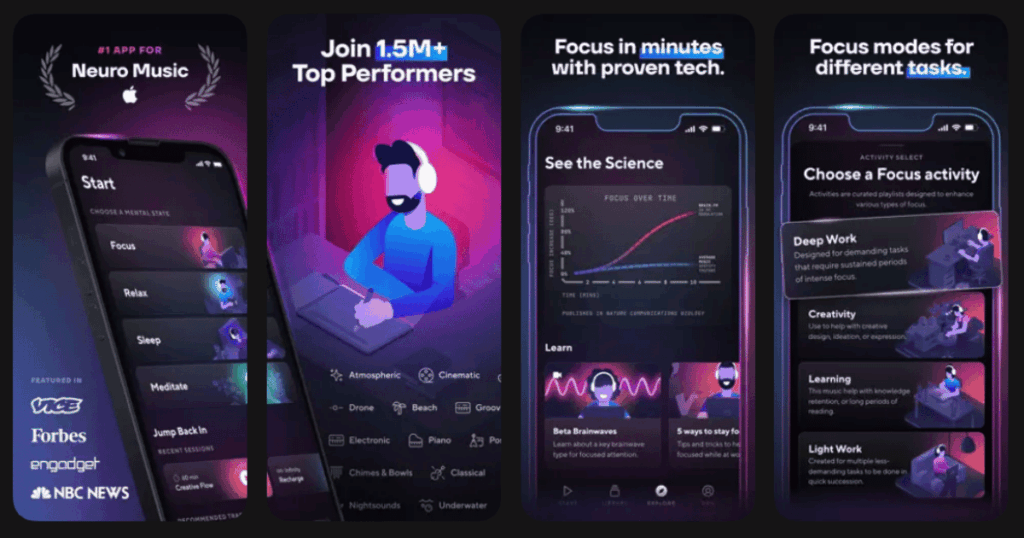
Brain.fm is not regular music. It is scientifically designed audio that actually changes how your brain works. I was skeptical at first, but the peer reviewed research convinced me to try it. Studies show it can boost focus brainwaves by 119%.
The app uses AI to generate music that encourages your brain to enter a focused state. It received a National Science Foundation grant for its ADHD research. Many neurodivergent users report being able to focus for hours when they normally struggle to concentrate for 30 minutes.
Key Features:
- ADHD specific mode with adjustable neural effect levels for your unique brain
- Multiple genres including lofi, classical, electronic, and nature soundscapes
- Modes for focus, relaxation, and sleep depending on what you need
What I like: The personalization quiz at the start really works. It adjusts the music to match how my brain responds best. I can feel the difference between Brain.fm and regular Spotify playlists. The infinite play feature means no interruptions searching for new songs.
What I don’t like: The subscription price is on the higher side. Some users with certain types of auditory sensitivities may find the modulation effects uncomfortable at first.
Pricing: Free 7 day trial with full access. Then monthly or annual subscription options.
Platforms: iOS, Android, Web, and Desktop
#4. Forest – Best for Gamified Focus and Phone Addiction
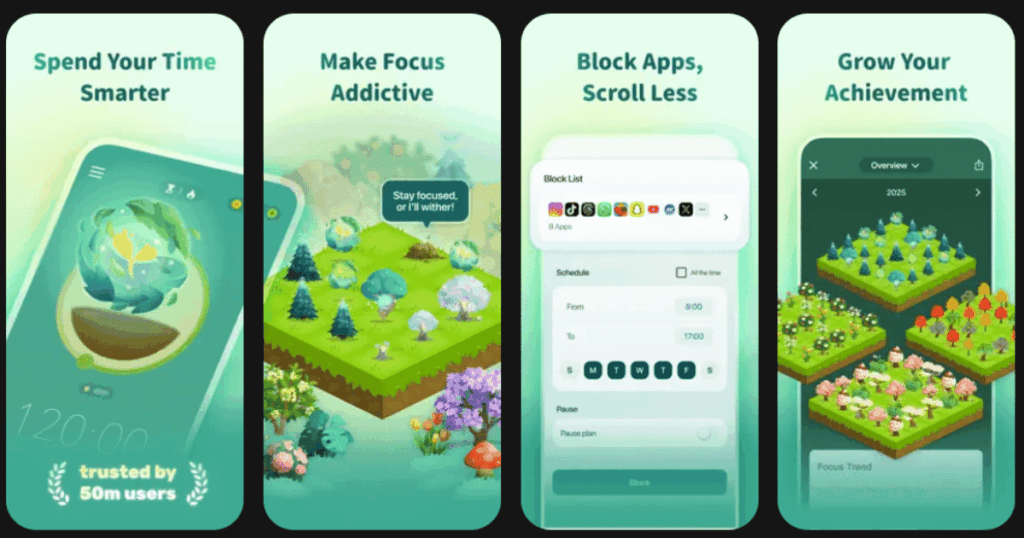
Forest uses a simple but genius concept. When you want to focus, you plant a virtual tree. If you leave the app to check social media, your tree dies. The consequence sounds silly, but it actually works to keep you on task.
Over 30 million people worldwide use Forest. The visual of watching your forest grow over time provides a powerful sense of accomplishment. The best part is that your virtual coins can be spent to plant real trees through their partnership with Trees for the Future.
Key Features:
- Virtual tree growing system that rewards you for staying focused
- App and website blocking to eliminate digital distractions completely
- Real world impact by planting actual trees with earned virtual coins
What I like: The tangible consequence of a dead tree is surprisingly motivating. I hate seeing those withered trees in my forest record. The visual progress of my growing forest makes me feel proud. The Chrome extension is great for desktop work sessions.
What I don’t like: On some devices, it is a little too easy to bypass the blocking features. There are no detailed focus analytics or scores to track improvement over time.
Pricing: One time purchase on iOS. Free with ads on Android. Chrome extension available.
Platforms: iOS, Android, Chrome Extension
#5. Goblin Tools – Best for Breaking Down Overwhelming Tasks

Goblin Tools is a collection of simple AI powered helpers made specifically for neurodivergent brains. The Magic ToDo feature is a lifesaver. You type in a big scary task, and it breaks it down into small, manageable steps for you.
Created by Belgian developer Bram de Buyser, the tools address common struggles like executive dysfunction and task paralysis. The website is completely free and ad free. The app costs just a couple dollars and supports keeping the website running.
Key Features:
- Magic ToDo breaks any task into bite sized steps with adjustable detail levels
- Estimator helps with time blindness by guessing how long activities will take
- Formalizer adjusts the tone of your messages for better communication
What I like: I use Magic ToDo almost daily now. Cleaning the house no longer feels impossible when it becomes 15 small steps. The Judge feature helps me understand if a message sounds angry or friendly, which is great for avoiding misunderstandings. Everything is so simple and straightforward.
What I don’t like: Since it uses AI, the results are not always perfect. Sometimes the task breakdowns include unnecessary steps or miss important ones. You need to use your own judgment.
Pricing: Website is completely free forever. Mobile apps available for a low one time fee.
Platforms: iOS, Android, Web
#6. Habitica – Best for Gamified Habit Building
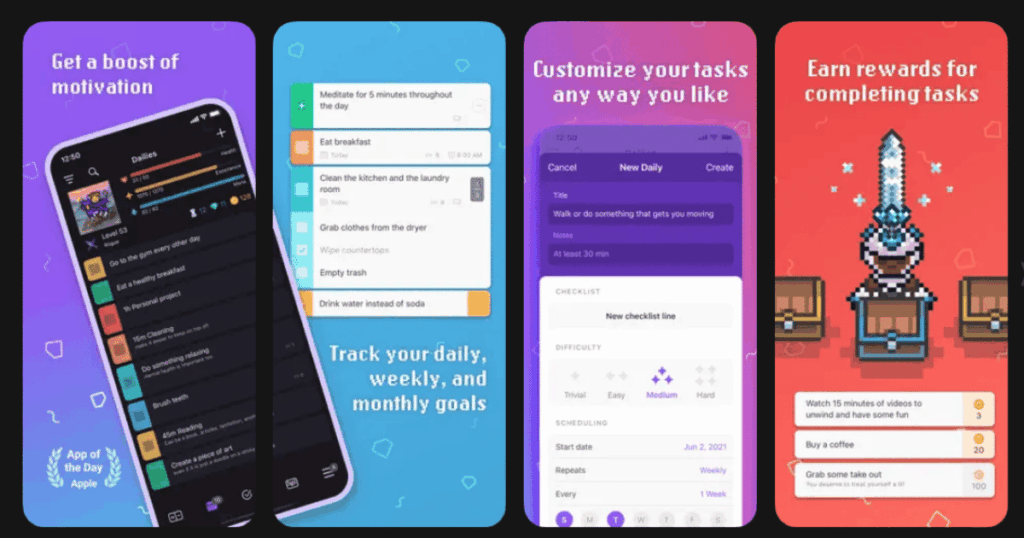
Habitica transforms your life into a role playing game. You create a pixel avatar and earn gold and experience points for completing real life tasks. Miss your habits and your character takes damage. Complete quests with friends to fight monsters together.
The app has been around for years and has a loyal community of over 1.5 million users. The flexibility is incredible. You can track daily habits, scheduled tasks, and one time to dos all in the same place. The guilds and party system add social accountability.
Key Features:
- RPG avatar system with equipment, pets, and leveling up for completing tasks
- Three task types including habits, dailies, and to dos for different needs
- Community features with parties, guilds, and challenges for accountability
What I like: The gamification really hooks my ADHD brain. Getting rewards for doing laundry feels ridiculous but it works. The ADHDers Guild is an amazing supportive community. I love customizing my avatar and collecting pets as motivation.
What I don’t like: There is a learning curve to set everything up. The interface can feel overwhelming at first with all the menus and options. Some people find it too complicated.
Pricing: Free to use with all core features. Optional subscription for cosmetic extras and gems.
Platforms: iOS, Android, Web
#7. Finch – Best for Self Care with a Virtual Pet
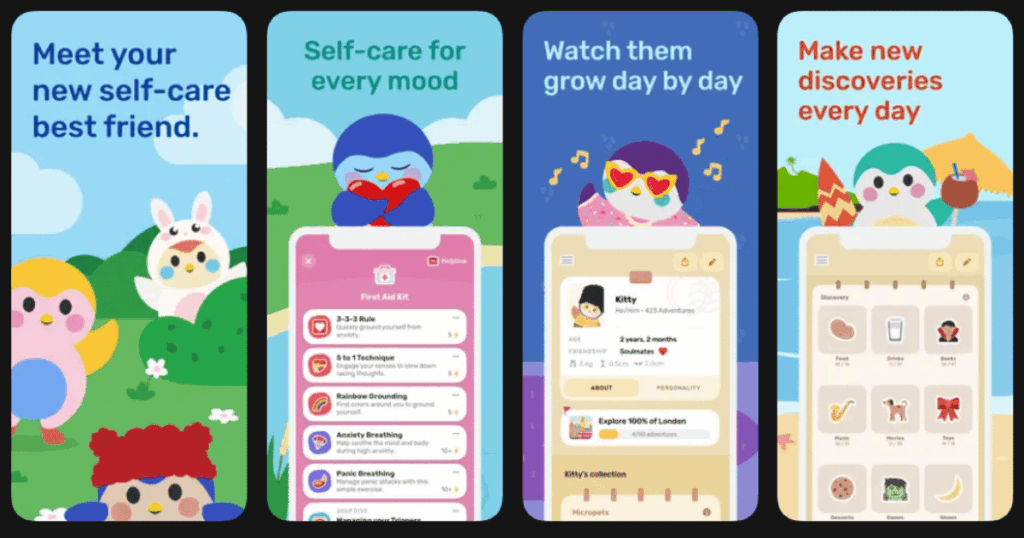
Finch makes self care feel like a cozy game. You adopt a little virtual bird and take care of it by taking care of yourself. Every time you complete a goal like drinking water or stretching, your Finch gains energy to go on adventures.
The app was designed by therapists and psychologists. It is especially popular with neurodivergent users who find traditional wellness apps too clinical or cold. The goals can be incredibly tiny, like putting away one item or doing five jumping jacks.
Key Features:
- Virtual pet that grows and evolves based on your self care activities
- Pre set and customizable goals broken into very small achievable steps
- Mood tracking and journaling with weekly pattern insights
What I like: Finch makes me feel cared for, not judged. When I complete tasks, it feels like I am helping my little bird friend. The adventures and conversations are surprisingly heartwarming. The Tree Town feature lets me connect with friends for mutual support.
What I don’t like: The premium pricing is different on iOS versus Android, which is confusing. You have to wait hours between bird interactions, which can feel slow.
Pricing: Free version has most features. Premium subscription available at different prices per platform.
Platforms: iOS, Android
#8. Thruday – Best for Visual Planning with Caregiver Support

Thruday is a free visual planner built specifically for ADHD, autism, and executive dysfunction. What sets it apart is the collaborative assistant feature. Parents, teachers, or caregivers can be invited to help with daily planning and see progress in real time.
The app was created by a neurodivergent founder who spent 15 years navigating business while managing his own ADHD, autism, and epilepsy. The visual interface uses clear icons and simple language that work for all ages and reading levels.
Key Features:
- Visual routines with customizable themes, colors, and icons
- Collaborative assistants feature for caregivers and support people
- Traffic light mood system for sharing feelings without words
What I like: The caregiver feature is amazing for families. Parents can help their kids without constantly verbally reminding them. The traffic light mood system makes it easy to communicate how I feel. Everything is completely free with no credit card required.
What I don’t like: The app is newer so it has fewer features than some competitors. The community and resources are still growing.
Pricing: Completely free to use.
Platforms: iOS, Android, Web
#9. Todoist – Best for Clean and Simple Task Management
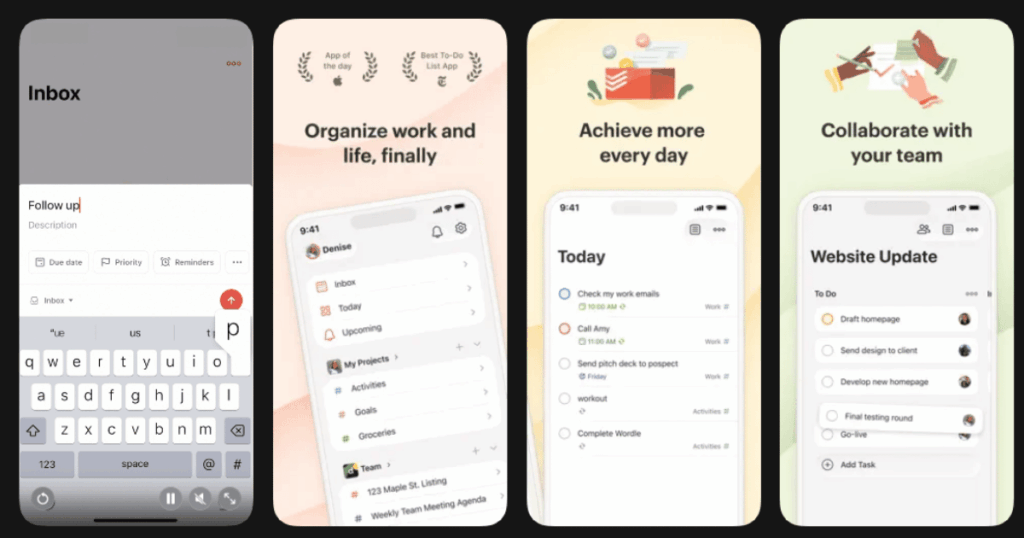
Todoist is not designed specifically for neurodivergent users, but its clean design makes it a favorite anyway. The minimalist interface reduces visual clutter and cognitive load. Many ADHD coaches recommend it for people who get overwhelmed by complicated apps.
The priority flag system using P1 through P4 helps you instantly see what needs attention first. The Today view shows only what matters right now. Natural language input lets you type things like “call mom tomorrow at 3pm” and it just works.
Key Features:
- Clean minimalist design that reduces visual overwhelm and distraction
- Priority flags and color coded labels for quick task scanning
- Recurring reminders and due dates that work across all devices
What I like: Todoist gets out of my way and lets me focus on doing rather than organizing. The natural language input saves so much time. Integrations with other apps like Google Calendar make it even more powerful.
What I don’t like: It lacks the visual planning features that some neurodivergent users need. There is no gamification or reward system to provide motivation.
Pricing: Free version available with basic features. Premium subscription unlocks advanced tools.
Platforms: iOS, Android, Web, Desktop
What Apps Help with ADHD and Focus?
Several apps can help with ADHD and focus, but the best ones address specific challenges. Life7 and Brain.fm work on a sensory level to help regulate your nervous system and enter focus states. The scientifically designed sounds provide the stimulation ADHD brains need without causing distraction.
For task management, Tiimo and Todoist help you see your day clearly. Visual planning reduces the mental load of figuring out what to do next. Forest tackles phone addiction directly by making you accountable to a growing tree.
Goblin Tools specifically addresses task paralysis. When a project feels too big to start, breaking it into tiny steps can make all the difference.
Are There Apps Specifically Made for Neurodivergent People?
Yes! Several apps in this list were created by neurodivergent developers for neurodivergent users. Tiimo was co developed with ADHD and autism communities. Thruday was built by a founder with ADHD, autism, and epilepsy. Goblin Tools was designed specifically for executive dysfunction challenges.
Life7 offers features like vagus nerve stimulation and SOS panic sessions that directly address sensory and anxiety needs common in neurodivergent populations. Finch was designed by therapists who understand that traditional wellness approaches do not work for everyone.
The difference shows. Apps made by and for neurodivergent people avoid guilt tripping, offer gentle approaches, and provide the flexibility needed for brains that work differently.
How Do I Choose the Right App for My Needs?
Start by identifying your biggest challenge. If sensory regulation and calming anxiety are priorities, try Life7 first. If time blindness and visual planning are your struggles, Tiimo or Thruday will help most.
For motivation and reward seeking brains, gamified options like Habitica, Forest, or Finch provide that dopamine hit. If task paralysis stops you before you even start, Goblin Tools can break the cycle.
Most apps offer free versions or trials. I recommend testing two or three to see what clicks with your brain. What works perfectly for one neurodivergent person may not work at all for another. The goal is finding tools that support how your brain naturally works rather than fighting against it.