
9 Best Blue Noise Apps For Your Phone
| App Name | Best For | Key Features | AC Rating | Pricing |
|---|---|---|---|---|
| Life7 | Complete mental wellness with blue noise | Blue, white, pink, brown, green noise; Binaural beats; Backdrop mode for mixing sounds | 4.8/5 | Free trial, then subscription plans |
| myNoise | Customizable sound control | 300+ soundscapes; 10 adjustable sliders; Works offline | 4.7/5 | Free with one-time premium unlock |
| White Noise Lite | Mixing multiple noise colors | Blue, white, pink, brown, violet noise; Custom sound mixes; Background play | 4.6/5 | Free with optional upgrades |
| Headspace | Blue noise with meditation | 3D recorded soundscapes; Sleep sounds; Guided sessions | 4.5/5 | Free trial, then subscription |
| Calm | Sleep and relaxation sounds | Nature soundscapes; Sleep stories; Breathing exercises | 4.6/5 | Free trial, then subscription |
| Noise Generator | Pure generated blue noise | Real-time noise generation; Low battery usage; Timer function | 4.4/5 | Free with ads |
| Noisli | Focus and productivity | Background noise mixing; Timer function; Save custom mixes | 4.5/5 | Free with premium options |
| Sleep Sounds | Better sleep quality | Multiple noise tracks; Mix and match feature; Lullabies included | 4.3/5 | Free with in-app purchases |
| BetterSleep | Personalized sleep experience | 200+ sounds; Sound layering; Sleep tracker | 4.6/5 | Free trial, then subscription |
#1. Life7 – Best for Complete Mental Wellness with Blue Noise

Life7 is my top pick for blue noise apps. This all-in-one mental wellness app gives you way more than just blue noise. You get access to white, pink, brown, and green noise too. The app has been featured in over 1,200 editorial mentions. Users have logged more than 312 million meditation minutes!
What makes Life7 special is its Backdrop Mode. This lets you mix blue noise with sleep stories, meditations, or other content. You can layer sounds to create your perfect sleep environment. The app also includes binaural beats, isochronic tones, and special frequencies like 432 Hz and 528 Hz.
Key Features:
- Multiple noise colors including blue, white, pink, brown, and green noise
- Backdrop Mode to mix soundscapes with meditations and sleep stories
- Binaural beats, Delta waves, Theta waves, and Solfeggio frequencies
What I like: I really enjoy how Life7 goes beyond just blue noise. The app feels complete. You get breathing exercises, sleep stories for adults and kids, and even SOS sessions for anxiety. The daily content keeps things fresh. I love earning XP and building streaks. It makes meditation feel like a fun habit. The 8D sleep audio is super immersive too!
What I don’t like: The free content is a bit limited. You will need to upgrade to access the full library of sounds and features. This might be frustrating if you want everything right away.
Pricing: 7 day free trial available. Weekly, monthly, and yearly subscription plans offered. Frequent special offers pop up.
Platforms: iOS and Android
#2. myNoise – Best for Customizable Sound Control
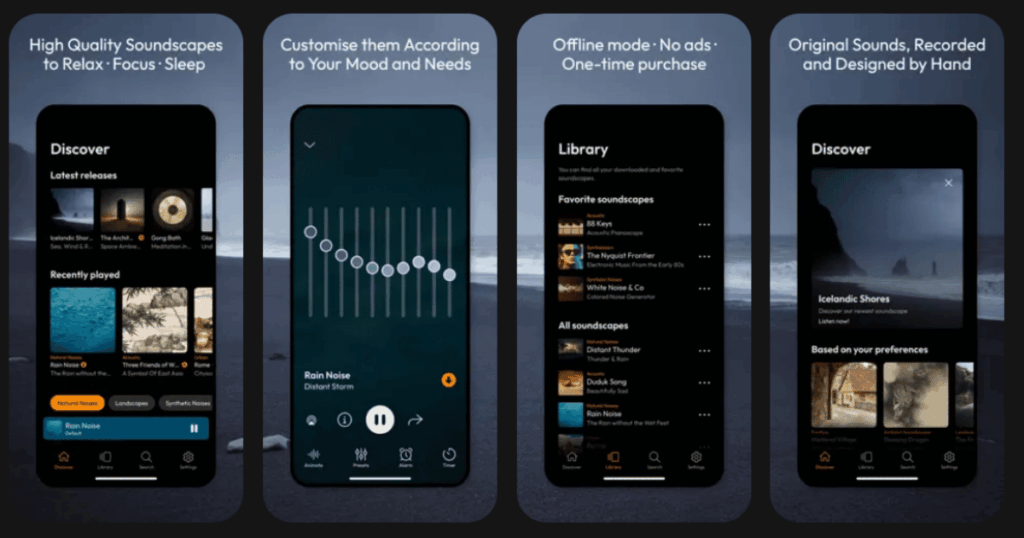
myNoise is a powerful app created by Dr. Stéphane Pigeon, a signal processing engineer. This app has been trusted by millions of users for over 10 years. It offers more than 300 unique soundscapes. Each one is carefully designed to help with focus, sleep, or relaxation.
The standout feature is the 10 adjustable sliders. These let you shape any sound to match your hearing and preferences. You can create exactly the blue noise experience you want. The app works offline too, which is great for travel.
Key Features:
- Over 300 premium soundscapes with customizable sliders
- Works offline after downloading your favorite sounds
- Created by a sound engineer for maximum quality
What I like: The customization options are incredible. I can tweak every sound to my exact liking. The one-time purchase model is refreshing. No annoying subscriptions! The quality of the recordings is noticeably better than most apps. It feels professional.
What I don’t like: The interface can feel a bit old-school compared to newer apps. Some users find the slider system confusing at first. There is a learning curve.
Pricing: Free to download with select soundscapes. One-time purchase unlocks everything forever.
Platforms: iOS and Android
#3. White Noise Lite – Best for Mixing Multiple Noise Colors
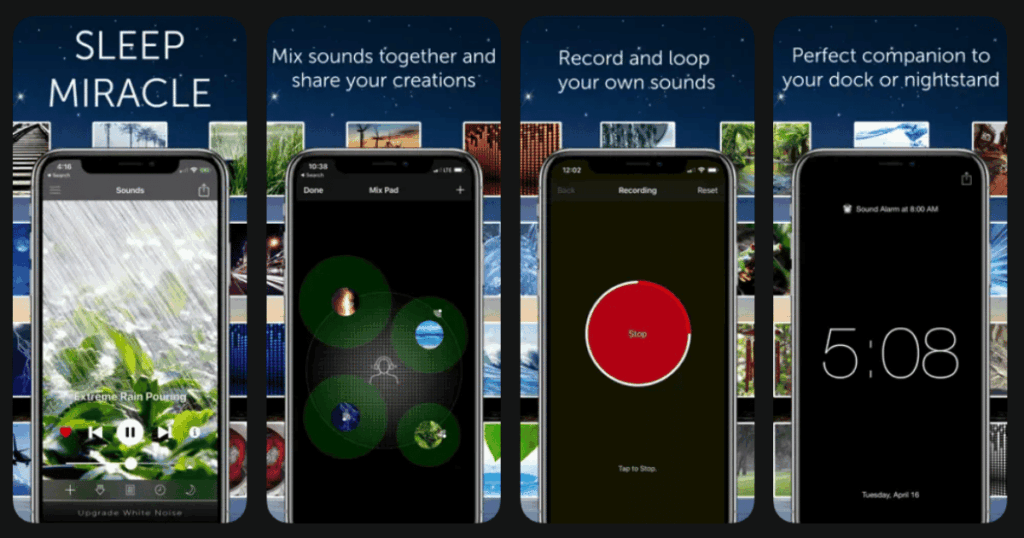
White Noise Lite offers the full rainbow of noise colors. You get blue, white, pink, brown, gray, and violet noise. The app comes with 50 pre-programmed sounds. These include rain, birds, and various ambient noises.
Creating custom mixes is simple and fun. You can layer different sounds together. Save your creations for later use. The dark interface is perfect for nighttime. Sounds keep playing even when you use other apps.
Key Features:
- Full spectrum of noise colors including blue noise
- 50 preset sounds plus custom mixing capabilities
- Background play with dark sleep-friendly interface
What I like: I appreciate how easy it is to mix sounds together. The preset mixes are thoughtfully designed. Fire, water, and wind combinations sound natural. Recording my own sounds to add to mixes is a cool bonus. Battery usage stays low.
What I don’t like: The app has ads in the free version. Some features require upgrading. The sound library is smaller than some competitors.
Pricing: Free version available. In-app purchases remove ads and add features.
Platforms: iOS and Android
#4. Headspace – Best for Blue Noise with Meditation
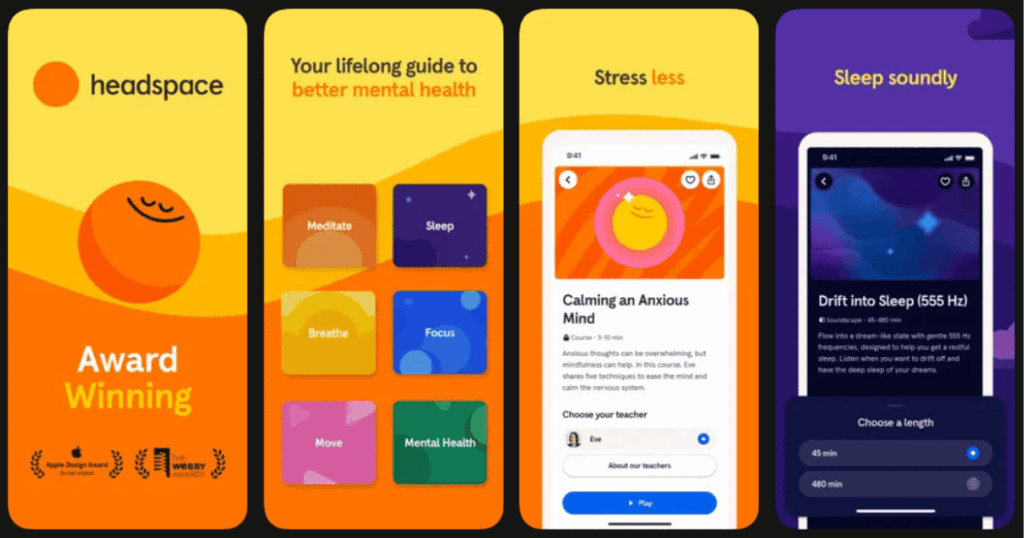
Headspace is famous for meditation. But it also has excellent blue noise and sleep sounds. The app describes blue noise as sounding like pouring sparkling water. It is best enjoyed at lower volumes. The 3D recorded soundscapes feel incredibly immersive.
The app offers over 40 soundscape tracks. Categories include waterfall, jungle, forest, and more. Everything is designed to help you sleep or relax. The cheerful animated design makes the experience enjoyable.
Key Features:
- 3D ambiance recorded soundscapes for immersive listening
- Blue noise and other sleep sounds with meditation integration
- Guided programs for sleep, focus, and stress relief
What I like: The quality of recordings is outstanding. I feel transported to another place. Combining blue noise with guided meditation works really well. The sleep section has darker colors that help at night. Celebrity narrators add a special touch.
What I don’t like: You cannot run Headspace in the background easily. Most premium features need a subscription. The extra steps to play sounds can feel clunky.
Pricing: Free trial available. Monthly or yearly subscription required for full access.
Platforms: iOS, Android, and Apple Watch
#5. Calm – Best for Sleep and Relaxation Sounds
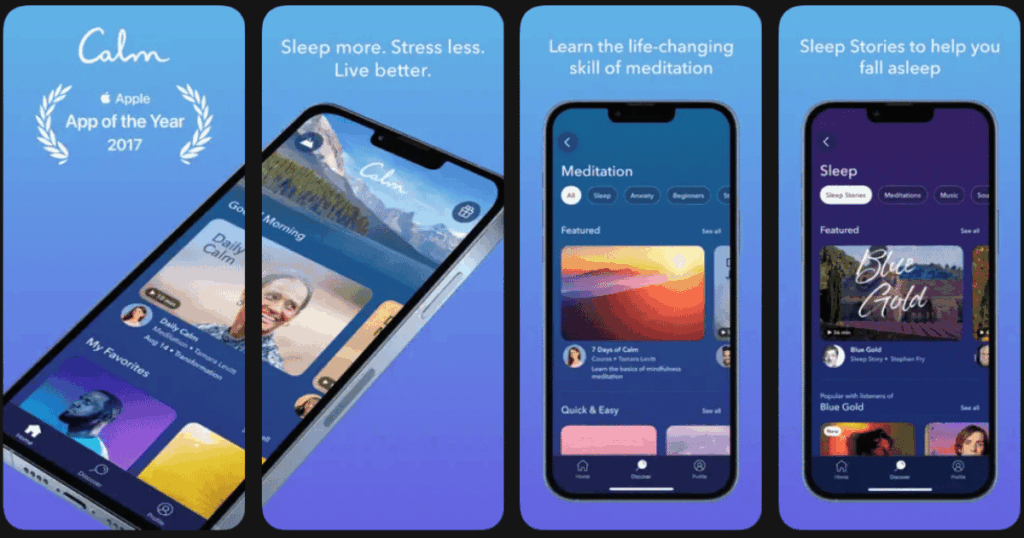
Calm is the most popular meditation app for good reason. It offers an impressive library of over 500 sleep sounds. You can find nature sounds, different noise frequencies, and soothing music. New content is added monthly.
The app includes Sleep Stories narrated by famous voices. Breathing exercises help lower your heart rate before bed. The Sleep Check-In feature tracks your sleep patterns over time.
Key Features:
- 500+ sleep sounds including various noise colors
- Celebrity-narrated Sleep Stories for adults and children
- Breathing exercises and sleep tracking built in
What I like: The variety of content is amazing. I never get bored. The celebrity narrations make sleep stories feel special. Customizing the background and playlist to my mood is a nice touch. The app looks beautiful and feels calming.
What I don’t like: Calm is expensive compared to other options. Most content sits behind the paywall. Free users get very limited access to features.
Pricing: Free trial available. Subscription required for premium content. Annual and lifetime options exist.
Platforms: iOS and Android
#6. Noise Generator – Best for Pure Generated Blue Noise
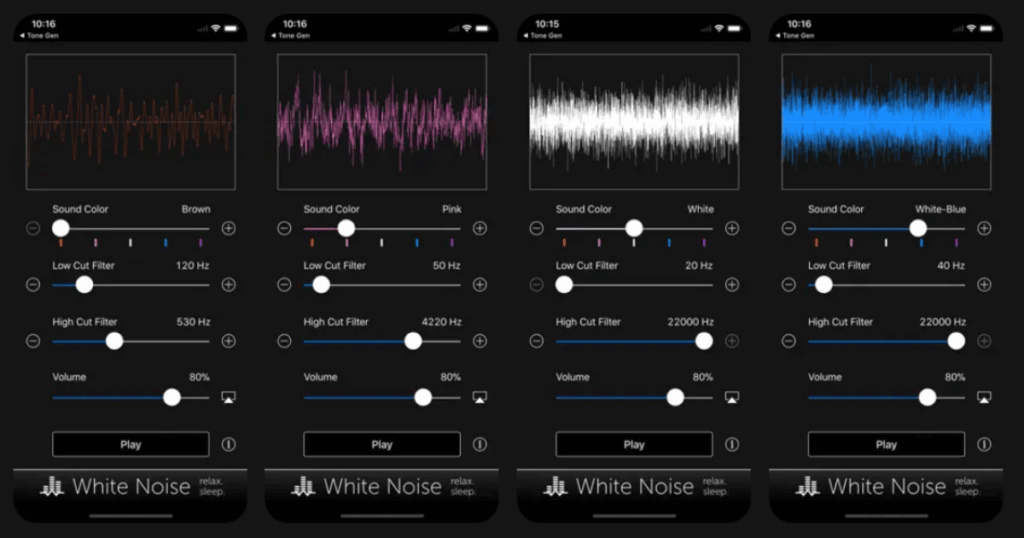
Noise Generator does one thing really well. It creates true, real-time noise. No pre-recorded files here. The sounds are generated dynamically on your phone. This means tiny storage usage and endless playback.
You can mix different noise colors together. High and low cutoff filters let you customize the sound. The app is simple and focuses on pure noise generation.
Key Features:
- Real-time noise generation without pre-recorded files
- Multiple noise colors including blue, purple, green, and grey
- Mixing capabilities with customizable filters
What I like: The simplicity is refreshing. No clutter or unnecessary features. The noise sounds authentic and smooth. Physical volume buttons work perfectly. Notification controls make it easy to manage. Very low battery drain.
What I don’t like: Currently only available on Android. No guided content or additional wellness features. Very basic interface with minimal design.
Pricing: Free to use with ads.
Platforms: Android only
#7. Noisli – Best for Focus and Productivity
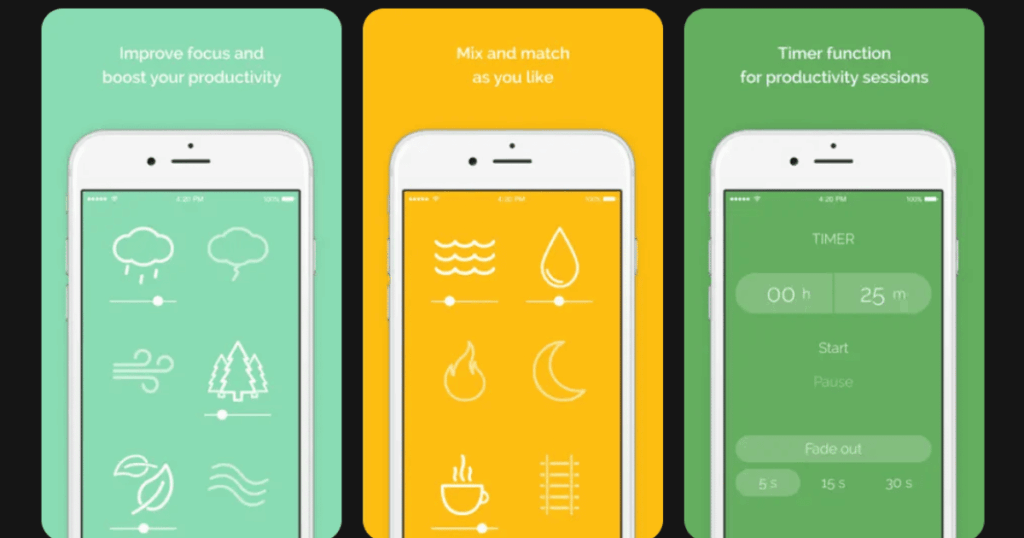
Noisli is built for people who need to concentrate. The app combines various ambient sounds to boost productivity. You get rain, thunder, ocean waves, and traditional noise colors. Creating custom sound mixes is straightforward.
The timer function helps with focused work sessions. Save your favorite mixes to access them quickly. The app works great for studying, writing, or working from home.
Key Features:
- Background noise mixing for enhanced productivity
- Timer function for focused work sessions
- Save and access custom sound combinations
What I like: The productivity focus sets this app apart. My custom mixes save automatically. The sounds blend together naturally. I find myself more focused when using it. Clean interface keeps distractions away.
What I don’t like: The sound library is smaller than some alternatives. Premium features require payment. No meditation or sleep-specific content included.
Pricing: Free version available. Monthly or yearly subscription for premium access.
Platforms: iOS and Android
#8. Sleep Sounds – Best for Better Sleep Quality
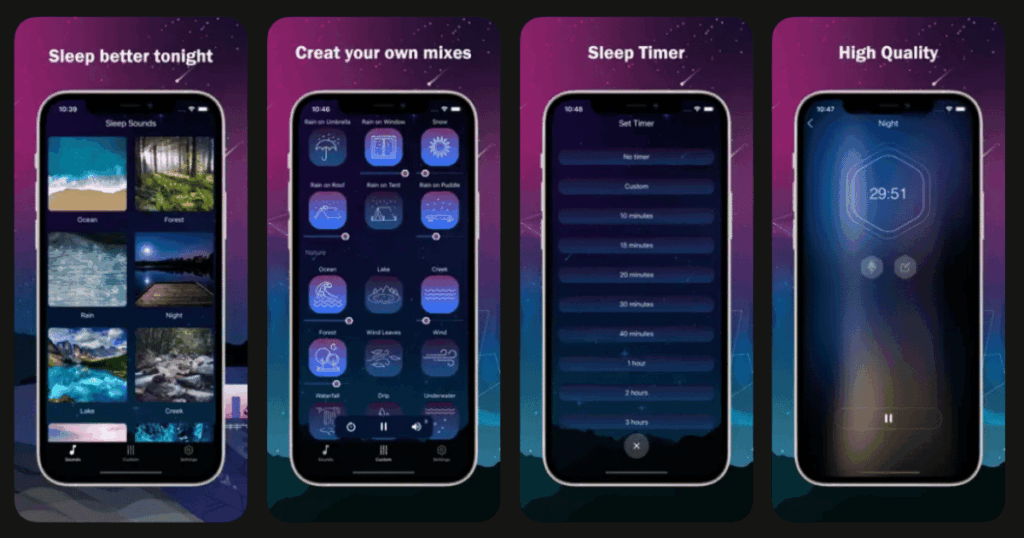
Sleep Sounds focuses entirely on helping you sleep. The app offers versatile noise tracks designed to fight insomnia. You can also find classical music and lullabies. This makes it family-friendly.
Mix and match audio themes to create your ideal sleep sound. The interface is clean and easy to navigate at night. Many users report falling asleep faster with this app.
Key Features:
- Versatile white noise and sleep tracks
- Mix and match feature for custom soundscapes
- Lullabies and classical music for the whole family
What I like: The focus on sleep makes this app straightforward. No confusing extras. Mixing sounds is intuitive. The lullaby section is perfect for kids. Sounds play smoothly without interruption.
What I don’t like: Limited free content available. Some sounds feel repetitive. No meditation or focus features included.
Pricing: Free with in-app purchases for premium sounds.
Platforms: iOS and Android
#9. BetterSleep – Best for Personalized Sleep Experience
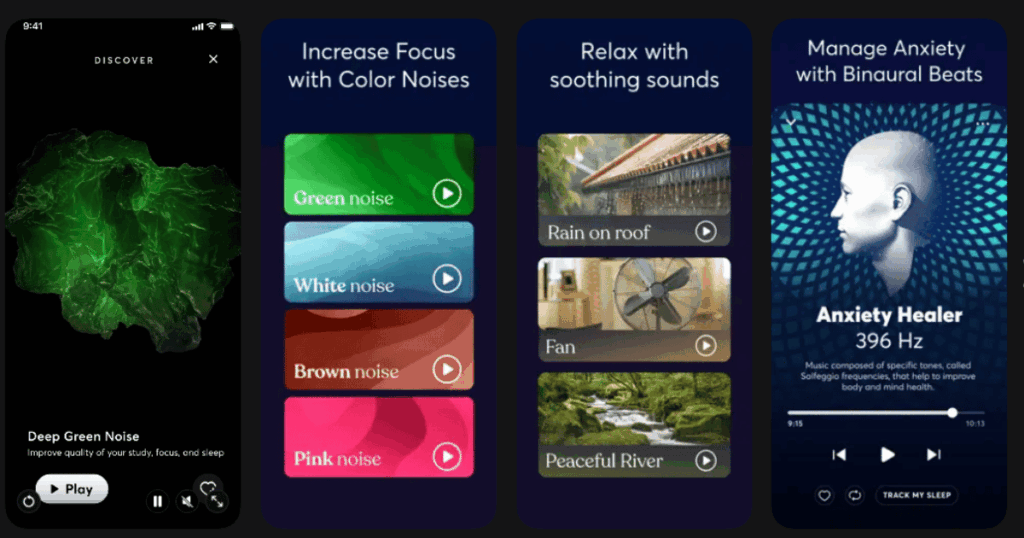
BetterSleep, formerly known as Relax Melodies, offers over 200 soothing sounds. The sleep tracker helps you understand your patterns. Sound layering lets you create unique combinations.
The app learns from your habits over time. Recommendations become more personalized. Categories are well organized for easy browsing.
Key Features:
- 200+ soothing sounds sorted into helpful categories
- Sound layering system for personalized mixes
- Built-in sleep tracker with pattern analysis
What I like: The personalization is impressive. The app feels smarter the more I use it. Layering sounds gives me control. The sleep data helps me spot trends. Community features let you share sounds.
What I don’t like: Full features require a subscription. The app can feel overwhelming at first. Some sounds are only available with premium access.
Pricing: Free trial available. Subscription required for full access.
Platforms: iOS and Android
What is Blue Noise and How Does it Help?
Blue noise has a unique sound profile. It emphasizes higher frequencies. Think of it as a high-pitched hiss, like water spraying. Unlike white noise, blue noise sounds more energetic and active.
Many people find blue noise helpful for focus and concentration. The consistent sound masks distracting noises around you. Some research suggests it can help with ADHD symptoms. Others use it for meditation and relaxation.
Blue noise works by giving your brain something consistent to process. This helps block out random sounds that grab your attention. The result is better focus and a calmer mind.
Is Blue Noise Better Than White Noise for Sleep?
The answer depends on you personally. White noise contains all frequencies equally. Blue noise has more energy in higher frequencies. Some sleepers prefer the softer sound of white or brown noise.
Blue noise works well for people who find lower frequencies too boomy. If white noise sounds too static-like, blue might be better. Many apps let you try different colors to find your match.
The best approach is experimenting. Try blue noise for a few nights. Then compare with white or pink noise. Your ears and brain will tell you what works best.
Can I Use Blue Noise Apps All Night Long?
Yes, most blue noise apps are designed for overnight use. Look for apps with timer functions and background play. These features ensure sounds keep playing even when your screen turns off.
Keep your volume at a comfortable level. Too loud can disturb your sleep or damage hearing over time. Most experts suggest keeping background noise at a moderate level.
Battery usage is a consideration for overnight use. Apps that generate noise in real-time often use less battery. Check if your chosen app has a low-power mode. Keeping your phone plugged in overnight is also a simple solution.