
9 Best Brain Reset Apps For Your Phone
| App Name | Best For | Key Features | AC Rating | Pricing |
|---|---|---|---|---|
| Life7 | Complete mental wellness | Binaural beats, sleep stories, SOS sessions | 4.8/5 | Free trial, then subscription plans |
| Headspace | Beginners to meditation | Guided sessions, sleep sounds, mental health coaching | 4.7/5 | Free trial, then subscription plans |
| Calm | Sleep improvement | Sleep stories, nature sounds, breathing exercises | 4.6/5 | Free trial, then subscription plans |
| Insight Timer | Free meditation content | 200,000+ free meditations, community features, timer | 4.5/5 | Free with optional premium |
| Balance | Personalized meditation | AI personalization, skill building, sleep tools | 4.7/5 | One year free trial, then subscription |
| Lumosity | Cognitive brain training | Memory games, attention exercises, progress tracking | 4.4/5 | Free trial, then subscription plans |
| Elevate | Language and math skills | Writing exercises, reading challenges, daily workouts | 4.5/5 | Free trial, then subscription plans |
| Peak | Fun brain challenges | 40+ games, personal coach, progress comparisons | 4.3/5 | Free trial, then subscription plans |
| NeuroNation | Memory and focus boost | Science based exercises, 250 levels, personalized plans | 4.4/5 | Free trial, then subscription plans |
#1. Life7 – Best for Complete Mental Wellness
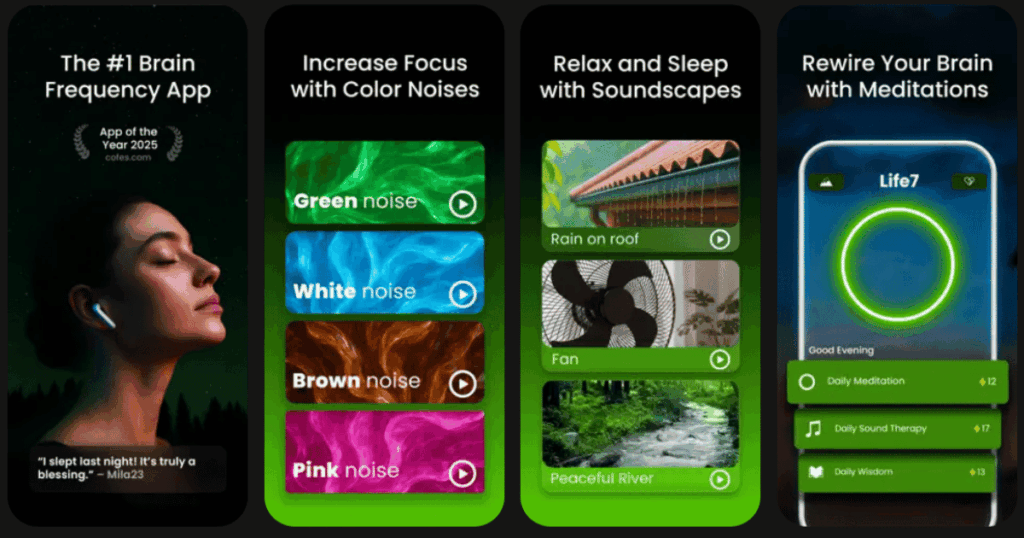
Life7 is an all in one mental wellness app that does it all. It helps you relax, sleep better, and reset your brain after a long day. The app has over 312 million meditation minutes logged by users around the world.
What makes Life7 special is the huge variety of tools it offers. You get green noise, white noise, brown noise, and pink noise to help you focus or fall asleep. There are also binaural beats and brainwave music like delta, theta, alpha, beta, and gamma waves.
The app includes SOS sessions for when you feel anxious or panicked. You can listen to bedtime stories, breathing exercises, and hypnotherapy sessions. Life7 even has vagus nerve stimulation and transcendental meditation for deeper healing.
Key Features:
- Binaural beats, isochronic tones, and solfeggio frequencies (432 Hz and 528 Hz) for deep relaxation
- SOS sessions to calm anxiety and panic attacks plus CBT and hypnotherapy content
- Gamified approach with XP rewards, streaks, mood tracking, and daily check ins
What I like: I really love how Life7 combines so many wellness tools in one place. The backdrop mode lets you mix soundscapes with meditations or sleep stories which is super cool. The daily sessions keep me coming back every day and I enjoy tracking my meditation progress on the dashboard. The gamified approach makes meditation feel fun instead of like a chore.
What I don’t like: The free content is a bit limited compared to the premium version. You really need to subscribe to get the full experience and unlock all the amazing soundscapes and features.
Pricing: Life7 offers a 7 day free trial. After that you can choose from weekly, monthly, or yearly subscription plans. They often have special offers available.
Platforms: iOS and Android
#2. Headspace – Best for Beginners to Meditation

Headspace is one of the most popular meditation apps out there. It was created by a former Buddhist monk named Andy Puddicombe. The app makes meditation simple and fun even if you have never tried it before.
The app offers over 500 guided meditations to choose from. You can do quick 3 minute mental resets or longer sessions depending on your schedule. Headspace uses colorful animations and easy to follow instructions that keep you engaged.
What I find cool is that Headspace is backed by real science. Studies show it can help increase happiness and reduce stress in just 10 days. The app also offers sleep sounds, focus music, and even access to mental health coaches.
Key Features:
- Over 500 guided meditations with 3 minute quick resets and longer deep sessions
- Sleep content including sleepcasts, relaxing sounds, and bedtime wind downs
- Mental health coaching and AI powered support through their Ebb companion
What I like: I appreciate how Headspace breaks everything down into simple steps. The animations are cute and help explain meditation concepts in a way anyone can understand. The sleepcasts are amazing and really help me drift off to sleep peacefully. It feels like having a patient teacher with me every step of the way.
What I don’t like: The subscription can feel pricey compared to some other apps. Also the free content is pretty limited so you really need to pay to get the most out of Headspace.
Pricing: Headspace offers a free trial to start. After that you can choose monthly or annual subscription plans. Student and family plans are also available.
Platforms: iOS and Android
#3. Calm – Best for Sleep Improvement
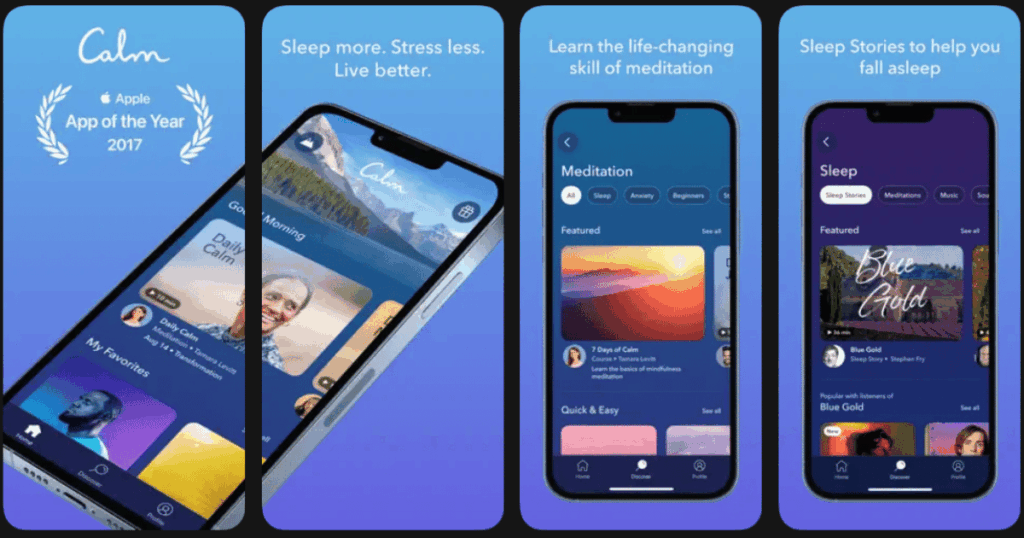
Calm is known as the number one app for meditation and sleep. It helps millions of people manage stress, sleep better, and live happier lives. The app focuses heavily on helping you get restful sleep every night.
One of the coolest features is Sleep Stories. These are bedtime stories read by famous voices like Harry Styles, Matthew McConaughey, and more. The stories are designed to help your mind relax and drift off to sleep naturally.
Calm also offers breathing exercises, relaxing music, and nature sounds. There is even a Panic SOS feature for moments when you feel really stressed or anxious. The app adds new content every month so there is always something fresh to try.
Key Features:
- Over 500 Sleep Stories narrated by celebrities and expert storytellers
- Breathe Bubble feature for instant stress relief and grounding
- Nature scenes and soundscapes plus relaxing music for focus and sleep
What I like: The Sleep Stories are absolutely my favorite part of Calm. There is something magical about being read to sleep by a soothing voice. The app design is beautiful and calming just to look at. I also love the Panic SOS feature which has helped me through some stressful moments.
What I don’t like: Like other premium apps the free version is very limited. The lifetime plan is quite expensive even though it saves money in the long run.
Pricing: Calm offers a free trial period. After that you can choose monthly, yearly, or lifetime subscription options.
Platforms: iOS and Android
#4. Insight Timer – Best for Free Meditation Content

Insight Timer is the king of free meditation content. It has over 200,000 free guided meditations which makes it the largest collection anywhere. The app started as a simple meditation timer but has grown into so much more.
You get access to thousands of teachers and experts from around the world. There are meditations for sleep, stress, anxiety, and just about any topic you can think of. The app also has live events, workshops, and community features to connect with other meditators.
What makes Insight Timer special is that most features are completely free. You can meditate every day without paying a cent. There is a premium version if you want extra features like offline listening and advanced courses.
Key Features:
- Over 200,000 free guided meditations with 80 new ones added daily
- Community features including groups, live events, and the ability to connect with friends
- Customizable meditation timer for self guided practice
What I like: I love that Insight Timer gives so much away for free. The variety of teachers and styles is incredible so you can always find something that fits your mood. The community aspect is really nice too. It feels good knowing that thousands of people around the world are meditating at the same time.
What I don’t like: The app can feel cluttered with so many options and social features. Some basic functions like fast forward and rewind are locked behind the premium plan which feels odd.
Pricing: The core app is completely free. The premium MemberPlus plan is available for monthly or yearly subscription if you want extra features.
Platforms: iOS and Android
#5. Balance – Best for Personalized Meditation
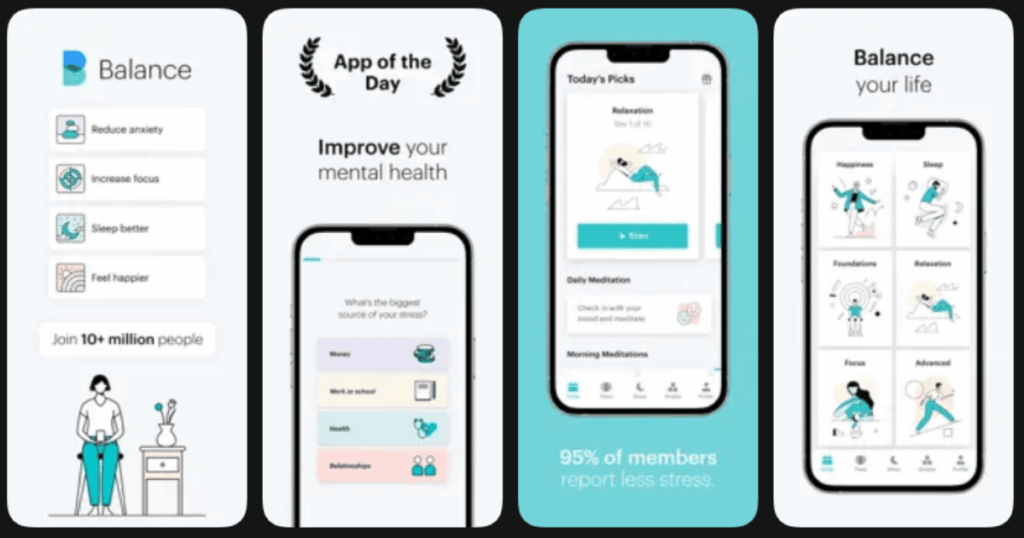
Balance takes a unique approach to meditation. It creates a personalized program just for you based on your goals, skill level, and preferences. The app learns from your feedback and adjusts your sessions over time.
When you first open the app you answer a few questions about yourself. Then Balance builds a custom meditation plan that fits your needs. You can focus on reducing stress, improving sleep, boosting your mood, or sharpening your focus.
The app teaches you actual meditation skills as you go along. You start with short easy sessions and build up to longer more advanced practices. Two expert coaches named Ofosu and Leah guide you through every step.
Key Features:
- Fully personalized meditation programs that adapt to your skill level and goals
- Ten different meditation techniques taught progressively including breath focus and body scan
- Sleep meditations, wind downs, and white noise sounds for better rest
What I like: I appreciate how Balance feels like having a personal meditation coach. The sessions change based on how I answer the daily questions which keeps things fresh. The one year free trial is incredibly generous and lets you really try out the app before paying anything. The teaching approach actually helped me build real skills.
What I don’t like: The meditation library is smaller compared to bigger apps like Headspace or Calm. If you want tons of variety this might not be the best choice.
Pricing: Balance offers an amazing one year free trial. After that you can continue with a monthly or yearly subscription plan.
Platforms: iOS and Android
#6. Lumosity – Best for Cognitive Brain Training
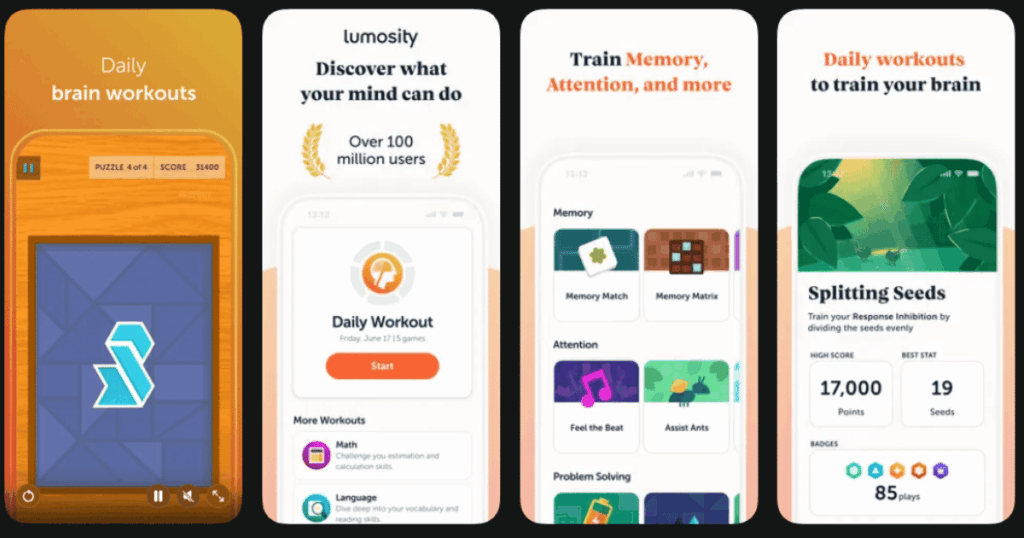
Lumosity is one of the original brain training apps. It was developed by neuroscientists and has been around for over a decade. The app uses fun games to exercise your brain and improve your thinking skills.
When you sign up you take a fit test that measures your cognitive abilities. Then Lumosity creates a personalized training program just for you. The games target five main areas including memory, attention, speed, flexibility, and problem solving.
The app encourages you to play a little bit every day. You can track your progress and see how you compare to others in your age group. Daily workouts usually take about 10 to 15 minutes so they fit easily into any schedule.
Key Features:
- Games designed by neuroscientists targeting five cognitive areas
- Personalized daily brain workouts based on your fit test results
- Progress tracking and comparison with others in your age group
What I like: The games on Lumosity are actually pretty fun and addicting. I enjoy seeing my scores improve over time and comparing myself to others. The app feels polished and well designed. It is easy to make brain training a daily habit when the games are this entertaining.
What I don’t like: Some people find the games get repetitive after a while. The premium version is needed to unlock all the games and features which can feel limiting on the free plan.
Pricing: Lumosity offers a free version with limited games. Premium subscription plans are available monthly or yearly for full access.
Platforms: iOS and Android
#7. Elevate – Best for Language and Math Skills

Elevate focuses on practical brain skills that you use every day. Instead of abstract puzzles it helps you improve reading, writing, math, and communication. The app is like having a tutor in your pocket that makes learning fun.
The training covers things like vocabulary, grammar, reading comprehension, and mental math. Each game is designed to be challenging but not frustrating. As you get better the difficulty increases to keep pushing you forward.
I find Elevate helpful for real world situations. The skills you practice actually transfer to your daily life. Whether you are writing an email or calculating a tip you will notice the difference over time.
Key Features:
- Training in reading, writing, speaking, math, and listening skills
- Personalized daily workouts with games that increase in difficulty
- Progress tracking to see your improvement in each skill area
What I like: Elevate feels more practical than other brain training apps I have tried. The games target skills I actually use in my everyday life which makes the training feel worthwhile. The interface is clean and motivating. I actually look forward to my daily workout which is surprising for something educational.
What I don’t like: If you are looking for relaxation or meditation this is not the app for that. It is focused purely on brain training and skill building.
Pricing: Elevate has a free version with limited daily games. Pro subscriptions are available monthly or yearly for full access to all content.
Platforms: iOS and Android
#8. Peak – Best for Fun Brain Challenges

Peak makes brain training feel like playing video games. The app has over 40 unique games developed with help from neuroscientists. You get a personal coach that guides you and encourages you to reach your goals.
Each game challenges different cognitive skills like memory, attention, language, and problem solving. You can see how you compare with friends or others in your age group. The competitive element makes training more engaging and fun.
Peak encourages you to use it three times a week rather than every day. This approach feels less overwhelming and helps prevent burnout. The games are colorful and entertaining which keeps you coming back.
Key Features:
- Over 40 brain games developed with neuroscientists and universities
- Personal coach feature that guides your training and tracks progress
- Comparison features to see how you rank against friends and your age group
What I like: The games on Peak are genuinely fun to play. I love the coach feature that keeps me motivated and on track. Being able to compare with friends adds a fun competitive element. The visual design is clean and appealing which makes the app a pleasure to use.
What I don’t like: You need the premium subscription to unlock unlimited games and full coaching features. The free version feels quite limited after a short time.
Pricing: Peak offers a free version with limited access. Premium subscriptions are available monthly or yearly for full features.
Platforms: iOS and Android
#9. NeuroNation – Best for Memory and Focus Boost
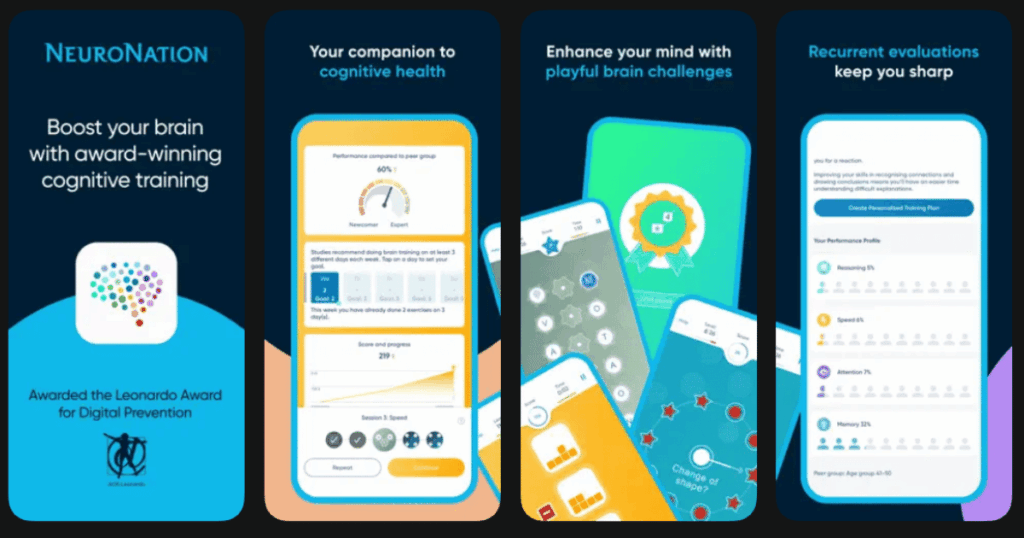
NeuroNation takes a scientific approach to brain training. The app is based on research from German universities and focuses on improving memory and concentration. It creates personalized training plans based on your specific goals.
The app offers 27 different exercises spread across 250 levels. You can track your progress and see exactly how your brain is improving. The exercises promote balance in your brain by targeting multiple cognitive areas.
NeuroNation is popular in Germany where it was developed. Many users appreciate the scientific backing and structured approach to brain training. The app makes it easy to understand your strengths and weaknesses.
Key Features:
- 27 scientifically designed exercises across 250 levels of difficulty
- Personalized training plans based on your goals and current abilities
- Detailed progress tracking and cognitive analysis
What I like: I appreciate the scientific foundation behind NeuroNation. The exercises feel purposeful and well designed. The progress tracking is detailed and helps me understand exactly where I am improving. Playing with friends adds a social element that keeps things interesting.
What I don’t like: The app interface can feel a bit clinical compared to more colorful alternatives. Some users find the exercises less entertaining than other brain training apps.
Pricing: NeuroNation has a free version with limited exercises. Premium subscriptions are available monthly or yearly for full access.
Platforms: iOS and Android
What Are Brain Reset Apps?
Brain reset apps are tools designed to help clear your mind and improve mental function. They include meditation apps, brain training games, and relaxation tools. These apps help you step away from daily stress and give your brain a healthy break.
Some apps focus on calming your mind through meditation and breathing exercises. Others use games and puzzles to exercise your brain and improve memory, focus, and problem solving. The best brain reset apps combine relaxation with mental stimulation to help you feel refreshed.
Using these apps regularly can make a real difference in how you feel each day. Even just 5 to 10 minutes can help reduce stress and sharpen your thinking. They are a great way to take care of your mental health right from your phone.
Do Brain Reset Apps Actually Work?
Research shows that meditation and brain training can have real benefits. Meditation apps can help reduce stress, improve sleep, and increase feelings of happiness. Brain training apps can improve specific cognitive skills like memory and attention.
The key is consistency. Using these apps for just a few minutes every day works better than long sessions once in a while. Over time you may notice you feel calmer, think more clearly, and sleep better.
It is important to have realistic expectations though. These apps are helpful tools but they are not miracle cures. They work best as part of a healthy lifestyle that includes good sleep, exercise, and social connection.
Which Brain Reset App Should I Choose?
The best app for you depends on what you need most. If you want an all in one solution for meditation, sleep, and mental wellness then Life7 is my top recommendation. It has the most variety and covers everything from binaural beats to hypnotherapy.
If you are brand new to meditation Headspace or Balance are great starting points. They teach you the basics step by step. For free content Insight Timer cannot be beat with its massive library of meditations.
If you want to sharpen your thinking skills through games then try Lumosity, Elevate, or Peak. Each has a slightly different focus so pick based on what skills you want to improve. The good news is most apps offer free trials so you can test them before committing to a subscription.