
9 Best Dream Journal Apps For Your Phone
| App Name | Best For | Key Features | AC Rating | Pricing |
|---|---|---|---|---|
| Life7 | Complete dream and wellness journey | Lucid dreaming sessions, bedtime visualizations, REM sleep music | 4.8/5 | Free trial, subscription plans |
| Oniri | All in one dream analysis | AI dream interpretation, audio recordings, lucid dreaming tools | 4.6/5 | Free version, premium subscription |
| Lucidity | AI powered dream patterns | Symbol detection, dream statistics, mood tracking | 4.5/5 | Free version, premium tiers |
| Dream Journal Ultimate | Social dream sharing | Dream wall community, AI analysis, cloud sync | 4.4/5 | Free with premium options |
| DreamKit | Simple dream logging | Reality check reminders, PDF export, cloud backup | 4.3/5 | Free with optional features |
| Dream Catcher | Dream pattern analysis | Emotion tags, cloud sync, passcode lock | 4.2/5 | Free, one time premium |
| Capture | Lucid dreaming beginners | Audio dream induction, detailed tracking, lucid tools | 4.1/5 | Free with in app purchases |
| Awoken | Voice to text recording | Speech transcription, reality checks, word analysis | 4.0/5 | Free with premium |
| Somnio | Quick dream recording | Hashtag organization, timeline view, device sync | 3.9/5 | Free with subscription |
#1. Life7 – Best for Complete Dream and Wellness Journey
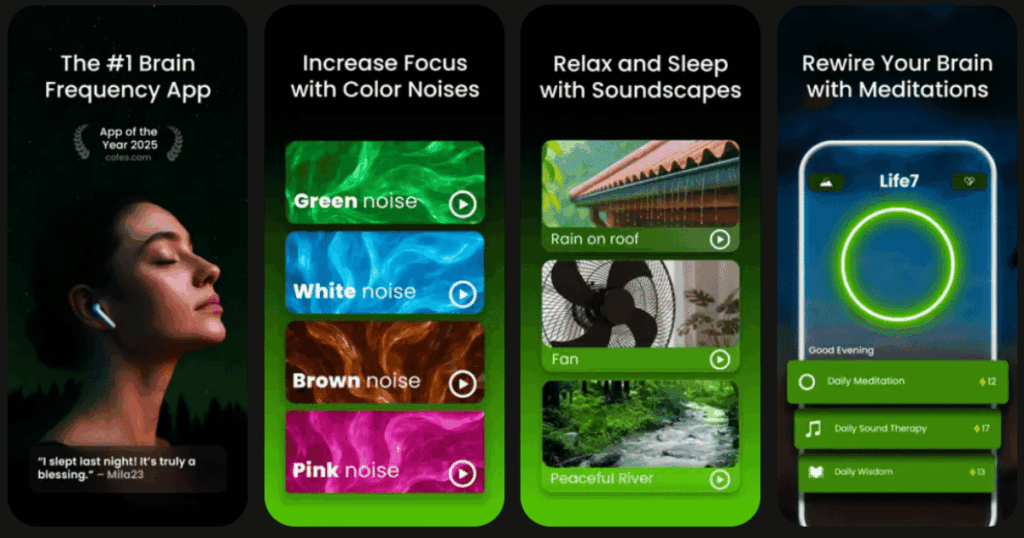
Life7 is my top pick for dream journaling because it goes way beyond just writing down dreams. This app creates a full sleep and wellness experience. You get guided lucid dreaming sessions that actually help you control your dreams.
The app includes bedtime visualizations that guide you into peaceful sleep. There is also REM sleep music designed to improve your sleep cycles. I love that it combines dream work with meditation and mental wellness all in one place.
Key Features:
- Guided lucid dreaming sessions and dream wave hypnosis for deeper dream experiences
- Bedtime visualizations with dreamy soundscapes to fall asleep fast
- REM sleep music and 8D sleep audio to improve sleep quality
What I like: Life7 feels like having a sleep therapist in your pocket. The bedtime stories for adults and children are really calming. I appreciate how it mixes different tools together. You can use brown noise or binaural beats while doing a visualization. The daily check ins help you track your mood and save thoughts for the day. It makes the whole bedtime routine feel special and relaxing.
What I don’t like: The free content is a bit limited compared to the full library. You need a subscription to unlock everything. But the 7 day free trial helps you decide if it is worth it.
Pricing: 7 day free trial available. Weekly, monthly, and yearly plans offered. Frequent special offers pop up too.
Platforms: iOS and Android
#2. Oniri – Best for All in One Dream Analysis
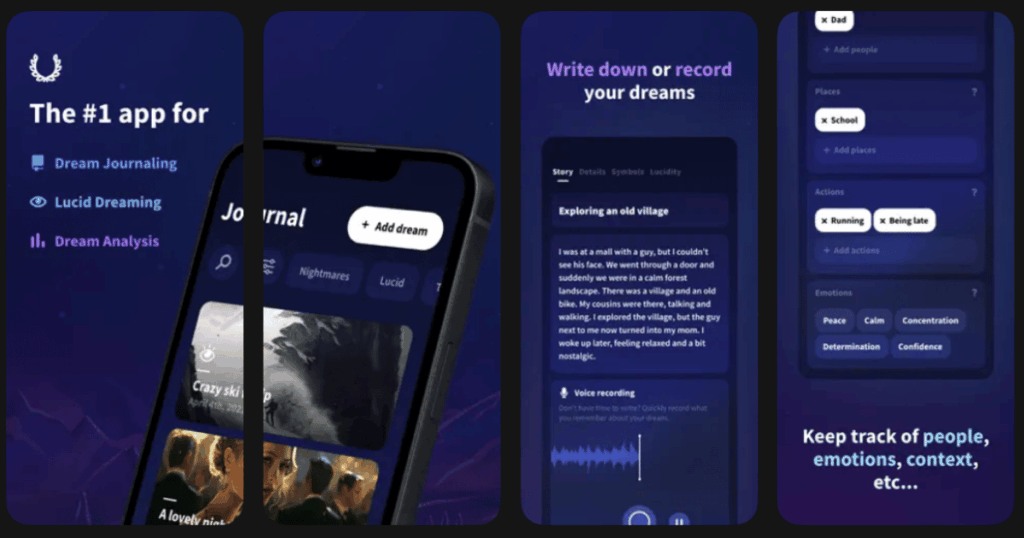
Oniri has been around since 2015 and keeps getting better. It is a beautifully designed app that makes dream journaling feel magical. The AI powered analysis helps you understand what your dreams mean.
You can write down dreams or record audio notes when you are too sleepy to type. The app tracks emotions, people, places, and actions in your dreams. This helps you spot patterns over time.
Key Features:
- AI dream interpretation based on science and personalized context
- Voice recording with transcription for quick dream capture
- Generate AI images based on your dream descriptions
What I like: The design is gorgeous and makes you want to use it. I really enjoy the calendar view for seeing my dream patterns. The lucid dreaming tools like reality check reminders are super helpful. You can even draw your dreams in the app. The PDF export feature is great for keeping a backup of your dream journal.
What I don’t like: The free version is quite limited. Some of the best features need a premium subscription. The app was iOS only for a long time which left Android users out.
Pricing: Free version available. Premium subscription unlocks full features with a free trial period.
Platforms: iOS and Android
#3. Lucidity – Best for AI Powered Dream Patterns
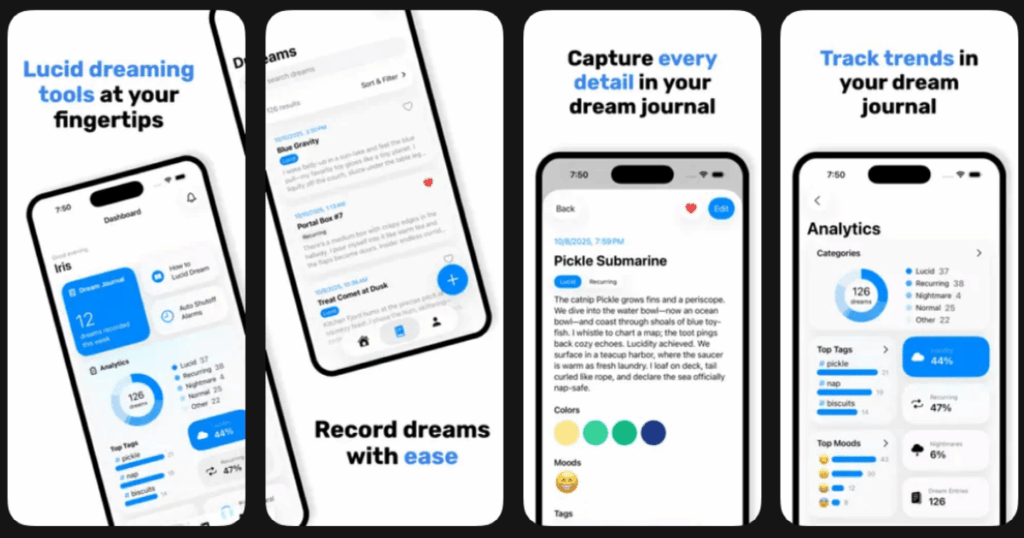
Lucidity uses AI to understand your dreams and give you insights into patterns. The app helps you develop skills to become a lucid dreamer. It has a fun and interactive tutorial to help you have your first lucid dream.
The dream journal tracks your progress with different calendar views and charts. You can set goals to remember more dreams or fight nightmares.
Key Features:
- AI dream interpretation that finds hidden meanings and symbols
- Mood tracker with journaling streaks to stay motivated
- Symbol heatmaps to see recurring themes over time
What I like: The tutorial for lucid dreaming is really well done. It breaks things down into easy steps. I love how the app uses symbols to track recurring themes in my dreams. The mood tracker helps me see connections between how I feel and what I dream. Being able to add pictures and drawings to dreams is a nice touch.
What I don’t like: The lifetime subscription price is a bit steep. The free version has ads which can break the peaceful mood of dream journaling.
Pricing: Free version with ads. Premium weekly, yearly, or lifetime subscription options.
Platforms: iOS and Android
#4. Dream Journal Ultimate – Best for Social Dream Sharing
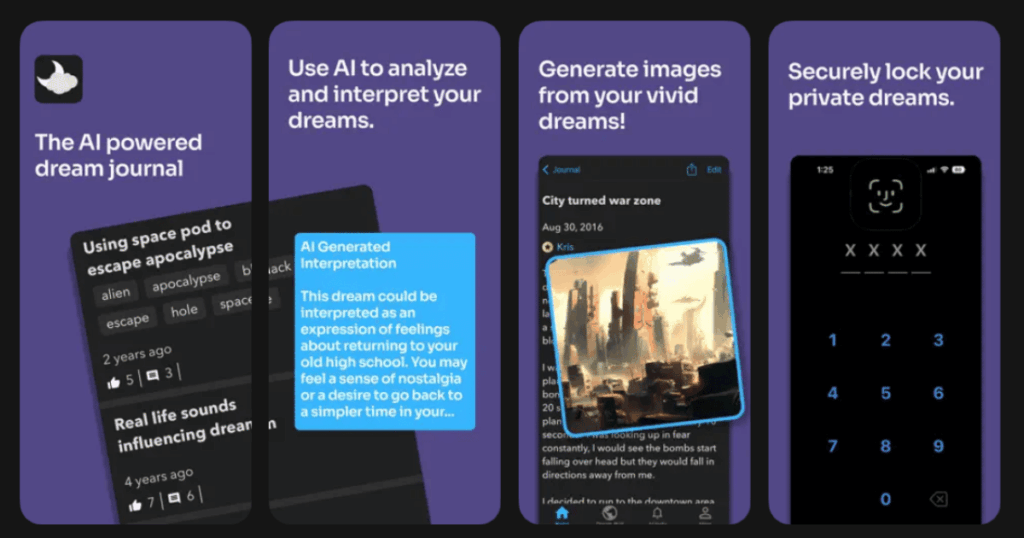
Dream Journal Ultimate lets you share dreams on a public dream wall. You can connect with other dreamers and get feedback on your experiences. The AI uses OpenAI technology to analyze your dreams.
The app stores everything in the cloud so you can access dreams from any device. Security features like pin and biometric lock keep your private dreams safe.
Key Features:
- Dream wall community for sharing and reading others dreams
- AI powered dream analysis using advanced technology
- Cloud sync to access your journal from anywhere
What I like: The social aspect is unique and fun. Reading other peoples dreams gives me ideas about what to look for in my own. The AI interpretations are surprisingly accurate and helpful. I like that I can quickly add a new dream from the home screen without entering my pin first. This saves precious seconds when dream memories are fading fast.
What I don’t like: The community feature is not for everyone. Some people prefer to keep their dreams totally private. The app could use more customization options.
Pricing: Free basic features. Premium subscription for full AI analysis and extra features.
Platforms: iOS and Android
#5. DreamKit – Best for Simple Dream Logging
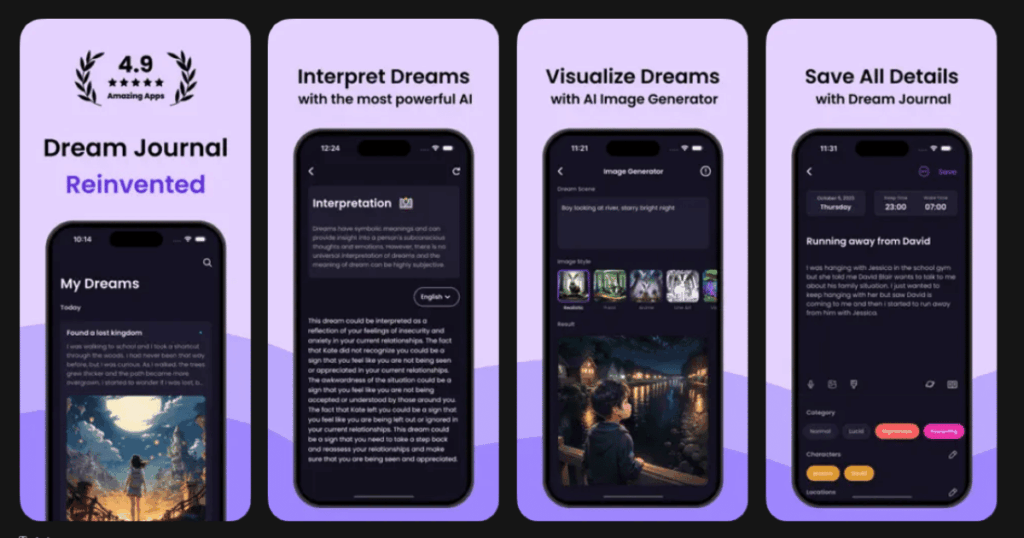
DreamKit focuses on the basics of dream journaling done well. It helps you keep track of dreams, get interpretations, and start lucid dreaming. The interface is clean and easy to use.
The app includes reality check reminders that are important for lucid dreaming. You can export your dream journal to PDF and back up to the cloud.
Key Features:
- Dream interpretation based on your journal entries
- AI art generation to visualize your dreams
- Passcode and biometric lock for privacy
What I like: DreamKit does not overwhelm you with features. It keeps things simple and focused. The reality check reminders helped me have my first lucid dream. I appreciate the curated dream articles that teach you more about dreaming. The many customization options let you make the app feel like yours.
What I don’t like: Some users report occasional bugs with the app. The dream database for interpretations could be more extensive.
Pricing: Free to use with optional premium features.
Platforms: iOS and Android
#6. Dream Catcher – Best for Dream Pattern Analysis
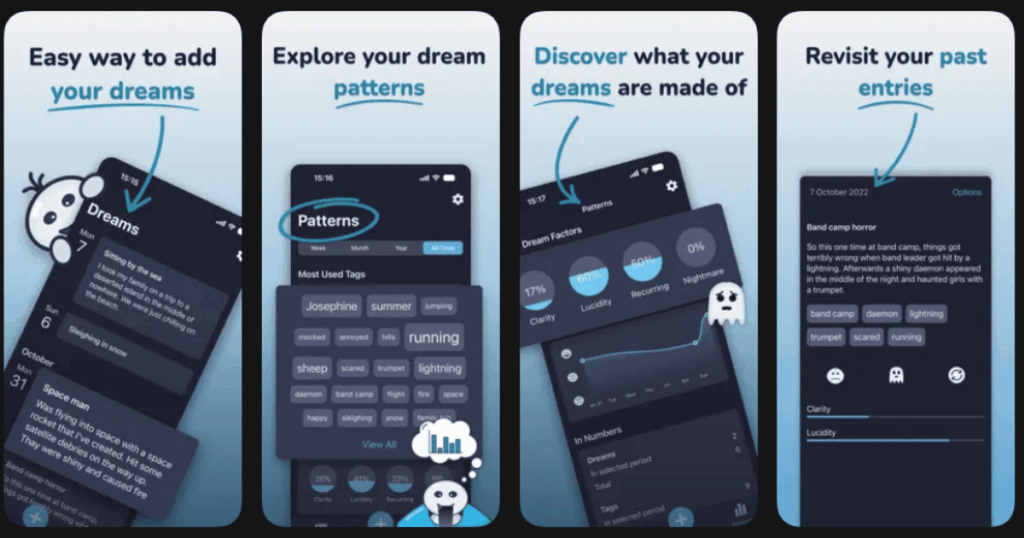
Dream Catcher is built for logging and analyzing dreams quickly. You can add as much detail as you want and mark dreams with tags and emotions. The more you log, the more detailed your dream patterns become.
The app shows what you dream about most and how you felt in your dreams. This helps you understand your subconscious mind better.
Key Features:
- Detailed pattern analysis based on emotions, tags, and themes
- Cloud sync across unlimited devices
- Passcode and fingerprint lock for security
What I like: The pattern analysis is really eye opening. I discovered I dream about water way more than I realized. The dark background theme is perfect for middle of the night entries. Reminders help me log dreams right when I wake up before I forget. The cloud backup gives me peace of mind.
What I don’t like: There is no dream dictionary built in. Having to look up dream meanings elsewhere is a bit annoying. The pro version costs extra for features that some apps offer free.
Pricing: Free version available. One time premium purchase unlocks all features.
Platforms: Android primarily with cloud web access
#7. Capture – Best for Lucid Dreaming Beginners
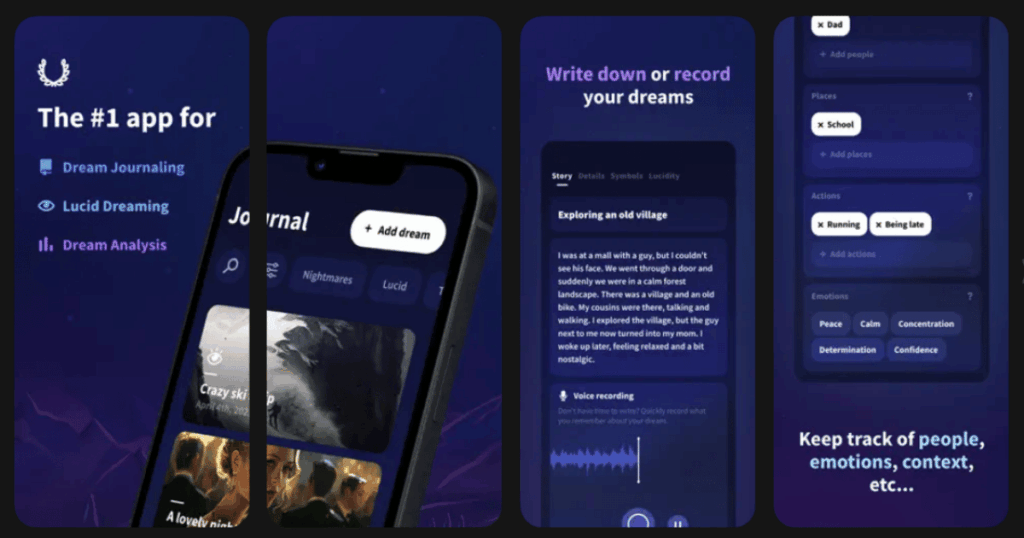
Capture works as a dream journal and lucid dreaming trainer in one. You write down your dreams and add extra details about people, places, and motifs. The advanced tools help increase your chances of having lucid dreams.
The app uses audio dream induction and reality checks to guide you toward lucidity. It is great for people just starting their lucid dreaming journey.
Key Features:
- Audio tools for lucid dream induction
- Detailed element tracking for people, places, and symbols
- Reality check system to boost lucid dreaming chances
What I like: The focus on actually achieving lucid dreams sets this app apart. It is not just about recording but about improving your dream life. The element tracking helps me see connections between my waking life and dreams. The interface guides you through everything step by step.
What I don’t like: Some features feel a bit complex for absolute beginners. The app could benefit from more tutorial content to help new users.
Pricing: Free basic version. In app purchases for advanced features.
Platforms: iOS and Android
#8. Awoken – Best for Voice to Text Recording
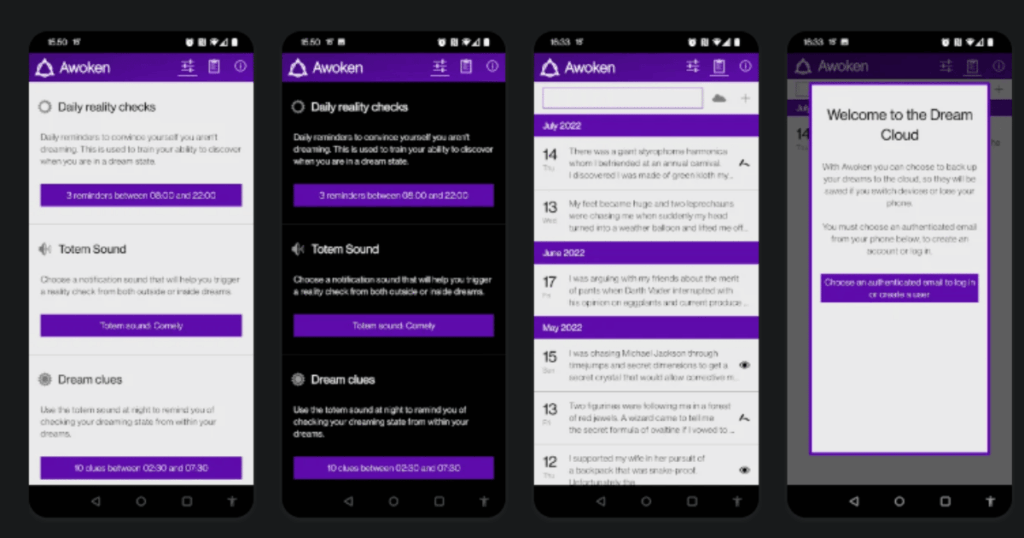
Awoken is perfect for those groggy mornings when typing feels impossible. The speech to text feature lets you speak your dream out loud and have it transcribed. This captures details that might fade while you fumble with a keyboard.
The app analyzes the most common words and topics from your journal. This helps you understand recurring themes in your dreams.
Key Features:
- Speech to text transcription for easy dream capture
- Word and topic frequency analysis
- Cloud backup with multiple account support
What I like: The voice recording saves so many dream details. I can ramble about my dream while still half asleep. The word frequency list showed me patterns I never noticed before. Reality checking reminders keep me practicing for lucid dreams. Having cloud backup on multiple accounts is nice for extra security.
What I don’t like: The interface looks a bit dated compared to newer apps. Some advanced features require extra setup that can be confusing.
Pricing: Free with optional premium features.
Platforms: Android primarily
#9. Somnio – Best for Quick Dream Recording
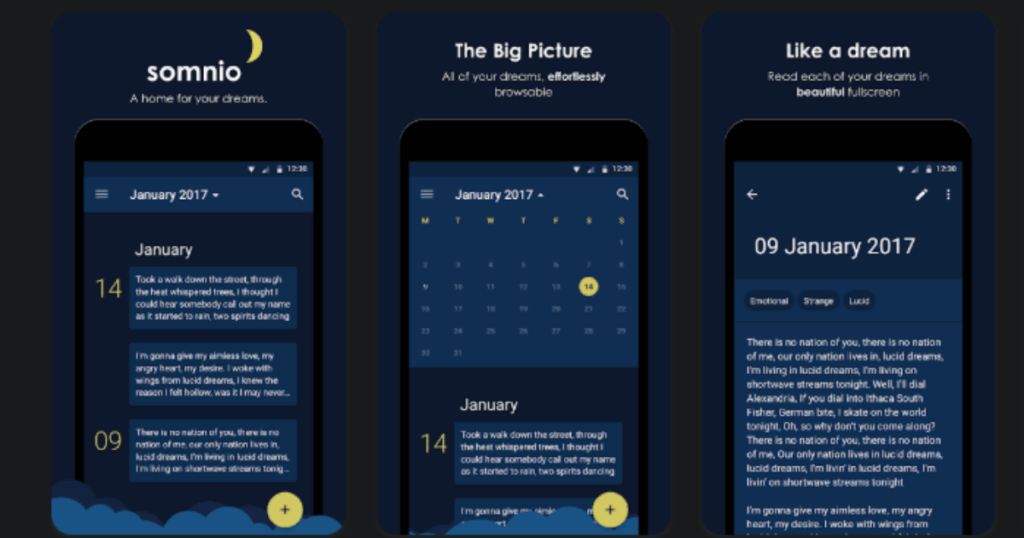
Somnio makes dream recording as fast as possible. With just a tap you can start recording and dreams organize themselves in a timeline. The calendar gives you easy access to any dream from a specific date.
The app uses hashtags for organizing dreams which makes searching later super easy. Everything stays synced across all your devices.
Key Features:
- One tap dream recording with automatic timeline organization
- Hashtag system for easy categorization and searching
- Multi device sync to access dreams anywhere
What I like: The speed of entry is unmatched. When you are half asleep, every second counts. I love the night friendly design that does not hurt my eyes in the dark. The hashtag system helps me find specific dreams months later. Being able to export to other apps is a nice bonus.
What I don’t like: The feature set is more basic than other apps. There is no AI interpretation or lucid dreaming tools built in.
Pricing: Free version available. Subscription unlocks premium features.
Platforms: iOS and Android
Why Should I Keep a Dream Journal?
Keeping a dream journal helps you remember more of your dreams. Most people forget 90% of their dreams within 10 minutes of waking up. Writing them down trains your brain to hold onto these memories longer.
Dream journals also help you notice patterns. You might discover you always dream about certain themes when you are stressed. This self awareness can help you understand yourself better. Many therapists use dream analysis as a tool for personal growth.
If you want to try lucid dreaming, a journal is essential. Recording dreams improves your dream recall. Better recall makes it easier to recognize when you are dreaming. This is the first step to controlling your dreams.
How Do Dream Journal Apps Help with Lucid Dreaming?
Dream journal apps make lucid dreaming more achievable. They include reality check reminders that ping you throughout the day. These reminders train you to question if you are dreaming. Eventually you start doing this in dreams too.
Many apps offer audio cues that play during the night. These sounds can trigger lucidity while you sleep. Some apps track your sleep cycles to time these cues perfectly. The best apps combine journaling with proven lucid dreaming techniques like MILD and WILD.
Pattern recognition is another big help. When you see that you always dream about your old school, you know to look for that setting. Spotting dream signs is a powerful path to becoming aware inside dreams.
What Features Should I Look for in a Dream Journal App?
First look for ease of entry. You want to record dreams fast before they fade. Voice recording and quick entry buttons are really helpful for groggy mornings.
Search and organization features matter a lot. Tags, categories, and date filters help you find old dreams. Pattern analysis shows you recurring themes and symbols.
Privacy is important since dreams can be very personal. Look for passcode or biometric lock options. Cloud backup is nice but make sure your data stays secure.
Consider what extras you need. AI interpretation can provide interesting insights. Lucid dreaming tools are great if that is your goal. Some people love the social features while others want complete privacy. Pick an app that matches how you want to use it.