
9 Best Manifestation Apps For Your Phone
| App Name | Best For | Key Features | AC Rating | Pricing |
|---|---|---|---|---|
| Life7 | Complete mental wellness and manifestation | Affirmations, binaural beats, sleep stories, hypnotherapy, breathing exercises | 4.9/5 | Free trial, then weekly/monthly/yearly plans |
| Gratitude: Self-Care Journal | Vision boards and gratitude journaling | Vision boards, affirmations, journal prompts, daily zen content | 4.8/5 | Free version, premium subscription available |
| I Am – Daily Affirmations | Quick daily affirmation reminders | Customizable notifications, themed backgrounds, widget support | 4.7/5 | Free with ads, premium subscription available |
| ThinkUp | Recording affirmations in your own voice | Voice recording, background music, affirmation library | 4.6/5 | Free version, monthly/yearly/lifetime options |
| Law of Attraction Toolbox | LOA exercises and games | Prepaving tools, visualization games, goal tracking | 4.8/5 | Free version, premium features available |
| Insight Timer | Meditation for manifestation | 100,000+ free meditations, sleep tracks, community features | 4.7/5 | Free version, premium membership available |
| Manifest – Law of Attraction | Daily manifestation practice | Goal setting, visualization timers, progress tracking | 4.5/5 | Free with ads, ad-free purchase available |
| Gratitude Garden | Gamified gratitude journaling | Daily prompts, mood tracking, habit building | 4.6/5 | Free version, premium features available |
| VisuApp Vision Board | Creating digital vision boards | Image uploads, affirmation scheduling, goal sections | 4.7/5 | Free version, subscription for extras |
#1. Life7 – Best for Complete Mental Wellness and Manifestation
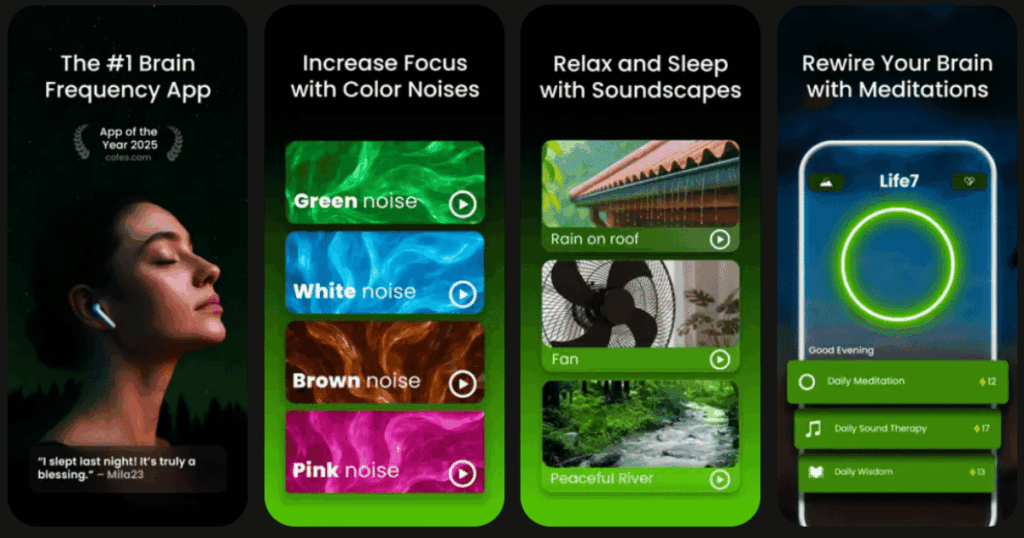
Life7 is hands down my top pick for anyone serious about manifestation. This app goes way beyond simple affirmations. It offers a complete toolkit for changing your mindset and attracting what you want in life.
What makes Life7 special is how it combines so many powerful tools in one place. You get everything from powerful affirmations to reprogram your subconscious mind to hypnotherapy sessions for deep emotional healing. The app also includes binaural beats, solfeggio frequencies, and different types of noise therapy like green, white, and brown noise.
I love that you can track your progress through a custom dashboard. The gamified approach keeps you motivated too. You earn XP and unlock premium soundscapes as you complete sessions!
Key Features:
- Daily affirmations, hypnotherapy, CBT, and vagus nerve stimulation sessions
- Binaural beats, isochronic tones, and 432 Hz/528 Hz frequencies
- Sleep stories, lucid dreaming sessions, and 8D sleep audio for deep rest
What I like: Life7 truly covers everything you need for manifestation and mental wellness in one app. I really appreciate the SOS sessions for calming anxiety and panic attacks. The breathing exercises help me reset my nervous system whenever I feel stressed. The daily check-ins keep me on track, and I love mixing soundscapes with meditations using the Backdrop Mode. Plus, with 1200+ editorial mentions, you know it’s trusted by many people.
What I don’t like: The free content is a bit limited compared to what you get with the paid version. You’ll want to upgrade to access the full library of features.
Pricing: 7-day free trial available. Weekly, monthly, and yearly subscription plans offered with frequent special offers.
Platforms: iOS and Android
#2. Gratitude: Self-Care Journal – Best for Vision Boards and Gratitude Journaling

Gratitude is a colorful and feature-packed app that helps you shift your mindset through journaling and visualization. It combines several manifestation tools into one beautiful package.
The app makes it easy to write daily journal entries with helpful prompts. You can add photos to your entries and even record your voice. The vision board feature lets you create multiple boards with sections for different goals.
What really sets this app apart is the Daily Zen section. Here you find quotes, gratitude prompts, and real stories from people who changed their lives through gratitude practice.
Key Features:
- Gratitude journal with prompts and photo attachments
- Vision board creator with multiple boards and goal sections
- Daily affirmations and inspirational content in Daily Zen
What I like: The app feels very private and secure which matters when I’m writing personal thoughts. I love the streak feature that keeps me coming back every day. The challenges like the 7-day gratitude challenge make building a habit feel fun and achievable. The clean design makes journaling a pleasant experience.
What I don’t like: Some of the best features like unlimited vision boards and the full affirmations library require a premium subscription. The free version feels somewhat limited.
Pricing: Free version available. Premium subscription unlocks additional features and content.
Platforms: iOS and Android
#3. I Am – Daily Affirmations – Best for Quick Daily Affirmation Reminders
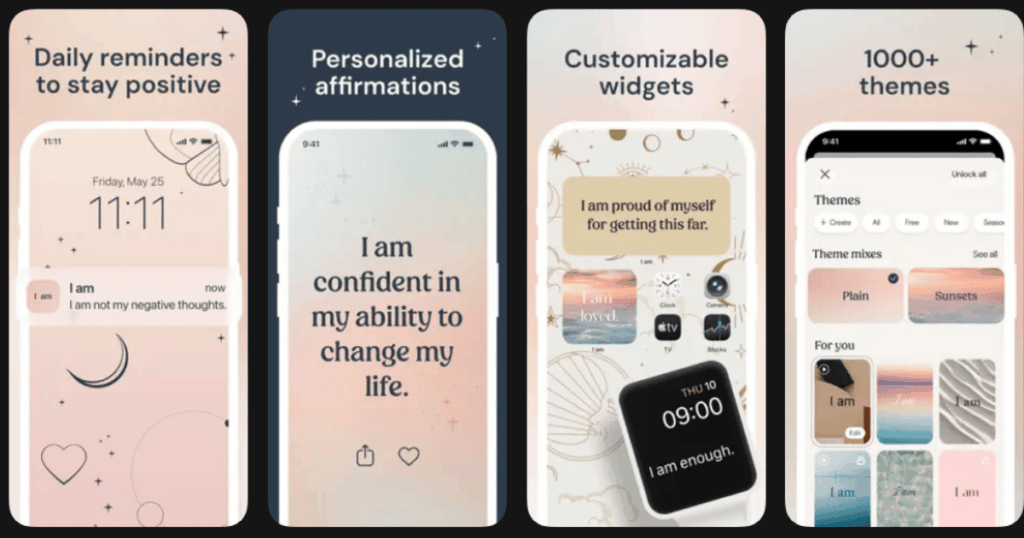
I Am is one of the most popular affirmation apps available. It has a simple goal: send you positive affirmations throughout your day to rewire your thinking patterns.
The app is super easy to use. You pick the types of affirmations you want to receive and set how many reminders you want daily. Then the app sends beautiful affirmation cards right to your phone at the times you choose.
Many users say the notifications pop up at just the right moments when they need encouragement. The widget feature lets you see affirmations right on your home screen.
Key Features:
- Customizable notification schedule and affirmation categories
- Beautiful themed backgrounds and home screen widgets
- Support for multiple languages and devices
What I like: I appreciate how the app sends affirmations at random times so they feel like pleasant surprises. The backgrounds are gorgeous and I often save them as wallpapers. It only takes a few seconds to read each affirmation but the impact lasts all day. The notifications really do seem to come at moments when I need them most.
What I don’t like: The free version has quite a few ads that pop up between screens. Some users have reported issues with notifications not syncing across devices properly.
Pricing: Free with ads. Premium subscription removes ads and unlocks more backgrounds and categories.
Platforms: iOS and Android
#4. ThinkUp – Best for Recording Affirmations in Your Own Voice
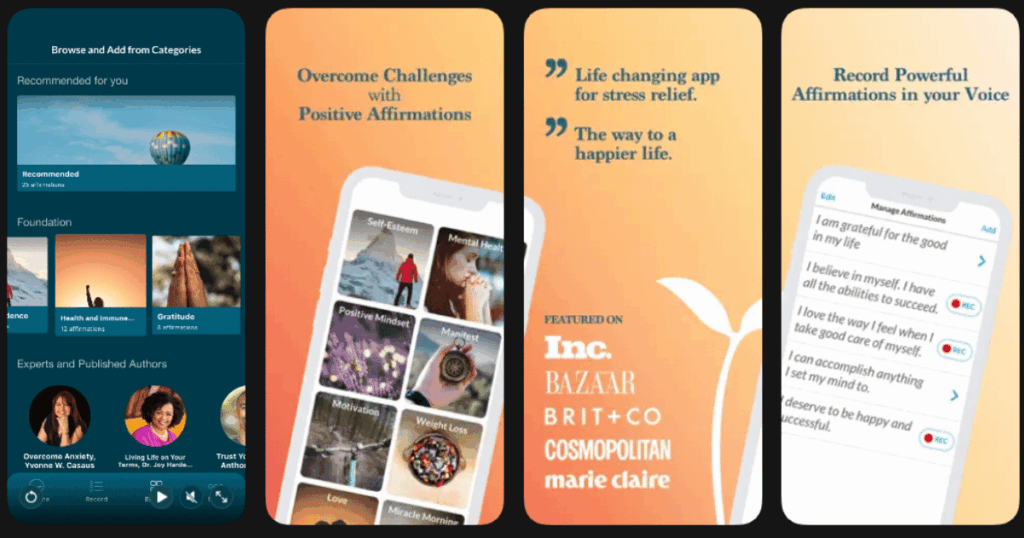
ThinkUp takes a unique approach to affirmations. Research shows that hearing affirmations in your own voice makes them much more powerful. This app lets you record your personal affirmations and play them back with soothing music.
You can choose from hundreds of expert-approved affirmations or write your own. Then you record them in your voice and create custom playlists. The app lets you pick background music that touches your soul.
Many therapists and life coaches recommend ThinkUp because it combines proven psychology with easy technology.
Key Features:
- Record unlimited affirmations in your own voice
- Choose from multiple background music options or add your own
- Set morning and evening reminders for daily practice
What I like: Hearing affirmations in my own voice feels so much more personal and believable. The ability to create custom playlists for different goals keeps my practice focused. I appreciate that top experts share their personal affirmations on the app. Setting a timer helps me make sure I practice for the right amount of time each day.
What I don’t like: The app interface can feel a bit dated compared to newer apps. Some users report issues with settings not saving properly between sessions.
Pricing: Free version includes basic features. Premium plans available monthly, yearly, or as a lifetime purchase.
Platforms: iOS and Android
#5. Law of Attraction Toolbox – Best for LOA Exercises and Games

This app is packed with interactive tools and games based on Law of Attraction teachings. It was created for people who learn best by doing rather than just reading or listening.
The toolbox includes exercises from famous LOA teachers like Abraham-Hicks. You can do prepaving for your week, work through visualization exercises, and track your progress on specific desires.
Users love that the app makes manifesting feel fun and engaging. The games help you raise your vibration and get into alignment with your goals.
Key Features:
- Multiple LOA games and exercises in one app
- Prepaving tools to set intentions for your day or week
- Save and track progress on your personal desires
What I like: The app compiles all the tools Abraham has shared in one place. I find the step-by-step prompts easy to follow. The developer actually responds to emails and keeps updating the app with new features. Having everything organized in one place makes it so much easier to practice daily.
What I don’t like: The app is only available on iOS which leaves Android users out. Some features can feel overwhelming for beginners who are new to LOA concepts.
Pricing: Free to download with optional in-app purchases for premium features.
Platforms: iOS only
#6. Insight Timer – Best for Meditation for Manifestation
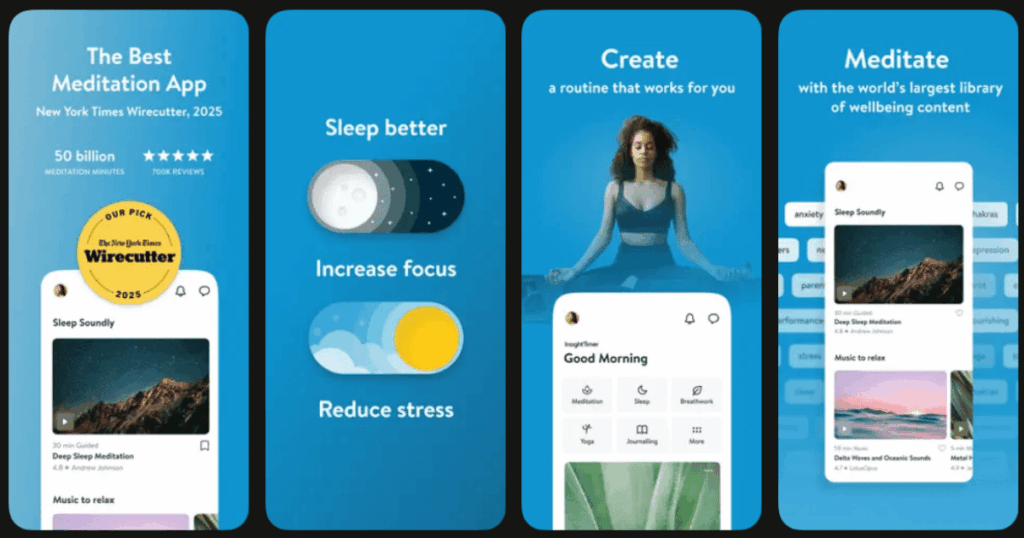
Insight Timer is the world’s most popular meditation app with over 100,000 free guided meditations. It includes specific sections for manifestation, affirmations, and visualization.
The app started as a simple meditation timer but has grown into a massive platform. You can find teachers from top universities and mindfulness experts from around the world.
What makes it great for manifesting is the variety. You can find meditations for abundance, self-love, confidence, and pretty much any goal you want to attract.
Key Features:
- Over 100,000 free guided meditations and growing daily
- Customizable timer with ambient sounds and bells
- Community features and live events
What I like: The amount of free content is incredible. I never run out of new meditations to try. The ability to filter by time helps when I only have 5 minutes. I love seeing other people meditating at the same time around the world. The community aspect makes me feel connected and motivated.
What I don’t like: The huge library can feel overwhelming when you’re trying to pick something. Some users find the social features distracting from their meditation practice.
Pricing: Most content is free. Premium membership available for courses and advanced features.
Platforms: iOS and Android
#7. Manifest – Law of Attraction – Best for Daily Manifestation Practice

The Manifest app creates an organized daily practice for your manifestation journey. It brings together goal setting, affirmations, visualization, and progress tracking in one streamlined experience.
Each day you work through your goals using the 68-second rule. This is the time many believe is needed to turn a thought into a manifestation. The app guides you through visualizing and affirming your desires.
Users say the app helps them stay consistent because everything is laid out for them. Just open the app and follow the daily practice.
Key Features:
- Guided daily manifestation routine with timers
- Vision board feature with image uploads
- Progress tracking and practice reminders
What I like: The structured approach works great for people who need guidance. I appreciate how it reminds me twice a day to work on my goals. Seeing my progress tracked over time keeps me motivated. The visualization exercises help me really feel what I want to attract.
What I don’t like: The app is pretty basic compared to others with more features. Some users wish there were more customization options for the daily practice.
Pricing: Free to download with option to remove ads for a small fee.
Platforms: iOS and Android
#8. Gratitude Garden – Best for Gamified Gratitude Journaling
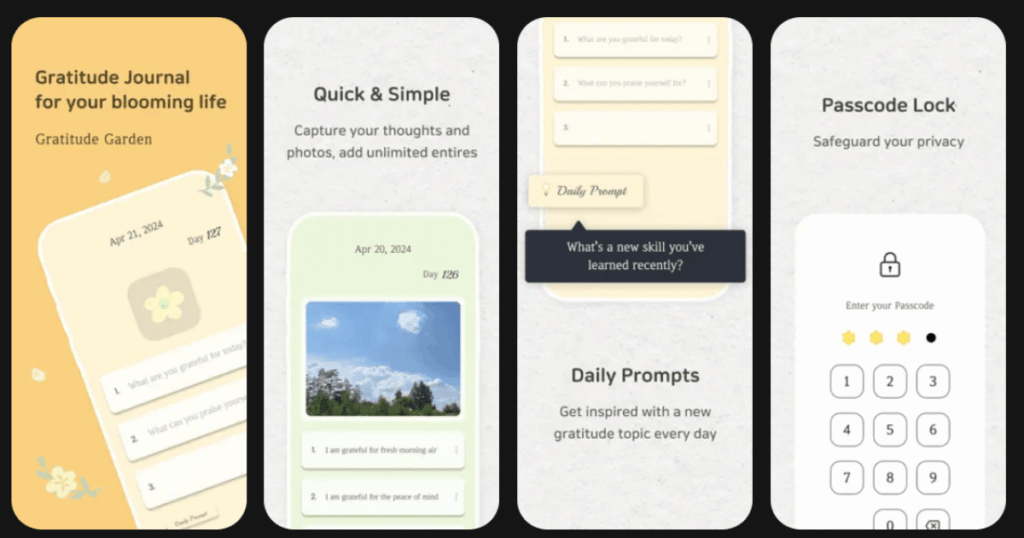
Gratitude Garden takes journaling and makes it feel like growing a beautiful garden. The app uses gamification to help you build the daily habit of gratitude and manifestation.
Each day you get new gratitude prompts and themes. The app tracks your streak and gives you insights about your journaling patterns. You can add photos and even see charts showing your progress.
The design is calming and colorful which makes opening the app a pleasant experience every time.
Key Features:
- Daily gratitude prompts and themes
- Streak tracking and progress insights
- Mood tracking and habit building tools
What I like: The gamified approach makes journaling feel rewarding. I love seeing my streak grow and it motivates me not to break it. The daily quote feature adds extra inspiration to my routine. The insights page helps me understand my gratitude patterns over time.
What I don’t like: Some features require the premium version to access. The app is not as well-known as others so the community is smaller.
Pricing: Free version available. Premium unlocks additional features and removes ads.
Platforms: iOS and Android
#9. VisuApp Vision Board – Best for Creating Digital Vision Boards
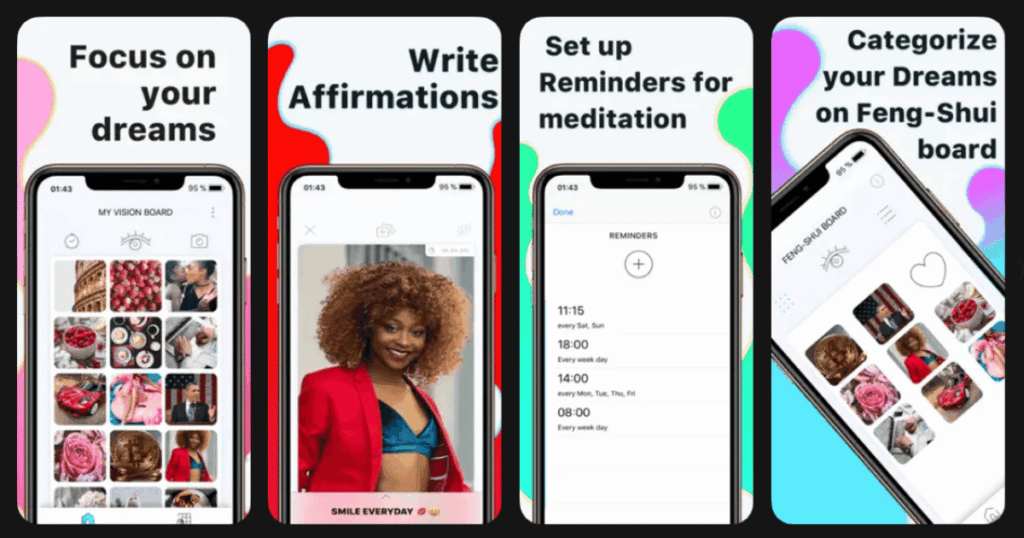
VisuApp focuses on one thing and does it really well: helping you create stunning digital vision boards. Visualization is a key part of manifestation and this app makes it easy.
You can upload your own photos or find images that represent your goals. The app lets you organize boards into sections and even create multiple boards for different life areas.
Daily affirmation reminders help reinforce your vision and keep you focused on what you want to attract.
Key Features:
- Easy vision board creation with image uploads
- Multiple boards and organized sections
- Scheduled affirmation notifications
What I like: The app makes vision boarding so much easier than cutting up magazines. I can update my board anytime as my goals evolve. Having my vision board on my phone means I see it multiple times a day. The ability to add text and affirmations to images makes my boards more powerful.
What I don’t like: The app is only available on iPhone which limits who can use it. Some users wish there were more templates to get started quickly.
Pricing: Free version includes basic features. Premium subscription unlocks more customization options.
Platforms: iOS only
Do Manifestation Apps Really Work?
Yes, manifestation apps can really work when you use them consistently. The key is daily practice. These apps help you stay focused on your goals and reprogram your subconscious mind through repetition.
Research shows that practices like affirmations and visualization can create new neural pathways in your brain. When you repeat positive statements, your brain starts to believe them. Apps make it easier to maintain this daily practice because they send reminders and make the process fun.
However, apps are just tools. The real magic comes from your intention and commitment. Use the app every day, believe in what you’re affirming, and take action toward your goals.
How Long Does It Take for Manifestation Apps to Show Results?
Most experts say you need at least 21 to 30 days of consistent practice to start seeing shifts in your mindset. Some people notice changes in their mood and outlook within the first week. Bigger manifestations often take longer and depend on many factors.
The more you practice, the faster you’ll see results. Try to use your app at least once a day. Many people find that morning and evening practice works best. Morning sessions set a positive tone for the day while evening sessions reinforce your intentions before sleep.
Remember that manifestation is not just about wanting something. You also need to take inspired action. Use the apps to get clear on your goals and stay motivated, then follow through with real-world steps.
What Features Should I Look for in a Manifestation App?
The best manifestation app for you depends on your personal style. Here are the main features to consider:
Look for apps that offer affirmations since these are the foundation of most manifestation practices. Vision board features help you visualize your goals. Journaling options let you track your progress and practice gratitude.
Reminders and notifications are crucial for building a daily habit. Without them, it’s easy to forget to practice. Meditation or relaxation features can help you get into the right mindset for manifesting.
Finally, consider the overall experience. Pick an app with a design you enjoy using. If the app feels cluttered or annoying, you won’t stick with it. Start with a free version to test different apps before committing to a subscription.