
9 Best Monk Mode Apps For Your Phone
| App Name | Best For | Key Features | AC Rating | Pricing |
|---|---|---|---|---|
| Life7 | Complete mental wellness and focus | Binaural beats, guided meditations, mood tracking | 4.8/5 | Free trial, then subscription |
| Forest | Gamified focus sessions | Tree growing, real tree planting, focus statistics | 4.5/5 | One-time purchase with optional extras |
| Freedom | Blocking distractions across devices | Multi-device sync, scheduled blocks, locked mode | 4.4/5 | Free version, premium subscription |
| Opal | Screen time reduction | App blocking, focus scores, deep focus mode | 4.3/5 | Free version, premium subscription |
| Cold Turkey | Hardcore distraction blocking | Unbreakable blocks, scheduling, website blocking | 4.4/5 | Free version, one-time premium purchase |
| Headspace | Mindfulness and meditation | Guided meditations, sleep content, focus music | 4.5/5 | Free trial, then subscription |
| Focus@Will | Productivity music | Neuroscience-based music, productivity tracking | 4.2/5 | Free trial, then subscription |
| ScreenZen | Mindful phone usage | Breathing pauses, usage insights, gentle nudges | 4.1/5 | Free version, premium subscription |
| one sec | Breaking phone habits | Forced pauses, intention setting, habit tracking | 4.3/5 | Free version, premium subscription |
#1. Life7 – Best for Complete Mental Wellness and Focus

Life7 is the ultimate monk mode companion I’ve found. This all-in-one app combines everything you need to build deep focus and inner peace.
It offers an incredible range of tools. You get binaural beats, solfeggio frequencies, and brainwave music. There are guided meditations for every situation. Plus sleep stories, breathing exercises, and even hypnotherapy sessions.
The app has earned over 1200 editorial mentions. Users have logged more than 312 million meditation minutes. That tells you people really love it.
What makes it perfect for monk mode is the variety. Whether you need to focus, sleep, or calm anxiety, Life7 has you covered.
Key Features:
- Binaural beats, isochronic tones, and frequencies like 432 Hz and 528 Hz for deep focus states
- Daily check-ins, meditations, music therapy, and wisdom sessions to build consistent habits
- Gamified progress with XP, streaks, and unlockable content to keep you motivated
What I like: I love how Life7 covers every aspect of mental wellness in one place. The sound options are incredible. Green noise, brown noise, delta waves, and nature sounds help me focus for hours. The SOS sessions for anxiety are a lifesaver during stressful moments. I also appreciate the mood tracking and journal features. They help me understand my patterns over time.
What I don’t like: The free version is pretty limited. You’ll need to subscribe to access most of the good stuff. But the 7 day free trial lets you test everything first.
Pricing: Free trial available for 7 days. Then choose from weekly, monthly, or yearly subscription plans. They often run special offers.
Platforms: iOS and Android
#2. Forest – Best for Gamified Focus Sessions
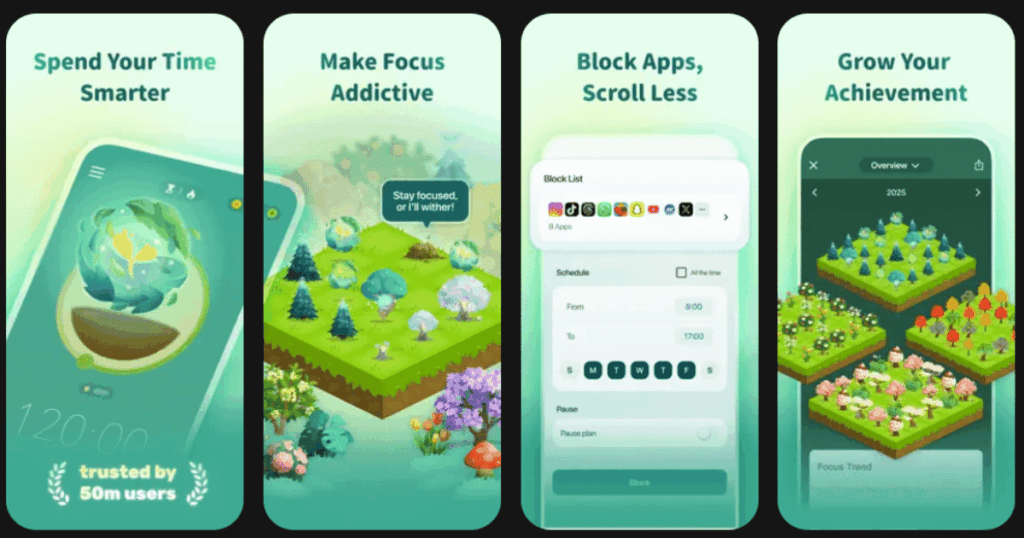
Forest turns focus time into a fun game. When you want to concentrate, you plant a virtual tree. If you leave the app, your tree dies. It’s simple but surprisingly effective.
The best part? Forest partners with a real tree planting organization. Your virtual trees can become real trees planted around the world.
I find this app perfect for short to medium focus sessions. The visual reward of growing a forest keeps me motivated. You can also compete with friends to see who grows the biggest forest.
Key Features:
- Plant virtual trees that grow while you stay focused and die if you leave the app
- Earn coins to unlock different tree species and create a beautiful virtual forest
- Partner program that plants real trees based on your focus time
What I like: The gamification really works for me. Seeing my forest grow gives me a sense of accomplishment. The social features are great too. I can see my friends’ forests and feel motivated to keep up. The real tree planting aspect makes my focus time feel meaningful beyond just productivity.
What I don’t like: It only tracks focus time. It doesn’t actually block distracting apps. You need willpower to not just close Forest and open something else.
Pricing: One-time purchase for the basic app. Some extra features require additional purchases.
Platforms: iOS and Android
#3. Freedom – Best for Blocking Distractions Across Devices
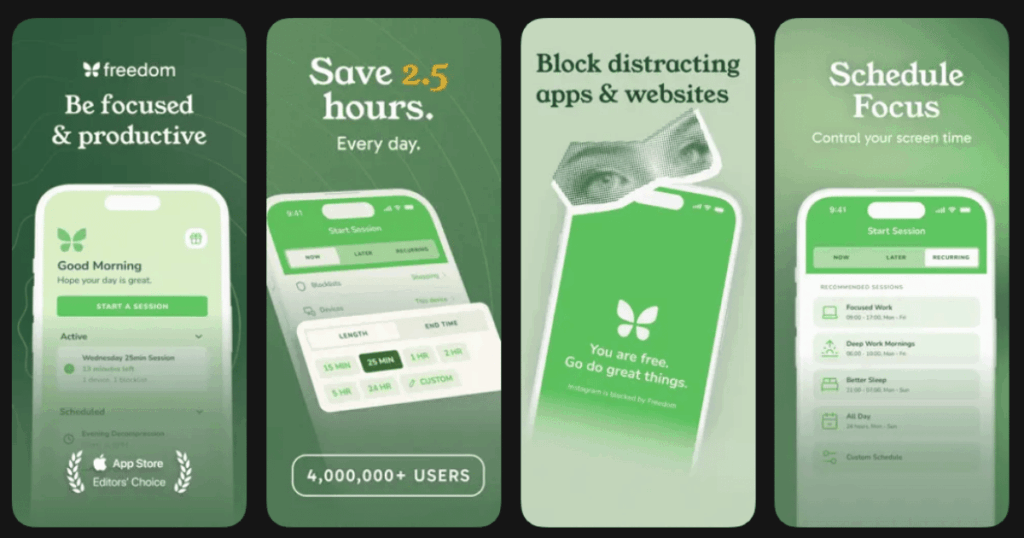
Freedom is serious about blocking distractions. It works across your phone, tablet, and computer all at once. This makes it nearly impossible to cheat during monk mode.
The app lets you block specific websites, apps, or the entire internet. You can schedule blocks in advance. Or start them instantly when you need to focus.
The locked mode feature is intense. Once activated, you cannot disable the block until time runs out. Even restarting your device won’t help.
Key Features:
- Sync blocks across all your devices including phones, tablets, and computers
- Schedule recurring focus sessions that start automatically at set times
- Locked mode prevents you from disabling blocks no matter what
What I like: Freedom’s cross-device syncing is a game changer. Before, I’d block apps on my phone then just switch to my laptop. Now that loophole is closed. The scheduling feature helps me build consistent monk mode routines without thinking about it each day.
What I don’t like: The free version is very limited. You really need premium to get the full experience. The interface also feels a bit dated compared to newer apps.
Pricing: Limited free version available. Premium subscription required for most features.
Platforms: iOS and Android (plus Mac and Windows)
#4. Opal – Best for Screen Time Reduction
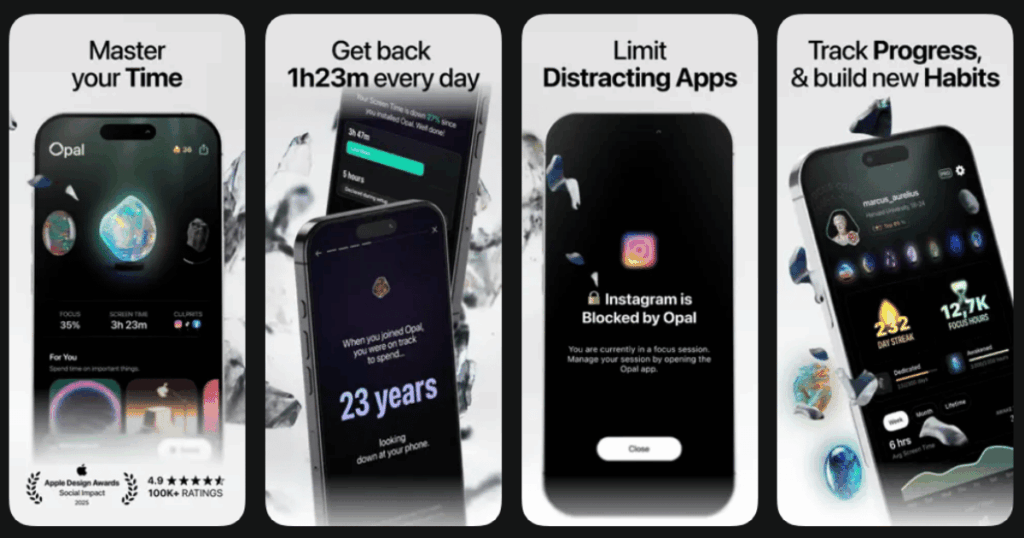
Opal takes a smart approach to monk mode. It learns your phone habits and helps you reduce screen time gradually. The app feels modern and well designed.
It assigns you a daily focus score based on how well you avoided distractions. This gamification keeps you engaged without feeling punishing.
Deep focus mode is the star feature. It blocks your chosen apps completely during focus sessions. The blocking is strong and hard to bypass.
Key Features:
- Daily focus scores that track your progress and motivate improvement
- Deep focus mode that creates unbreakable blocks on distracting apps
- Smart insights that show exactly where your screen time goes
What I like: Opal feels encouraging rather than harsh. It celebrates your wins and gently pushes you to improve. The interface is beautiful and fun to use. I check my focus score daily like a game. The detailed insights helped me realize which apps were stealing my time.
What I don’t like: Some features require a premium subscription that feels pricey. The app also uses a lot of battery in the background on some devices.
Pricing: Free version with basic features. Premium subscription unlocks full functionality.
Platforms: iOS and Android
#5. Cold Turkey – Best for Hardcore Distraction Blocking
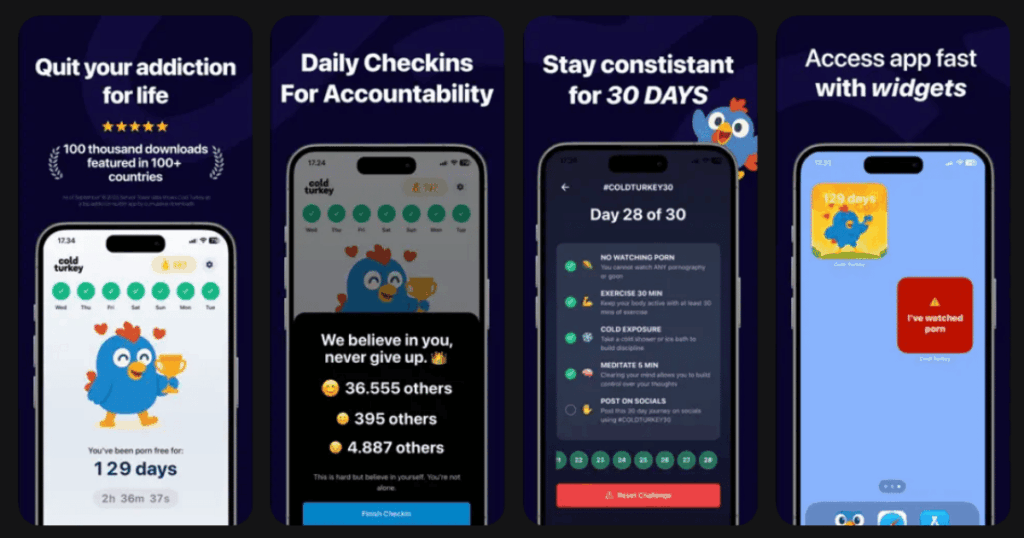
Cold Turkey doesn’t mess around. When you block something, it stays blocked. Period. This app is for people who need extreme measures to stay focused.
The blocks are essentially unbreakable during your set time. You can’t just enter a password or restart your phone to escape. This forces true commitment to your monk mode sessions.
You can block websites, apps, or even your entire computer. The scheduling options are robust for planning your focus time.
Key Features:
- Truly unbreakable blocks that cannot be bypassed even by restarting
- Detailed scheduling with different block lists for different times
- Statistics tracking to see your blocked time and focus improvements
What I like: If you struggle with willpower, Cold Turkey is your answer. I used to find workarounds for every blocker. This one actually stops me. The frozen turkey feature that locks your entire computer is intense but effective for serious work sessions.
What I don’t like: The strictness can backfire. If you set a block too long, you’re stuck. There’s no emergency override. The mobile app is also less powerful than the desktop version.
Pricing: Free version with basic blocking. One-time purchase for the full version.
Platforms: iOS and Android (desktop version more robust)
#6. Headspace – Best for Mindfulness and Meditation
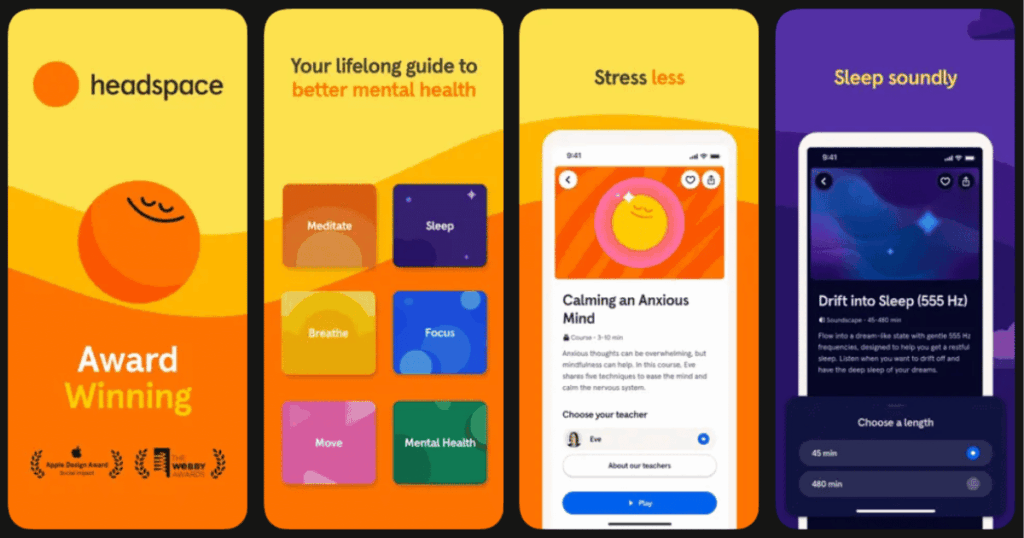
Headspace is one of the most popular meditation apps for good reason. It makes mindfulness accessible and easy to understand. The animations and design are welcoming.
For monk mode, the focus music and concentration exercises are valuable. They help you enter a calm, productive state quickly.
The app also offers great sleep content. Good sleep is essential for maintaining monk mode over time.
Key Features:
- Huge library of guided meditations for beginners and advanced users
- Focus music designed to help you concentrate on work or study
- Sleep sounds, stories, and exercises to improve your rest
What I like: Headspace excels at teaching meditation to beginners. The short sessions make it easy to start a daily practice. The focus music genuinely helps me concentrate. I play it during work sessions and notice improved productivity. The app feels polished and professional.
What I don’t like: The subscription price is on the higher end. Also, if you want more variety in sounds and frequencies, other apps offer more options.
Pricing: Free trial available. Then requires a subscription.
Platforms: iOS and Android
#7. Focus@Will – Best for Productivity Music
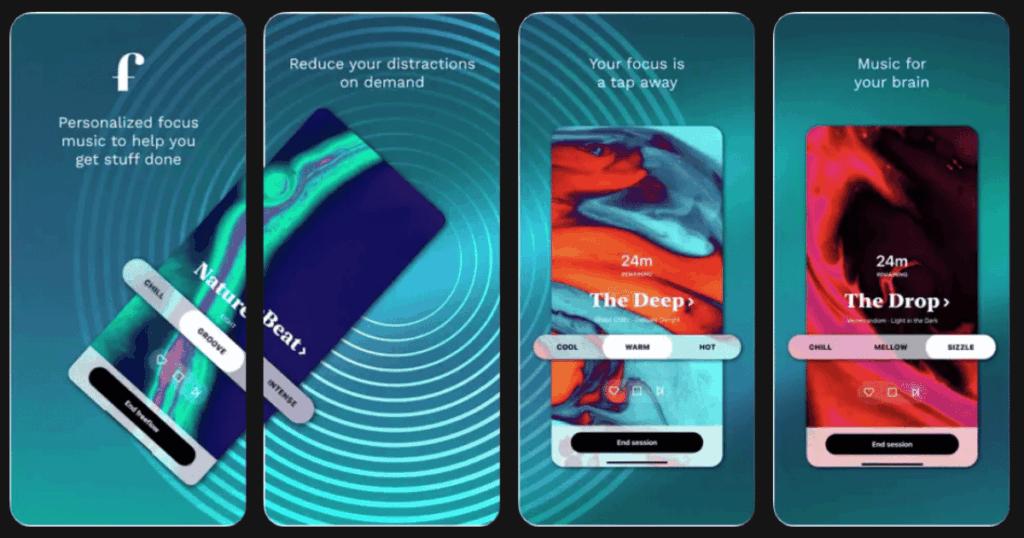
Focus@Will is built on neuroscience research. The music is designed specifically to help your brain focus. It’s not just pleasant background noise.
The app offers different channels for different work styles. Some are energizing. Others are calming. You can find what works for your brain.
It also tracks your productivity over time. You can see which music types help you focus best.
Key Features:
- Scientifically designed music channels optimized for different focus needs
- Productivity tracking that measures your focus sessions over time
- Personalization quiz that recommends the best channels for your brain
What I like: The music genuinely feels different from regular playlists. Something about it keeps me in the zone longer. I appreciate the variety of channels. When I’m tired, I use upbeat ones. When I’m anxious, I use calmer ones. The tracking helps me see my progress.
What I don’t like: The interface feels outdated. Also, some channels work great for me while others don’t help at all. It takes trial and error to find your fit.
Pricing: Free trial available. Subscription required for full access.
Platforms: iOS and Android
#8. ScreenZen – Best for Mindful Phone Usage
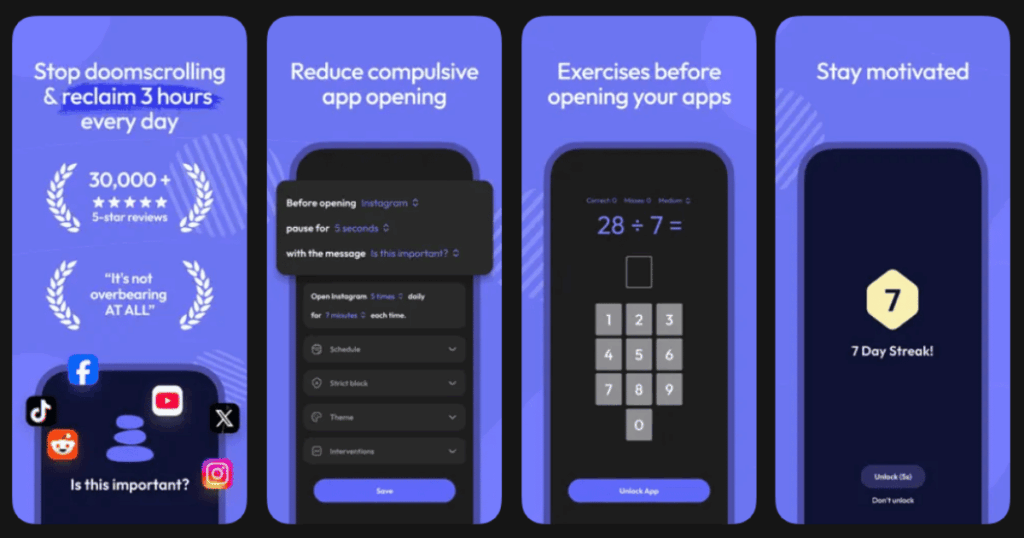
ScreenZen takes a gentler approach to monk mode. Instead of harsh blocks, it adds small friction to opening distracting apps. This helps you build awareness of your habits.
When you try to open a blocked app, ScreenZen pauses you. It might ask you to take a breath. Or remind you of your intention. This moment of pause often stops mindless scrolling.
The app provides insights into your usage patterns. You learn when and why you reach for distractions.
Key Features:
- Breathing pauses before opening distracting apps to create mindful moments
- Gentle nudges and reminders that help you question your phone habits
- Detailed usage insights that reveal your patterns and triggers
What I like: ScreenZen changed how I think about phone use. The pauses feel respectful rather than controlling. I’ve become more aware of when I’m reaching for my phone out of boredom versus need. The insights helped me understand my triggers.
What I don’t like: If you need strong blocks, this might be too gentle. Determined users can just tap through the pauses. It requires genuine willingness to change.
Pricing: Free version available. Premium subscription for advanced features.
Platforms: iOS and Android
#9. one sec – Best for Breaking Phone Habits
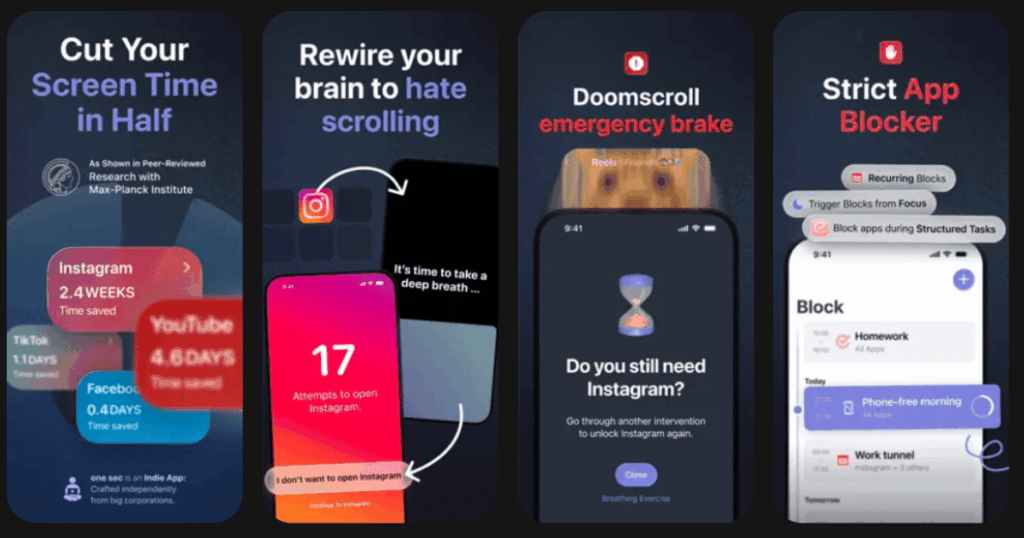
one sec is clever and simple. It forces you to wait before opening distracting apps. During the wait, it asks why you’re opening the app.
This tiny pause breaks the automatic habit loop. You become conscious of your choices instead of acting on autopilot.
The app tracks how many times it stopped you from mindless scrolling. The numbers are often eye opening.
Key Features:
- Forced pause before opening selected apps that breaks automatic habits
- Intention prompts that ask you to reflect before proceeding
- Statistics showing how many mindless opens the app prevented
What I like: The simplicity is brilliant. Just adding seconds of friction dramatically reduced my Instagram opens. The statistics shocked me. I was opening certain apps dozens of times daily without realizing. Now I’m much more intentional about my phone use.
What I don’t like: The effectiveness depends on your honesty. You can always just wait out the pause and open the app anyway. Also, some features require premium.
Pricing: Free version with basic features. Premium subscription for full functionality.
Platforms: iOS and Android
What Is Monk Mode and Why Use an App?
Monk mode is a period of intense focus on personal growth. You cut out distractions and dedicate time to what matters most. It might last days, weeks, or even months.
Apps help because our phones are the biggest distraction sources. They’re designed to grab our attention constantly. Without tools to fight back, staying focused is incredibly hard.
A good monk mode app blocks distractions when you need to focus. It might also provide meditation, focus music, or tracking. The best apps combine multiple features.
I recommend starting with an all-in-one app like Life7. It handles focus, meditation, sleep, and mental wellness together. This gives you everything needed for a successful monk mode period.
How Long Should a Monk Mode Session Last?
Monk mode sessions vary based on your goals and experience. Beginners might start with just a few hours. Experienced practitioners might go for weeks.
For daily practice, I suggest starting with 2 to 4 hour blocks. Use your chosen app to block distractions completely during this time. Focus on your most important work.
For longer monk mode periods, you might limit phone use to specific times each day. Apps with scheduling features help maintain this routine automatically.
The key is consistency over intensity. A 2 hour daily monk mode practice beats occasional 12 hour sessions. Build the habit slowly and sustainably.
Can I Do Monk Mode Without Completely Blocking My Phone?
Yes, monk mode doesn’t require going completely offline. The goal is intentional living, not total isolation. You can still use your phone for important things.
Apps like ScreenZen and one sec add friction without total blocks. They help you become mindful about phone use. You can still access everything but with awareness.
The best approach combines blocking and mindfulness. Block your biggest time wasters completely. Add pauses to medium distractions. Allow important tools freely.
I find that blocking social media while allowing messages works well. This way I stay connected but avoid endless scrolling. Find the balance that works for your life and goals.