
9 Best Productivity Apps For Your Phone
| App Name | Best For | Key Features | AC Rating | Pricing |
|---|---|---|---|---|
| Life7 | All-in-one mental wellness and productivity | Guided meditations, sleep stories, binaural beats, CBT tools | 4.8/5 | Free trial, then subscription |
| Forest | Staying focused and reducing distractions | Gamified focus timer, real tree planting, focus statistics | 4.6/5 | Free (Android), one-time purchase (iOS) |
| Todoist | Task management and organization | Natural language input, AI assistant, calendar views | 4.5/5 | Free plan, paid upgrades available |
| Notion | All-in-one workspace and project management | Databases, AI integration, real-time collaboration | 4.7/5 | Free personal plan, paid for teams |
| TickTick | To-do lists with built-in Pomodoro timer | Habit tracking, task timer, calendar integration | 4.5/5 | Free basic, premium subscription |
| Google Keep | Quick and simple note-taking | Color-coded notes, voice memos, Google sync | 4.4/5 | Completely free |
| Trello | Visual project management with boards | Kanban boards, team collaboration, automation | 4.3/5 | Free tier, paid plans available |
| RescueTime | Automatic time tracking and analytics | Distraction blocking, focus sessions, detailed reports | 4.2/5 | Free version, premium available |
| Calm | Stress reduction and sleep improvement | Sleep stories, breathing exercises, nature sounds | 4.6/5 | Free trial, annual subscription |
#1. Life7 – Best for All-in-One Mental Wellness and Productivity
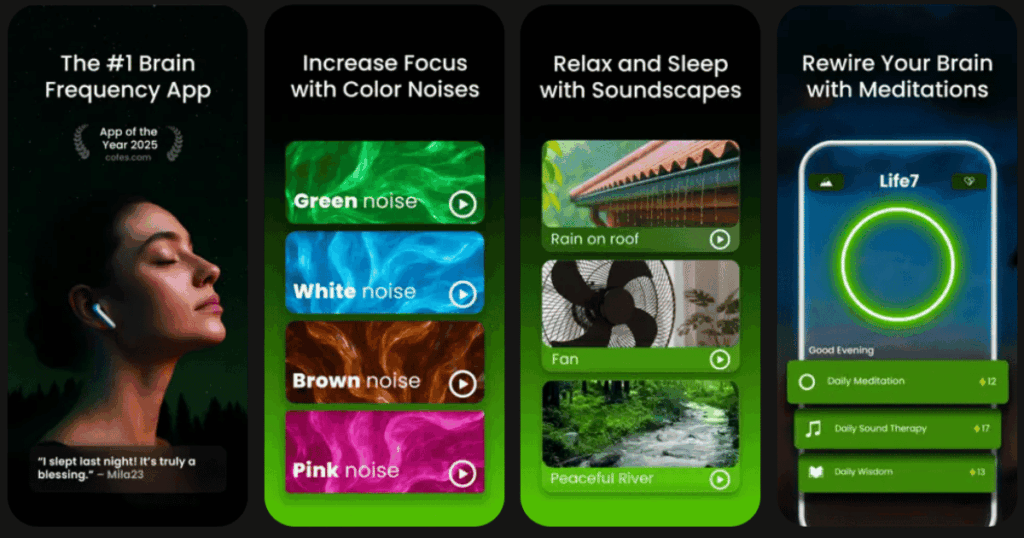
True productivity starts with a clear mind. Life7 understands this better than any other app I have tested. This powerful mental wellness app helps you sleep better, reduce stress, and sharpen your focus. All of these things make you more productive throughout your day.
The app features an impressive library of guided meditations, breathing exercises, and sleep stories. You will also find unique content like binaural beats, 8D audio, and solfeggio frequencies. Life7 offers CBT tools and hypnotherapy sessions that help with deeper emotional healing. The gamified approach keeps you motivated to build healthy habits.
Key Features:
- Daily check-ins with personalized meditation, music therapy, and wisdom sessions
- SOS sessions for instant anxiety and panic attack relief
- Over 1200+ editorial mentions and 312M+ meditation minutes tracked by users
What I like: I absolutely love how Life7 combines so many wellness tools in one place. The variety is incredible. You get everything from green noise and white noise to vagus nerve stimulation and lucid dreaming guides. The dashboard tracks your progress beautifully. Earning XP and unlocking new soundscapes makes meditation feel like a fun game rather than a chore.
What I don’t like: The free content is somewhat limited. You will need a subscription to access most of the premium features and soundscapes. However, the 7 day free trial lets you explore everything before committing.
Pricing: 7 day free trial available. Weekly, monthly, and yearly subscription plans offered with frequent special promotions.
Platforms: iOS and Android
#2. Forest – Best for Staying Focused and Reducing Distractions
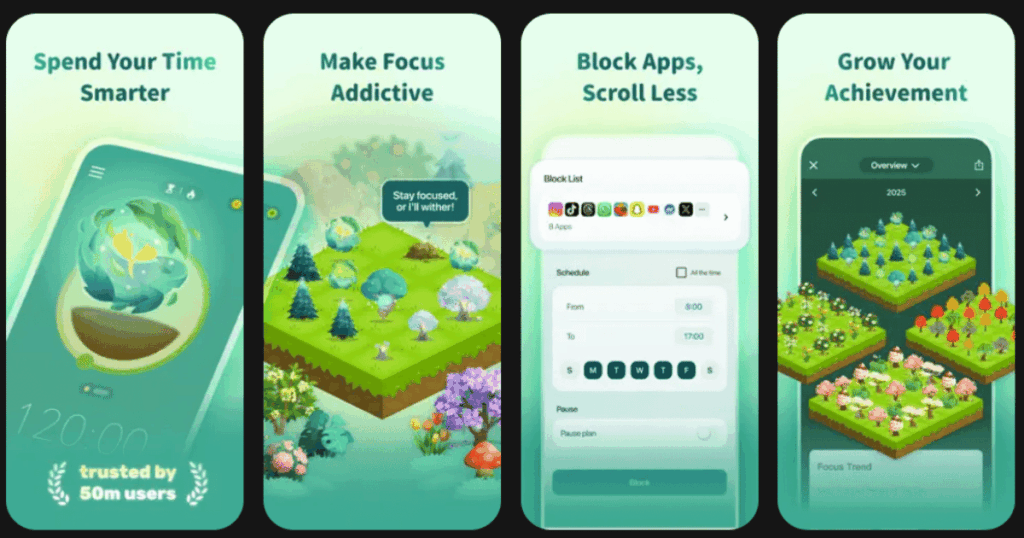
Forest uses a clever idea to help you put down your phone. When you need to focus, you plant a virtual tree. If you leave the app before your timer ends, your tree dies. This simple concept has helped millions of people beat phone addiction.
The app has been featured in Apple’s Amazing Apps commercial and ranked as a top productivity app in 136 countries. Over 1.5 million real trees have been planted on Earth through the app’s partnership with Trees for the Future.
Key Features:
- Gamified timer with over 90 tree species to unlock
- Shared focus sessions where you can plant trees with friends
- Detailed statistics showing your daily, weekly, and monthly focus time
What I like: The concept is genius. Watching my little tree grow makes me feel responsible for it. I genuinely do not want to kill it by checking Instagram. The real tree planting feature adds an extra layer of motivation. Knowing my focus sessions contribute to actual reforestation makes every session meaningful.
What I don’t like: There is no way to block specific websites on mobile. It only locks you inside the Forest app. Also, the gamification style might feel too playful for some serious professionals.
Pricing: Free on Android with optional purchases. One time purchase on iOS. Browser extensions available.
Platforms: iOS and Android
#3. Todoist – Best for Task Management and Organization
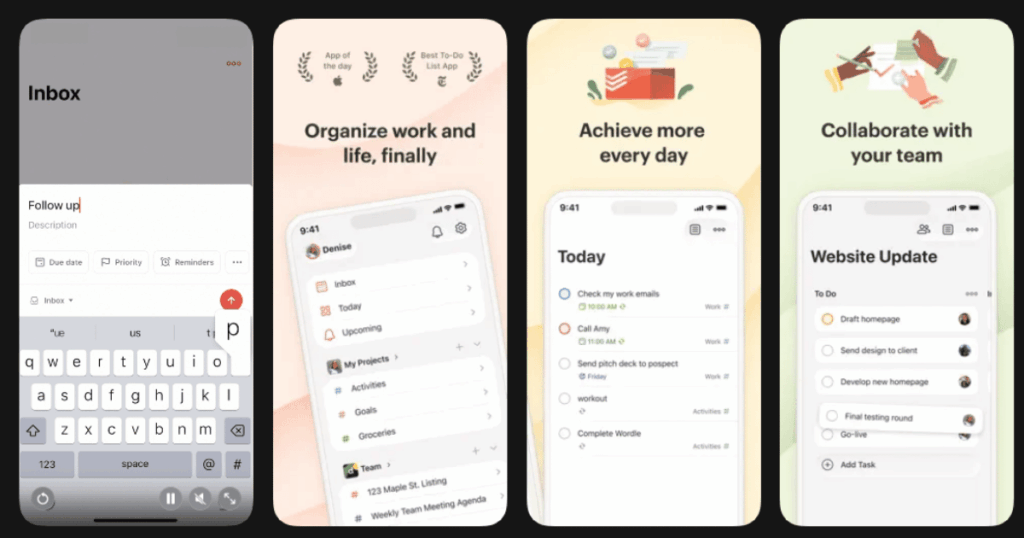
Todoist has been helping people organize their tasks since 2007. It remains one of the most popular to-do list apps for good reason. The clean interface makes adding and managing tasks feel effortless.
The app uses natural language processing. You can type things like “Submit report every third Thursday” and Todoist figures out the schedule automatically. In 2025, they added an AI assistant that helps prioritize tasks and suggests smarter schedules.
Key Features:
- Natural language input for quick task creation
- Multiple views including lists, boards, and calendars
- AI-powered task prioritization and smart suggestions
What I like: Todoist just works. There is no complicated setup or learning curve. I type what I need to do and it gets organized instantly. The cross-platform sync is flawless. Tasks I add on my phone appear on my computer within seconds. The recurring task feature saves me tons of time.
What I don’t like: Many useful features require the paid Pro plan. Reminders are locked behind the paywall which feels frustrating. The app also lacks built-in time tracking or Pomodoro features.
Pricing: Free plan available with basic features. Pro and Business plans available through monthly or annual subscriptions.
Platforms: iOS and Android
#4. Notion – Best for All-in-One Workspace and Project Management
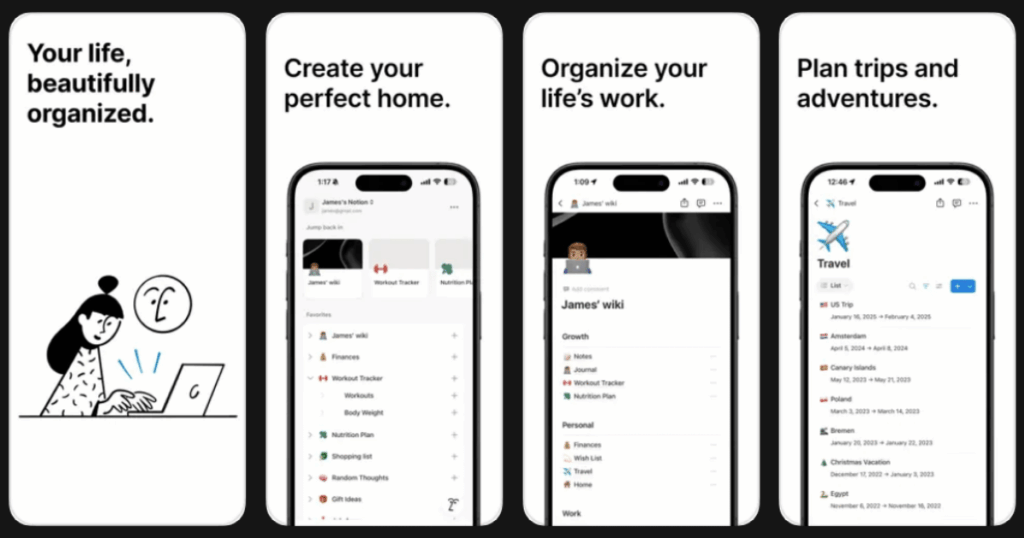
Notion combines notes, tasks, databases, and wikis into one flexible platform. It can replace multiple productivity apps if you take the time to set it up properly. Many people call it a digital Swiss Army knife.
The app offers incredible customization. You can create anything from simple grocery lists to complex project dashboards. In 2025, Notion AI helps you write better, summarize content, and answer questions about your workspace.
Key Features:
- Block-based editor with hundreds of content types
- Powerful database system with multiple views like tables, kanban, and calendars
- Built-in AI assistant for writing and analysis
What I like: The flexibility is unmatched. I use Notion for tracking projects, storing research, and keeping meeting notes. Everything links together beautifully. The template gallery gives you a head start on almost any use case imaginable. Real-time collaboration makes team projects smooth.
What I don’t like: The learning curve is real. New users often feel overwhelmed by all the options. The mobile app, while improved, still feels clunkier than the desktop version. Offline functionality remains limited compared to competitors.
Pricing: Free personal plan available. Paid plans for teams and businesses with additional features.
Platforms: iOS and Android
#5. TickTick – Best for To-Do Lists with Built-in Pomodoro Timer
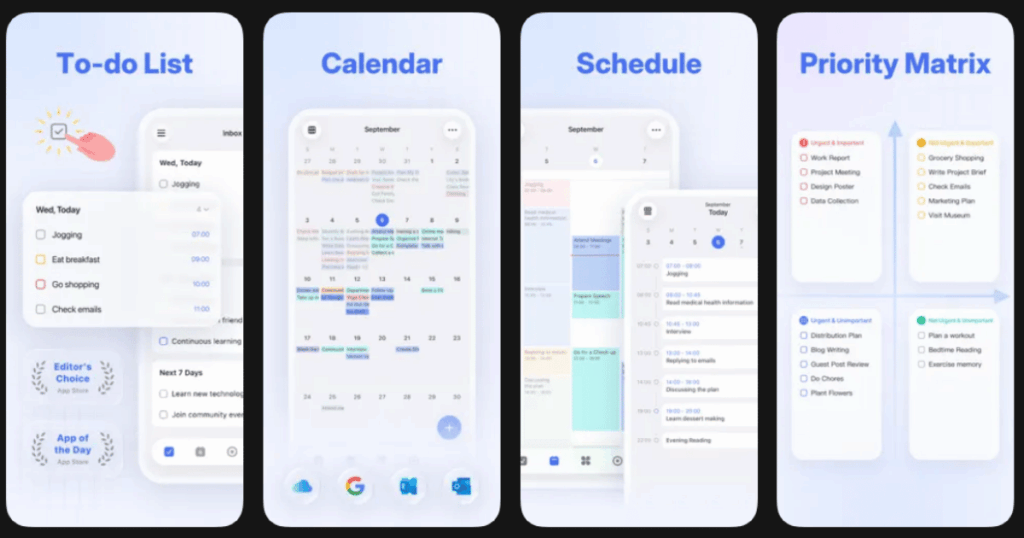
TickTick stands out by combining task management with a built-in Pomodoro timer. This means you can create tasks and immediately start focused work sessions. The habit tracking feature adds another productivity layer.
The app integrates with Gmail and Outlook to capture tasks from emails. You can also set priority levels and filter tasks by labels. The calendar view shows everything you need to accomplish at a glance.
Key Features:
- Built-in Pomodoro timer for focused work sessions
- Habit tracking with streaks and statistics
- Integration with email apps and calendar services
What I like: Having the timer built into my task manager removes friction completely. I check my task, tap start, and focus. The habit tracker motivates me to stay consistent with daily routines. Widget support makes checking tasks super fast without opening the full app.
What I don’t like: Some premium features feel essential but require payment. The interface can feel cluttered if you use many features at once. Setting up complex recurring tasks takes some trial and error.
Pricing: Free basic version available. Premium subscription unlocks all features.
Platforms: iOS and Android
#6. Google Keep – Best for Quick and Simple Note-Taking
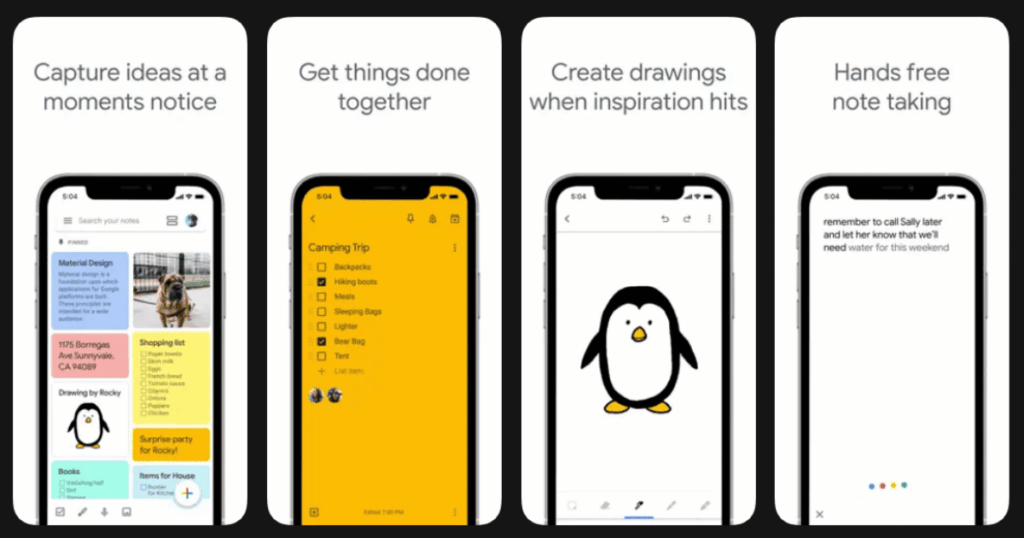
Sometimes you just need a fast way to capture thoughts. Google Keep excels at being simple and reliable. Notes sync instantly across all your devices through your Google account.
The app supports text notes, voice memos, images, and checklists. Color coding helps organize different types of notes. Labels and search make finding old notes easy even after months.
Key Features:
- Color-coded notes with labels for organization
- Voice memos that automatically transcribe to text
- Seamless sync with Google Workspace apps
What I like: The simplicity is refreshing. I open the app, type my thought, and close it. Done. Sharing notes with family members who have Google accounts takes seconds. The reminder feature ties into Google Calendar which keeps me on track.
What I don’t like: Formatting options remain basic compared to other note apps. There are no folders which forces you to rely entirely on labels. Advanced users often outgrow Keep quickly.
Pricing: Completely free with a Google account.
Platforms: iOS and Android
#7. Trello – Best for Visual Project Management with Boards
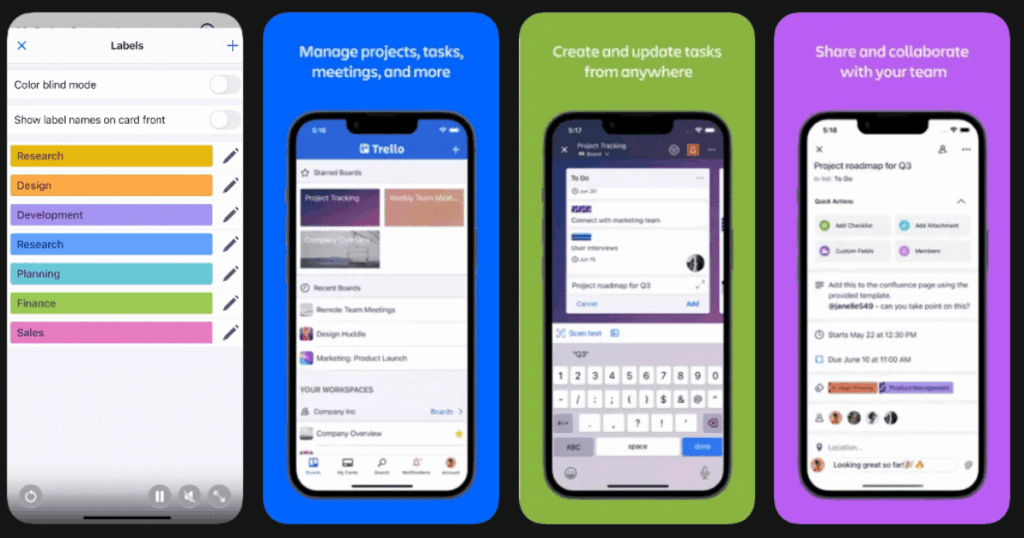
Trello uses a board-and-card system that makes project management visual and intuitive. You create boards for projects and cards for individual tasks. Dragging cards between columns shows progress at a glance.
The app works great for both personal projects and team collaboration. Real-time updates keep everyone on the same page. Automation features called Butler help reduce repetitive work.
Key Features:
- Visual kanban boards with customizable columns
- Real-time collaboration with team members
- Butler automation for repetitive tasks
What I like: The visual layout clicks instantly. I can see exactly where every task stands without reading through lists. Adding team members and assigning tasks feels natural. The free tier offers enough features for small teams and personal use.
What I don’t like: Complex projects can make boards messy with too many cards. The mobile app works but feels cramped compared to the desktop experience. Some automation features require paid plans.
Pricing: Free tier available. Standard and Premium plans unlock advanced features.
Platforms: iOS and Android
#8. RescueTime – Best for Automatic Time Tracking and Analytics
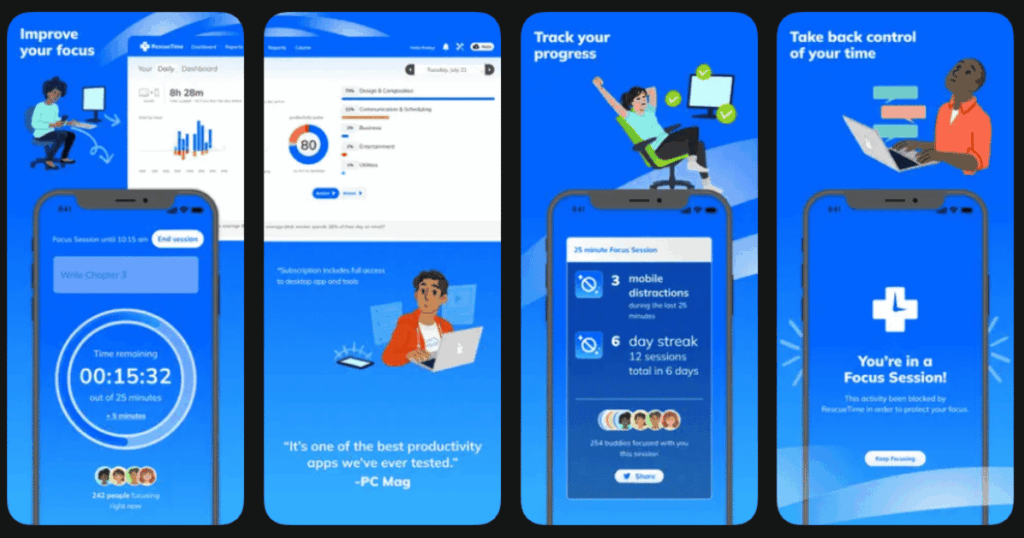
RescueTime runs quietly in the background tracking how you spend time on apps and websites. It shows you exactly where your time goes without requiring manual input. This awareness alone often improves productivity.
The app categorizes activities as productive or distracting. You can set daily goals and receive alerts when you spend too much time on distractions. Focus sessions block distracting sites entirely.
Key Features:
- Automatic tracking of app and website usage
- Detailed productivity reports and analytics
- Focus mode with website blocking capabilities
What I like: The automatic tracking removes all the effort from time tracking. I just live my day and check the report later. Seeing real data about my habits opened my eyes to wasted time. The weekly email summary keeps me accountable.
What I don’t like: The mobile tracking is less comprehensive than desktop. Battery usage can be noticeable on older phones. Privacy-conscious users might feel uncomfortable with the detailed tracking.
Pricing: Free version with basic features. Premium subscription for advanced analytics and blocking.
Platforms: iOS and Android
#9. Calm – Best for Stress Reduction and Sleep Improvement
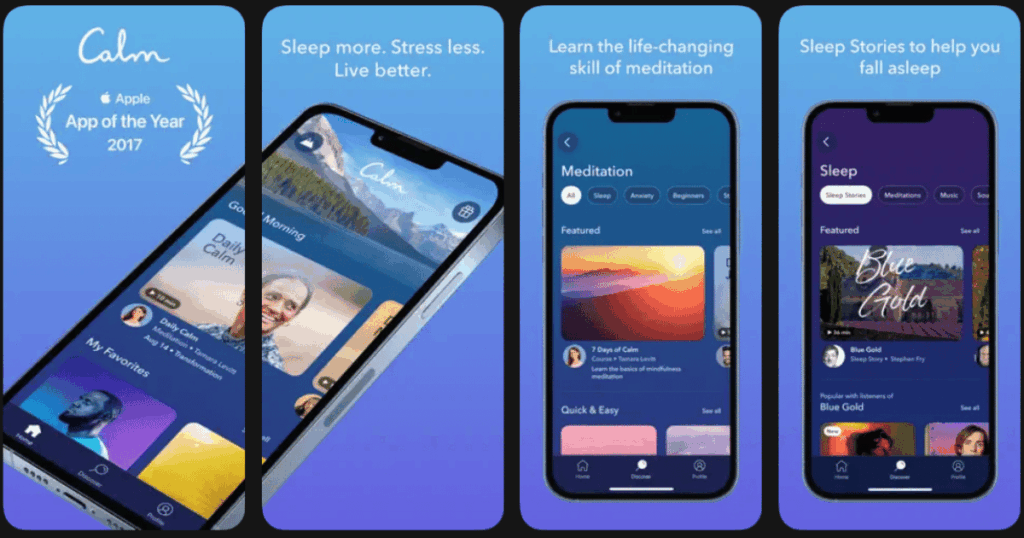
Calm focuses on helping you relax, sleep better, and reduce anxiety. Better rest and lower stress directly improve your productivity during waking hours. The app has won multiple awards for its content quality.
Sleep Stories narrated by famous voices help you drift off peacefully. Breathing exercises provide quick stress relief during busy days. The Daily Calm offers a fresh meditation every morning.
Key Features:
- Over 500 Sleep Stories with celebrity narrators
- Breathing exercises and guided meditations
- Music and soundscapes for focus and relaxation
What I like: The production quality is exceptional. Listening to Sleep Stories feels like a luxury experience. The Breathe Bubble tool calms me down in just 60 seconds during stressful moments. Masterclass content from experts adds educational value beyond simple meditation.
What I don’t like: The subscription price is higher than some competitors. Most content requires the paid membership. The focus on relaxation means fewer features for active productivity tasks.
Pricing: Free content available. Annual subscription unlocks the full library.
Platforms: iOS and Android
What is the Best Free Productivity App for Phones?
Google Keep remains the best completely free productivity app without hidden paywalls. It offers unlimited notes, labels, reminders, and voice memos at zero cost. The seamless sync with Google services makes it incredibly reliable.
For users who need more features, Todoist and Notion both offer generous free plans. Todoist lets you create unlimited tasks with basic priority levels. Notion provides unlimited pages and blocks for personal use. These free versions work well for individuals who do not need team collaboration features.
How Do Productivity Apps Improve Focus and Reduce Stress?
Productivity apps improve focus through several proven methods. Timer-based apps like Forest and TickTick use the Pomodoro technique to structure work into focused intervals. This prevents burnout and maintains concentration throughout the day.
Wellness apps like Life7 and Calm address the mental side of productivity. Guided meditations reduce anxiety that often blocks focus. Better sleep from sleep stories improves cognitive function the next day. Breathing exercises provide quick resets during overwhelming moments. This holistic approach tackles both the practical and emotional barriers to getting work done.
Should I Use Multiple Productivity Apps or Just One?
Using two to three productivity apps together often works better than cramming everything into one. A task manager like Todoist handles what you need to do. A note app like Notion or Google Keep stores information. A wellness app like Life7 maintains your mental sharpness.
The key is avoiding app overload. Too many apps create confusion and extra work switching between them. Pick one app for each purpose and master it fully before adding another. Most successful people keep their productivity stack simple and focused on their specific needs rather than chasing every new tool.