
9 Best Sleep Apnea Apps For Your Phone
| App Name | Best For | Key Features | AC Rating | Pricing |
|---|---|---|---|---|
| Life7 | Overall mental wellness and sleep improvement | Binaural beats, sleep sounds, bedtime stories, breathing exercises | 4.8/5 | Free trial, then subscription |
| SnoreLab | Tracking and analyzing snoring patterns | Snore score, audio recordings, remedy testing | 4.7/5 | Free version, premium upgrade |
| Sleep Cycle | Smart alarm wake-ups | Sound analysis, sleep tracking, snore detection | 4.6/5 | Free version, premium subscription |
| ResMed myAir | CPAP therapy management | Daily sleep scores, personalized coaching, equipment reminders | 4.4/5 | Free with ResMed device |
| ShutEye | Comprehensive sleep tracking | AI sleep analysis, sound recordings, sleep sounds | 4.3/5 | Free trial, then subscription |
| Pillow | Apple Watch users | Automatic sleep tracking, heart rate analysis, nap modes | 4.5/5 | Free version, premium upgrade |
| SleepScore | Science-backed sleep insights | Sonar technology, personalized advice, doctor reports | 4.2/5 | Free version, premium subscription |
| Ognomy | Telemedicine sleep apnea diagnosis | Virtual doctor visits, home sleep tests, treatment plans | 4.4/5 | Insurance or self-pay options |
| Philips DreamMapper | Philips CPAP users | Therapy tracking, AHI monitoring, goal setting | 4.1/5 | Free with Philips device |
#1. Life7 – Best for Overall Mental Wellness and Sleep Improvement

Life7 is an all-in-one mental wellness app that can truly transform your sleep routine. If you struggle with sleep apnea symptoms or just want better rest, this app has everything you need.
It combines multiple proven methods to help you relax and fall asleep faster. The app includes green noise, white noise, brown noise, and pink noise options. You also get delta, theta, alpha, beta, and gamma wave music.
The binaural beats and solfeggio frequencies (432 Hz, 528 Hz) are designed to calm your mind. Plus there are relaxing nature sounds you can mix together using backdrop mode.
Key Features:
- Comprehensive sound therapy with multiple noise colors and brainwave frequencies
- Bedtime stories for adults and children with guided visualizations
- Breathing exercises, SOS anxiety sessions, and CBT therapy tools
What I like: I absolutely love how Life7 covers so many bases. From hypnotherapy to vagus nerve stimulation, from lucid dreaming sessions to ASMR, this app has it all. The daily check-ins and meditation sessions keep me consistent. The gamified approach with XP and streaks makes it fun to build healthy habits. The 8D sleep audio is something special that you really need to experience.
What I don’t like: The free content is a bit limited. You really need the subscription to unlock all the premium soundscapes and features. But the 7-day free trial helps you decide if its worth it.
Pricing: 7-day free trial available. Weekly, monthly, and yearly subscription plans with frequent special offers.
Platforms: iOS and Android
#2. SnoreLab – Best for Tracking and Analyzing Snoring Patterns
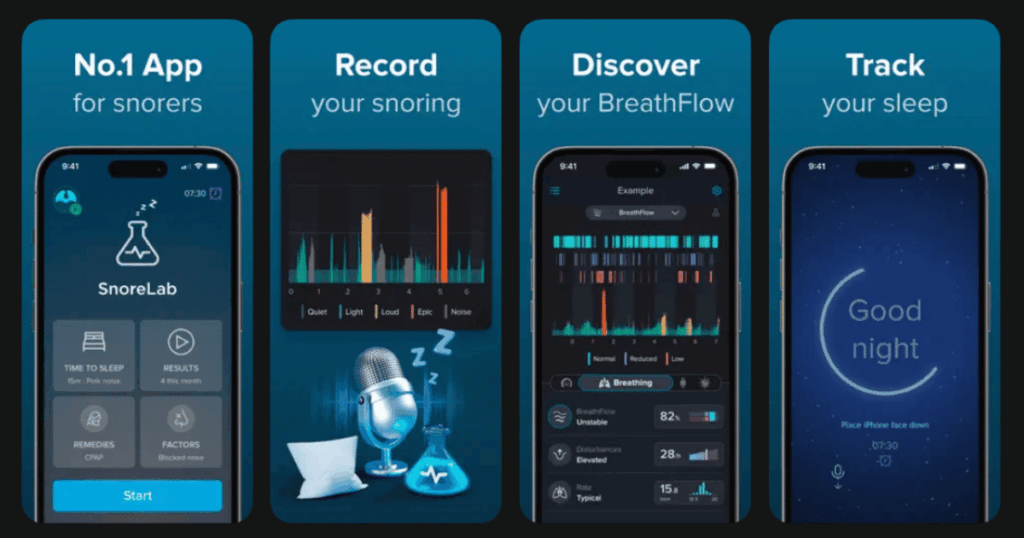
SnoreLab is the most popular snoring app out there. It has an average rating of 4.7 stars from over 10,000 user reviews. If you think you might have sleep apnea, this app can give you real evidence to show your doctor.
The app uses your phone’s microphone to record sounds throughout the night. It then analyzes everything and gives you a snore score. This score helps you compare how you sleep from night to night.
The app makes it easy to monitor the duration and intensity of your snoring. You can also track what remedies help reduce your snoring.
Key Features:
- Advanced snore detection that measures intensity and calculates a snore score
- Records sound samples so you can hear yourself snore
- Tracks lifestyle factors like alcohol to see what affects your snoring
What I like: I found SnoreLab super easy to use from day one. The interface is visually pleasing and very easy to use. Being able to play back my snoring sounds was eye-opening. The remedy testing feature helped me figure out what actually works for me. Doctor endorsements give me confidence in the data.
What I don’t like: The free version has basic features and in-app advertising. You need the premium version for full night recording and data export. Also, it cannot differentiate between two snorers in the same room.
Pricing: Free version with basic features. Premium upgrade for additional features.
Platforms: iOS and Android
#3. Sleep Cycle – Best for Smart Alarm Wake-Ups
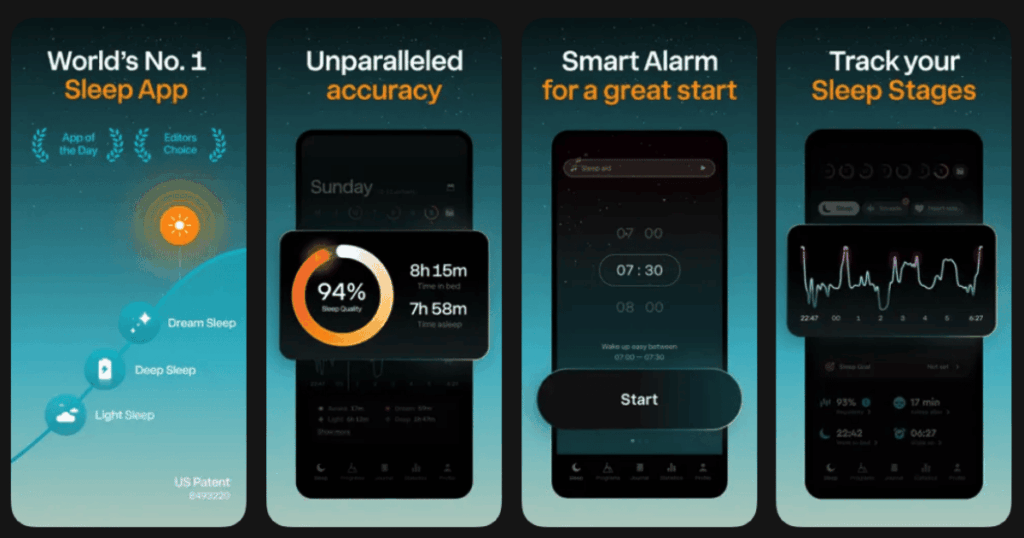
Sleep Cycle uses sound analysis to track and improve sleep for over 3 million users worldwide. This app is perfect if you hate waking up feeling groggy and tired.
The smart alarm feature wakes you during your lightest sleep phase. This means you feel more refreshed when you get up. Sleep Cycle has been awarded Best Sleep App in 2024 by Digital Health Magazine.
The app tracks your sleep patterns without any wearables needed. Just place your phone on your nightstand and let it work its magic.
Key Features:
- Smart alarm clock that wakes you at the optimal time in your sleep cycle
- Patented sound technology that tracks sleep without wearables
- Snore recorder and sleep talk recorder to check nighttime habits
What I like: The difference between waking up with a regular alarm and Sleep Cycle alarm is like night and day. I’ve been using this app for years and it keeps getting better. The sleep sounds and meditation features help me fall asleep faster. The detailed graphs show exactly what happens when I sleep.
What I don’t like: To feel the benefits from Sleep Cycle, you really need to pay for the premium version. The app also needs time to learn your patterns, so don’t expect instant results. Some users report occasional crashes.
Pricing: Free version with limited features. Premium subscription available.
Platforms: iOS and Android
#4. ResMed myAir – Best for CPAP Therapy Management

If you use a ResMed CPAP machine, the myAir app is essential. People who use myAir have been shown to get as much as one extra hour of sleep every night compared to other CPAP users.
This app connects wirelessly to your CPAP and shows you exactly how your therapy went. You get a daily sleep score based on usage hours, mask seal, and events per hour. A myAir score higher than 70 is a good score.
Through interactive coaching and the ability to track nightly sleep data, myAir has been associated with increased CPAP usage, with 87% of patients achieving therapy compliance.
Key Features:
- Daily myAir score that tracks your therapy progress at a glance
- Personalized coaching tips and troubleshooting videos
- Monthly cleaning and inspection reminders to help maintain equipment
What I like: The app is designed to be intuitive and straightforward, making it accessible to a wide range of users. I love seeing my progress each morning. The Care Check-In feature asks how my night went and provides helpful videos if something needs fixing. ResMed offers its myAir services without any paid subscription.
What I don’t like: Occasionally, users may encounter compatibility issues with specific smartphone models. Some people have reported connectivity problems. The app only works with ResMed devices, not other CPAP brands.
Pricing: Free with purchase of compatible ResMed device.
Platforms: iOS and Android
#5. ShutEye – Best for Comprehensive Sleep Tracking
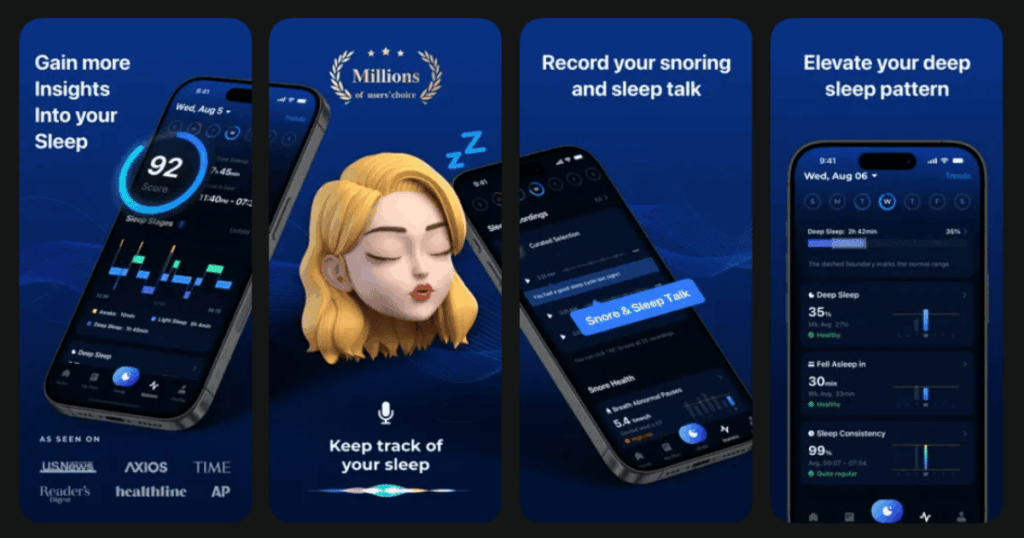
Over 70 million people use ShutEye to track sleep, customize programs, and improve sleep quality. This app uses AI to analyze your sleep patterns and give you detailed reports.
The app tracks how long you sleep and what stages you go through each night. It records sounds like snoring, talking, and even environmental noises.
ShutEye performs in the 90th percentile of all sleep trackers. But unlike many other trackers, this one doesn’t require the user to wear the device all night long.
Key Features:
- AI-powered sleep analysis that tracks sleep stages and snoring
- Customizable white noise mixes with nature sounds and ambient audio
- Smart alarm that wakes you during light sleep for a gentler morning
What I like: The White Noise feature lets you create a mix of sounds. You can listen to rain, campfire, and ocean together. The app also offers sleep meditations, guided sessions, and bedtime stories. The dream interpretation feature is fun and unique. The sleep reports are very detailed and helpful.
What I don’t like: There are notable complaints regarding the app’s paywall, with users frustrated by hidden costs and limited free features. Some people have had issues with accuracy and background noise interference.
Pricing: 7-day free trial. Yearly subscription for VIP features.
Platforms: iOS and Android
#6. Pillow – Best for Apple Watch Users
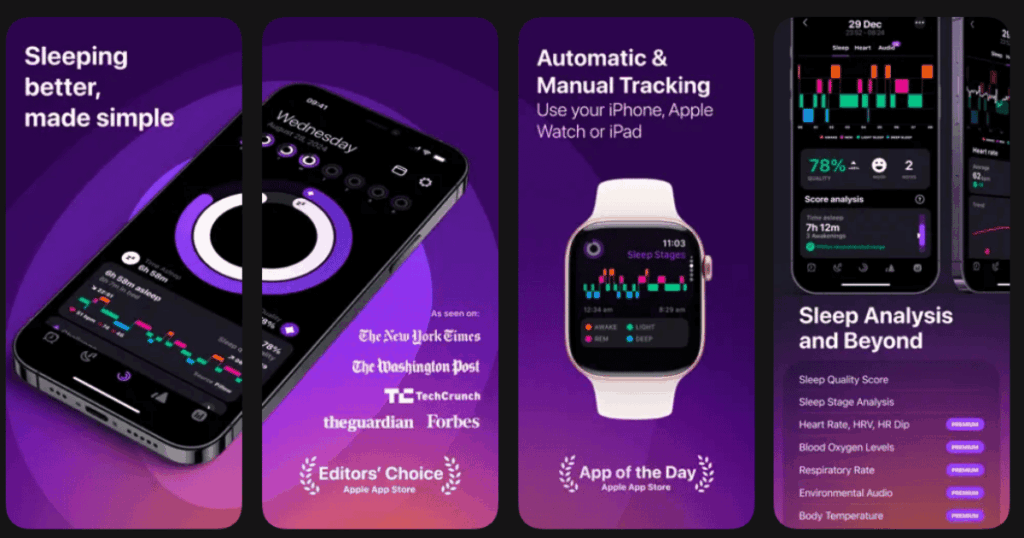
Pillow helps you track your sleep on Apple devices like iPhone, iPad and Apple Watch. If you own an Apple Watch, this is one of the best sleep trackers you can get.
Automatic sleep tracking means that Pillow no longer requires you to press any buttons to track your sleep. Just wear your watch to bed and let the app do the rest.
The app provides detailed analysis of your sleep stages, heart rate, and audio recordings. It can even detect when you talk in your sleep.
Key Features:
- Automatic sleep tracking using advanced sensor data from Apple Watch
- Heart rate analysis and respiratory rate monitoring
- Powernap modes for quick daytime rest sessions
What I like: Pillow’s scientifically backed sleep analysis combined with audio recordings and heart rate analysis gives you the full picture. The smart alarm wakes me at the optimal time. The Sleep Aid library with meditations and bedtime stories helps me relax. The app is well-designed and boasts a responsive user interface.
What I don’t like: Alarms and audio recordings are not possible while Pillow is in automatic mode due to current technical limitations. The app is only available for Apple devices. Some premium features require a subscription.
Pricing: Free version with basic features. Premium subscription for advanced analysis.
Platforms: iOS only (iPhone, iPad, Apple Watch)
#7. SleepScore – Best for Science-Backed Sleep Insights
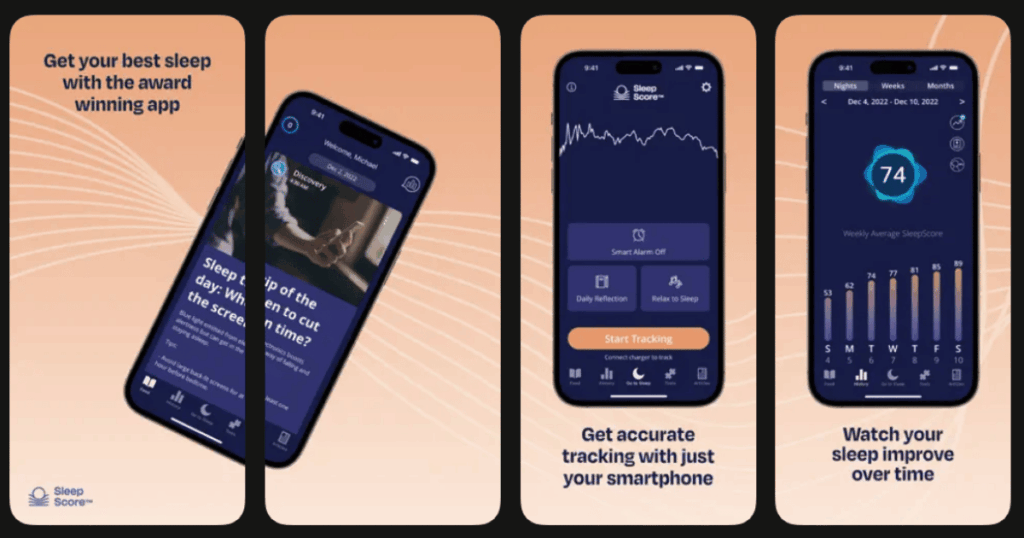
SleepScore uses patented sonar technology and science-based coaching to help you fall asleep faster, stay asleep longer, and finally wake up feeling refreshed.
This app is backed by serious science. Its measurement technology provides best-in-class accuracy backed by 14 published papers validating the measurement technology against PSG, the gold standard in sleep tracking.
Using low-energy radio waves SleepScore Max scans the body 16 times per second. You just place your phone on the nightstand and it tracks your breathing and movement.
Key Features:
- Sonar technology that measures sleep from your nightstand without contact
- Nightly SleepScore provides in-depth analysis of quality and quantity of sleep
- Ability to produce a detailed report to share with your doctor
What I like: I appreciate that this app is built on real research. You can set a smart-alarm for waking at the ideal time of your sleep cycle. The personalized advice from sleep experts is genuinely helpful. The comparison to others my age gives me useful context.
What I don’t like: Some users report the app quits in the middle of the night and doesn’t track unless you finish the whole night. The Android version seems less reliable than iOS. Premium features require a subscription.
Pricing: Free to download. Premium subscription for advanced features.
Platforms: iOS and Android
#8. Ognomy – Best for Telemedicine Sleep Apnea Diagnosis
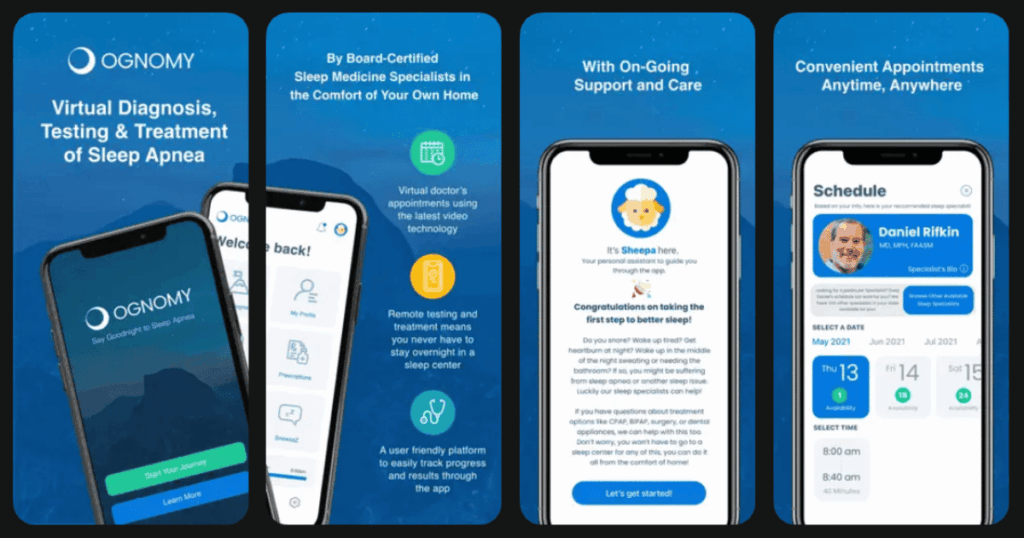
Ognomy is the world’s easiest way to get tested, diagnosed and treated for sleep apnea, without ever leaving home. This app connects you with real sleep doctors through video calls.
If you suspect you have sleep apnea, Ognomy makes getting help simple. The platform has been downloaded more than 4000 times and has received excellent reviews.
You can get a home sleep test sent to your door. Then a doctor reviews your results and creates a treatment plan for you.
Key Features:
- Simple to book video calls with a sleep doctor through the app
- FDA-approved home sleep test delivered to your door
- AI-based chatbots for self-help and helpline contacts
What I like: The best part is not having to spend a night in a sleep study center. The whole process is so convenient. From the virtual visit to receiving my home test, everything was smooth. The doctors are knowledgeable and easy to talk to. They accept most insurance plans.
What I don’t like: This app is more for diagnosis than daily tracking. You still need other apps to monitor your ongoing treatment. Availability may vary by state. Some people prefer in-person visits with doctors.
Pricing: Covered by most insurance. Self-pay option available.
Platforms: iOS and Android
#9. Philips DreamMapper – Best for Philips CPAP Users
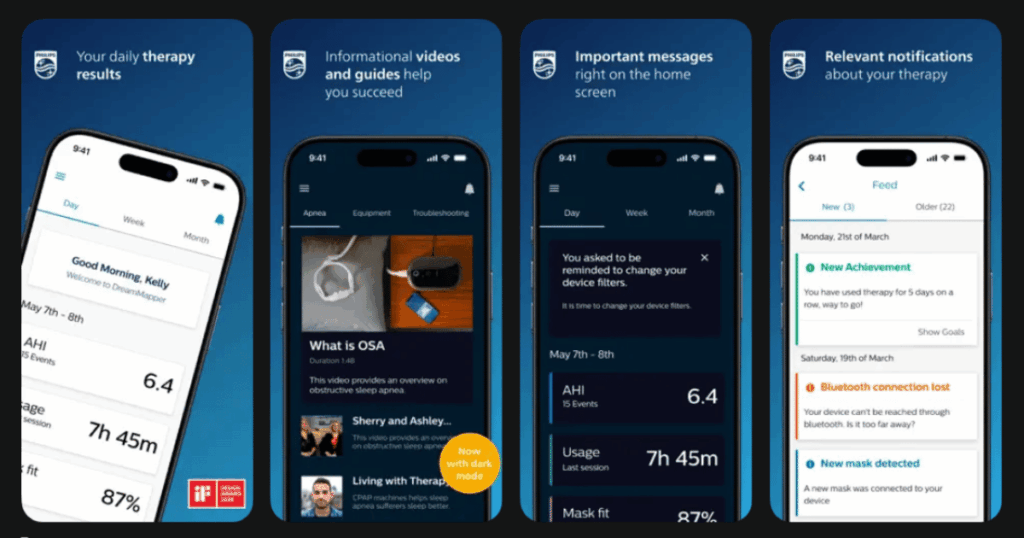
The DreamMapper sleep apnea app and desktop tools can help you stay motivated with your CPAP therapy. This is the companion app for Philips Respironics CPAP machines.
DreamMapper is the top-rated PAP therapy adherence app. It tracks your therapy progress and gives you feedback on how you’re doing.
DreamMapper provides feedback on your DreamStation therapy usage, mask fit and apnea hypopnea index (AHI).
Key Features:
- Tracks usage, mask fit, and AHI scores from your Philips device
- Education at your fingertips with videos and guides about sleep apnea
- Custom goals and achievements to keep you motivated
What I like: If you use a Philips CPAP, this app makes tracking super easy. The educational videos helped me understand my equipment better. Setting custom goals kept me accountable. The reminders for cleaning and replacing equipment are really useful.
What I don’t like: You need to have a Philips Respironics device to use DreamMapper. Some features feel dated compared to newer apps. The interface could use a refresh.
Pricing: Free with compatible Philips device.
Platforms: iOS and Android
Can Apps Really Detect Sleep Apnea?
You can now download apps or buy devices without a prescription to self-assess your risk of obstructive sleep apnea. However, it’s important to understand their limits.
Even FDA-cleared apps and devices have some limitations. They vary in how they assess your risk of sleep apnea. There are significant differences in their accuracy.
Apps can record your snoring and track your sleep patterns. They can alert you to possible problems. But they cannot give you an official diagnosis.
It’s important to note that no app on your phone can take the place of a formal diagnosis from your doctor. If you notice signs of sleep apnea, always talk to a medical professional.
What Features Should I Look for in a Sleep Apnea App?
The best sleep apnea apps offer several key features. First, look for good snore detection and recording. Being able to hear yourself helps you understand the problem.
Sleep tracking is also important. Apps that show your sleep stages help you see how well you rest. Smart alarms that wake you during light sleep are a nice bonus.
If you use a CPAP machine, look for apps that sync with your device. These give you the most accurate therapy data. Some apps also offer coaching tips to help you stick with treatment.
Finally, consider privacy and ease of use. The app should be simple to set up. Your health data should stay secure.
Are Sleep Apnea Apps Worth the Cost?
Many sleep apnea apps offer free versions with basic features. These are great for getting started. You can track your sleep and snoring without spending money.
Premium subscriptions unlock more detailed analysis and features. If you’re serious about improving your sleep, the investment can be worth it. Some apps cost just a few dollars per month.
For CPAP users, companion apps like myAir and DreamMapper are free with your device. These provide valuable therapy data at no extra cost.
Overall, sleep apps are a low-cost way to learn about your sleep health. They help you gather data to share with your doctor. This can lead to better treatment and improved rest.