
9 Best Sleep Apps For Android
| App Name | Best For | Key Features | AC Rating | Pricing |
|---|---|---|---|---|
| Life7 | Complete sleep and mental wellness | Binaural beats, sleep stories, breathing exercises | 4.8/5 | Free trial, then subscription |
| Sleep Cycle | Smart alarm wake-ups | Sleep tracking, smart alarm, sleep analysis | 4.5/5 | Free with premium option |
| Calm | Relaxing sleep stories | Celebrity narrated stories, meditation, music | 4.6/5 | Free with premium option |
| Headspace | Guided sleep meditations | Sleepcasts, wind-down exercises, sleep music | 4.5/5 | Free with premium option |
| White Noise Lite | Background sound masking | Sound mixer, timer, alarm integration | 4.3/5 | Free with premium option |
| Relax Melodies | Custom soundscape creation | Sound mixing, bedtime stories, breathing guides | 4.4/5 | Free with premium option |
| Pzizz | Science-based sleep sounds | Dreamscapes, power naps, focus modes | 4.2/5 | Free with premium option |
| Sleep as Android | Detailed sleep tracking | Smart alarm, snoring detection, wearable sync | 4.4/5 | Free with premium option |
| Loóna | Winding down before bed | Sleepscapes, coloring activities, soundscapes | 4.3/5 | Free with premium option |
#1. Life7 – Best for Complete Sleep and Mental Wellness

I have tried many sleep apps over the years. Life7 stands out as the most complete option I have found. It is not just a sleep app. It is an all-in-one mental wellness platform that helps you fall asleep and stay asleep.
The app offers an incredible range of sleep sounds. You get green noise, white noise, brown noise, and pink noise. There are also binaural beats and special frequencies like 432 Hz and 528 Hz. These sounds are scientifically designed to help your brain relax.
What really sets Life7 apart is the variety. You get sleep stories for adults and kids. There are breathing exercises and guided meditations. The app even includes hypnotherapy and CBT tools.
Key Features:
- Multiple noise types including binaural beats, isochronic tones, and solfeggio frequencies for deep relaxation
- Backdrop Mode lets you mix soundscapes with meditations, sleep stories, and more
- Daily new content including meditations, music therapy, and wisdom sessions
What I like:
I love how Life7 combines everything into one app. I do not need separate apps for meditation, sleep sounds, and breathing exercises anymore. The gamified approach keeps me coming back every day. I earn XP and unlock new content as I use it. The 8D sleep audio is something I have not found anywhere else. It creates an immersive experience that makes falling asleep feel magical. The mood tracking feature also helps me understand my sleep patterns better.
What I don’t like:
The free version is a bit limited compared to other apps. You really need the subscription to get the full experience. However, the 7 day free trial lets you test everything before you commit.
Pricing: Free 7 day trial available. Weekly, monthly, and yearly subscription plans. Frequent special offers make it affordable.
Platforms: iOS and Android
#2. Sleep Cycle – Best for Smart Alarm Wake-Ups
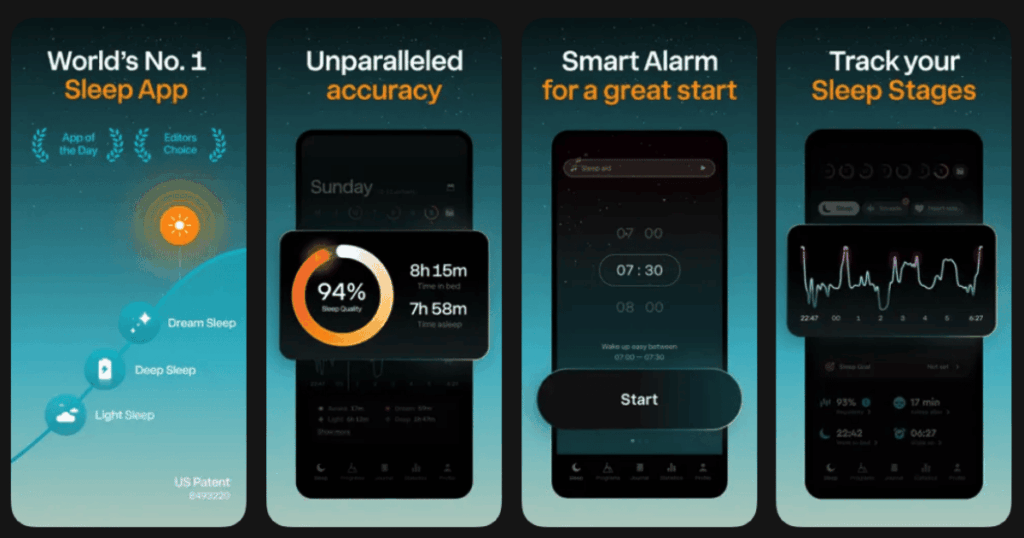
Sleep Cycle has been around for a long time. It is known for one thing above all else. The smart alarm feature wakes you up at the best moment in your sleep cycle.
The app uses your phone’s microphone or accelerometer to track your sleep. It figures out when you are in light sleep versus deep sleep. Then it wakes you up during light sleep so you feel refreshed.
I found the sleep analysis reports really helpful. You can see trends over time and understand what affects your sleep quality.
Key Features:
- Smart alarm wakes you during your lightest sleep phase within a set time window
- Detailed sleep analysis with graphs showing your sleep quality over time
- Snore detection records and tracks your snoring patterns
What I like:
The smart alarm changed my mornings completely. I used to feel groggy every day. Now I wake up feeling much more alert. The app is simple to use. Just set your alarm window and place your phone near your bed. The statistics are interesting to look at. I can see how things like exercise or late meals affect my sleep.
What I don’t like:
The sleep tracking is not as accurate as a wearable device. Sometimes it seems to miss when I wake up at night. The premium features require a subscription that some might find pricey.
Pricing: Basic version is free. Premium subscription unlocks all features including detailed analysis and sleep aid sounds.
Platforms: iOS and Android
#3. Calm – Best for Relaxing Sleep Stories
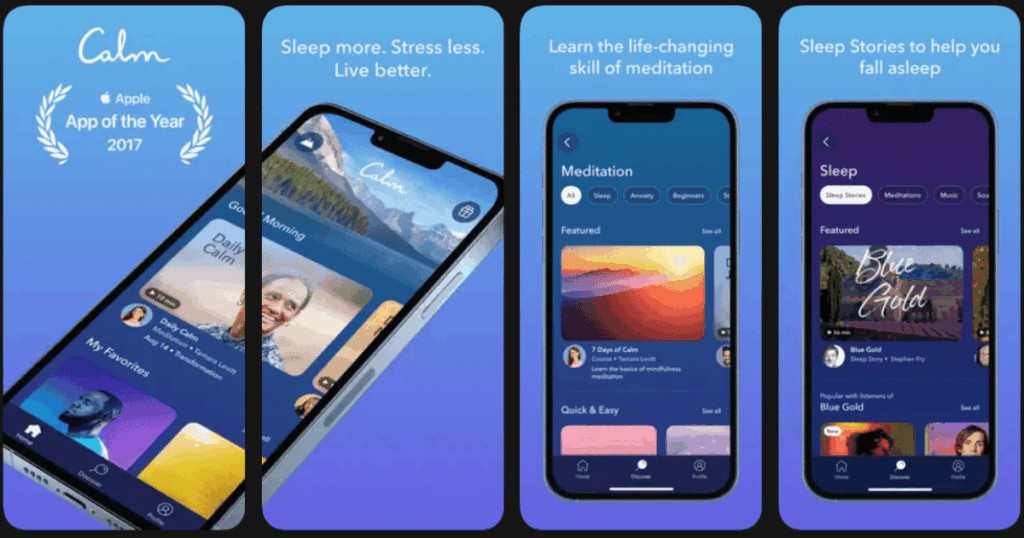
Calm is one of the most popular meditation apps in the world. But it really shines when it comes to sleep content. The Sleep Stories feature is what made this app famous.
These are bedtime stories for adults. They are read by soothing voices, including celebrities like Matthew McConaughey and Harry Styles. The stories are designed to be boring in the best way possible. They help your mind drift off without getting too engaged.
The app also has sleep music and soundscapes. There are programs specifically designed to help with insomnia too.
Key Features:
- Sleep Stories narrated by famous voices with new content added regularly
- Calming music and nature soundscapes designed for better sleep
- Guided meditations focused on relaxation and letting go of the day
What I like:
The production quality of Calm is top notch. Everything sounds beautiful and professional. The Sleep Stories are genuinely relaxing. I usually fall asleep before they end. The variety of content means I never get bored. There is always something new to try. The Daily Calm meditation is a nice bonus for daytime stress relief.
What I don’t like:
Calm is expensive compared to other options. The free content is very limited. You are basically pushed toward the subscription right away. Some of the celebrity stories feel more like marketing than actual sleep aids.
Pricing: Limited free content. Annual subscription required for full access. Sometimes offers lifetime deals.
Platforms: iOS and Android
#4. Headspace – Best for Guided Sleep Meditations
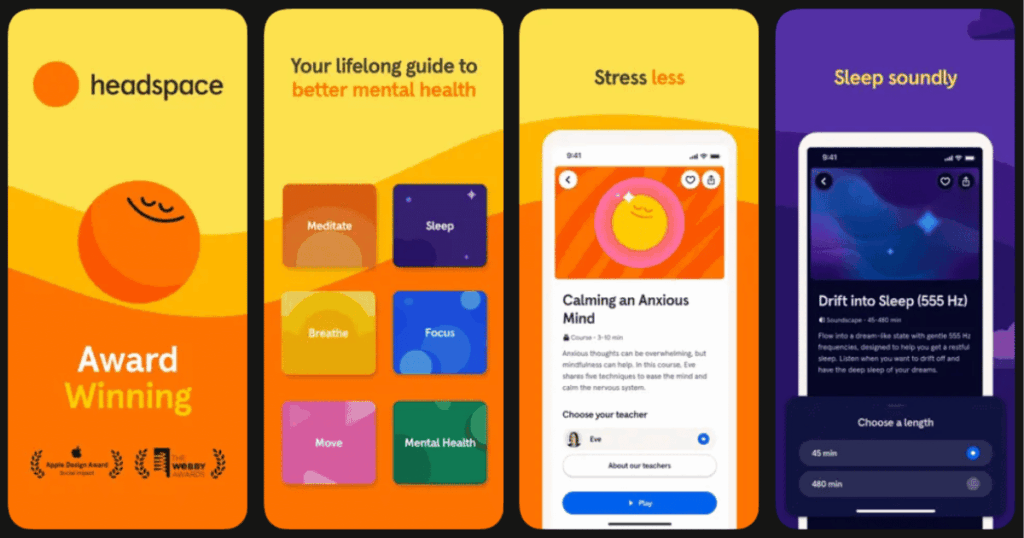
Headspace started as a meditation app. Over time, it has built an impressive sleep section. The Sleepcasts are their version of sleep stories. They take you on relaxing audio journeys.
What I appreciate about Headspace is the educational approach. They explain why certain techniques work. You learn about sleep science while improving your habits.
The wind-down exercises are great for people who struggle to relax before bed. They guide you through gentle movements and breathing.
Key Features:
- Sleepcasts are 45 minute audio experiences that guide you to sleep with calm voices and ambient sounds
- Wind-down exercises combine gentle movement with breathing techniques
- Sleep music composed specifically to help the brain relax
What I like:
Headspace feels very polished and friendly. The animations are cute and make the app enjoyable to use. The Sleepcasts are different from typical sleep stories. They feel more immersive and atmospheric. I also like the focus modes for when I need to concentrate during the day. It makes the subscription feel more valuable.
What I don’t like:
The app can feel a bit childish at times. The cartoon style is not for everyone. The sleep content is good but not as extensive as apps that focus only on sleep. The subscription price is on the higher end.
Pricing: Free trial available. Monthly or annual subscription for full access.
Platforms: iOS and Android
#5. White Noise Lite – Best for Background Sound Masking
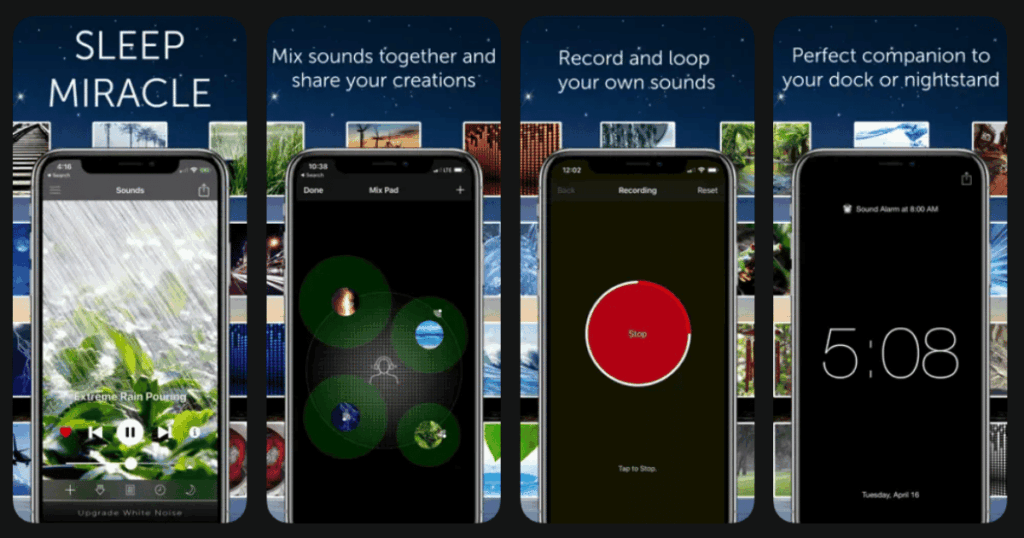
Sometimes you do not need fancy features. You just need consistent background noise to block out distractions. White Noise Lite does this job perfectly.
The app offers a variety of sounds. You get classic white noise, fan sounds, rain, thunder, and more. You can also mix different sounds together to create your perfect blend.
I use this app when I travel. Hotel rooms can be noisy. This app helps me sleep anywhere.
Key Features:
- Large library of ambient sounds including various noise colors and nature sounds
- Sound mixer lets you combine multiple sounds and adjust individual volumes
- Timer and alarm features integrate with your sleep schedule
What I like:
White Noise Lite is straightforward and reliable. It does not try to do too much. The sound quality is good for a free app. I appreciate that it runs in the background without draining my battery too much. The mixing feature lets me create exactly the sound I want. My current favorite is rain with distant thunder.
What I don’t like:
The interface looks dated compared to newer apps. There is no guided content or sleep tracking. If you want more than just sounds, you will need another app. Some of the best sounds require the paid version.
Pricing: Free version has plenty of sounds. One time purchase or subscription unlocks everything.
Platforms: iOS and Android
#6. Relax Melodies – Best for Custom Soundscape Creation
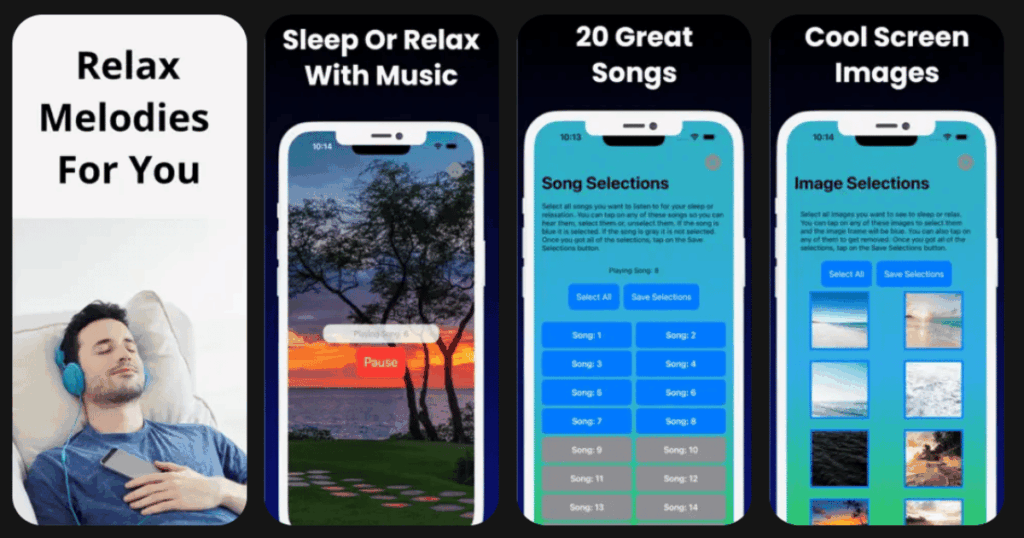
Relax Melodies, now called BetterSleep, is all about customization. The sound mixing feature is more advanced than most other apps. You can create truly unique soundscapes.
The app includes guided meditations and bedtime stories too. There are also breathing exercises to help calm your mind. But the sound mixing is the star of the show.
I spent hours creating different sound combinations. It is almost like a creative hobby that helps me sleep.
Key Features:
- Advanced sound mixer with over 100 sounds to combine however you like
- Bedtime stories and guided meditations for various sleep issues
- Breathing exercises with visual guides to calm your nervous system
What I like:
The level of control is amazing. I can add ocean waves, gentle piano, and crickets all at once. Then I adjust each volume separately. The community feature lets me discover soundscapes other users have created. Some of them are really creative. The breathing exercises use nice visuals that help me focus.
What I don’t like:
The app can feel overwhelming at first. There are so many options. Some users might prefer something simpler. The premium subscription is needed for most content. The free version feels like just a demo.
Pricing: Limited free content. Subscription unlocks full sound library and guided content.
Platforms: iOS and Android
#7. Pzizz – Best for Science-Based Sleep Sounds
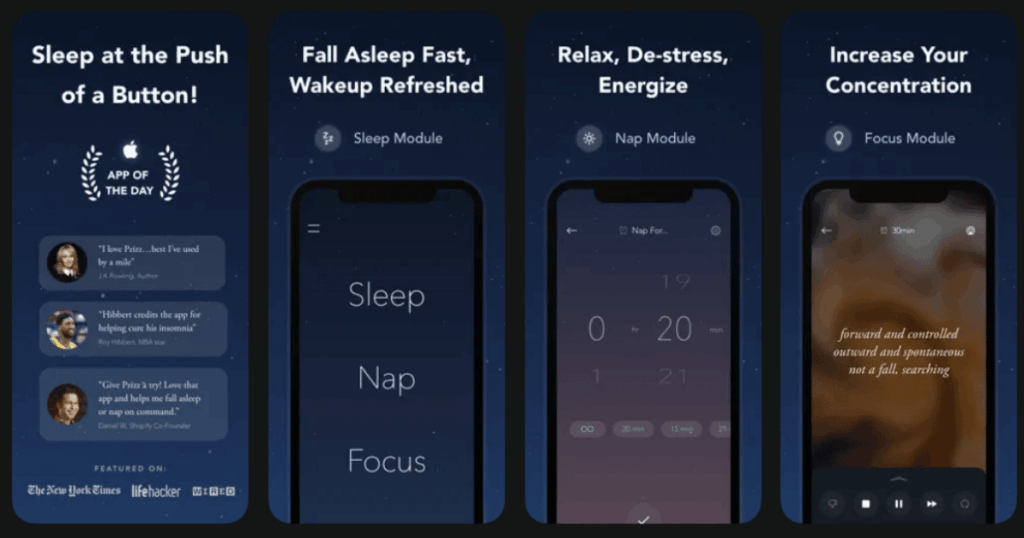
Pzizz takes a unique approach to sleep sounds. The app uses psychoacoustics to create audio that helps you sleep. This means the sounds are designed based on scientific research.
The app generates slightly different audio each time. This prevents your brain from getting used to the same sounds. It keeps the experience fresh and effective.
There are modes for falling asleep, taking naps, and focusing during work.
Key Features:
- Dreamscapes are algorithmically generated audio sequences optimized for sleep
- Power nap mode helps you get effective rest in short time periods
- Focus mode provides audio designed to help concentration during tasks
What I like:
Pzizz feels different from other sleep apps. The audio really does seem to work on a deeper level. I notice I fall asleep faster than with random nature sounds. The nap feature is perfect for weekends. I can set a 20 minute nap and wake up refreshed. The focus mode is a nice bonus that I use while working.
What I don’t like:
The app can feel less personal than others. The algorithmic approach means less choice. You cannot really customize your experience much. The interface is nice but basic. Some people prefer more control over their sounds.
Pricing: Free version available with limitations. Subscription unlocks unlimited use and all features.
Platforms: iOS and Android
#8. Sleep as Android – Best for Detailed Sleep Tracking
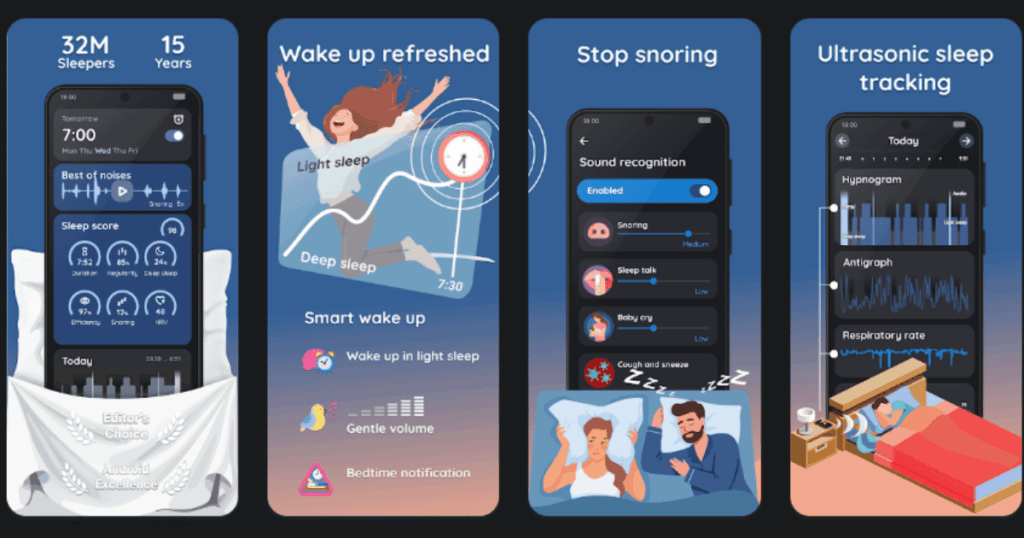
Sleep as Android is the most feature rich sleep tracking app I have tested. It connects with fitness trackers and smartwatches. This gives you much more accurate sleep data.
The smart alarm works similar to Sleep Cycle. But there are way more settings to customize. You can even set CAPTCHA challenges to make sure you actually wake up.
For data lovers, this app is paradise. The graphs and statistics go deep.
Key Features:
- Integrates with wearables like Fitbit, Garmin, and Wear OS watches for accurate tracking
- Smart alarm with customizable wake up challenges including CAPTCHA and math problems
- Snoring and sleep talk recording with automatic detection
What I like:
The depth of tracking is impressive. I can see my deep sleep, REM sleep, and light sleep clearly. The wearable integration makes the data actually trustworthy. The alarm challenges are funny but effective. My spouse hates them because they require me to actually get out of bed. The sleep talk recordings have captured some hilarious moments.
What I don’t like:
The app is complex. Setting everything up takes time. The interface is not as pretty as other apps. It feels more like a tool than a relaxing experience. This is really a tracking app, not a sleep aid app.
Pricing: Free version available. One time purchase or subscription for premium features.
Platforms: Android only
#9. Loóna – Best for Winding Down Before Bed
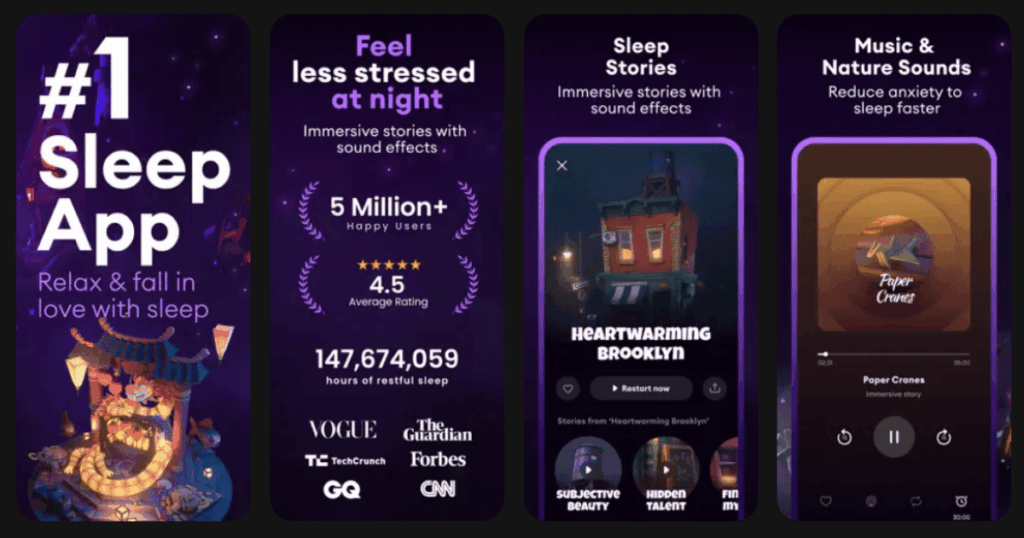
Loóna is different from other sleep apps. It focuses on the time before sleep. The idea is to help your mind slow down through gentle activities.
The main feature is called Sleepscapes. These are digital coloring activities combined with relaxing stories. You tap to color simple scenes while listening to calming narration.
It sounds strange but it really works. The activity is engaging enough to distract from worries. But it is calm enough to prepare you for sleep.
Key Features:
- Sleepscapes combine gentle coloring activities with soothing narration
- New sleepscapes added regularly with various themes and scenes
- Soundscapes and sleep sounds for when you are ready to drift off
What I like:
Loóna solves a real problem. I used to scroll my phone before bed. Now I use Loóna instead. The coloring is oddly satisfying. It gives my hands something to do while my mind relaxes. The art style is beautiful. Each sleepscape feels like a tiny escape. I always feel calmer after using it.
What I don’t like:
The coloring is not for everyone. Some people might find it boring or childish. The app really only works for the pre-sleep period. Once you are in bed, you need to switch to something else. The subscription is required for most content.
Pricing: Limited free content. Subscription required for full access to all sleepscapes.
Platforms: iOS and Android
What Features Should I Look for in a Sleep App?
The best sleep apps offer a mix of features that match your specific needs. Think about what keeps you awake at night. Is it racing thoughts? Consider an app with guided meditations. Is it outside noise? Look for apps with good sound mixing.
Sleep tracking can be helpful if you want to understand your patterns. But many people just need help falling asleep. For them, sleep sounds and stories are more important.
I recommend trying a few free versions before committing. Pay attention to how the app makes you feel. A good sleep app should feel calming from the moment you open it.
Are Sleep Apps Really Effective?
Research shows that sleep apps can genuinely help. The techniques they use like meditation and relaxation sounds are proven to reduce stress. Lower stress means easier sleep.
However, sleep apps are not magic. They work best as part of good sleep habits. You should still avoid screens before bed (except for your sleep app). Keep a regular sleep schedule. Make your bedroom dark and cool.
Sleep apps are tools, not cures. If you have serious sleep problems, talk to a doctor. But for most people dealing with everyday stress, a good app makes a real difference.
Can I Use Multiple Sleep Apps Together?
You can, but I do not recommend it. Using multiple apps gets confusing. You might get notifications from different apps. Your tracking data will be scattered.
A better approach is to find one comprehensive app that does everything you need. This is why I recommend Life7 as my top choice. It combines sleep sounds, meditations, breathing exercises, and more in one place.
If you must use multiple apps, pick them for different purposes. Maybe use one for tracking and one for sounds. Just do not let your phone become cluttered with sleep apps. That defeats the whole purpose of reducing nighttime stress.