
9 Best Sleep Apps For Kids
| App Name | Best For | Key Features | AC Rating | Pricing |
|---|---|---|---|---|
| Life7 | All-in-one sleep and wellness solution | Binaural beats, sleep stories for kids, breathing exercises | 4.8/5 | Free trial, then subscription |
| Moshi | Clinically proven sleep improvement | 85+ hours of audio content, sleep stories, celebrity narrators | 4.7/5 | Free trial, then subscription |
| Calm | Kids sleep stories with popular characters | Calm Kids library, Peppa Pig stories, celebrity narrators | 4.6/5 | Free trial, then subscription |
| Headspace | Age-specific meditation for kids | Sessions for ages 3-12, Sesame Street collaborations | 4.5/5 | Free trial, then subscription |
| Huckleberry | Baby and toddler sleep tracking | SweetSpot predictor, expert sleep plans, tracking tools | 4.6/5 | Free version, paid upgrades |
| BetterSleep | Custom sound mixing for sleep | 300+ sounds, kid-friendly bedtime stories, sleep tracking | 4.5/5 | Free version, paid upgrades |
| Children’s Sleep Meditations | Calming bedtime meditations | Professional narrators, breathing features, multiple themes | 4.4/5 | Free sessions, in-app purchases |
| Smiling Mind | Free mindfulness for families | 700+ content pieces, age-specific programs, sleep meditations | 4.5/5 | Completely free |
| Storybook | Parent-child bonding at bedtime | Massage techniques, bedtime stories, affirmations | 4.3/5 | Free trial, then subscription |
#1. Life7 – Best for All-in-One Sleep and Wellness Solution

Life7 stands out as the most complete sleep and wellness app for families. It combines everything you need to help your child sleep better in one place. The app offers an amazing mix of sounds, stories, and calming tools.
What makes Life7 special is its science-backed approach. It uses brain frequencies like binaural beats and isochronic tones. These sounds are designed to help young minds relax and drift off to sleep naturally. The app also has bedtime stories for both kids and adults!
Key Features:
- Green, white, brown, and pink noise options plus Delta, Theta, Alpha, Beta, and Gamma wave music
- Bedtime stories and visualizations made just for children
- Breathing exercises and SOS sessions to calm anxiety and panic
What I like: I love how Life7 brings together so many wellness tools in one app. The variety of sound options is incredible. My kids can pick between nature sounds, dreamy soundscapes, or 8D sleep audio. The breathing exercises are perfect for calming down my anxious child before bed. The 7-day free trial lets you test everything before paying.
What I don’t like: The free content is a bit limited. You really need the subscription to get the full experience. But I think it’s worth it for everything you get!
Pricing: 7-day free trial available. Weekly, monthly, and yearly subscription plans offered. Frequent special offers available.
Platforms: iOS and Android
#2. Moshi – Best for Clinically Proven Sleep Results

Moshi is an award-winning sleep app that actually has science to back up its claims. Studies from New York University showed kids fell asleep 28 minutes faster when using Moshi. They also slept 22 minutes longer!
The app was created by a BAFTA award-winning team. It offers over 85 hours of original audio content. Kids can enjoy stories narrated by celebrities like Goldie Hawn and Patrick Stewart.
Key Features:
- Clinically proven to help kids fall asleep faster and stay asleep longer
- Daily content tailored to your child’s age and interests
- 100% ad-free and kid-safe with no inappropriate content
What I like: Moshi feels magical to use. The characters are adorable, and the stories are creative. I appreciate that 97% of parents say it helps their kids fall asleep. The app covers ages 0-12, so it grows with your child. The meditations teach real breathing techniques that kids can use anywhere.
What I don’t like: The subscription can feel pricey for some families. Some parents have mentioned confusion about annual versus monthly billing during signup.
Pricing: Free trial available. Annual and monthly subscription options.
Platforms: iOS and Android
#3. Calm – Best for Kids Sleep Stories with Popular Characters
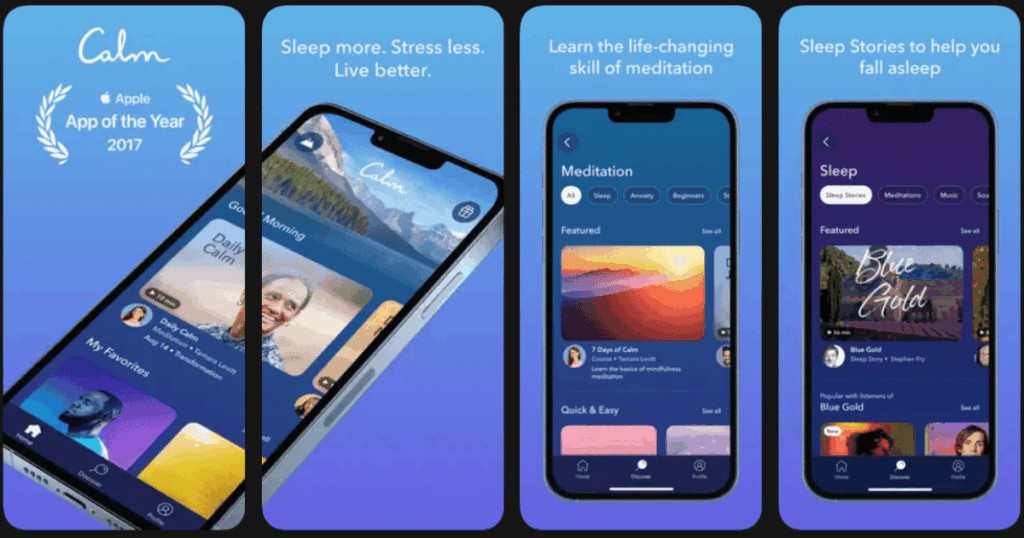
Calm is one of the most popular meditation apps worldwide. It has a dedicated Calm Kids library packed with content children love. Kids can listen to sleep stories featuring Peppa Pig, Kung Fu Panda, and Minions!
The app brings in big celebrities to narrate stories. Names like Pink, Maya Rudolph, and Kate Winslet read bedtime tales. This makes sleep time feel extra special for little ones.
Key Features:
- Sleep stories featuring beloved characters like Thomas & Friends and Trolls
- Meditations designed for kids as young as 3 years old
- Celebrity narrators that kids and parents both enjoy
What I like: The Calm Kids library is excellent. My daughter loves hearing familiar characters in her bedtime stories. The quality of the audio is top-notch. I also like that I can use the adult sections for myself after the kids are asleep. New content drops regularly, so kids never get bored.
What I don’t like: The subscription cost is on the higher side compared to some other apps. You need the premium subscription to access most of the good kids content.
Pricing: Free trial period. Monthly and annual subscription options available.
Platforms: iOS and Android
#4. Headspace – Best for Age-Specific Meditation for Kids
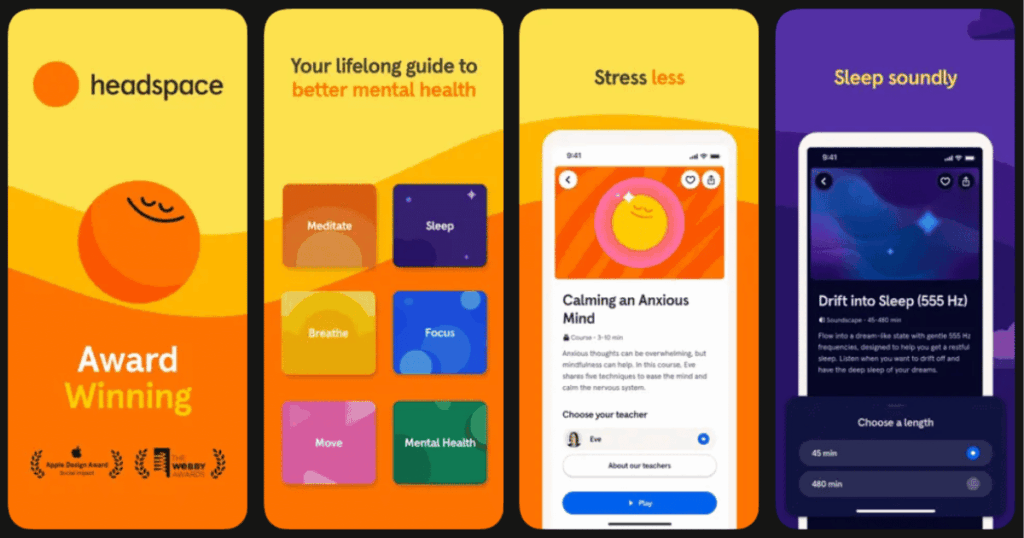
Headspace takes a thoughtful approach to kids’ mindfulness. The app divides content into three age groups: 5 and under, 6-8, and 9-12 years old. This means your child gets meditation suited to their level.
Co-founder Andy Puddicombe guides many sessions himself. The app has fun collaborations with Sesame Street. Kids can do breathing exercises with Elmo and other beloved characters.
Key Features:
- Sessions tailored to specific age groups from ages 3-12
- Sesame Street character collaborations like “Goodnight Body with Elmo”
- Sleep Tight and Goodnight meditations to help kids wind down
What I like: The age-specific approach really works. The meditations for my 5-year-old are short and engaging. The ones for my 9-year-old are more in-depth. I love the “switching off” technique that helps kids relax each body part before sleep. The Sesame Street content makes mindfulness fun for little ones.
What I don’t like: Some of the content feels a bit repetitive after a while. The app structure can be confusing at first when trying to find kids content.
Pricing: Free trial available. Monthly and annual subscription plans offered. Free educator accounts available.
Platforms: iOS and Android
#5. Huckleberry – Best for Baby and Toddler Sleep Tracking
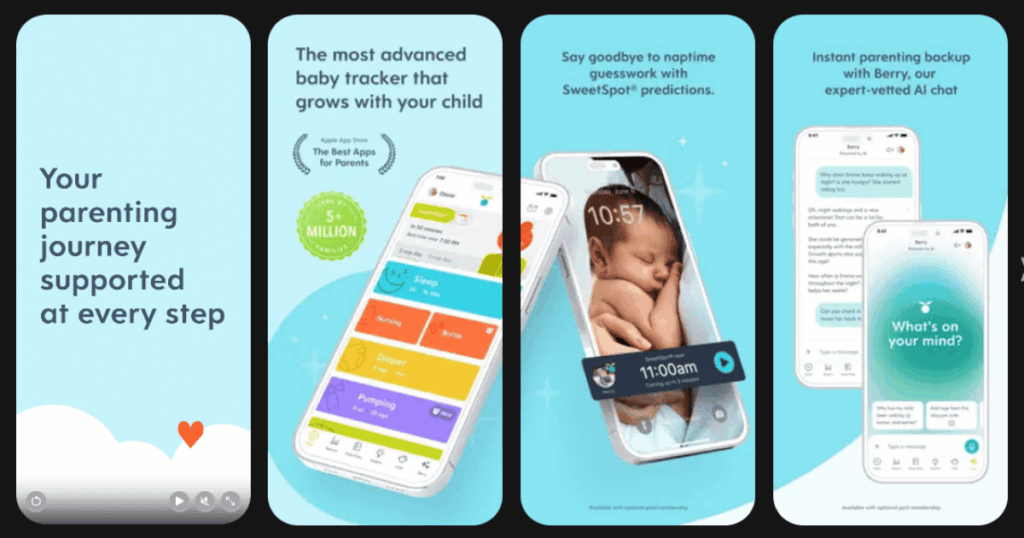
Huckleberry is a lifesaver for new parents struggling with baby sleep. The app’s SweetSpot feature predicts when your child will be tired. This takes the guesswork out of nap time and bedtime.
The app was designed with real pediatric sleep experts. It helps you track everything from sleep to feedings to diaper changes. Parents of babies through 5-year-olds will find it helpful.
Key Features:
- SweetSpot technology that predicts ideal sleep windows
- Custom sleep plans created by pediatric sleep experts
- Comprehensive tracking for sleep, feeding, and daily routines
What I like: The SweetSpot feature is game-changing. Before Huckleberry, I was always guessing when my baby was tired. Now I know exactly when to start the bedtime routine. The expert sleep plans are worth the upgrade if you’re really struggling. The tracking features help you see patterns you might miss otherwise.
What I don’t like: The app is most useful for babies and toddlers. Older kids won’t benefit as much. The premium features can get expensive if you need ongoing support.
Pricing: Free basic tracking. Plus membership and Premium membership available with monthly and yearly options.
Platforms: iOS and Android
#6. BetterSleep – Best for Custom Sound Mixing for Sleep
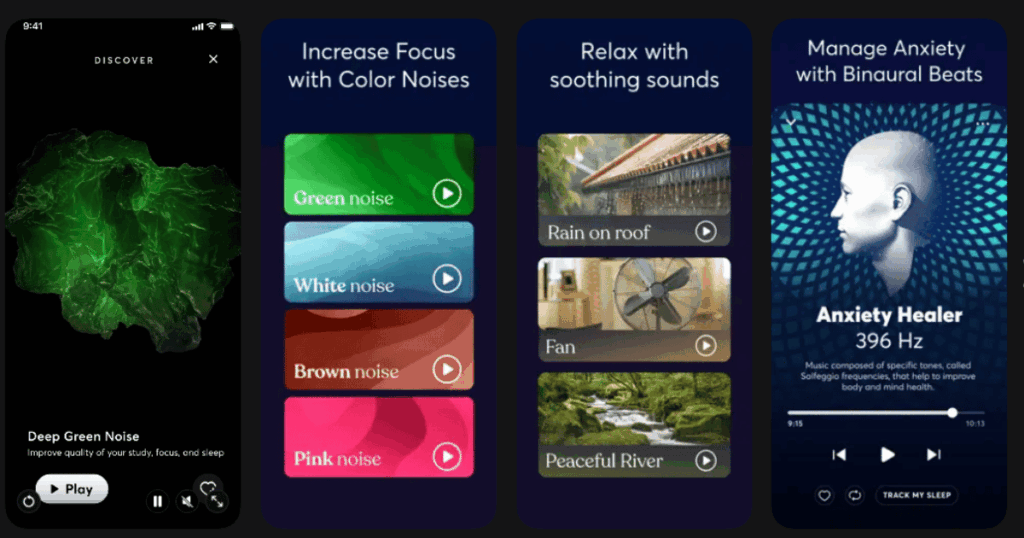
BetterSleep (formerly Relax Melodies) lets families create perfect sleep soundscapes. You can mix and match over 300 different sounds. Kids can combine rain, wind, crackling fire, and more!
The app has a dedicated kids section with bedtime stories. It also includes meditations designed specifically for children. The sleep tracking feature helps you understand your family’s sleep patterns.
Key Features:
- Over 300 sleep sounds you can mix and layer together
- Kid-friendly bedtime stories across genres like fairy tales and fantasy
- Sleep tracking and science features to understand sleep patterns
What I like: The sound mixing feature is fantastic. My son loves creating his own sleep soundscapes. He mixes ocean waves with gentle rain every night. The variety of bedtime stories keeps things fresh. I appreciate that the whole family can use one app with content for all ages.
What I don’t like: The free version has become more limited over time. Many sounds that used to be free now require a subscription.
Pricing: Free version with basic features. Monthly, yearly, and lifetime subscription options available.
Platforms: iOS and Android
#7. Children’s Sleep Meditations – Best for Calming Bedtime Meditations
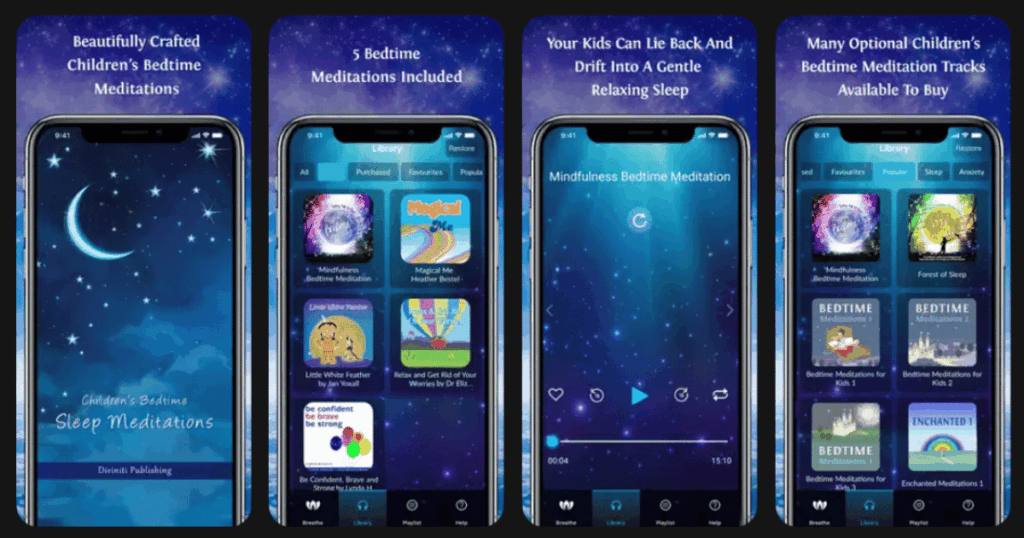
Children’s Sleep Meditations focuses purely on meditation content for kids. The app features recordings from best-selling children’s audio authors. Names like Christiane Kerr and Glenn Harrold provide soothing guidance.
The meditations cover many themes beyond just sleep. Kids can work on confidence, anxiety, stress, and self-esteem. The professional recordings use calm, reassuring vocal tones.
Key Features:
- Professional meditations from award-winning children’s audio authors
- Breathing features to help children calm down and de-stress
- Wide range of themes including sleep, confidence, and anxiety
What I like: The quality of the recordings is excellent. These are professional narrators who know how to speak to children. I love that there are meditations for different issues like worry and anger. The breathing feature teaches kids useful skills they can use anywhere. A few sessions are free so you can try before buying.
What I don’t like: The interface feels a bit dated compared to newer apps. Most of the good content requires individual purchases, which can add up.
Pricing: Several free meditations included. Additional meditations available as in-app purchases.
Platforms: iOS and Android
#8. Smiling Mind – Best for Free Mindfulness for Families
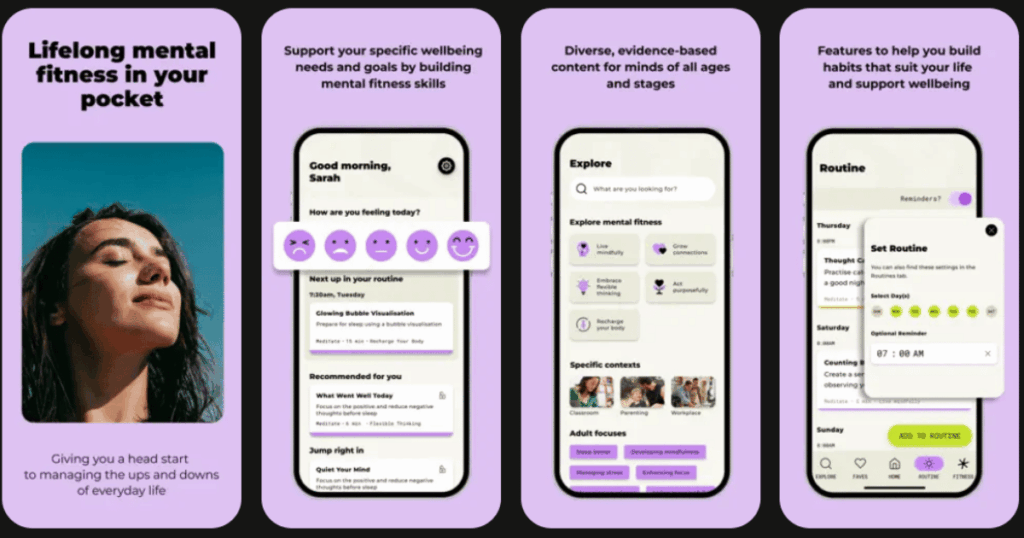
Smiling Mind is a rare gem in the world of wellness apps. It’s completely free! This Australian non-profit has been helping families for over 12 years. The app contains over 700 pieces of content designed by psychologists.
Programs exist for all ages from kids to teens to adults. The sleep content includes meditations, calming music, and soundscapes. Families can practice mindfulness together with shared programs.
Key Features:
- Completely free with no hidden costs or subscriptions
- Over 50 collections designed specifically for children and families
- Mental fitness tracking to see your progress over time
What I like: I can’t believe this app is free! The quality rivals paid apps. I love that it was created by psychologists and researchers. The age-specific content works really well. My kids use it for sleep, and I use it for stress. The fact that all funding goes back into their mission makes me feel good about using it.
What I don’t like: The app recently got a redesign that some users find confusing. The music loops can feel repetitive during longer sessions.
Pricing: Completely free. Donations accepted but never required.
Platforms: iOS and Android
#9. Storybook – Best for Parent-Child Bonding at Bedtime
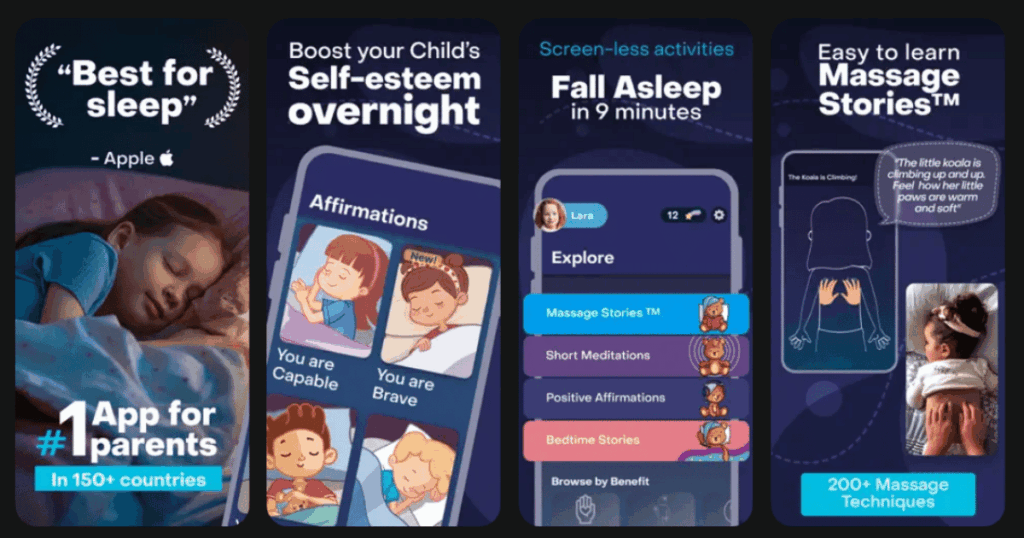
Storybook takes a unique approach to bedtime. It combines stories with gentle massage techniques. Parents follow along with videos to give their child a calming massage during stories.
The app focuses on the parent-child connection as key to good sleep. The methods are backed by scientific research on infant massage. 92% of users say their sleep routine improved after using Storybook.
Key Features:
- Bedtime stories combined with gentle massage techniques
- Meditations and affirmations for positive bedtime vibes
- Customization options for narrator voice and story length
What I like: The massage component is brilliant. Physical touch helps my child relax in ways that audio alone can’t. I feel more connected to my kids at bedtime now. The stories are soothing, and the meditations are age-appropriate. It’s turned our bedtime battles into bonding time.
What I don’t like: Some parents report issues with canceling subscriptions during the trial period. The stories can feel a bit short compared to other apps.
Pricing: Free trial available. Annual subscription plan offered.
Platforms: iOS and Android
Are Sleep Apps Safe for Kids?
Yes, sleep apps are generally safe for children when used correctly. The key is choosing apps that are designed with kids in mind. Look for apps that are ad-free and have no inappropriate content. Most of the apps on this list were created with input from child development experts.
However, there are some things to keep in mind. Screen time before bed can make it harder to fall asleep. That’s why many of these apps are audio-only. This lets kids listen with their eyes closed. If your child uses a screen-based app, turn down the brightness. Consider using night mode or dark mode settings.
It’s also a good idea to listen to content together first. Make sure the stories and meditations feel right for your child. What works for one kid might not work for another.
What Age Can Kids Start Using Sleep Apps?
Kids can start using sleep apps from infancy through their teen years. Different apps work better for different ages. Baby-focused apps like Huckleberry help parents establish healthy sleep routines early. These are really tools for parents of newborns through toddlers.
For preschoolers ages 3-5, apps with simple stories and gentle sounds work best. Moshi and Calm Kids have great content for this age group. School-age kids ages 6-12 can handle more complex meditations. They may enjoy apps that teach breathing techniques or mindfulness skills.
The most important thing is matching the content to your child’s development level. Start simple and add more as they grow.
How Do I Choose the Right Sleep App for My Child?
Choosing the right sleep app depends on your child’s needs and preferences. First, think about what’s causing sleep issues. Is your child anxious? An app with calming meditations might help. Do they need white noise? Look for apps with sound mixing features.
Consider your child’s personality too. Some kids love stories, while others prefer sounds. Some enjoy guided breathing, and others find it annoying. Most apps offer free trials, so test a few before committing.
Finally, think about your budget. Apps range from completely free to fairly expensive subscriptions. Life7 offers a great free trial to explore all features. Smiling Mind is totally free and still excellent. Decide what fits your family before signing up for annual plans.