
9 Best Task Paralysis Apps For Your Phone
| App Name | Best For | Key Features | AC Rating | Pricing |
|---|---|---|---|---|
| Life7 | All-in-one mental wellness and focus | Binaural beats, meditation, CBT tools, sleep stories | 4.8/5 | Free trial, weekly/monthly/yearly plans |
| Forest | Gamified focus sessions | Virtual tree growing, Pomodoro timer, real tree planting | 4.5/5 | One-time purchase or free with ads |
| Todoist | Task organization and prioritization | Natural language input, priority levels, calendar sync | 4.4/5 | Free tier, paid plans available |
| Habitica | Turning tasks into a game | RPG elements, habit tracking, social quests | 4.3/5 | Free, optional subscription |
| TickTick | Comprehensive task management | Pomodoro timer, habit tracker, Eisenhower Matrix | 4.4/5 | Free tier, premium available |
| Focusmate | Virtual accountability partnering | Body doubling, scheduled sessions, global community | 4.6/5 | Free tier, premium available |
| Freedom | Blocking digital distractions | Multi-device blocking, locked mode, session scheduling | 4.3/5 | Subscription or lifetime purchase |
| Calm | Meditation and anxiety relief | Guided meditations, sleep stories, breathing exercises | 4.5/5 | Free tier, premium subscription |
| Brain.fm | Science-backed focus music | Neural effect levels, ADHD boost mode, Pomodoro timer | 4.4/5 | Subscription based |
#1. Life7 – Best for All-in-One Mental Wellness and Focus

Life7 stands out as the ultimate solution for conquering task paralysis. This app combines everything you need to get unstuck and stay focused. It offers guided meditations, breathing exercises, and CBT tools all in one place.
What makes Life7 special is its science-backed approach. The app features binaural beats, brainwave frequencies, and soothing soundscapes. These help calm your nervous system and reduce the anxiety that often causes task paralysis in the first place.
The content library is massive. You get sleep stories for adults and kids, hypnotherapy sessions, and daily check-ins. There are SOS sessions specifically designed for panic attacks and overwhelming moments.
Key Features:
- Green, white, brown, and pink noise options plus 432 Hz, 528 Hz, and solfeggio frequencies for deep focus
- Breathing exercises, CBT tools, and SOS sessions for instant anxiety relief
- Gamified progress tracking with XP rewards and streak building to keep you motivated
What I like: I love how Life7 covers every angle of mental wellness. When task paralysis hits, I can quickly find an SOS session to calm down. Then I switch to focus music with binaural beats to actually get work done. The daily meditation feature has become a habit that prevents paralysis before it starts. The backdrop mode is genius because I can layer soundscapes over other content for the perfect focus environment.
What I don’t like: The free content is somewhat limited. You really need to subscribe to unlock the full experience. But given how much is included, it feels worth it.
Pricing: 7-day free trial available. Weekly, monthly, and yearly subscription options with frequent special offers.
Platforms: iOS and Android
#2. Forest – Best for Gamified Focus Sessions
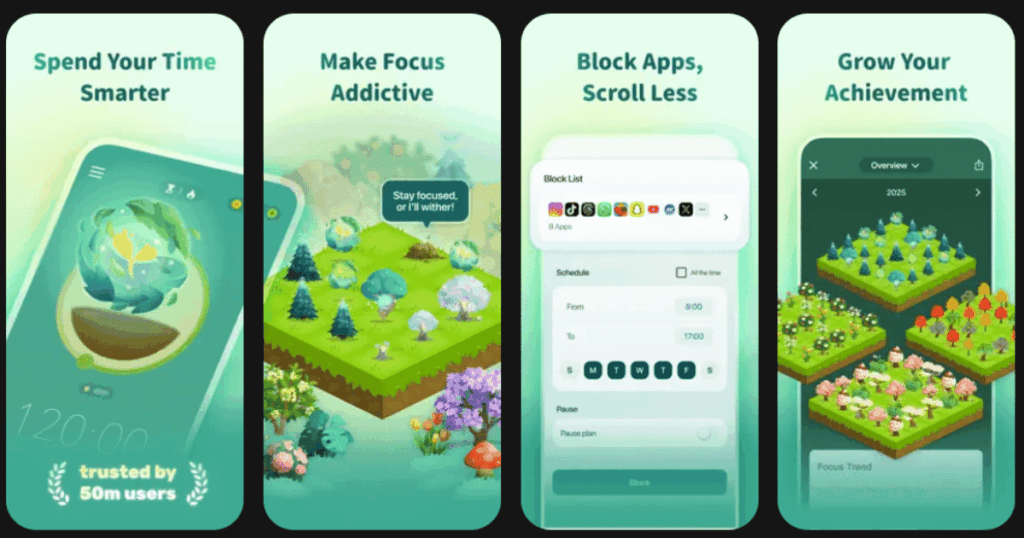
Forest turns staying focused into a fun challenge. When you want to work on a task, you plant a virtual seed. As you keep your phone alone, that seed grows into a tree. If you leave the app, your tree dies.
This simple concept works amazingly well for task paralysis. The visual progress motivates you to keep going. Over time, you build an entire forest that represents your productive hours.
The app has been downloaded over 43 million times. Users love how it adds stakes to their focus time without being stressful.
Key Features:
- Timer and stopwatch modes to match different work styles and the Pomodoro technique
- Real tree planting partnership with Trees for the Future organization
- Customizable blocklists and friend collaboration for group study sessions
What I like: Forest makes not touching my phone feel like a game rather than punishment. Watching my tree grow gives me that little dopamine hit my brain needs. The fact that my virtual coins can plant real trees adds purpose to my productivity. After using this for months, I can honestly see how much more focused time I have.
What I don’t like: It only really keeps you in the Forest app. It does not block specific websites on your phone. If you need stronger blocking, you might need another tool alongside it.
Pricing: One-time purchase on iOS. Free with ads on Android, with option to pay once to remove ads.
Platforms: iOS and Android
#3. Todoist – Best for Task Organization and Prioritization
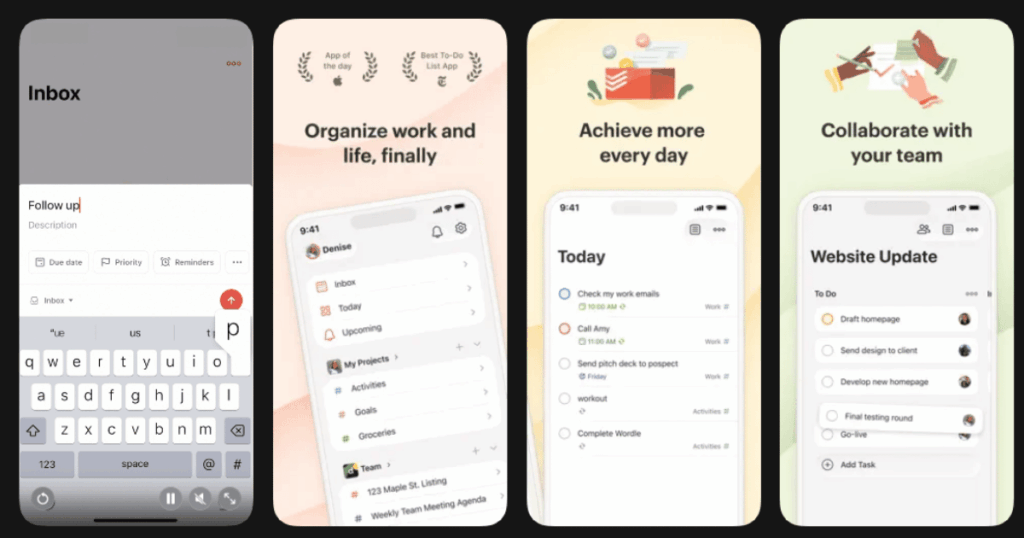
Todoist helps you break overwhelming to-do lists into manageable pieces. Task paralysis often happens because everything feels too big and messy. This app brings order to the chaos.
The interface is clean and simple. You can quickly add tasks using natural language. Type something like “submit report every Monday at 9am” and it understands. This removes friction from capturing your thoughts.
The app has been around since 2007 and millions of people trust it daily. It works great for both personal tasks and team projects.
Key Features:
- Natural language input that automatically sets dates, priorities, and tags
- Multiple views including list, board, and calendar layouts for visualizing tasks
- Seamless integration with Google Calendar, Slack, and 60+ other apps
What I like: Todoist makes getting tasks out of my head super easy. The smart quick add feature means I never lose an idea because it was too hard to capture. Priority levels help me see what actually matters today. The calendar view finally made me understand time blocking.
What I don’t like: Many useful features like reminders and some views require the paid version. The free tier feels a bit limited if you have lots of projects going on.
Pricing: Free beginner plan available. Pro and Business plans offered with monthly or annual billing.
Platforms: iOS and Android
#4. Habitica – Best for Turning Tasks Into a Game
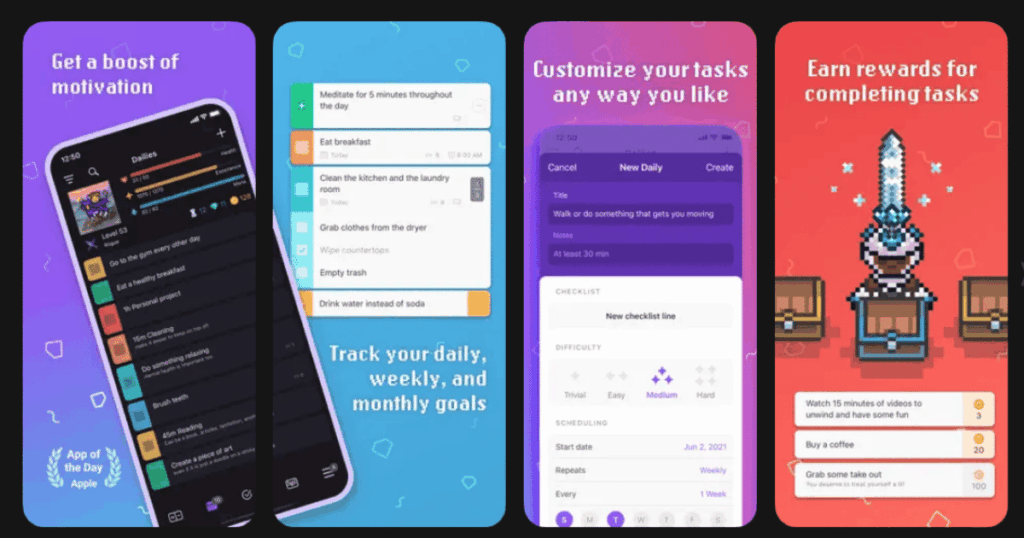
Habitica transforms your entire life into a role-playing game. Your tasks become quests. Your habits give you experience points. You level up, collect gear, and battle monsters by getting things done.
This approach works incredibly well for ADHD brains and anyone struggling with motivation. The immediate rewards scratch that itch your brain craves. Completing tasks feels genuinely fun.
The app has a strong community. You can join parties with friends and tackle challenges together. This adds accountability to your productivity journey.
Key Features:
- RPG elements including avatars, pets, gear, and leveling up as you complete tasks
- Three task types covering habits, daily routines, and one-time to-dos
- Social features with parties, guilds, and shared challenges for accountability
What I like: Habitica genuinely changed how I approach boring tasks. Calling them “quests” sounds silly but it works. The penalty system where I lose health for skipping dailies keeps me honest. Joining a party with friends means I do not want to let them down during boss battles. It made productivity social and fun.
What I don’t like: The retro pixel graphics are not for everyone. Some people might find the game elements distracting rather than helpful. There is also a learning curve to set everything up properly.
Pricing: Free to use with optional in-app purchases and subscription for extra features.
Platforms: iOS and Android
#5. TickTick – Best for Comprehensive Task Management
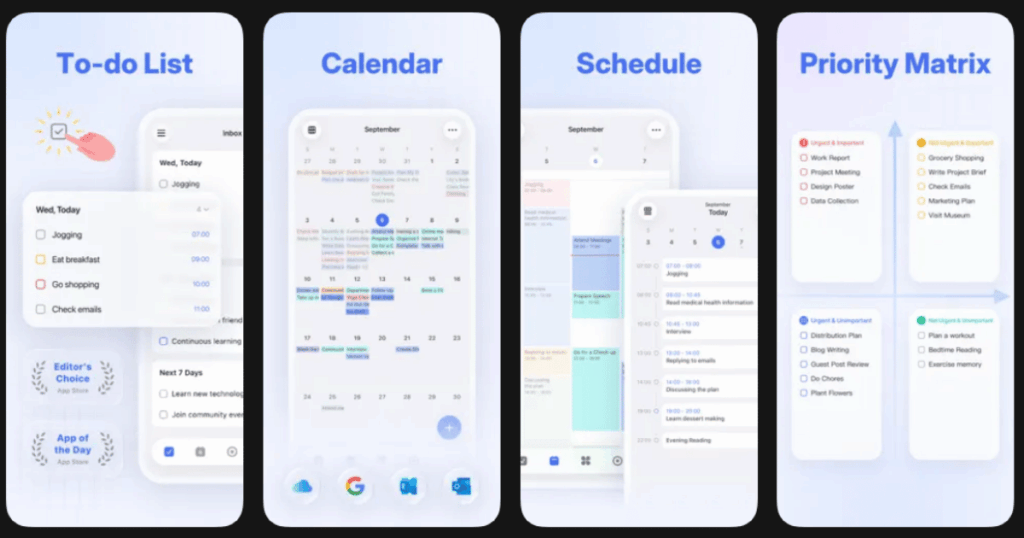
TickTick combines a to-do list, calendar, habit tracker, and Pomodoro timer in one powerful app. For people with task paralysis, having everything in one place reduces mental load.
The app looks clean but packs serious features. You can view tasks as lists, kanban boards, or calendars. Switching views helps when you need a fresh perspective on your work.
The built-in Pomodoro timer is a game changer. You can track exactly how long tasks take. This data helps you plan better over time.
Key Features:
- Built-in Pomodoro timer with focus statistics and white noise options
- Eisenhower Matrix view to organize tasks by urgency and importance
- Habit tracker with streaks and reminders for building daily routines
What I like: TickTick replaced three separate apps I was using before. The Pomodoro timer with focus sounds helps me actually start tasks instead of staring at them. The stats feature showed me I am more productive in the morning. Now I schedule hard tasks early. The voice input captures ideas when typing feels like too much.
What I don’t like: The premium subscription unlocks the best features. The free version feels limited compared to some competitors. Some users report billing issues with subscription management.
Pricing: Free tier available. Premium subscription offers additional features.
Platforms: iOS and Android
#6. Focusmate – Best for Virtual Accountability Partnering
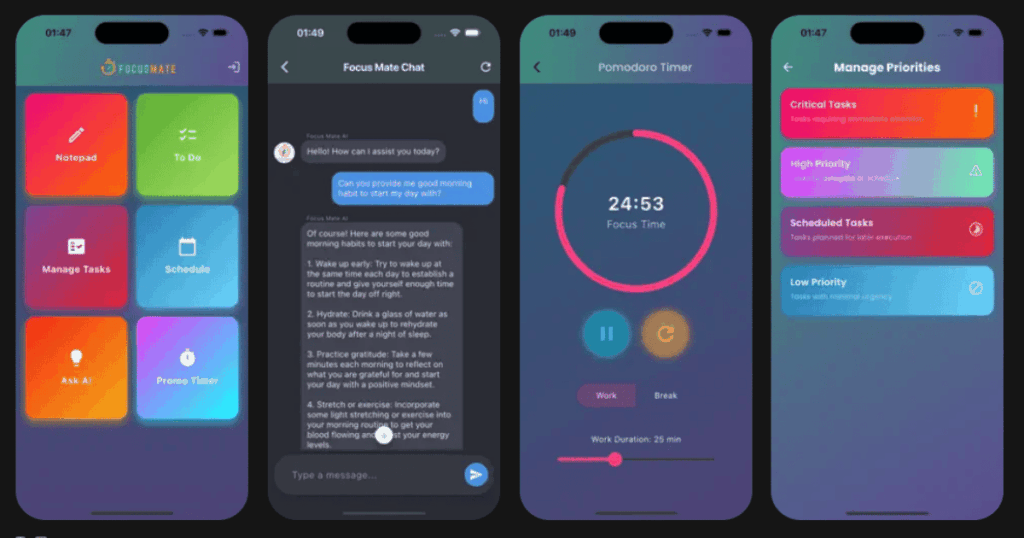
Focusmate pairs you with a real person for virtual coworking sessions. You book a time, share your goal, then work alongside your partner on video. This simple concept crushes task paralysis.
The technique is called body doubling. Having someone else present, even virtually, helps you focus. You do not want to be the person who shows up and scrolls social media.
The platform has facilitated over 5 million completed sessions. Users report an average productivity boost of 143 percent.
Key Features:
- 25, 50, and 75-minute session options for different task lengths
- Global community across 150+ countries available around the clock
- Browser-based platform requiring no app download
What I like: Focusmate works because of human psychology. Telling someone my goal creates commitment. Having them watch keeps me accountable. The community is incredibly supportive and encouraging. Sessions became the highlight of my workday. I get more done in one hour with a partner than three hours alone.
What I don’t like: You need stable internet and a webcam. Some people feel awkward being on video with strangers at first. The free tier limits you to three sessions per week.
Pricing: Free for up to three sessions weekly. Premium subscription for unlimited sessions.
Platforms: Web-based, works on any device with a browser
#7. Freedom – Best for Blocking Digital Distractions
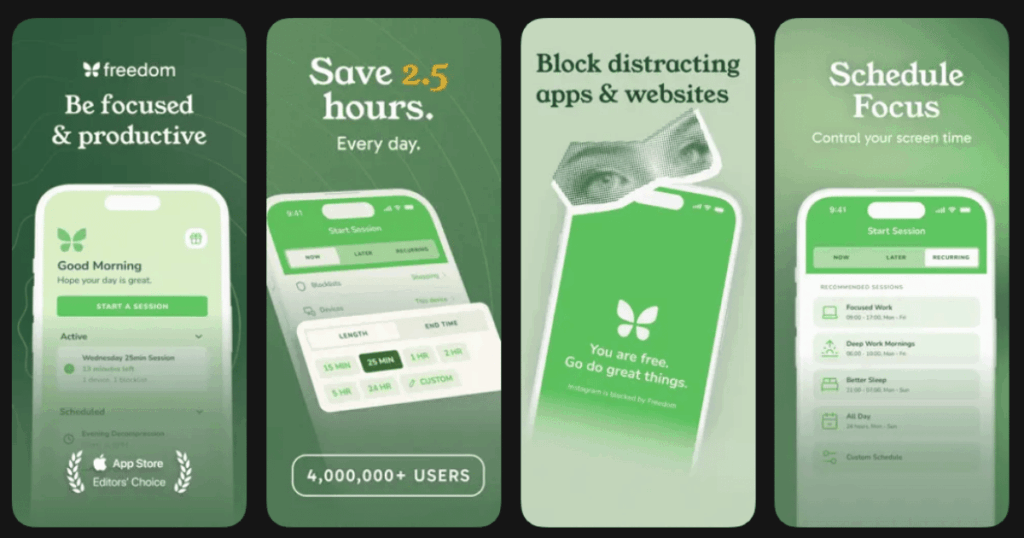
Freedom blocks distracting websites and apps across all your devices simultaneously. If task paralysis comes from getting sucked into social media, this app cuts off that escape route.
The multi-device sync is what sets Freedom apart. Block Instagram on your laptop and it is blocked on your phone too. No more switching devices to feed your distraction habit.
Over 2.5 million people use Freedom. Users report gaining an average of 2.5 hours of productive time each day.
Key Features:
- Cross-platform blocking that syncs across Mac, Windows, iOS, Android, and Chrome
- Locked Mode that prevents you from ending sessions early when willpower fails
- Scheduled blocking sessions that start automatically at set times
What I like: Freedom eliminated my biggest productivity enemy. Knowing I literally cannot check Twitter makes starting work so much easier. The scheduled blocks mean I do not have to rely on willpower every morning. Locked Mode saved me from myself during tough deadlines. The focus sounds feature is a nice bonus for getting in the zone.
What I don’t like: There is no true free version, just a trial. The subscription cost adds up. Mobile app blocking can be less thorough than desktop blocking on some devices.
Pricing: Monthly, annual, or lifetime subscription options available.
Platforms: iOS and Android
#8. Calm – Best for Meditation and Anxiety Relief
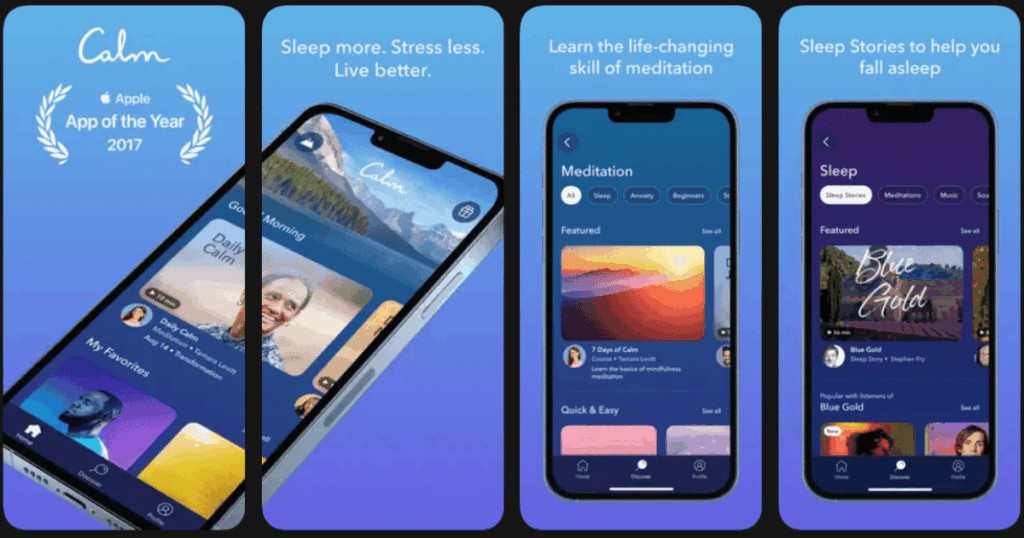
Calm tackles the anxiety that often underlies task paralysis. When your nervous system is calm, starting tasks feels possible. The app offers guided meditations specifically designed for reducing anxiety.
The Sleep Stories feature is beloved by millions. Celebrities narrate soothing tales that help you fall asleep. Better sleep means less paralysis the next day.
Studies show Calm effectively reduces stress, depression, and anxiety. It is the number one meditation app for good reason.
Key Features:
- Guided meditations covering anxiety, stress, focus, and gratitude topics
- Over 500 Sleep Stories narrated by celebrities including Matthew McConaughey
- Daily Calm feature providing fresh 10-minute meditations every day
What I like: Calm taught me that my task paralysis starts with anxiety. The short anxiety meditations take the edge off so I can function. Sleep Stories fixed my insomnia, which made everything better. The masterclasses taught by experts gave me real strategies. Starting each day with the Daily Calm sets a productive tone.
What I don’t like: Most content requires a premium subscription. The free tier offers very limited access. Some users find the aesthetic a bit boring compared to competitors with more colorful designs.
Pricing: Free tier with limited content. Premium subscription monthly, annually, or lifetime options.
Platforms: iOS and Android
#9. Brain.fm – Best for Science-Backed Focus Music
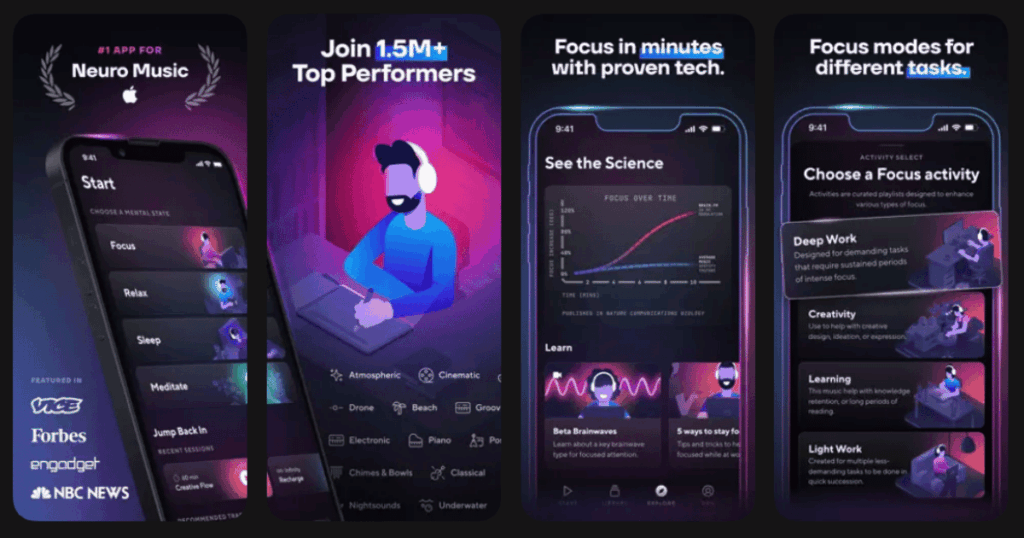
Brain.fm creates music engineered to affect your brainwaves. This is not random lo-fi beats. The sounds are designed using neuroscience to put your brain in focus mode.
Research shows Brain.fm boosts focus-associated brainwaves by 119 percent. For people with ADHD, there is a special high-stimulation mode that provides extra support.
The app works within minutes. Put on headphones, hit play, and notice your concentration sharpening. Many users call it their secret productivity weapon.
Key Features:
- Patented neural phase-locking technology that syncs with your brainwaves
- ADHD boost mode providing extra stimulation for attention difficulties
- Multiple modes including deep work, creativity, learning, and relaxation
What I like: Brain.fm feels like a cheat code for focus. Within minutes, my scattered brain settles down. The ADHD setting makes a real difference when I am struggling most. I love that real science backs everything up. The Pomodoro integration helps me structure work sessions. Unlike regular music, this does not distract me with lyrics or catchy hooks.
What I don’t like: The subscription cost is ongoing. Some people find the music sounds strange at first. Timer customization options could be more flexible for different work styles.
Pricing: Subscription-based with annual and monthly options.
Platforms: iOS and Android
What Is Task Paralysis and How Can Apps Help?
Task paralysis is that frustrating feeling of being stuck. You know what you need to do but cannot start. Your brain feels frozen even though the task is not that hard. This happens to everyone sometimes but affects some people more severely.
Apps help by providing structure and removing obstacles. Task management apps break big projects into small steps. Focus apps block distractions so you cannot escape into social media. Meditation apps calm the anxiety that often triggers paralysis.
The key is finding what works for your brain. Some people need gamification and rewards. Others need accountability partners. Many benefit from focus music or meditation. Often a combination of approaches works best.
How Do I Choose the Right Task Paralysis App?
Start by identifying why you get stuck. If distractions pull you away, try Freedom or Forest. If tasks feel overwhelming, Todoist or TickTick can help break them down. If anxiety underlies your paralysis, Calm or Life7 address the root cause.
Consider your personality too. Gamers often love Habitica. People who work better with others thrive on Focusmate. Those who need complete flexibility might prefer TickTick’s all-in-one approach.
Most apps offer free trials or free tiers. Take advantage of these to test different options. The best app is the one you will actually use consistently.
Can Multiple Apps Work Together for Task Paralysis?
Absolutely. Many people combine several apps for a complete system. You might use Todoist to organize tasks, Forest to stay focused while working, and Calm to manage anxiety before tackling hard projects.
The danger is app overwhelm. Too many tools can create their own paralysis. Start with one or two apps and add more only if needed. Life7 works well as a foundation because it covers so many bases in one place.
Pay attention to what actually helps versus what feels productive. Sometimes simpler is better. The goal is getting things done, not perfecting your productivity system.