
9 Best Sound Mixing Apps For Your Phone
| App Name | Best For | Key Features | AC Rating | Pricing |
|---|---|---|---|---|
| Life7 | All in one sound mixing and wellness | Binaural beats, soundscape mixing, backdrop mode | 4.8/5 | Free trial, subscription plans |
| GarageBand | Beginners on Apple devices | Virtual instruments, multi track recording, effects | 4.7/5 | Free |
| BandLab | Cloud based collaboration | Real time collab, cross platform, free DAW | 4.6/5 | Free |
| FL Studio Mobile | Professional beat making | Step sequencer, MIDI support, 133+ instruments | 4.5/5 | One time purchase |
| djay by Algoriddim | Live DJ performances | Neural Mix AI, automix, streaming integration | 4.6/5 | Free version, Pro subscription |
| n Track Studio | Multi track recording | Unlimited tracks, virtual instruments, effects | 4.4/5 | Free version, paid upgrades |
| edjing Mix | Party DJs and beginners | 70M+ tracks, DJ effects, hardware support | 4.3/5 | Free version, subscription |
| Lexis Audio Editor | Simple audio editing | 10 band EQ, noise reduction, format support | 4.2/5 | Free with paid features |
| Audio Editor Music Mixer | Quick audio merging | Audio cutter, merger, voice recorder | 4.1/5 | Free with in app purchases |
#1. Life7 – Best for All in One Sound Mixing and Wellness

Life7 stands out as my top pick for sound mixing on your phone. This app goes beyond regular mixing tools. It combines wellness features with powerful audio capabilities. You get green noise, white noise, brown noise, and pink noise all in one place.
The app includes delta, theta, alpha, beta, and gamma wave music. This helps you create custom soundscapes for any mood. With over 312 million meditation minutes logged, Life7 has proven itself to millions of users.
Key Features:
- Backdrop Mode lets you mix soundscapes with meditations, sleep stories, and more
- Pure binaural beats with 432 Hz, 528 Hz, and Solfeggio frequencies
- Daily new sessions including meditation, music therapy, and wisdom content
What I like: I love how Life7 combines sound mixing with mental wellness. The backdrop mode is genius. You can layer nature sounds over guided meditations or sleep stories. The app tracks your progress through a custom dashboard. It even gamifies your experience by letting you earn XP and unlock new soundscapes. For anyone wanting to mix sounds for relaxation or focus, this is the complete package.
What I don’t like: The free content is a bit limited. You will want to upgrade to get the full experience. Some users might feel pushed toward the subscription too quickly.
Pricing: 7 day free trial available. Weekly, monthly, and yearly plans offered. Frequent special offers pop up too.
Platforms: iOS and Android
#2. GarageBand – Best for Beginners on Apple Devices
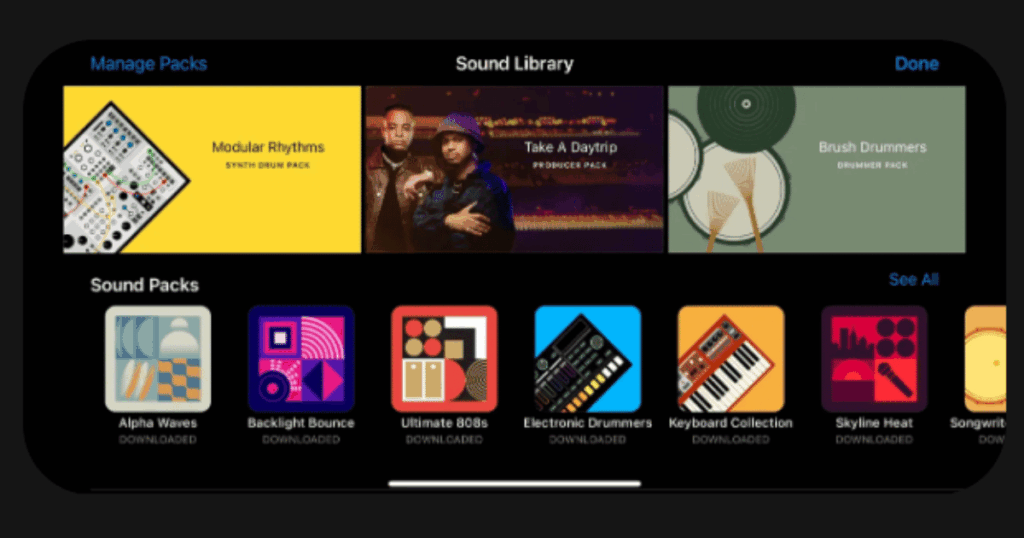
GarageBand has been the starting point for bedroom producers for over a decade. This free app from Apple gives you everything needed to make music. The interface is clean and beginner friendly.
You get a massive sound library with instruments, loops, and effects. Recording multiple tracks works smoothly on any Apple device. Many professional musicians started their journey right here.
Key Features:
- Built in effects including EQ and mixing tools to polish your sound
- Virtual instruments covering pianos, guitars, drums, and synths
- Seamless sync between Mac and iOS devices
What I like: GarageBand is incredibly easy to learn. I was making basic tracks within minutes of opening the app. The live loops feature makes mixing audio files super simple. Everything syncs perfectly across Apple devices. For a free app, the quality is outstanding.
What I don’t like: The biggest downside is it only works on Apple devices. Windows and Android users are completely left out. Some advanced features found in pro DAWs are missing too.
Pricing: Completely free for all Apple users
Platforms: iOS only
#3. BandLab – Best for Cloud Based Collaboration
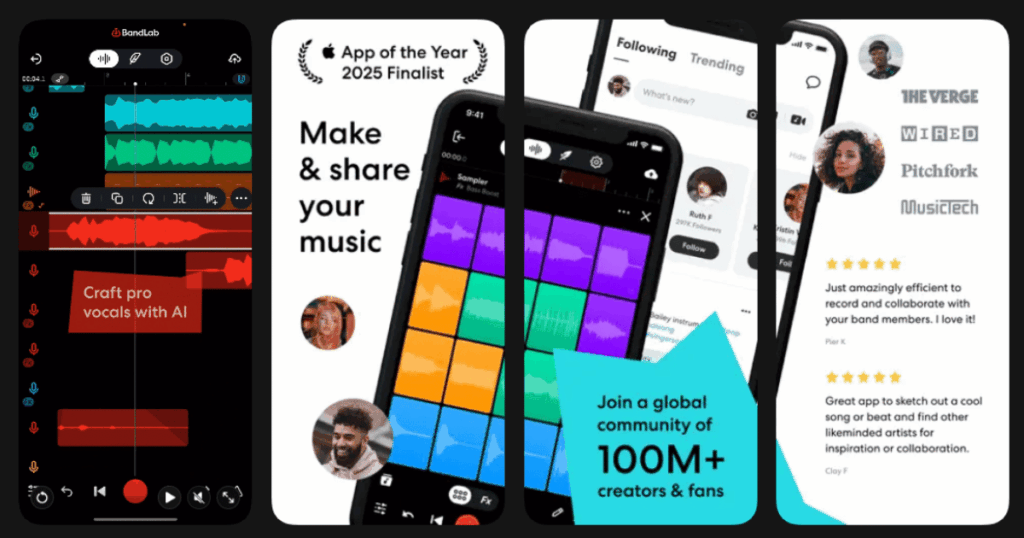
BandLab changes how you make music with friends. This cloud based DAW works on any device. You can start a track on your phone and finish it on your laptop.
The real magic happens with collaboration. Multiple people can work on the same song in real time. BandLab has over 30 million registered users creating more than 10 million new tracks monthly.
Key Features:
- Real time collaboration lets you jam with friends anywhere in the world
- Works on iOS, Android, and web browsers
- Thousands of royalty free loops and samples called BandLab Sounds
What I like: The cross platform support is amazing. I can use my phone on the bus, then switch to my computer at home without missing a beat. The social community aspect makes it fun to share and discover music. AutoPitch helps smooth out vocals easily. Best of all, it costs nothing.
What I don’t like: You need an internet connection for many features. The sound library is not as extensive as GarageBand. Some users report latency issues when syncing multiple tracks.
Pricing: Completely free with regular updates
Platforms: iOS, Android, and Web browsers
#4. FL Studio Mobile – Best for Professional Beat Making
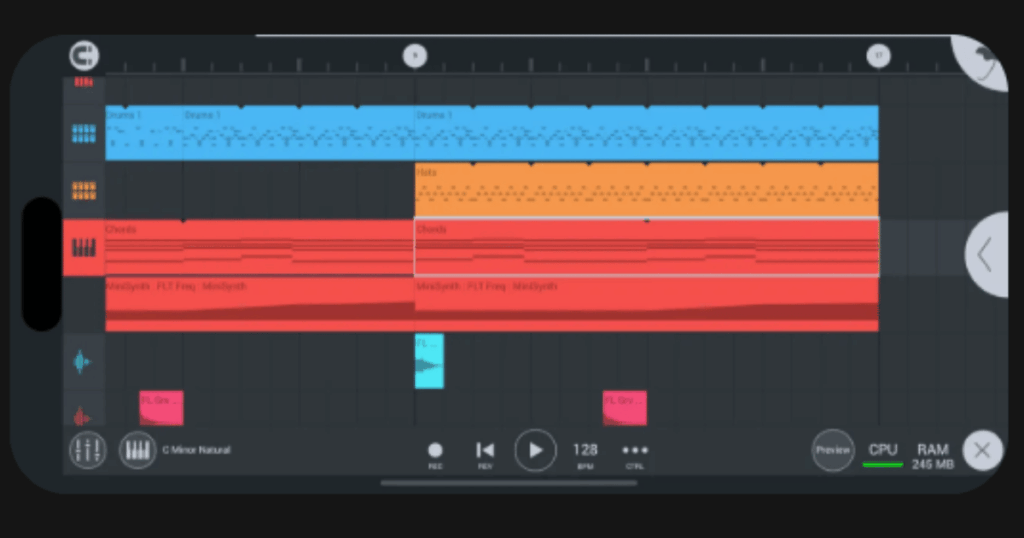
FL Studio Mobile brings serious music production to your pocket. This is the mobile version of one of the world’s most popular DAWs. Professionals trust it for creating high quality tracks.
The app comes loaded with 133 sampled instruments covering every musical style. You can export projects to the desktop version for detailed finishing. This creates a seamless workflow between mobile and computer.
Key Features:
- Step sequencer and piano roll for precise beat making
- 99 layered tracks with real time effects
- MIDI keyboard support for external instruments
What I like: The power packed into this app amazes me. It feels like a real studio on my phone. The drum kits and synths sound professional. Projects save in formats compatible with the desktop FL Studio. The one time purchase means no surprise subscription fees.
What I don’t like: The initial price is higher than free alternatives. The learning curve can feel steep for beginners. Some features require extra purchases through the in app store.
Pricing: One time purchase around $15 to $20. Additional sound packs available for purchase.
Platforms: iOS, Android, and Windows
#5. djay by Algoriddim – Best for Live DJ Performances
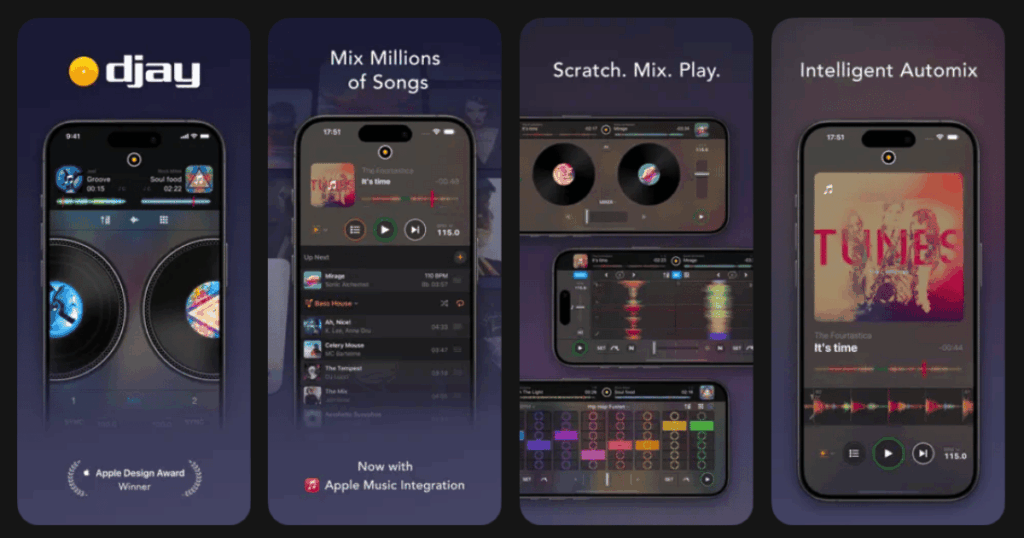
djay transforms your phone into a complete DJ system. This award winning app has earned multiple Apple Design Awards. The interface mimics real turntables and a mixer beautifully.
Neural Mix technology sets djay apart from competitors. It uses AI to isolate vocals, drums, and instruments in real time. You can remix any song on the fly.
Key Features:
- Neural Mix AI separates beats, instruments, and vocals instantly
- Access over 100 million songs through Apple Music, TIDAL, and SoundCloud
- Automix mode creates seamless DJ transitions automatically
What I like: The integration with streaming services is fantastic. I can access millions of songs right inside the app. The Automix feature is perfect when I want to relax and let the app do the work. Hardware controller support makes live performances feel professional. The visual interface looks absolutely stunning.
What I don’t like: Some premium features require a subscription. Neural Mix does not work with certain streaming services. The app can drain battery quickly during longer sessions.
Pricing: Free version available. Pro subscription unlocks all features across devices.
Platforms: iOS and Android
#6. n Track Studio – Best for Multi Track Recording
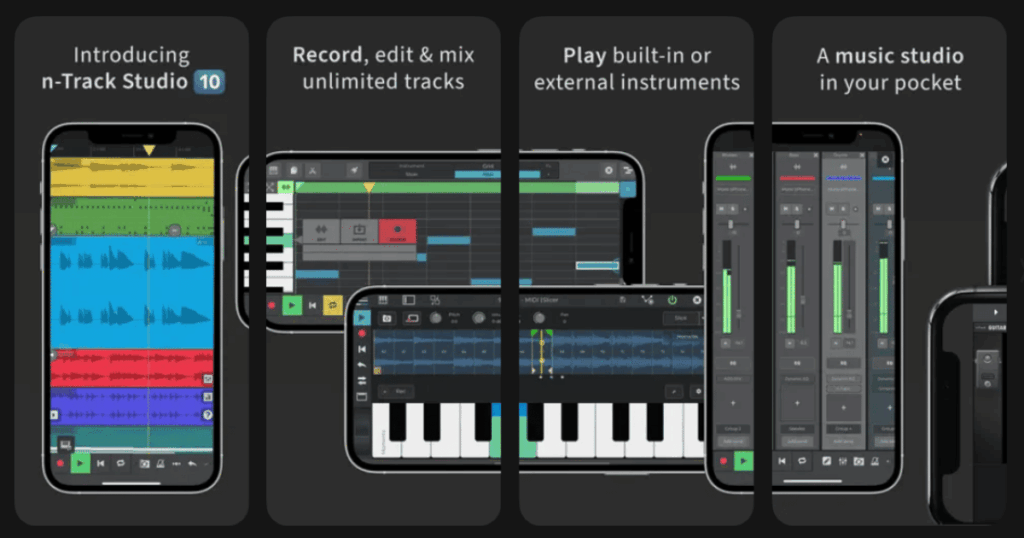
n Track Studio delivers a powerful recording studio in app form. It has been around for over 21 years on desktop. The mobile version keeps that same professional quality.
You can record virtually unlimited audio and MIDI tracks. Built in instruments and effects cover all your needs. The app syncs projects between desktop and mobile seamlessly.
Key Features:
- Unlimited audio and MIDI tracks with virtual synths
- EQ with spectrum analyzer and chromatic tuner
- VocalTune pitch correction for perfect vocals
What I like: This app feels like a full desktop DAW shrunk down for mobile. The mixing capabilities are impressive. I can adjust levels, add effects, and master tracks all on my phone. Cross platform sync means I never lose my work. The step sequencer makes creating beats intuitive.
What I don’t like: The free version adds a voice stamp to saved files. Some users report occasional crashes on certain devices. The interface takes time to learn properly.
Pricing: Free version available. Pro version removes limitations.
Platforms: iOS and Android
#7. edjing Mix – Best for Party DJs and Beginners
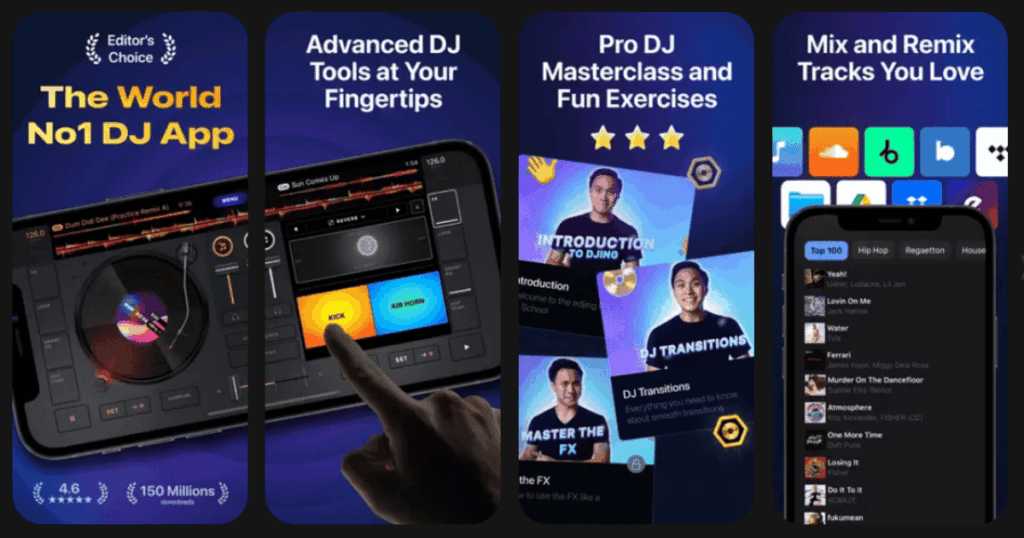
edjing Mix puts DJ tools in everyone’s hands. The app accesses over 70 million tracks from various sources. Creating party mixes becomes quick and easy.
The interface shows two turntables with a crossfader. You get professional effects like echo, flanger, and reverb. Recording your mixes in HD quality is built right in.
Key Features:
- Smart EQ instantly isolates vocals, percussion, and instruments
- Automatic BPM detection keeps songs in sync
- Compatible with external DJ controllers like DDJ 200
What I like: Getting started takes just minutes. The app walks you through basics well. Connecting to SoundCloud and other music sources opens up endless possibilities. I love recording my sessions to share with friends. The DJ School feature helps improve my skills over time.
What I don’t like: Many premium features sit behind a subscription wall. The free version has limited samples. Some users find the forced subscription prompts annoying.
Pricing: Free version with basic features. Weekly and yearly subscriptions available.
Platforms: iOS and Android
#8. Lexis Audio Editor – Best for Simple Audio Editing
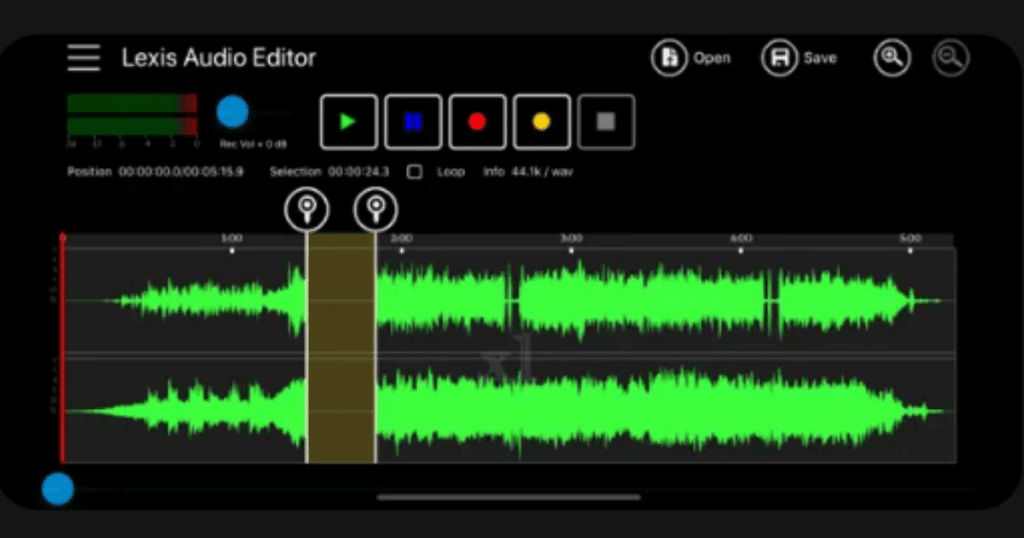
Lexis Audio Editor keeps things straightforward. This app focuses on essential editing tools without overwhelming extras. Perfect for quick audio fixes and simple mixes.
You can cut, copy, paste, and merge audio files easily. The 10 band equalizer lets you fine tune your sound. Noise reduction cleans up recordings nicely.
Key Features:
- 10 band equalizer for detailed sound adjustment
- Vocal separation from accompaniment for remixing
- Supports MP3, WAV, FLAC, M4A, AAC, and WMA formats
What I like: The simplicity works beautifully for basic tasks. I can trim audio, add fade effects, and export quickly. The interface displays waveforms clearly for precise editing. Import from video files works great too. Processing runs smoothly on most devices.
What I don’t like: Multi track support is missing. MP3 saving requires the paid version. The app lacks some advanced effects found in competitors.
Pricing: Free version includes most features. Paid upgrade unlocks MP3 export.
Platforms: iOS and Android
#9. Audio Editor Music Mixer – Best for Quick Audio Merging
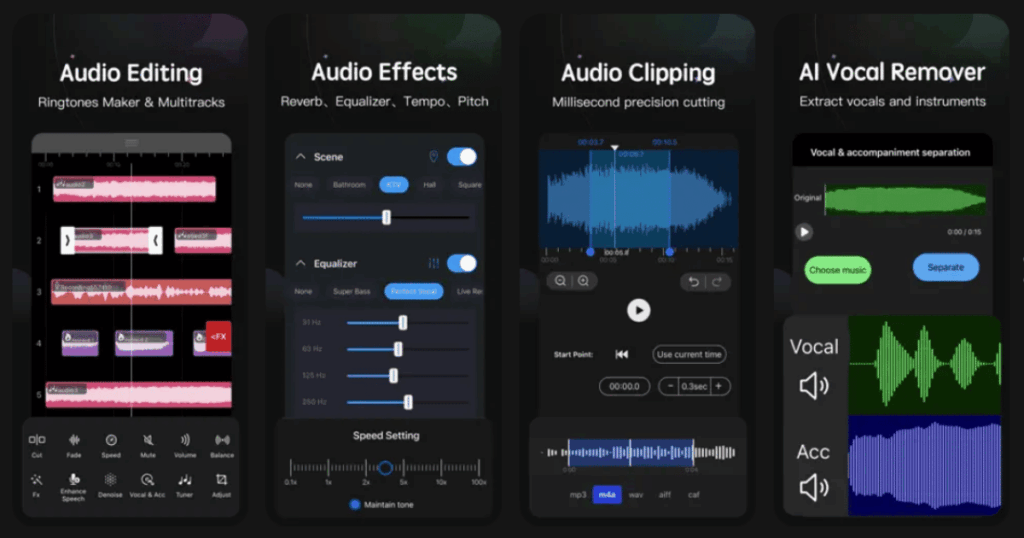
Audio Editor Music Mixer handles basic mixing tasks efficiently. The app combines audio cutting, merging, and effects in one place. Ringtone creation is built right in.
You get essential tools like audio cutter, joiner, and recorder. The professional equalizer improves sound quality. Converting between formats happens in seconds.
Key Features:
- Audio merger joins multiple files with good sound quality
- Voice recorder with adjustable sample rate and format
- Ringtone cutter for creating custom notification sounds
What I like: The app does simple jobs well. Cutting specific parts from songs takes just a few taps. Merging tracks together is straightforward. The waveform display helps me see exactly where to edit. Creating ringtones from favorite songs is convenient.
What I don’t like: Ads appear frequently in the free version. Some features feel less polished than competitors. The interface can feel cluttered at times.
Pricing: Free with ads. Premium removes ads and unlocks features.
Platforms: iOS and Android
What Is the Best Free Sound Mixing App?
Life7 offers a fantastic free trial that lets you explore its full capabilities. For completely free options, BandLab stands out as the best choice. It provides unlimited tracks, effects, and collaboration features without costing anything.
GarageBand is unbeatable if you own an Apple device. You get professional quality tools at zero cost. The virtual instruments and loops rival paid software.
For simple editing tasks, Lexis Audio Editor gives you most features free. Just remember that MP3 export needs the paid upgrade.
Can You Mix Professional Music on Your Phone?
Yes, you absolutely can create professional sounding music on your phone. Apps like FL Studio Mobile and n Track Studio pack serious power. Many professional producers use these tools for creating demos and even final tracks.
The key is understanding your app’s strengths. Use Life7 for ambient soundscapes and frequency based mixing. Choose FL Studio Mobile for beat production. Pick djay for live DJ performances.
Modern phones have enough processing power to handle complex projects. External audio interfaces improve recording quality further. Headphones help you hear details clearly while mixing.
How Do I Choose the Right Sound Mixing App?
Start by identifying your main goal. Want to create relaxing soundscapes? Life7 is your best bet. Looking to produce beats and full songs? FL Studio Mobile or BandLab work great.
Consider your budget next. Free apps like BandLab and GarageBand offer surprising power. Paid options like FL Studio Mobile provide more professional features.
Think about your device too. iOS users have access to everything listed. Android users should check compatibility before downloading. Some apps perform better on newer devices with more RAM.