
9 Best Wind Sound Apps For Your Phone
| App Name | Best For | Key Features | AC Rating | Pricing |
|---|---|---|---|---|
| Life7 | Complete mental wellness and sound therapy | Green, white, brown, pink noise plus binaural beats and 432 Hz frequencies | 4.8/5 | Free trial, then subscription plans available |
| BetterSleep | Mixing custom soundscapes | 300+ sounds, isochronic tones, guided meditations | 4.7/5 | Free version, premium subscription available |
| White Noise | Simple and reliable sleep sounds | 50+ sounds, community sound library, custom recording | 4.6/5 | Free lite version, one time purchase for full |
| Noisli | Focus and productivity | High quality ambient sounds, timer, shareable mixes | 4.5/5 | Free web version, paid app versions |
| myNoise | Deep sound customization | Colored noise generator, frequency sliders, calibration | 4.5/5 | Free with optional donations |
| Wind Noise: Relax and Sleep | Dedicated wind sounds | Multiple wind types, HD quality, timer function | 4.3/5 | Free with optional premium |
| Rain Rain Sleep Sounds | Layering nature sounds | 50+ HD sounds, custom mixer, offline use | 4.4/5 | Free version, premium for extras |
| Sleep Pillow | iOS sound layering | Hundreds of sound combinations, fade options | 4.3/5 | Free lite, paid full version |
| Atmosphere | Realistic nature environments | 100+ sounds, beautiful visuals, categories | 4.2/5 | Free with in app purchases |
#1. Life7 – Best for Complete Mental Wellness and Sound Therapy
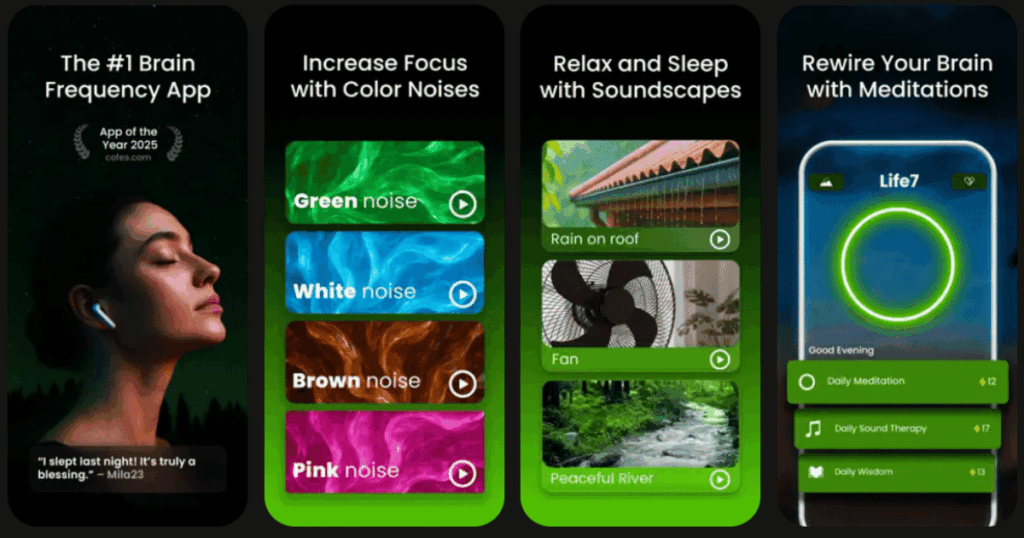
Life7 is my top pick for wind sound apps. It goes way beyond simple wind sounds. This app is a full mental wellness toolkit that can help you sleep, relax, and feel better overall.
The app has green noise, white noise, brown noise, and pink noise. You also get special sounds like delta waves, theta waves, and binaural beats. These are sounds designed by experts to help your brain relax. The 432 Hz and 528 Hz frequencies are known for their calming effects.
What makes Life7 special is the Backdrop Mode. You can mix wind sounds with meditations, sleep stories, or music. This creates a personal sound experience just for you.
Key Features:
- Green, white, brown, and pink noise plus binaural beats and solfeggio frequencies
- Backdrop Mode lets you mix soundscapes with meditations and sleep stories
- Daily sessions, mood tracking, breathing exercises, and guided meditation
What I like: I really enjoy how Life7 combines everything in one place. The wind and nature sounds are top quality. But you also get sleep stories, breathing exercises, and even hypnotherapy. The daily sessions keep me coming back. I love the gamified approach where you earn XP for meditating. The vagus nerve stimulation and nervous system reset sessions are incredibly helpful when I feel stressed.
What I don’t like: The free content is a bit limited. You really need the subscription to unlock the best features. But the 7 day free trial helps you decide if it is worth it.
Pricing: 7 day free trial, then weekly, monthly, or yearly plans. They often have special offers.
Platforms: iOS and Android
#2. BetterSleep – Best for Mixing Custom Soundscapes
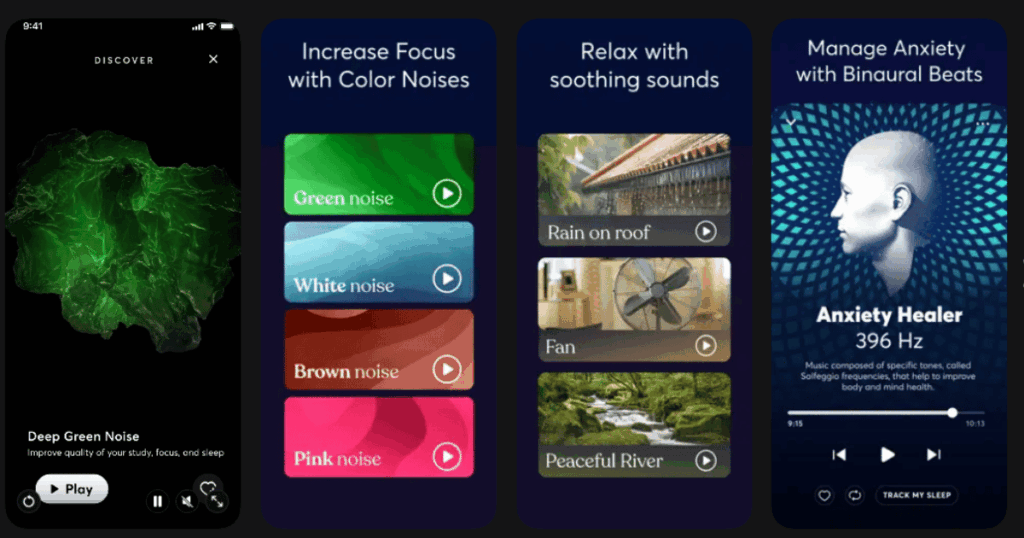
BetterSleep used to be called Relax Melodies. It has over 300 sounds you can mix together. This includes wind sounds, rain, nature, and even ASMR.
The mixing feature is really powerful. You can layer wind with ocean waves or a crackling fire. Each sound has its own volume slider. You can create exactly the soundscape you want.
The app also has guided meditations and bedtime stories. This makes it great for a full sleep routine.
Key Features:
- Over 300 high quality sounds including various wind types
- Custom sound mixing with individual volume controls
- Isochronic tones and binaural beats for deeper relaxation
What I like: The sound library is huge. I can spend hours mixing different combinations. The pre made mixes are also great when I just want something quick. The community features let you share your favorite mixes with friends.
What I don’t like: The free version is limited. Some of the best sounds are locked behind the subscription. The app can feel a bit overwhelming at first with so many options.
Pricing: Free version available. Premium subscription unlocks all features.
Platforms: iOS and Android
#3. White Noise – Best for Simple and Reliable Sleep Sounds
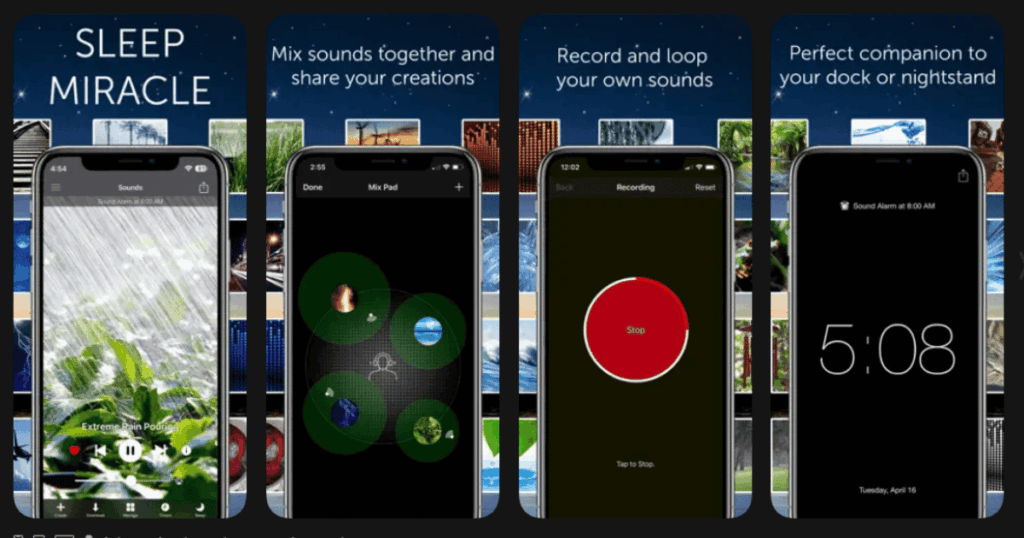
White Noise has been around for over 10 years. It is trusted by millions of people. The app is simple and does exactly what it promises.
You get over 50 pre loaded sounds. This includes different wind types, fans, and nature sounds. The market companion app lets you download thousands more sounds for free.
The app runs in the background while you use other apps. This is perfect for all day relaxation.
Key Features:
- 50+ built in high quality sounds with a community market for more
- Custom recording feature to capture your own sounds
- Mix pad to create and save custom soundscapes
What I like: This app just works. It is reliable and never crashes. The looping is seamless. I cannot tell when a sound starts over. The dark interface is perfect for night time use. The market has so many free sounds to download.
What I don’t like: The interface feels a bit dated compared to newer apps. Some features require the paid version. Recording your own sounds is a premium feature.
Pricing: Free lite version. One time purchase for full version.
Platforms: iOS, Android, Mac, and Windows
#4. Noisli – Best for Focus and Productivity
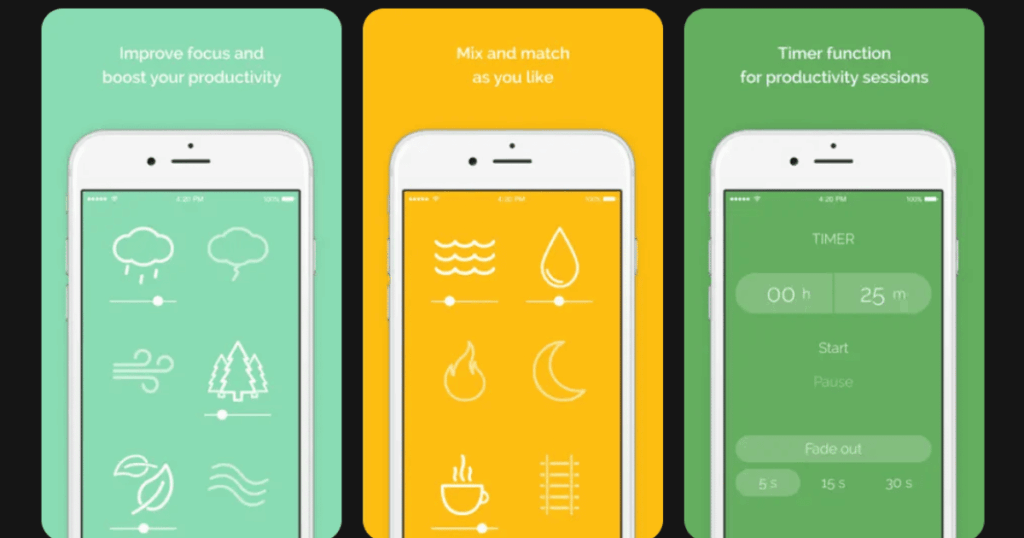
Noisli is perfect if you want wind sounds while working or studying. The sounds are high quality and blend together smoothly.
The app has wind, rain, thunder, forest, and many more sounds. You can mix them to create your ideal work environment. The timer feature helps you focus for set periods.
Noisli works on web, as a Chrome extension, and on mobile. This makes it easy to use anywhere.
Key Features:
- High quality ambient sounds including wind, leaves, and storms
- Shareable mixes for teams and friends
- Timer function and productivity features
What I like: The simplicity is beautiful. I open the app, tap a few sounds, and I am focused. The web version is totally free. I use it every day while working. The sounds never get annoying or distracting.
What I don’t like: The mobile apps cost money. The sound library is smaller than some competitors. No guided meditations or sleep stories.
Pricing: Free web version. Paid apps for iOS and Android.
Platforms: iOS, Android, and Web
#5. myNoise – Best for Deep Sound Customization

myNoise takes sound customization to another level. You can adjust individual frequencies using ten color coded sliders. This lets you shape the sound perfectly.
The colored noise generator is amazing. You can switch between white, pink, and brown noise. Each sounds different and affects your brain differently.
The app also has a calibration feature. This adjusts sounds based on your hearing and device.
Key Features:
- Colored noise generator with frequency controls
- Ten sliders to customize each sound precisely
- Calibration for your personal hearing profile
What I like: No other app gives this level of control. I can make the wind sound exactly how I want it. The calibration feature is unique and really helpful. The dreamy quality of the sounds is perfect for sleep.
What I don’t like: All the options can be confusing at first. It takes time to learn how to use all the features. The interface is not as pretty as other apps.
Pricing: Free with optional donations. Some sounds require patronage.
Platforms: iOS, Android, and Web
#6. Wind Noise: Relax and Sleep – Best for Dedicated Wind Sounds

This app focuses specifically on wind sounds. If you love wind and want variety, this is your app.
You get many types of wind. There are forest winds, prairie winds, and storm winds. Each sounds unique and realistic. Users say it sounds like real wind blowing through fields and trees.
The app runs in the background and has a timer. It uses very little battery.
Key Features:
- Multiple realistic wind sound types in HD quality
- Timer for automatic shutdown
- Ability to mix wind with other relaxing sounds
What I like: The wind sounds are incredibly realistic. One user said it sounds exactly like wind in her area. The slideshow mode with calming images is a nice touch. You can set sounds as ringtones too.
What I don’t like: The screen stays bright which can be annoying at night. The app is more limited than all in one wellness apps. Some users wish for more customization.
Pricing: Free with optional premium features.
Platforms: Android (iOS version also available as Wind Sounds)
#7. Rain Rain Sleep Sounds – Best for Layering Nature Sounds

Rain Rain has over 50 HD sounds including wind and storms. The mixer feature lets you combine sounds and control each volume.
You can blend wind with rain, thunder, or ocean waves. Saved mixes make it easy to return to your favorites. The app works offline after downloading sounds.
Key Features:
- 50+ high definition sounds with wind and storm options
- Custom mixer with individual volume controls
- Offline mode for use without internet
What I like: The sound quality is excellent. The mixer is intuitive and fun to use. I can blend heavy wind with gentle rain for perfect sleep. Saving my favorite combinations saves so much time.
What I don’t like: Some sounds are locked behind the premium version. The app focuses mainly on rain and water sounds. Wind options are more limited than dedicated wind apps.
Pricing: Free version with ads. Premium subscription removes limits.
Platforms: iOS and Android
#8. Sleep Pillow – Best for iOS Sound Layering
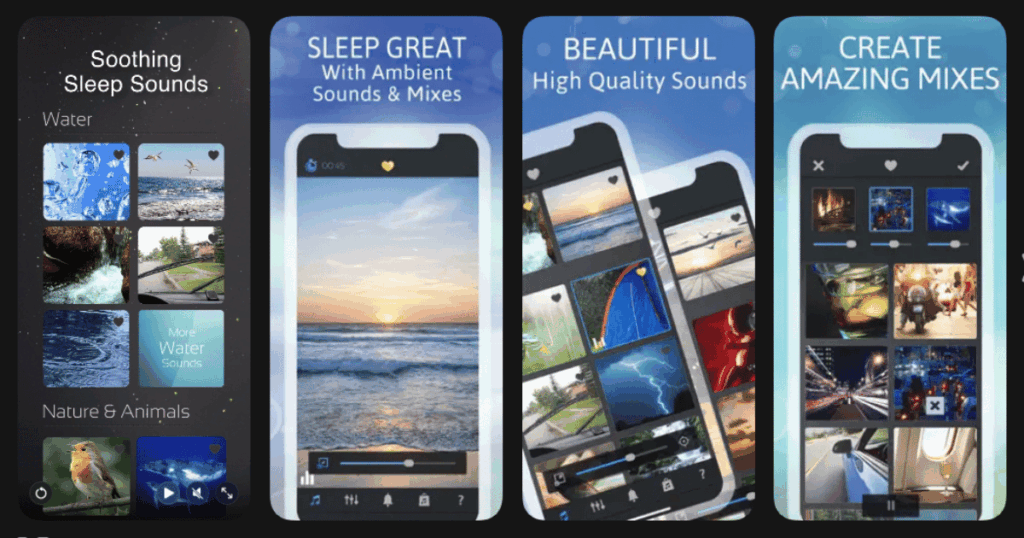
Sleep Pillow offers hundreds of thousands of possible sound combinations. You can layer wind, rain, and melodies together.
The fade in and fade out features are perfect for sleep. The app gently brings you to sleep and wakes you calmly.
This is one of the top rated sleep apps on iOS.
Key Features:
- Hundreds of thousands of unique sound combinations possible
- Fade in and fade out timer options
- Layer nature sounds with relaxing melodies
What I like: The combination possibilities seem endless. I keep discovering new mixes I love. The fade out feature is so gentle. I fall asleep without realizing the sound stopped.
What I don’t like: Only available on iOS. Android users miss out. The full version costs money. Some features feel hidden in the menus.
Pricing: Free lite version. Paid full version.
Platforms: iOS only
#9. Atmosphere – Best for Realistic Nature Environments
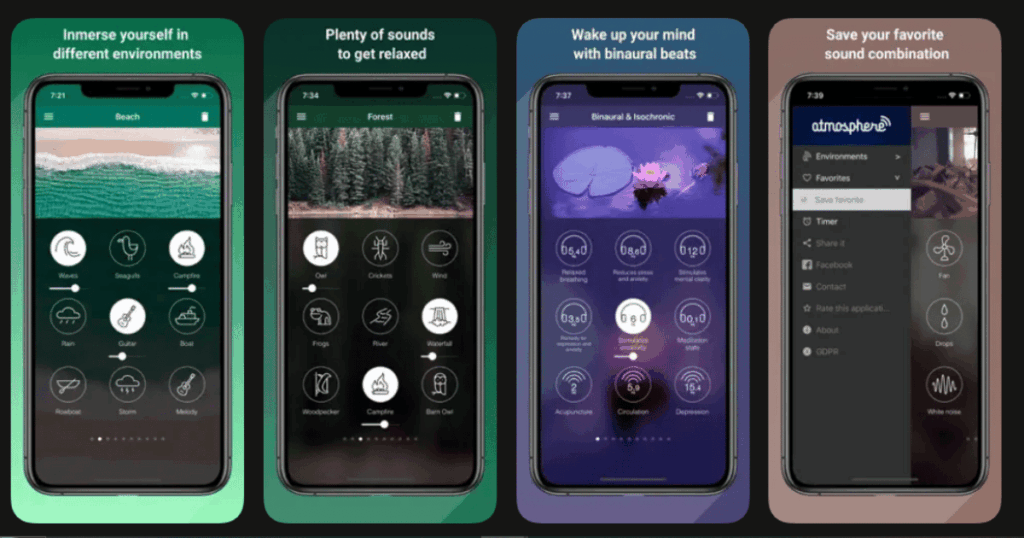
Atmosphere offers over 100 sounds sorted into categories. You get beach, forest, city, and home environments. Each category has multiple wind and nature options.
The app includes beautiful images with each soundscape. This creates a full sensory experience. The timer prevents battery drain.
Key Features:
- 100+ sounds in organized categories
- Beautiful background images for each environment
- Timer and background play support
What I like: The categories make finding sounds easy. I pick beach and get the perfect wind and wave combo. The visuals add to the relaxation. The sound quality is very good.
What I don’t like: Changing soundscapes requires a subscription. The free version has limited options. Some ads in the free version can interrupt relaxation.
Pricing: Free with in app purchases for premium sounds.
Platforms: iOS and Android
Do Wind Sound Apps Really Help You Sleep?
Yes, wind sounds can definitely help you sleep better. Wind creates what experts call “pink noise” or “white noise.” These constant sounds help mask sudden noises like traffic or dogs barking.
Your brain gets used to the steady sound. It stops being alert for new noises. This helps you relax and fall into deeper sleep.
Many people find wind sounds more natural than pure white noise. Wind reminds us of peaceful outdoor moments. This connection to nature can lower stress and anxiety.
Apps like Life7 combine wind sounds with other sleep tools. Binaural beats and special frequencies work with the sounds. This gives your brain extra signals to relax and sleep.
Are Wind Sound Apps Safe to Use All Night?
Wind sound apps are generally safe to use all night. Most people use them without any problems. However, there are a few things to keep in mind.
Use a comfortable volume. Sounds that are too loud can damage your hearing over time. Keep the volume low enough that you could still hear someone talking.
Most apps have timers. You can set the sound to stop after you fall asleep. This saves battery and gives your ears a rest.
Some people become dependent on sleep sounds. If you always need sounds to sleep, try slowly reducing volume over time. This helps your brain learn to sleep naturally again.
What Is the Difference Between Wind Sounds and White Noise?
Wind sounds and white noise are related but different. White noise contains all sound frequencies at equal intensity. It sounds like TV static or a hissing sound.
Wind sounds are recordings of actual wind. They include natural variations in pitch and volume. Wind can sound gentle or gusty, steady or changing.
Pink noise is closer to wind than white noise. It has more low frequencies. Many wind recordings naturally fall into the pink noise category.
Brown noise is even deeper. It sounds like a low roar or rumble. Some wind apps let you choose which type of noise you prefer.
Apps like Life7 offer all these options. You can try green noise, brown noise, pink noise, and more. Experiment to find what works best for your sleep and relaxation.