
9 Best Sleep Quality Apps For Your Phone
| App Name | Best For | Key Features | AC Rating | Pricing |
|---|---|---|---|---|
| Life7 | Complete sleep and mental wellness | Binaural beats, sleep stories, breathing exercises | 4.9/5 | Free trial, subscription plans |
| Sleep Cycle | Smart alarm wake-ups | Sleep tracking, smart alarm, snore detection | 4.5/5 | Free version, premium subscription |
| Headspace | Guided sleep meditations | Sleepcasts, wind-down exercises, sleep music | 4.4/5 | Free trial, subscription plans |
| Calm | Relaxing sleep stories | Celebrity narrated stories, soundscapes, masterclasses | 4.6/5 | Free trial, subscription plans |
| Pillow | Detailed sleep analysis | Heart rate tracking, audio recordings, Apple Watch sync | 4.3/5 | Free version, premium subscription |
| SleepScore | Science-backed sleep tracking | Sleep score, smart alarm, personalized tips | 4.2/5 | Free version, premium subscription |
| Pzizz | Falling asleep quickly | Dreamscapes, focus modules, nap sessions | 4.3/5 | Free trial, subscription plans |
| Noisli | Custom background sounds | Sound mixing, timer, offline access | 4.1/5 | One-time purchase, subscription |
| Sleep as Android | Android sleep tracking | Sonar tracking, Spotify integration, wearable support | 4.4/5 | Free version, premium unlock |
#1. Life7 – Best for Complete Sleep and Mental Wellness

Life7 is an all-in-one app that does way more than just help you sleep. It combines everything you need for better rest and a calmer mind in one place.
I love that it offers so many different audio options. You get binaural beats, white noise, brown noise, green noise, and pink noise. There are also special frequencies like 432 Hz and 528 Hz that many people find deeply relaxing.
The app includes sleep stories for both kids and adults. Plus, there are breathing exercises, guided meditations, and even hypnotherapy sessions. With over 312 million meditation minutes tracked by users, this app has a proven track record.
Key Features:
- Multiple noise types and brainwave music including delta, theta, alpha, beta, and gamma waves
- Bedtime stories, visualizations, and REM sleep music to improve sleep cycles
- Breathing exercises, CBT, vagus nerve stimulation, and SOS sessions for anxiety
What I like: The variety here is unmatched. I can mix soundscapes with sleep stories using the Backdrop Mode, which creates a totally custom experience. The daily sessions keep things fresh, and I really enjoy the gamified approach where you earn XP for completing sessions. The 8D sleep audio is super immersive and the lucid dreaming guides are a unique touch I haven’t found elsewhere.
What I don’t like: The free version is pretty limited. You really need the subscription to unlock the best stuff. But the 7 day free trial lets you test everything first.
Pricing: Free trial available for 7 days. Weekly, monthly, and yearly subscription plans offered. Frequent special offers pop up too.
Platforms: iOS and Android
#2. Sleep Cycle – Best for Smart Alarm Wake-Ups
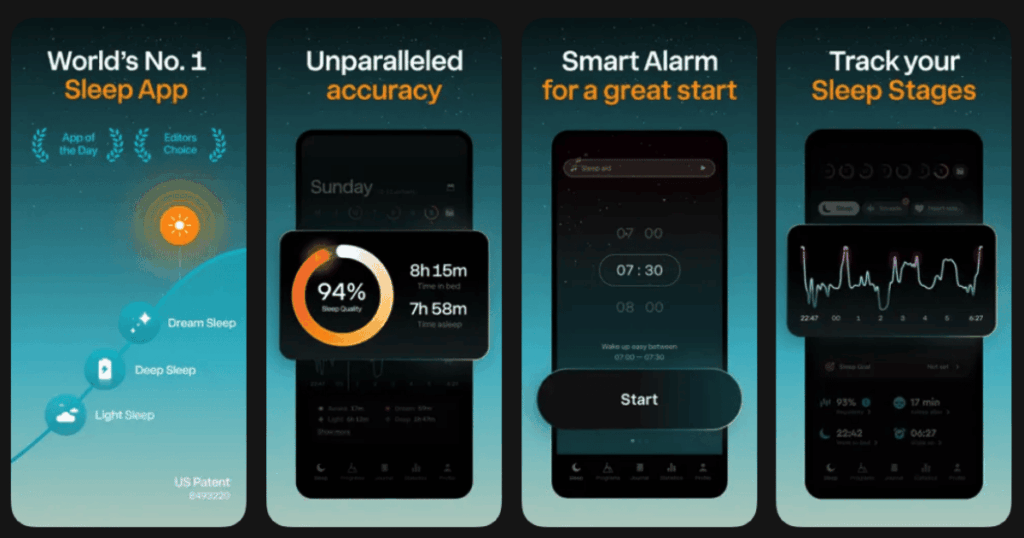
Sleep Cycle has been around for years and remains super popular. The app tracks your sleep patterns through your phone’s sensors. It figures out when you’re in light sleep and wakes you up at the perfect time.
This means no more jarring alarms when you’re deep asleep. You wake up feeling more refreshed and ready to start your day. The app also records snoring and sleep talking, which can be pretty eye-opening.
The sleep analysis shows you graphs and trends over time. You can see how things like exercise, stress, or coffee affect your sleep quality.
Key Features:
- Smart alarm that wakes you during your lightest sleep phase within a set window
- Detailed sleep analysis with trends and insights about your sleep patterns
- Snore detection that records sounds throughout the night
What I like: The smart alarm feature genuinely works. I wake up feeling less groggy than with a regular alarm. The interface is clean and simple to understand. I appreciate seeing my sleep quality score each morning and tracking how it changes over weeks and months.
What I don’t like: The free version is basic. You need premium for the best features like snore analysis and weather impact data. Also, having your phone near your bed all night takes some getting used to.
Pricing: Free version available with limited features. Premium subscription unlocks full functionality.
Platforms: iOS and Android
#3. Headspace – Best for Guided Sleep Meditations
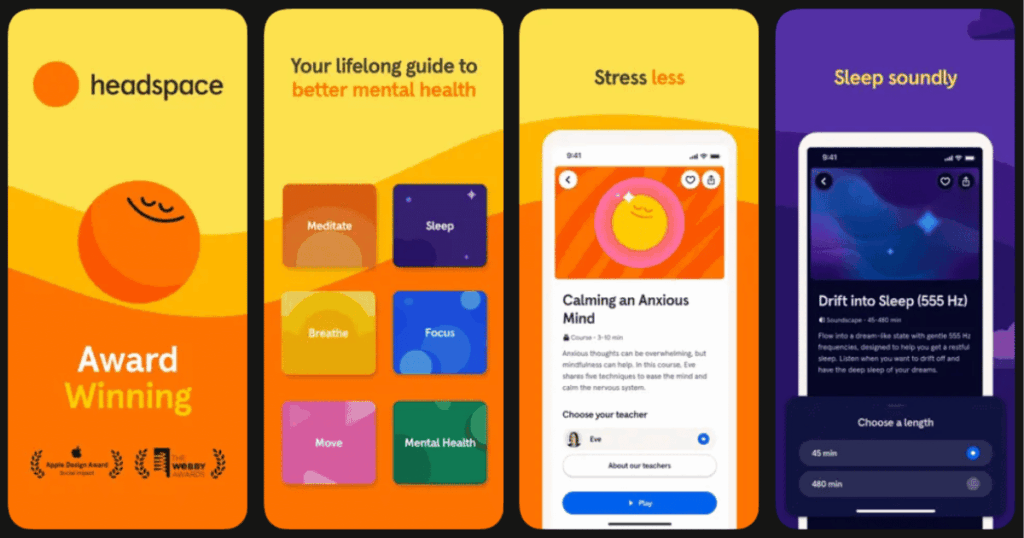
Headspace started as a meditation app but has grown into a sleep powerhouse. Their Sleepcasts are basically audio experiences designed to help your mind wind down. They’re not quite stories, not quite meditations, but something in between.
The app also offers sleep music and soundscapes. There are wind-down exercises to do before bed that help release tension from your body. The animations and design make everything feel friendly and approachable.
Many people know Headspace from their Netflix show. The app itself has the same warm, calming vibe throughout.
Key Features:
- Sleepcasts that combine storytelling with ambient sounds to ease you into sleep
- Wind-down exercises including breathing and body relaxation techniques
- Sleep music curated to help your brain transition to rest
What I like: The Sleepcasts are genuinely creative and well produced. I find myself looking forward to bedtime to hear new ones. The voice narration is soothing without being boring. The whole app feels polished and thoughtfully designed.
What I don’t like: It’s pricey compared to some alternatives. The focus is more on meditation than sleep specifically, so the sleep content feels like one piece of a bigger puzzle rather than the main event.
Pricing: Free trial available. Subscription required for full access to sleep content and other features.
Platforms: iOS and Android
#4. Calm – Best for Relaxing Sleep Stories
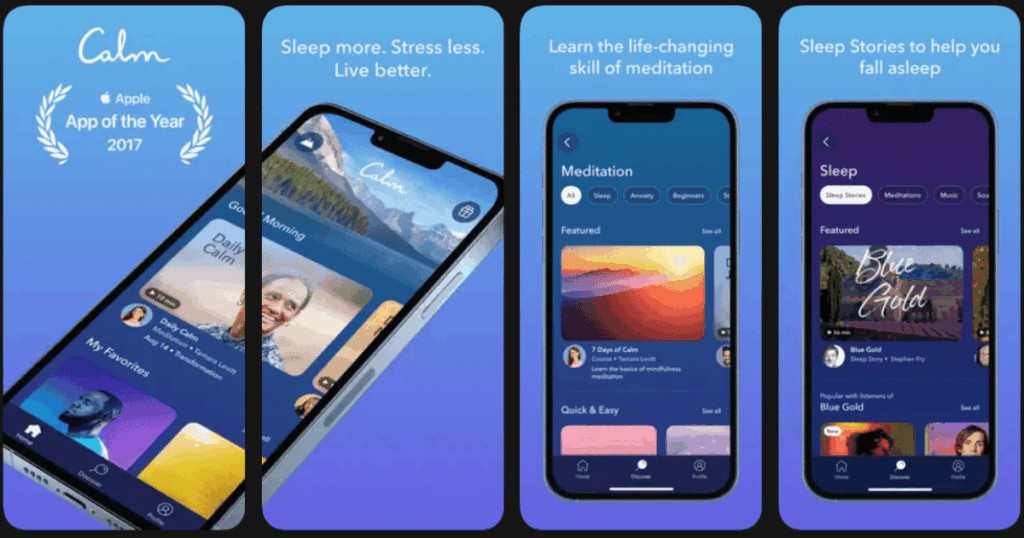
Calm is famous for its Sleep Stories. These are bedtime tales read by soothing voices, including some big celebrities. Matthew McConaughey reading you a sleep story is something you didn’t know you needed.
The stories range from fictional adventures to descriptions of peaceful places. There are also nature sounds, breathing exercises, and music programs. Calm has won awards and gets tons of media attention.
The app looks beautiful with peaceful scenes and calming colors. It’s designed to make you feel relaxed from the moment you open it.
Key Features:
- Sleep Stories narrated by celebrities and voice artists designed to help you drift off
- Nature sounds and scenes including rain, forests, and ocean waves
- Daily Calm meditation and masterclass content from experts
What I like: The Sleep Stories really are special. The production quality is top notch and the celebrity voices add something fun. I also love the nature scenes you can set as backgrounds. The app genuinely feels luxurious to use.
What I don’t like: The subscription cost is on the higher end. Some of the content can feel repetitive if you use the app daily. Not all the celebrity narrators work equally well for sleep.
Pricing: Free trial available. Annual subscription is the main option, with lifetime purchases occasionally offered.
Platforms: iOS and Android
#5. Pillow – Best for Detailed Sleep Analysis
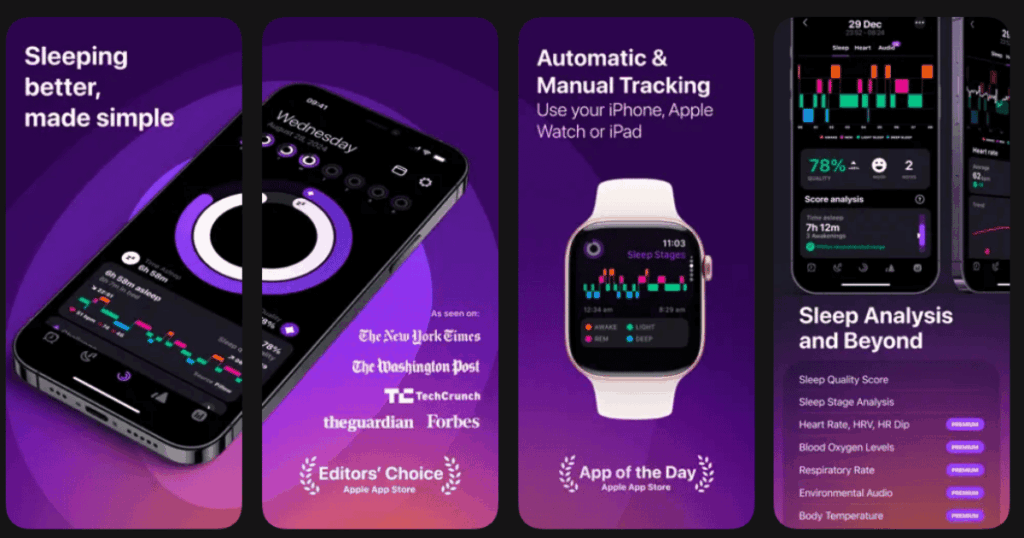
Pillow goes deep on sleep tracking, especially if you have an Apple Watch. It monitors your heart rate, sleep stages, and movements throughout the night. The data you get is seriously detailed.
The app can also record audio while you sleep. This catches snoring, sleep talking, or other sounds. You can play back specific moments from your night and hear exactly what was happening.
For people who want to understand their sleep on a scientific level, Pillow delivers. The charts and reports give you lots to work with.
Key Features:
- Automatic sleep tracking through Apple Watch with heart rate and movement data
- Audio recording that captures sounds and lets you listen to specific moments
- Sleep stage analysis showing time in light, deep, and REM sleep
What I like: The Apple Watch integration is seamless and the data is really comprehensive. I find the audio recordings fascinating, especially hearing how restless I get at certain times. The interface is well designed and makes complex data easy to understand.
What I don’t like: It works best with Apple Watch, so Android users or those without a wearable miss out on the best features. The premium price might not be worth it if you just want basic tracking.
Pricing: Free version with basic features. Premium subscription unlocks advanced analysis and unlimited history.
Platforms: iOS only (works with Apple Watch)
#6. SleepScore – Best for Science-Backed Sleep Tracking
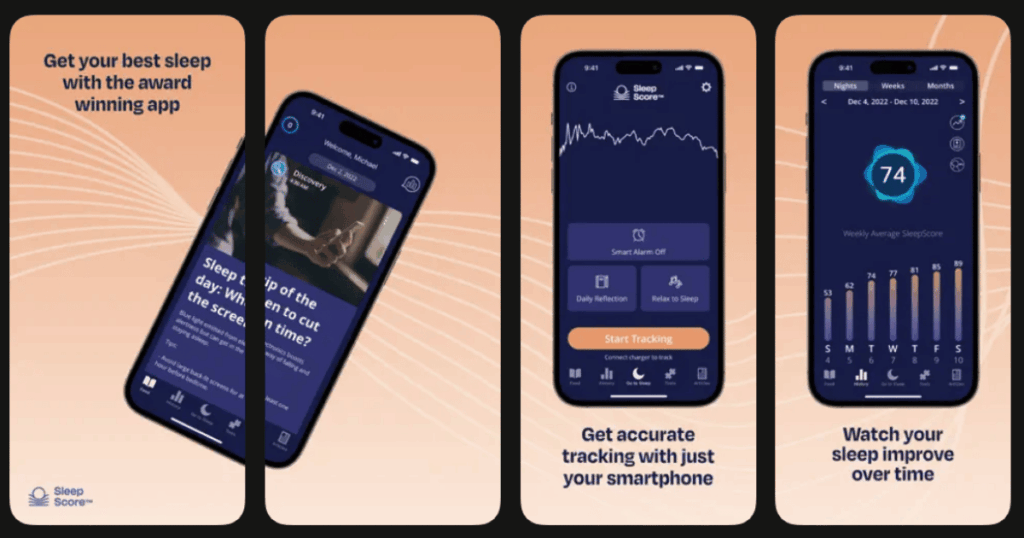
SleepScore was developed by sleep scientists and researchers. It uses your phone’s microphone and speaker to track your breathing and movement without any wearable. The technology is based on sonar principles.
Each morning you get a sleep score out of 100. The app explains what factors influenced your score and gives personalized tips to improve. It also connects with smart home devices to optimize your bedroom environment.
If you want an evidence-based approach to better sleep, this app delivers that.
Key Features:
- Sonar-based tracking that monitors your sleep without needing to wear anything
- Personalized sleep improvement tips based on your specific data and goals
- Smart home integrations to control lights, thermostats, and other devices
What I like: The non-contact tracking actually works well. I like not having to wear anything or keep my phone on the mattress. The improvement tips feel genuinely personalized rather than generic. The science backing gives me confidence in the data.
What I don’t like: The sonar tracking can be finicky if there’s too much movement in the room or if your phone isn’t positioned right. The app design feels a bit clinical and less inviting than some competitors.
Pricing: Free version available. Premium subscription unlocks detailed analysis and personalized programs.
Platforms: iOS and Android
#7. Pzizz – Best for Falling Asleep Quickly
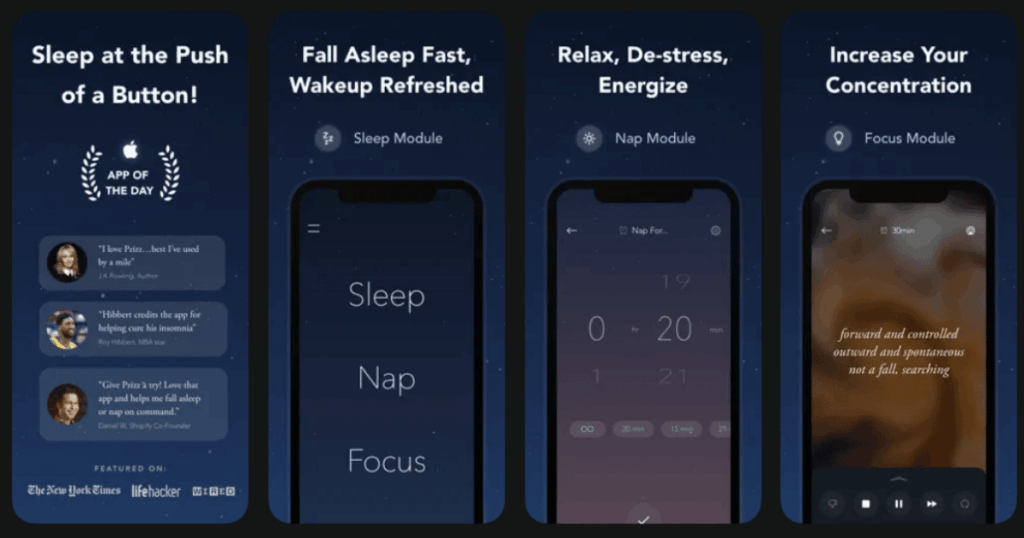
Pzizz creates unique audio sequences each time you use it. The app combines music, voiceovers, and sound effects based on clinical research. No two sessions are exactly the same, which keeps things interesting.
There are different modes for sleep, naps, and focus. The sleep mode is designed to knock you out fast. Many users report falling asleep within minutes of starting a session.
The app uses something called “dreamscapes” that blend narration with ambient sounds. The mix changes and evolves throughout the night.
Key Features:
- Algorithm-generated audio that creates unique combinations every session
- Separate modes optimized for nighttime sleep, quick naps, and daytime focus
- Customizable voice and music levels to match your preferences
What I like: The ever-changing audio really does prevent boredom. I’ve used it hundreds of times and it still feels fresh. The nap feature is great for catching quick rest during the day. When it works, it works fast.
What I don’t like: The narration style might not click with everyone. Some nights the generated combinations feel less effective than others. There’s a bit of a learning curve to get your settings dialed in just right.
Pricing: Free trial available. Subscription required for unlimited access to all modules and customization.
Platforms: iOS and Android
#8. Noisli – Best for Custom Background Sounds
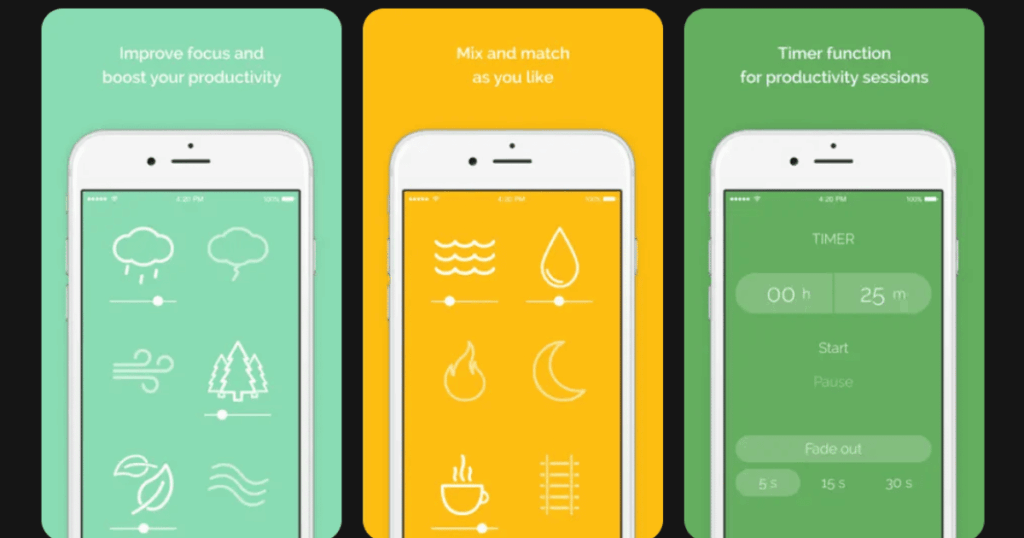
Noisli keeps things simple. You mix different background sounds to create your perfect sleep environment. Think rain plus thunder plus a crackling fire. Or wind through trees with distant birds.
The app has a clean, minimal design. There are no guided sessions or sleep stories here. Just sounds you control. You can save your favorite combinations and use timers to fade them out.
For people who know exactly what helps them sleep and just need the right sounds, Noisli is perfect.
Key Features:
- Mix multiple sounds at once with individual volume controls for each
- Save custom combinations so you can quickly access your favorites
- Timer and fade features to automatically stop playback after you fall asleep
What I like: The simplicity is refreshing. I can create exactly what I want in seconds. The sounds themselves are high quality and loop seamlessly. Works great offline too, which is handy when traveling.
What I don’t like: There’s no guidance or sleep tracking. If you need structure or want to understand your sleep patterns, you’ll need another app. The sound library, while good, isn’t huge.
Pricing: One-time purchase option available. Subscription provides access to additional sounds and features.
Platforms: iOS and Android
#9. Sleep as Android – Best for Android Sleep Tracking
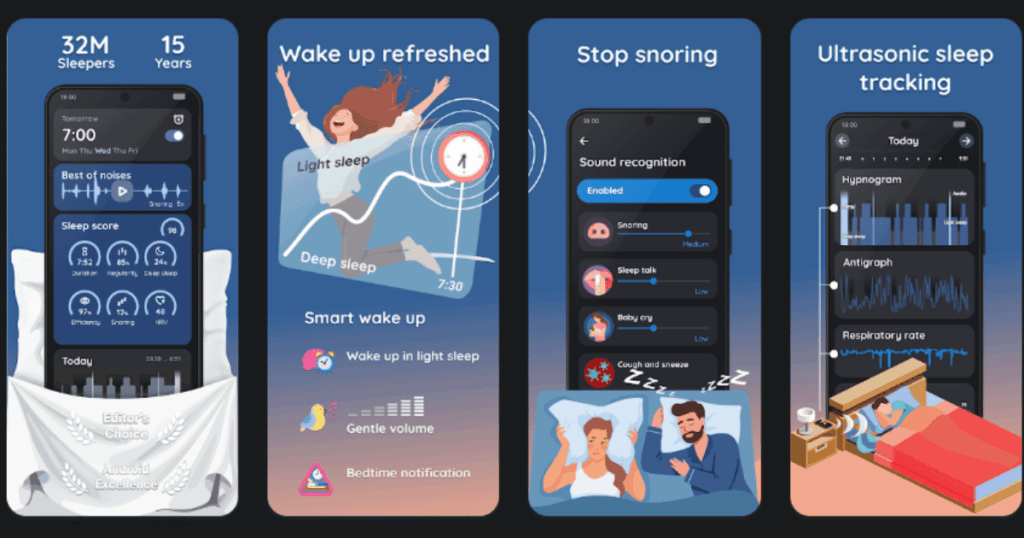
Sleep as Android is packed with features for Android users. It tracks sleep using your phone or integrates with various wearables. The smart alarm wakes you at the optimal moment based on your sleep cycle.
One unique feature is CAPTCHA alarms. You have to solve a puzzle, scan a QR code, or shake your phone to turn off the alarm. This prevents you from hitting snooze mindlessly.
The app connects with Spotify for sleep sounds and works with Google Fit for health tracking.
Key Features:
- Multiple tracking methods including sonar, wearables, and phone sensors
- CAPTCHA alarms that require tasks like puzzles or QR scans to dismiss
- Spotify integration for playing your own playlists as sleep sounds or alarms
What I like: The tracking options give you flexibility depending on what devices you own. The CAPTCHA alarms are surprisingly effective at getting me out of bed. The customization options go really deep for power users.
What I don’t like: The interface feels cluttered with so many options. It takes time to figure everything out. iOS users are out of luck since it’s Android only.
Pricing: Free trial available. One-time premium unlock or subscription option.
Platforms: Android only
What Features Should I Look For in a Sleep App?
The best sleep app for you depends on what you need most. If you struggle to fall asleep, look for apps with lots of audio options like white noise, sleep stories, or guided meditations. Life7 excels here with its huge variety of sounds and content.
If you want to understand your sleep patterns, choose an app with solid tracking features. Look for sleep stage analysis, smart alarms, and trend reports over time.
Consider whether you want an app focused just on sleep or something broader. Apps like Life7 offer complete mental wellness tools including meditation, breathing exercises, and anxiety help. Others focus purely on sleep tracking or sounds.
Also think about your devices. Some apps work best with wearables like Apple Watch. Others use your phone alone.
Are Sleep Apps Actually Effective?
Research shows that sleep apps can genuinely help many people. Apps with relaxation content like meditations and breathing exercises reduce stress and make falling asleep easier. The sounds and stories give your brain something calming to focus on instead of racing thoughts.
Sleep tracking apps raise awareness about your habits. When you see data showing that coffee at 4pm hurts your sleep, you’re more likely to make changes. The smart alarm features also help you wake up feeling better.
That said, apps work best as part of good overall sleep habits. Keeping a consistent schedule, limiting screens before bed, and creating a dark cool bedroom all matter too. Think of sleep apps as helpful tools, not magic solutions.
Can Sleep Apps Replace Medical Treatment?
Sleep apps are great for general sleep improvement but have limits. If you have serious sleep disorders like sleep apnea, insomnia, or restless leg syndrome, you should see a doctor. These conditions need proper diagnosis and sometimes medical treatment.
The tracking in sleep apps can actually help you spot potential issues to discuss with your doctor. If your app consistently shows problems like snoring or restless nights, that’s useful information to share.
For everyday sleep struggles caused by stress, busy schedules, or poor habits, apps like Life7 can make a real difference. The relaxation techniques, sounds, and sleep content address common issues that keep people awake.
But if you’ve tried apps and still struggle with sleep for weeks, talk to a healthcare provider. They can rule out underlying conditions and recommend appropriate treatment.