
9 Best Baby Sleep Apps For Your Phone
| App Name | Best For | Key Features | AC Rating | Pricing |
|---|---|---|---|---|
| Life7 | All in one sleep and mental wellness | White noise, brown noise, sleep stories, breathing exercises, binaural beats | 4.8/5 | Free trial, then subscription |
| Huckleberry | AI powered sleep predictions | SweetSpot nap predictor, sleep tracking, expert sleep plans | 4.6/5 | Free basic, premium subscription |
| Sound Sleeper | Automatic cry detection | Listen mode, sleep tracking, age based sounds | 4.5/5 | Free with premium option |
| Napper | Personalized nap schedules | Wake window tracking, sleep courses, custom soundscapes | 4.4/5 | Free trial, then subscription |
| Baby Shusher | Rhythmic shushing sounds | Sound equalizer, adjustable timer, doctor tested technique | 4.3/5 | One time purchase |
| Happy Baby | Smart sleep schedule creation | DreamTimer, developmental leap tracking, feeding logs | 4.4/5 | Free with premium features |
| Baby Connect | Comprehensive baby tracking | Multi caregiver sync, detailed reports, milestone tracking | 4.5/5 | Subscription based |
| White Noise Baby Sleep Sounds | Budget friendly white noise | 40+ sounds, sound mixing, offline mode | 4.2/5 | Free with ads |
| Lullabo | Classic lullabies and sounds | 12 classic lullabies, customizable timer, sound mixing | 4.3/5 | Free with premium option |
#1. Life7 – Best for All in One Sleep and Mental Wellness

Life7 is my top pick for baby sleep apps because it does so much more than just help babies sleep. This app is like having a complete wellness toolkit right on your phone. It offers everything from soothing soundscapes to sleep stories for the whole family.
What makes Life7 stand out is its huge library of sleep sounds. You get white noise, brown noise, pink noise, and green noise. Plus there are binaural beats and special frequencies like 432 Hz and 528 Hz that help calm both babies and parents.
The app also has bedtime stories for children and adults. This means you can use it for years as your little one grows!
Key Features:
- Multiple noise types including white, brown, pink, and green noise plus binaural beats
- Sleep stories for both children and adults with guided visualizations
- Breathing exercises and SOS sessions for calming anxiety
What I like: I love how Life7 goes beyond just baby sleep sounds. The daily check in feature helps me stay consistent with bedtime routines. The backdrop mode is super cool because I can mix soundscapes with meditations or sleep stories. The gamified approach with XP and streaks keeps me motivated to use it every night. Plus the whole family can benefit from it!
What I don’t like: The free content is a bit limited. You really need to subscribe to get the full experience with all the premium soundscapes and features.
Pricing: 7 day free trial available. Weekly, monthly and yearly plans offered with frequent special offers.
Platforms: iOS and Android
#2. Huckleberry – Best for AI Powered Sleep Predictions
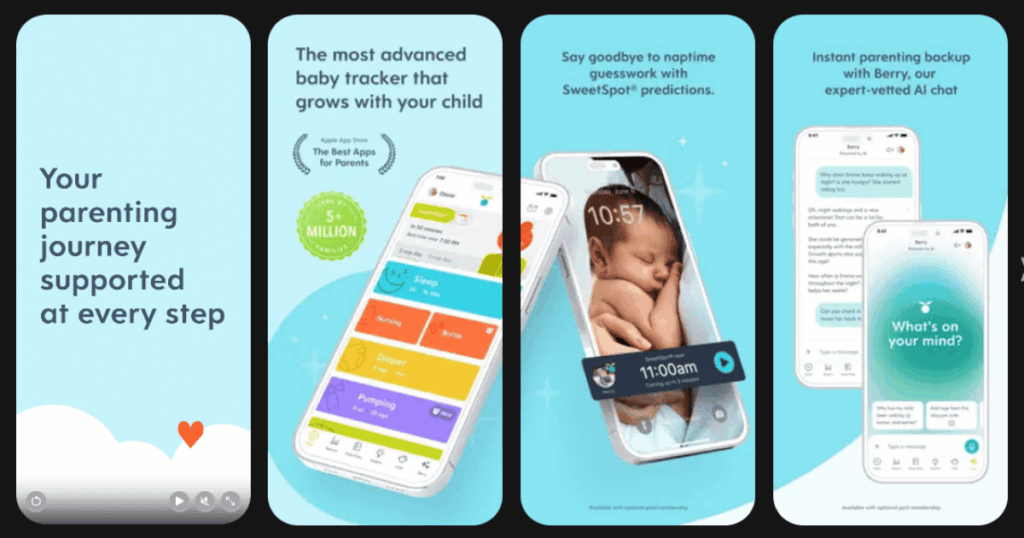
Huckleberry has become a favorite among tired parents for good reason. The app uses AI and data from sleep experts to predict the perfect time to put your baby down. This feature is called SweetSpot and it is a total game changer.
The app tracks your baby’s sleep patterns and learns their natural rhythm. Then it tells you exactly when to start the bedtime routine. No more guessing if your baby is tired or overtired!
Huckleberry also offers expert designed sleep plans if you need more help. Real sleep consultants review your data and create custom advice.
Key Features:
- SweetSpot predictor that tells you the ideal time for naps and bedtime
- Comprehensive tracking for sleep, feedings, diapers and more
- Access to pediatric sleep experts for custom sleep plans
What I like: The one touch tracking makes it so easy to log everything even when I am half asleep. The weekly summaries help me see patterns I would never notice on my own. I also appreciate that the free version has useful features without forcing me to pay right away.
What I don’t like: The premium features like SweetSpot require a subscription. Some parents feel the wake windows are too rigid and don’t adjust well to their unique baby.
Pricing: Free basic tracking. Plus membership and Premium membership available with monthly or yearly options.
Platforms: iOS and Android
#3. Sound Sleeper – Best for Automatic Cry Detection
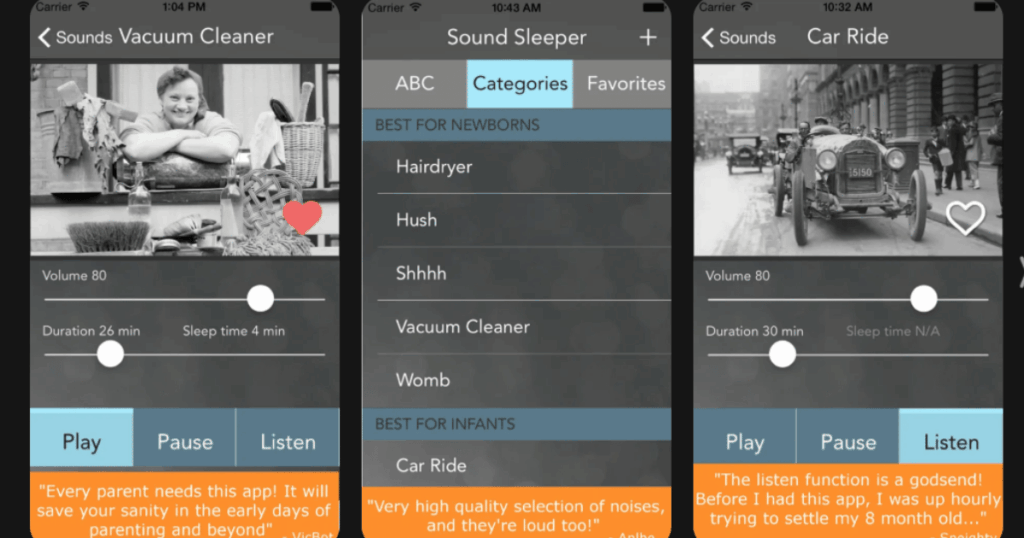
Sound Sleeper stands out because of its amazing Listen mode feature. The app can actually hear when your baby starts crying and automatically plays soothing sounds to help them fall back asleep.
This means you might not even have to get out of bed for those middle of the night wakings! The app has sounds organized by age so you can find the perfect one for your newborn, infant, or toddler.
Parents love that Sound Sleeper also tracks sleep patterns. You get helpful graphs to share with your pediatrician or just understand your baby better.
Key Features:
- Listen mode that automatically detects crying and plays sounds
- Sleep tracking with color coded graphs for pattern analysis
- Age appropriate sound categories from newborn to parent
What I like: The automatic cry detection is a lifesaver at 3am. I also love that I can record my own lullabies and use them in the app. The sounds are organized by age which makes it super easy to find what works.
What I don’t like: The free version limits play time to 30 minutes. You need to upgrade for continuous play through the night.
Pricing: Free limited version. One time purchase or subscription for premium features.
Platforms: iOS and Android
#4. Napper – Best for Personalized Nap Schedules
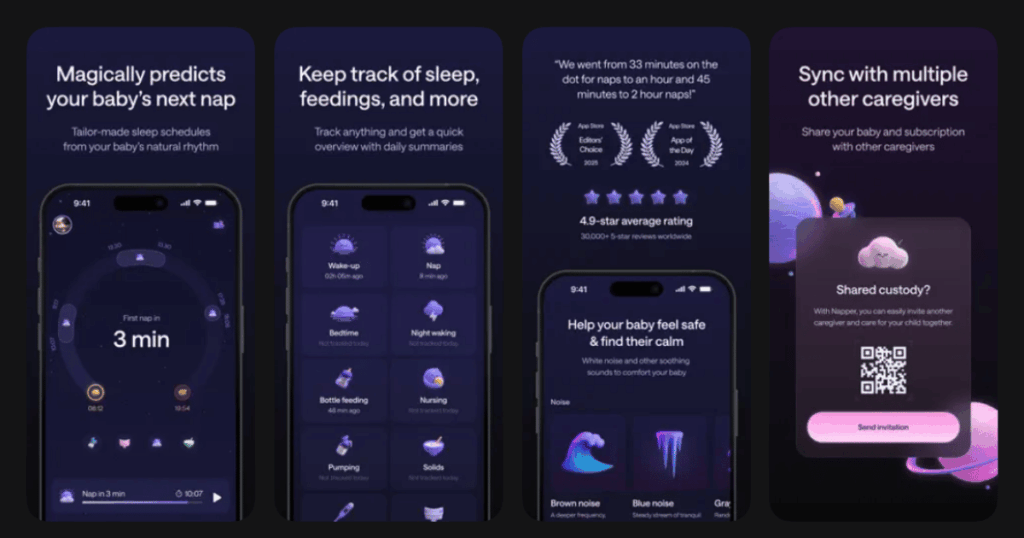
Napper has become wildly popular because it learns your baby’s unique sleep patterns. The app uses wake windows and sleep pressure science to predict exactly when your little one will be ready for sleep.
Parents rave that Napper gets the timing right within just minutes. Once you input your data for a few days the predictions become incredibly accurate.
The app also includes a sleep course written by sleep experts. This helps you understand why your baby sleeps the way they do.
Key Features:
- Predictive nap schedules that adjust to your baby’s natural rhythm
- Custom soundscapes composed specifically for baby sleep
- Baby sleep and parenting courses based on latest research
What I like: The predictions are scary accurate! After just a few days of tracking my baby fell asleep right on schedule. I love getting notifications before nap time so I can prepare. The trends and statistics help me spot issues before they become big problems.
What I don’t like: The free trial is great but once it ends the free version loses some prediction accuracy. Some parents feel pushed toward the premium version.
Pricing: Free trial period. Subscription required for full features.
Platforms: iOS and Android
#5. Baby Shusher – Best for Rhythmic Shushing Sounds
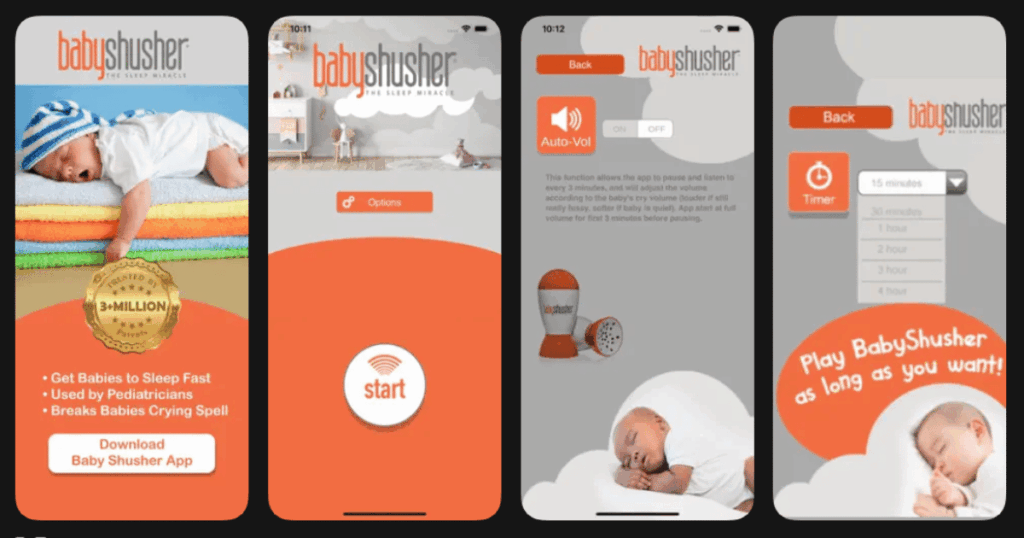
Baby Shusher uses an ancient technique that really works. The rhythmic shushing sound mimics what babies hear in the womb. This triggers their natural calming reflex.
The app was created by a dad who discovered that shushing helped his babies sleep. Now over 3 million parents trust this simple but effective tool.
What makes it special is the sound equalizer feature. The app listens to your baby and adjusts the shushing volume to match their crying level.
Key Features:
- Doctor tested rhythmic shushing sound that mimics the womb
- Sound equalizer that adjusts volume based on baby’s crying
- Adjustable timer from 15 minutes up to 8 hours
What I like: It is so simple and it just works! The shushing sound calmed my baby within seconds during the newborn stage. I appreciate that the timer goes up to 8 hours so I can set it and forget it. The one time purchase is also a nice change from endless subscriptions.
What I don’t like: The app sometimes stops randomly which can wake the baby. Some users report bugs that interrupt the sound. It only does shushing so no variety in sounds.
Pricing: One time purchase.
Platforms: iOS and Android
#6. Happy Baby – Best for Smart Sleep Schedule Creation
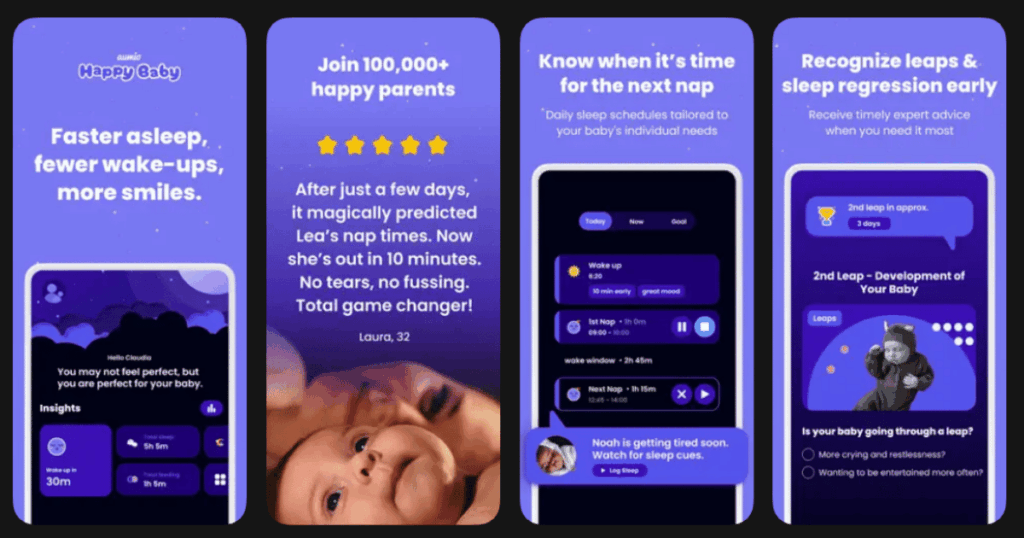
Happy Baby is designed to do more than just track naps. The app uses AI to create personalized sleep schedules based on your baby’s age, development and natural rhythms.
The DreamTimer feature predicts when your baby will be tired before they get overtired. This helps prevent those terrible meltdowns that happen when bedtime is missed.
The app also tracks developmental leaps so you know what to expect during rough patches.
Key Features:
- AI powered DreamTimer that predicts optimal nap and bedtimes
- Developmental leap tracking with expert backed guidance
- Library of white noise, lullabies and calming sounds
What I like: The smart notifications warn me before my baby gets overtired. This is huge because overtired babies are impossible to put down! I love the developmental leap tracking because it helps me understand why sleep suddenly got worse.
What I don’t like: The app can feel overwhelming with all its features at first. Some parents wish the free version had more sounds available.
Pricing: Free basic features. Subscription for premium content.
Platforms: iOS and Android
#7. Baby Connect – Best for Comprehensive Baby Tracking
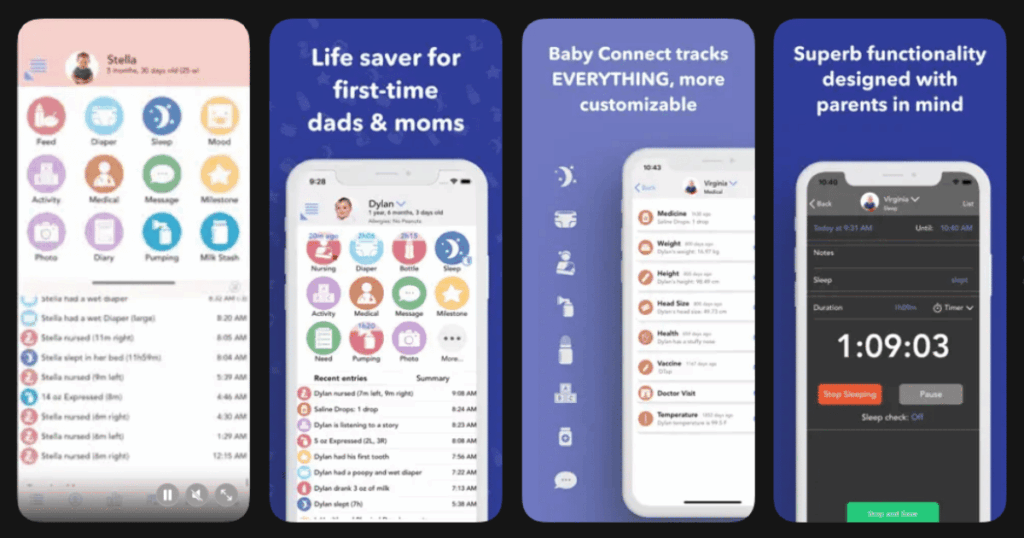
Baby Connect is the ultimate tracking app for parents who want to log everything. Sleep is just one piece of the puzzle. You can also track feedings, diapers, medicine, vaccines and milestones.
The real magic is the instant sync feature. Multiple caregivers can access the same account. This is perfect for parents who share duties with grandparents, nannies or daycare.
The app turns all your data into helpful charts and graphs. These are great for pediatrician visits when the doctor asks about sleep patterns.
Key Features:
- Real time sync across unlimited caregivers and devices
- Comprehensive tracking for sleep, feedings, diapers, medicine and more
- Detailed reports and trend charts for pediatrician visits
What I like: The ability to sync with my partner and our nanny is amazing. Everyone knows exactly when the baby last ate or slept. The reports make doctor visits so much easier. I also love that it works on any device including web browsers.
What I don’t like: The interface feels cluttered with so many features. The subscription model disappointed many longtime users who originally paid a one time fee.
Pricing: 7 day free trial. Monthly or yearly subscription required.
Platforms: iOS, Android and Web
#8. White Noise Baby Sleep Sounds – Best for Budget Friendly White Noise
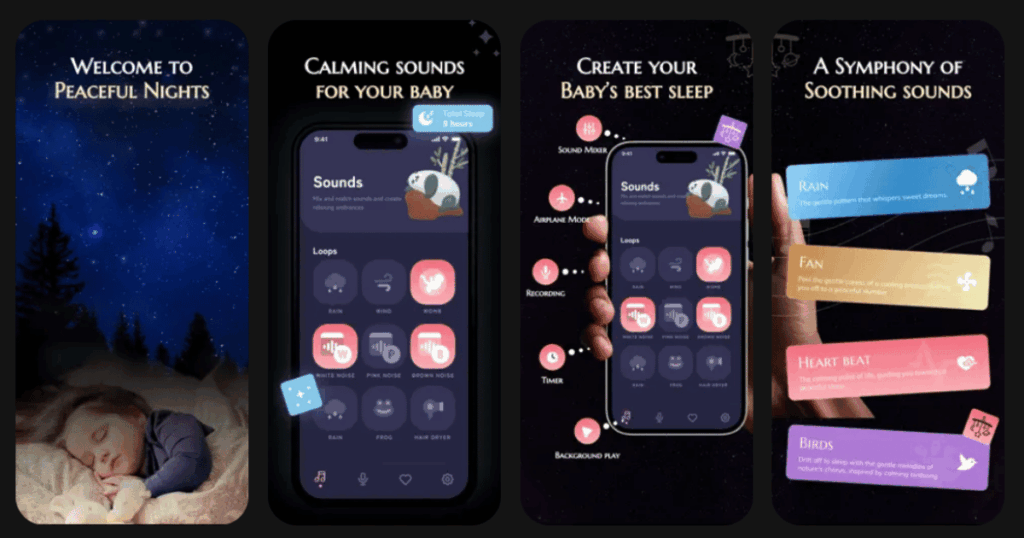
White Noise Baby Sleep Sounds is a fantastic free option for parents on a budget. The app includes over 40 different sounds including white noise, pink noise, brown noise and the popular green noise.
You can mix sounds together to create the perfect combination for your baby. The app also includes lullabies for variety.
Best of all it works offline. No need to worry about wifi when your baby needs to sleep.
Key Features:
- 40 plus white noise sounds including all color noise types
- Sound mixing feature to create custom combinations
- Offline mode with no internet required
What I like: I cannot believe this app is free! The sound mixing is great for finding what works best. I use the fan sound mixed with rain and my baby is out in minutes. The timer with soft fade out is gentle and doesn’t startle my little one awake.
What I don’t like: There are ads in the free version which can be annoying. Sometimes the app stops unexpectedly in the middle of the night.
Pricing: Free with ads. Ad free version available.
Platforms: Android (iOS alternatives available)
#9. Lullabo – Best for Classic Lullabies and Sounds
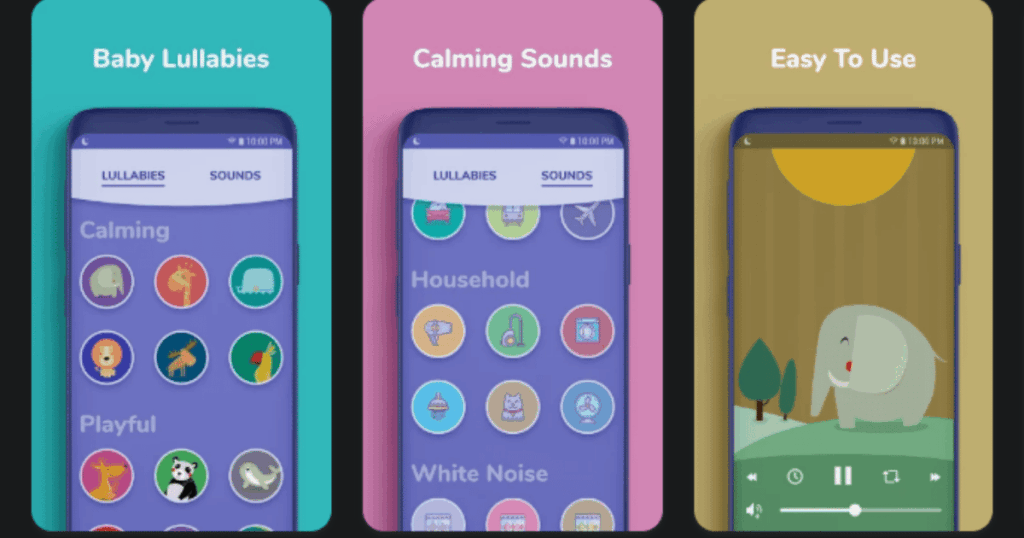
Lullabo focuses on beautiful lullabies that have helped babies sleep for generations. The app includes classics like Brahms Lullaby and Twinkle Twinkle Little Star in high quality recordings.
But it is not just lullabies. You can mix in white noise, nature sounds and household sounds like fans and vacuum cleaners. The customizable timer ensures the music stops after your baby is in deep sleep.
The playful animal themed design makes the app a joy to use even at 2am.
Key Features:
- 12 classic high quality lullabies with beautiful instrumentals
- Mix and match lullabies with white noise and nature sounds
- Customizable sleep timer to avoid interrupting deep sleep
What I like: The lullabies are gorgeous and not annoying like some baby music. My baby loves the music box melodies! Being able to mix in white noise gives me flexibility. The cute animal graphics make the app pleasant to use.
What I don’t like: Some of the best sounds require the premium version. The selection is smaller compared to some other apps.
Pricing: Free basic version. Premium upgrade available.
Platforms: iOS and Android
Do Baby Sleep Apps Really Work?
Yes, baby sleep apps can be very helpful! Many apps use sounds that mimic what babies heard in the womb. This includes white noise, heartbeat sounds and rhythmic shushing. These sounds trigger a natural calming reflex in newborns.
Apps that track sleep patterns also help parents understand their baby’s unique needs. When you know your baby’s natural rhythm you can time naps and bedtime perfectly. This prevents overtiredness which is one of the biggest causes of sleep problems.
Of course every baby is different. What works for one might not work for another. That is why I recommend trying a few different apps to see what your little one responds to best.
Are White Noise Apps Safe for Babies?
White noise apps are generally safe when used correctly. Experts recommend keeping the volume at about 50 decibels or lower. This is roughly the sound level of a dishwasher or light rain.
Place your phone at least a few feet away from your baby’s head. Never put it directly in the crib. Also consider using airplane mode to avoid notifications and reduce any radiation concerns.
Most importantly do not rely on white noise as the only sleep tool. Use it as part of a consistent bedtime routine that includes dimming lights, feeding, and cuddles.
What Features Should I Look for in a Baby Sleep App?
The best baby sleep apps have several important features. First look for a variety of sounds because different babies prefer different noises. Some love white noise while others respond better to nature sounds or lullabies.
A timer feature is essential so the sound turns off after your baby is asleep. Background play is also important so you can use your phone for other things.
If you want to understand your baby’s sleep patterns look for apps with tracking and analytics. These help you spot trends and make adjustments. Finally consider whether the app syncs across devices if multiple caregivers will use it.